The Project Closure Checklist
A practical project closure checklist covering why closure gets skipped, confirming delivery and formal acceptance, handover to operations, commercial and administrative close-out, and running lessons learned that actually get used.

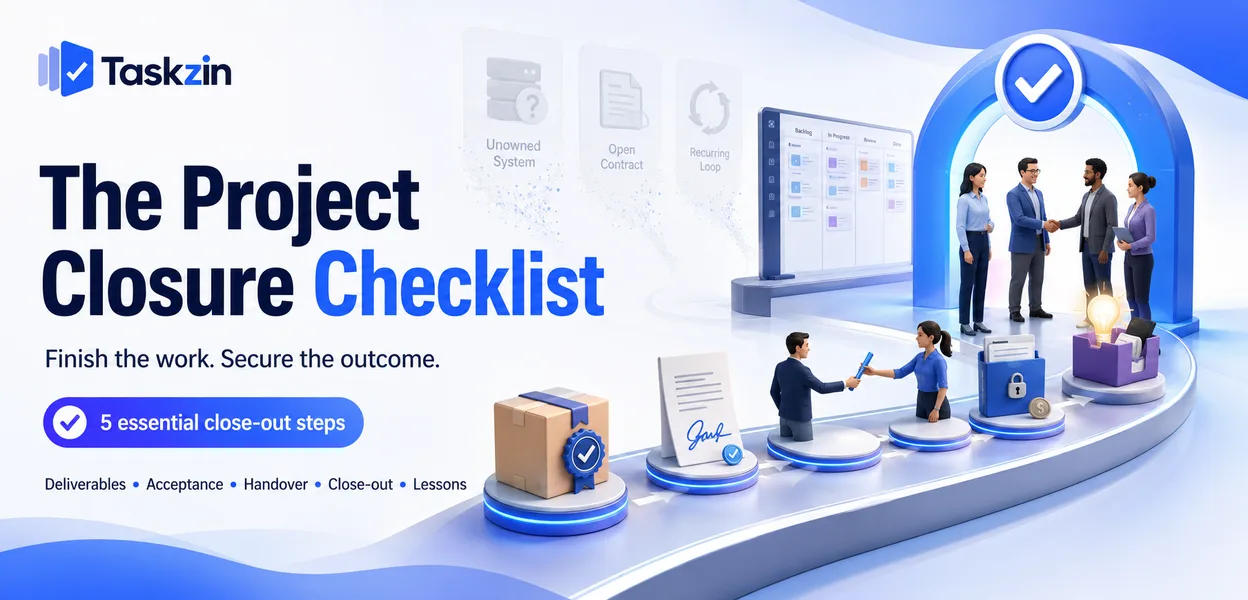
The costs of skipping appear later — unowned systems, unclosed contracts, and the same mistakes recurring on the next project. This checklist covers what actually needs doing.
Quick answer: Project closure covers five things: confirming deliverables meet the agreed criteria, obtaining formal acceptance, handing over to whoever operates the result, completing commercial and administrative close-out, and capturing lessons. It is the phase teams most often rush, because by the time it arrives everyone has moved to something else and nothing visibly breaks if you skip it.
Why Closure Gets Skipped
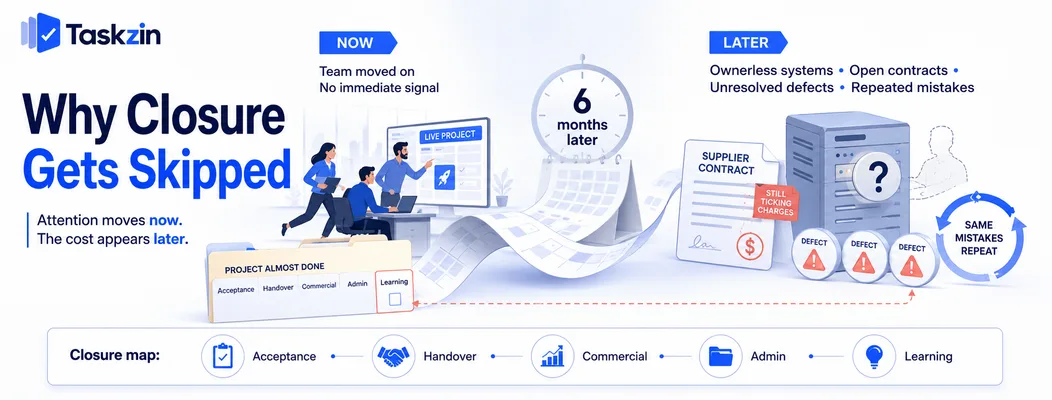
Closure is skipped because attention has already moved, because the consequences are delayed, and because nobody's immediate objectives depend on it.
The team has already moved on
By the time the last deliverable is accepted, most of the team is assigned elsewhere. Closure competes with live work for people who are no longer measured on this project.
This is structural rather than a discipline failure. The realistic response is to plan closure activity into the schedule as work with owners and dates, rather than assuming it happens because it should.
Nothing visibly breaks if you skip it
An unclosed project does not fail loudly. The system runs, the client is broadly satisfied, and the absence of a lessons session goes unnoticed.
That invisibility is exactly why it gets dropped. There is no immediate feedback signal telling you that closure was inadequate.
What it costs later
Six months on: nobody is sure who owns the system, a supplier contract is still running, three defects were never triaged, and the next project repeats a mistake this one already made.
None of these is catastrophic individually. Collectively, an organisation that never closes properly accumulates ownerless systems and never improves how it delivers.
The Closure Checklist
Area Item Owner
Get formal acceptance
Deliverables verified against success criteria Project manager Acceptance Formal sign-off obtained from sponsor Sponsor
Acceptance Outstanding defects triaged, fixed or accepted Project manager
Handover to Operations
Operational owner named and confirmed Operations lead Handover
Documentation and support arrangements
accessible Project manager Handover Support model agreed and communicated Operations lead Handover
Access, licences and accounts
transferred IT / admin Commercial Final invoices raised and paid Finance Commercial Supplier contracts closed or transitioned Procurement Commercial Budget reconciled against baseline Finance Administrative Team formally released Project manager
Archiving the project record
Learning Lessons learned session held Project manager Learning Lessons routed to owners Sponsor Benefits Benefits review scheduled Sponsor
Confirming Delivery and Acceptance
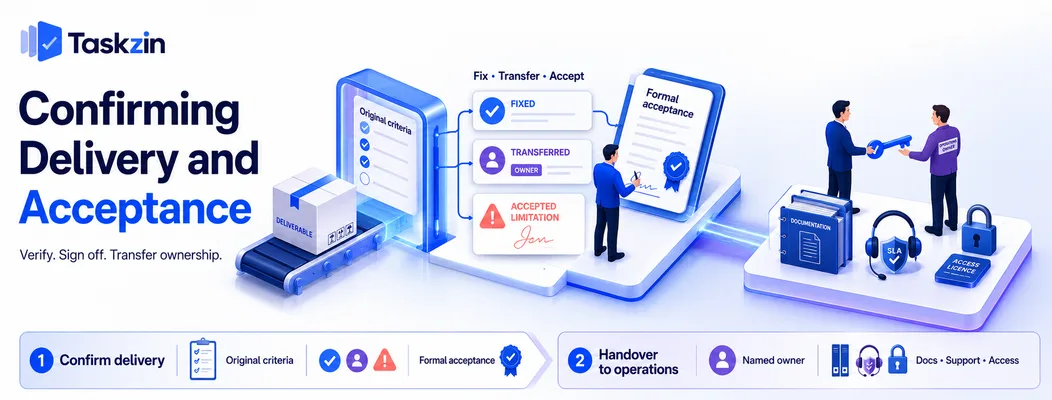
Verify deliverables against the criteria agreed at the start, obtain explicit sign-off, and deal with every outstanding item rather than leaving them open.
Check against the original criteria
Return to the charter or initiation document and check each success criterion. Not what the project ended up delivering — what it said it would.
This comparison is frequently uncomfortable and always informative. Where a criterion was not met, that should be an explicit decision recorded at closure rather than something quietly unmentioned.
Get formal acceptance The sponsor confirms in writing that the deliverables meet the agreed criteria.
Without this, projects drift into an indefinite state where minor requests keep arriving and nobody can say the work is finished. Acceptance is the event that ends that ambiguity, and it protects both sides.
Close out defects and open items
Every open defect and outstanding task gets one of three outcomes: fixed before closure, transferred to the operational backlog with an owner, or formally accepted as a known limitation.
What must not happen is items remaining in a closed project's task list, where nobody looks.
Where the tool supports moving items between projects, transferring them into the operational backlog takes minutes and prevents a category of problem that otherwise surfaces months later.
Handover to Operations Handover requires a named operational owner, complete documentation, an agreed support model, and transferred access.
Who owns it now
Name the person or team responsible for the result going forward. Confirm they have accepted it, not merely been informed.
Unowned systems are the most common consequence of poor closure. Six months later something breaks and there is a genuine argument about whose responsibility it is.
Documentation and support arrangements Operating procedures, architecture or as-built documentation, known issues, escalation contacts, and the support model — who fixes what, within what timeframe.
Documentation written at closure is always worse than documentation maintained throughout.
Where specifications and decisions were recorded against the work as it happened, closure becomes assembling what exists rather than writing from memory.
Access, licences and accounts Administrative access, service accounts, licences, domain registrations, third-party subscriptions.
This is dull and causes real problems when skipped — a licence renewing to a departed employee's card, or an admin account nobody can access. Work through it as a list.
Commercial and Administrative Closure
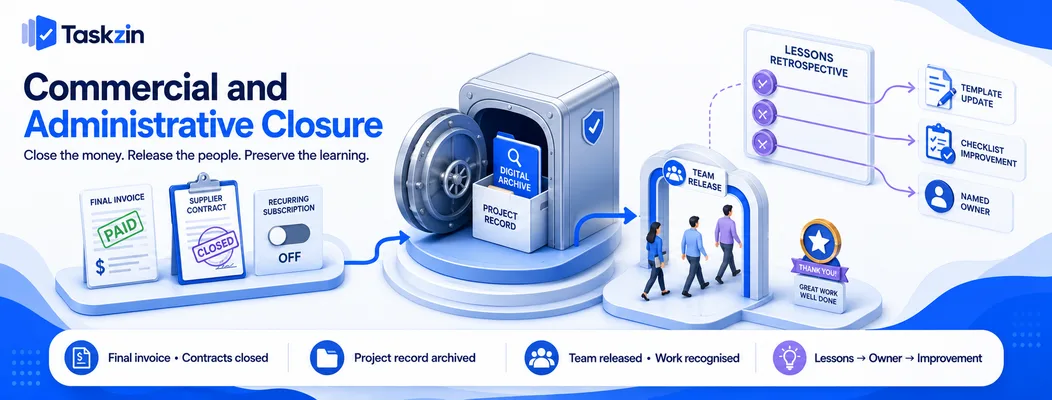
Close the money, release the people properly, and archive the record somewhere findable.
Final invoicing and supplier close-out
Raise final invoices, confirm supplier obligations are complete, close or transition contracts, and release retentions where applicable.
Contracts left running quietly consume budget. Check specifically for recurring commitments that should end with the project.
Releasing the team properly
Confirm when each person's involvement ends, ensure their line manager knows, and — this matters — acknowledge the work.
A team that finishes a project and disperses without recognition notices. It costs nothing to do and affects how people approach the next project.
Archiving the project record Plans, decisions, change requests, risk register, correspondence, final deliverables.
Store it where someone can find it in two years, which usually means a defined location with a consistent naming convention rather than wherever the project manager kept things. If a dispute or audit arises, this archive is the evidence.
Lessons Learned That Actually Get Used
Hold the session while people still remember, frame it forward rather than as fault-finding, and route each lesson to someone who can act on it.
Hold it while people remember
Within two weeks of completion. After a month, recollection is general and the session produces platitudes.
If the project ended badly, wait a few days rather than cancelling — a session held immediately after a difficult finish produces blame, and the same discussion two days later produces analysis.
Ask what you would change, not what went wrong
"What went wrong" invites defensiveness. "What would we do differently on a project like this" invites contribution.
The second framing produces more from the same people, particularly from those who might otherwise be identified with a problem.
Route each lesson somewhere it will be seen
This is where lessons learned usually fails. A document filed in a project archive is read by nobody.
Each lesson needs a destination: an update to a template, a change to a standard checklist, a note in the estimating guidance, or a specific person who owns the improvement. A lesson with no owner and no destination has not been captured — it has been noted.
Frequently asked
What is project closure?
The final phase, covering verification of deliverables against agreed criteria, formal acceptance, handover to operations, commercial and administrative close-out, and capturing lessons for future projects.
What should a project closure checklist include?
Acceptance against success criteria, formal sign-off, defect close-out, named operational owner, documentation and support model, access transfer, final invoicing, contract closure, team release, archiving, and a lessons session.
Why is project closure important?
Skipping it produces unowned systems, contracts that keep running, untriaged defects, and an organisation that repeats the same mistakes because nothing was captured or routed anywhere.
Who signs off project closure?
The sponsor, confirming that deliverables meet the criteria agreed at initiation. Formal acceptance is what ends the ambiguity about whether the project is finished.
How long should closure take?
Typically two to five percent of the project timeline — days for a short project, two to three weeks for a large one. Plan it as scheduled work with owners rather than assuming it happens.
What happens to open defects at closure?
Each gets one of three outcomes: fixed before closure, transferred to the operational backlog with a named owner, or formally accepted as a known limitation. None should remain in the closed project.
How do you run a lessons learned session?
Within two weeks of completion, framed as what you would do differently rather than what went wrong, with every lesson routed to a named owner or into a template that future projects will use.
Sanju Shrestha is a SaaS content writer at Taskzin who explores smarter ways to manage work, organize priorities, and improve team performance. Her content covers productivity strategies, digital workflows, collaboration, and task management, with a focus on helping modern teams work more efficiently and stay aligned.
All posts by Sanju Shrestha

Comments