Does a 5-Person Team Need Project Management Software?
An honest look at whether a five-person team needs project management software, covering why the threshold is work shape rather than headcount, the signals that you have outgrown informal coordination, what small teams actually need, and what they can ignore.

Does a 5-person team need project management software?
The honest answer is that the threshold is about work shape rather than team size. Two people running six projects need a shared system more than eight people running one.
This guide covers what actually triggers the need, the signals to watch for, what a small team genuinely requires, and what it can safely ignore.
Quick answer: Probably, but not because of the headcount. Five people is where informal coordination usually stops working — not because five is a magic number, but because five people typically run several concurrent workstreams with handoffs between them, and that is what breaks conversation-based coordination. A team of five doing one thing sequentially often does not need software at all.
The Threshold Is Not Headcount
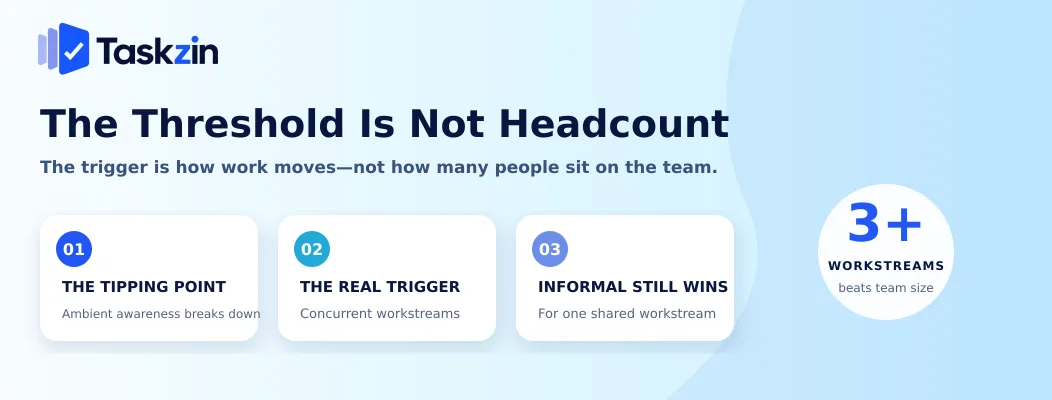
Teams need project software when work runs in parallel with handoffs between people, when information must survive someone's absence, and when nobody can hold the full picture in their head any more.
Headcount correlates with those conditions without causing them.
Why five people is the common tipping point
Below four people, everyone hears most conversations. Context is shared passively and coordination is nearly free.
At five or six, that breaks down. Conversations happen in subsets, two people make a decision the others do not hear, and someone starts asking "what's the status of..." several times a day.
The tipping point is not the number itself — it is the moment ambient awareness stops covering the gap.
The real trigger is concurrent workstreams
Count the distinct threads of work running simultaneously rather than the people. Three or more concurrent projects usually exceeds what memory and conversation manage reliably, regardless of team size.
This is why two-person agencies with nine active clients need a system as much as larger teams do, and why a five-person team building one product sequentially may genuinely not.
Where informal coordination still wins
For a small team doing one thing at a time, with everyone involved in all of it and nobody external needing visibility, a shared document is faster and lighter than any tool.
Adopting software here adds process with nothing to hold it. There is no shame in a well-maintained shared list, and it is better than an abandoned project tool.
Co-location matters here too. A team sharing a room absorbs an enormous amount of context for free — overheard conversations, glancing at a colleague's screen, noticing someone is stuck. Remove that, as most teams now have at least partly, and the threshold drops. A distributed team of four often needs shared visibility more than a co-located team of eight does.
Six Signals You Have Outgrown Informal Coordination
Signal What it means Urgency "What's the status of..." asked daily No shared visibility High Two people did the same work No visible ownership High Something was forgotten entirely No durable record High Nobody can cover when someone is away Knowledge in one head High A client or stakeholder asks for status Reporting need Medium People keep private lists Shared record not trusted Medium Deadlines discovered late No forward view Medium
What a Small Team Actually Needs
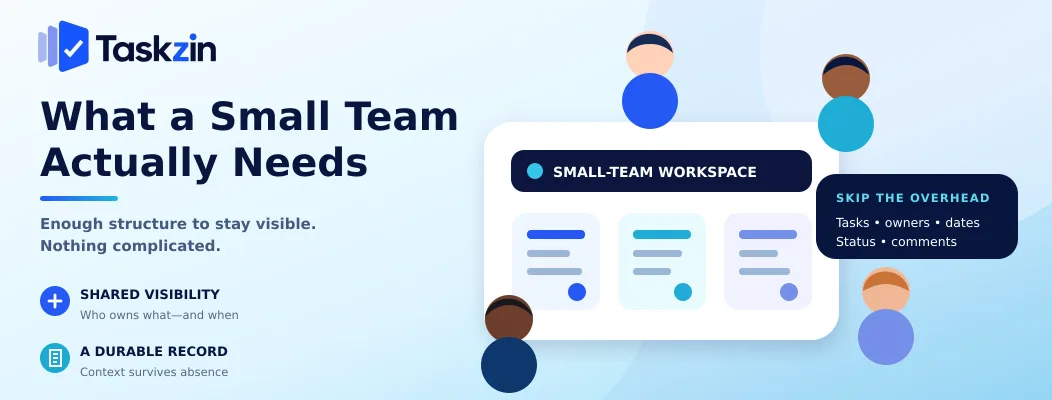
A five-person team needs shared visibility of who has what, a record that survives someone being away, and very little beyond that.
Shared visibility of who has what
One place showing every piece of active work, who owns it, and roughly when it is due.
This single capability resolves most small-team coordination problems. It removes the daily status questions, prevents duplicated work, and makes it obvious when someone is carrying too much. Everything else is refinement.
A record that survives absence
When someone is ill or on leave, the team should be able to see what they were working on and what state it is in.
This is the most underrated benefit at small scale. Small teams have no redundancy, so one person's absence has a disproportionate effect, and a shared record is the cheapest possible mitigation.
Almost nothing else
Task titles, owners, due dates, status, comments, notifications. That is the whole requirement for most teams this size.
A tool that provides these immediately without configuration is a better fit than one offering forty features you would need to switch off. Taskzin's free tier covers up to ten members with unlimited tasks and projects across list, board and calendar views, which is the shape a team this size needs — the point being that free tiers at this scale are genuinely sufficient rather than a compromise.
What a Five-Person Team Does Not Need
Dependency management, portfolio views, resource levelling, custom workflows, permission schemes and formal agile ceremonies are all overhead at this scale.
Dependencies, portfolios and resource levelling
These solve coordination problems that appear across many teams and long timelines. With five people, dependencies are managed by talking to each other, which is faster and more accurate.
Adopting them early means maintaining structure that produces no information you did not already have.
Custom workflows and permission schemes
A five-person team where everyone trusts everyone does not need granular permissions.
Custom workflow states with transition rules add friction to a process that has three steps.
Both are worth revisiting at twenty or thirty people. Not now.
Formal agile ceremonies
Sprint planning, refinement, review and retrospective are coordination mechanisms for teams that cannot coordinate continuously. A team of five sitting together, or on one call, coordinates continuously by default.
Borrow the useful part — a regular look back at what went wrong — and skip the rest until the coordination problem the ceremonies solve actually appears.
Making the Decision
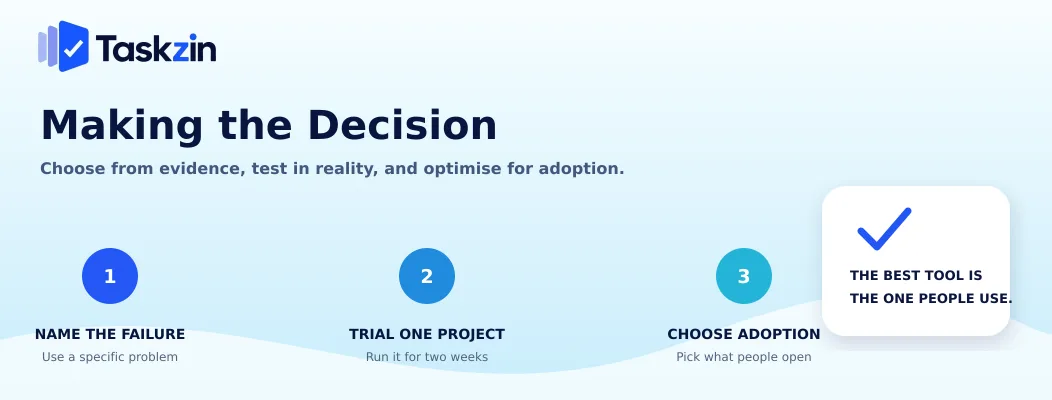
Name the specific failure you keep experiencing, trial one candidate on a real project for two weeks, and choose the tool your least enthusiastic colleague will actually open.
Name the failure you keep experiencing
"We should be more organised" is not a requirement. "We forgot to send the client the revised proposal and nobody realised for four days" is.
Write down the last three coordination failures. They will point at what you need, and they are also the argument that persuades a sceptical team, because everyone remembers them.
Trial with one real project
Take a live project with real deadlines and run it entirely in the candidate tool for two weeks.
Demos are designed to look good. Two weeks of real use tells you whether the tool fits how you actually work, and the cost of finding out is minimal.
Choose for adoption, not capability
The best tool for a small team is the one everyone uses. A capable tool maintained by one person, with everyone else reporting to them verbally, is a status spreadsheet with a subscription.
Give the trial to the person least interested in new software. Their behaviour predicts the outcome better than anyone's opinion.
Common Mistakes Small Teams Make
The three errors that waste most effort are buying for a future team size, adopting a tool only the lead opens, and waiting until a coordination failure causes real damage.
Buying for the team you will have in three years
Choosing enterprise-grade software at five people means paying an adoption cost today for capability you may never need.
Tools scale up more gracefully than small teams scale into complexity. Switching later is a smaller problem than never adopting at all.
Adopting a tool nobody but the lead opens
This is the most common failure mode and it is usually visible within a fortnight. If only one person updates the tool, it is documentation rather than coordination.
Fix it by reducing friction — fewer required fields, simpler structure — rather than by asking people to try harder.
Waiting until something goes badly wrong
Most teams adopt a tool after a missed deadline, a duplicated piece of work or an embarrassed apology to a client.
The signals appear well before that. Daily status questions and private task lists are both early indicators, and acting on them costs an afternoon rather than a client relationship.
Adopting early is also easier. A team of five can move its whole working method in an afternoon because there is very little to move. The same change at fifteen people involves migrating history, retraining everyone and negotiating with people who have established habits — which is why teams that wait often end up waiting considerably longer.
Frequently asked
Does a 5-Person Team Need Project Management Software?
Usually yes, but because of work shape rather than headcount. If you run three or more concurrent workstreams with handoffs between people, you need shared visibility. A team of five doing one thing sequentially may not.
At what team size do you need project management software?
Commonly around four to six people, but concurrent projects matter more. Two people running nine client projects need a system; five people building one thing together often do not.
Can a small team manage with spreadsheets?
Up to a point. A shared sheet works for two or three people with fewer than about fifty active tasks. It breaks down once you need notifications, per-task discussion or a reliable record of who changed what.
What should a small team look for in a tool?
Fast setup, low daily friction, shared visibility of ownership and due dates, and a usable free tier. Feature depth matters far less than whether everyone opens it.
How long should setup take for a small team?
Under an hour to have a real project running. If initial setup consumes more than a working day, the tool is heavier than a team this size needs.
Should a small team pay for project management software?
Not initially. Free tiers cover most teams under about ten people. Upgrade when a specific limit blocks work you are already doing rather than for features you might use.
What happens if a small team adopts a tool that is too complex?
Adoption fails within a few weeks. People revert to chat and memory, the tool becomes stale, and the team concludes project software does not work for them — which makes the next attempt harder.
Sanju Shrestha is a SaaS content writer at Taskzin who explores smarter ways to manage work, organize priorities, and improve team performance. Her content covers productivity strategies, digital workflows, collaboration, and task management, with a focus on helping modern teams work more efficiently and stay aligned.
All posts by Sanju Shrestha
Comments