Best Project Management Software for Agencies
A comparison of the best project management software for agencies, covering client access, billable time, resourcing across accounts, ten reviewed tools, how to set up client projects, and the habits that erode margin.

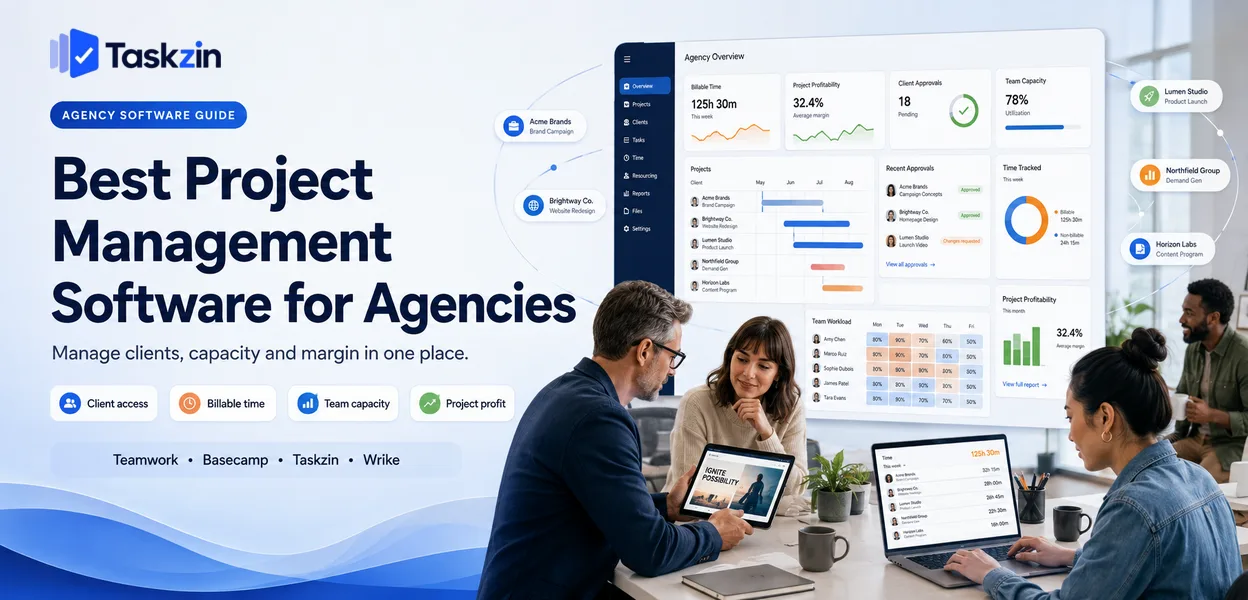
Most project software is designed for a team working on its own product. An agency works on many products, for people outside the company, against budgets that must reconcile to hours.
Those differences change which features matter and which are irrelevant.
This guide covers the agency-specific requirements, ten tools, how to model the real cost, and the operational mistakes that quietly erode margin.
Quick answer: The best project management software for agencies is Teamwork.com if you bill by the hour, Basecamp if you want unlimited client access at a flat fee, Taskzin for balancing client work with internal delivery, and Wrike if resourcing across accounts is your bottleneck.
Agencies have requirements that general project tools handle poorly, and client access pricing is usually the deciding factor.
What Agencies Need That Product Teams Don't
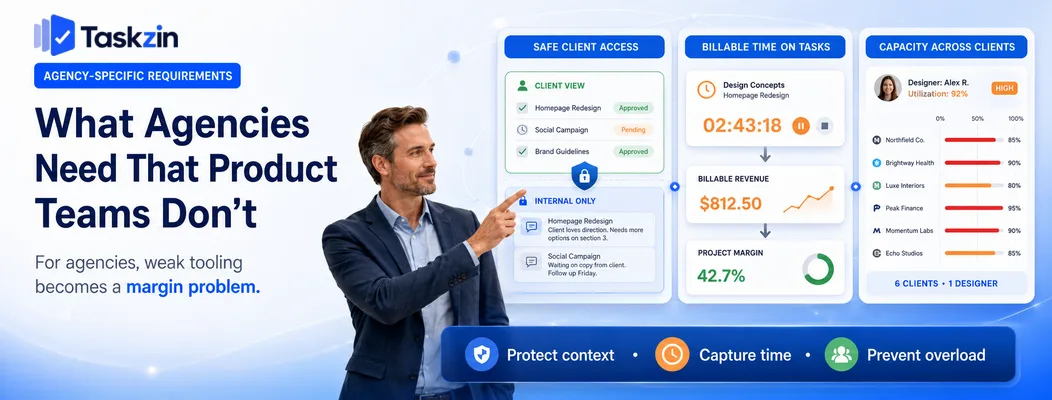
Agencies need client access that hides internal discussion, time tracked directly against billable work, and a view of staff capacity across every concurrent account — none of which a product-focused tool provides well.
Get any one of these wrong and the consequence is financial rather than merely inconvenient, which is why agency tool selection deserves more care than the equivalent decision at a product company.
Client access without exposing internal discussion
Clients need to see progress, approve work and provide feedback. They must not see your internal estimate discussion, your notes about their responsiveness, or the conversation about how to handle the difficult stakeholder.
Tools handle this in three ways: separate client-visible spaces, per-item visibility toggles, or read-only guest permissions. The per-item approach is the most flexible and the most dangerous, because a single mis-set toggle exposes something it should not. Whichever model you choose, test it deliberately with a dummy client account before your real clients arrive.
Time tracked against billable work
If time is recorded in one system and work in another, someone reconciles them manually each month. That reconciliation is expensive, error-prone, and always happens under invoicing deadline pressure.
Time logged directly against the task answers the only question that matters commercially: was this project profitable? Without it you know what was delivered and what was billed, but not what it cost — and agencies that cannot answer that question tend to discover unprofitable accounts a year late.
Capacity across concurrent clients
A designer is not on one project; they are on six, for four clients, at varying intensity. A tool that shows only per-project assignment cannot tell you whether that person is overcommitted next week.
This is the single most common source of missed agency deadlines. The work was scheduled, the person simply had three other things scheduled at the same time, and nothing in the system flagged it.
Best Agency Project Management Software at a Glance
Tool Client access Time tracking Resourcing Pricing model Taskzin Guest access Built in Yes Per user Teamwork.com Free client users Built in Yes Per user Basecamp Unlimited, free No No Flat fee Wrike Guest access Paid tier Strong Per user ClickUp Guest access Built in Moderate Per user Monday.com Guest access Paid tier Moderate Seat tiers Asana Free guests Via integration Workload view Per user Productive Client access Built in Strong Per user Notion Shared pages No No Per user Trello Board sharing Via power-up No Per user
The Best Agency Tools Reviewed
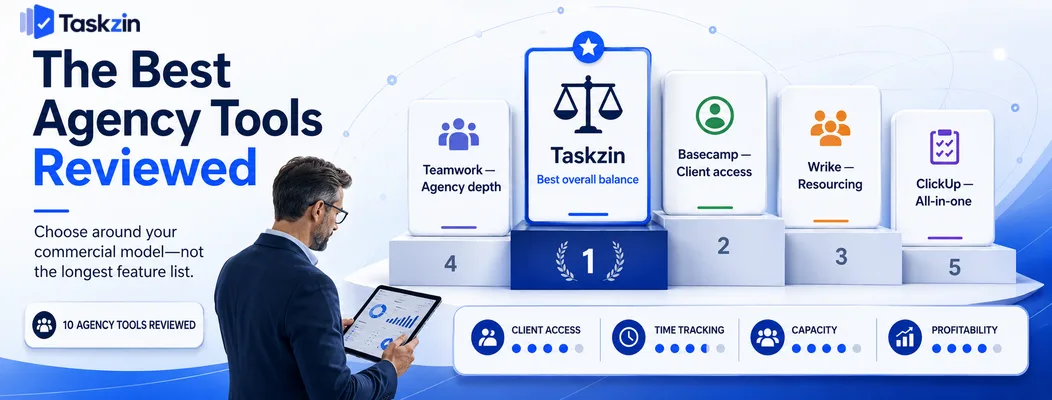
Taskzin — best balance of client work and internal delivery
Taskzin handles client projects with guest access and built-in time tracking while remaining a comfortable tool for internal work, which avoids running two systems.
Best for: agencies of five to fifty delivering ongoing client projects and retainers.
Trade-off: less depth on invoicing and financial reporting than a dedicated agency platform.
Teamwork.com — best purpose-built agency tool
Teamwork was built for client services, with billable rates, invoicing, free client users and project profitability reporting as core functionality.
Best for: agencies whose commercial model depends on reconciling hours to invoices.
Trade-off: more interface complexity than a general tool, and less pleasant for purely internal work.
Basecamp — best for flat-fee client access
Basecamp's flat pricing with unlimited users means client and contractor access costs nothing extra, which transforms the economics for agencies with many accounts.
Best for: agencies with a large number of client contacts relative to staff.
Trade-off: no time tracking, no dependencies, and minimal reporting — you will need other tools.
Wrike — best for resourcing across accounts
Wrike's workload views show whether the people assigned across every concurrent project actually have capacity, which is the agency-specific problem most tools ignore.
Best for: agencies above about twenty people where scheduling conflicts cause missed deadlines.
Trade-off: steeper learning curve, and time tracking sits on higher tiers.
ClickUp — best all-in-one for lean agencies
ClickUp bundles tasks, docs, time tracking and dashboards, letting a small agency run on one subscription.
Best for: cost-conscious agencies consolidating their stack.
Trade-off: setup effort is significant, and client-facing views need careful configuration.
Monday.com — best for client-facing visual status
Monday's boards communicate progress instantly to clients who will never learn a project tool, which reduces status emails considerably.
Best for: agencies whose clients want frequent visibility.
Trade-off: seat-tier pricing and time tracking on paid tiers push the cost up.
Asana — best for campaign and launch delivery
Asana handles multi-stage campaigns with clear ownership and deadlines, and includes free guests on most plans.
Best for: marketing and communications agencies running campaign work.
Trade-off: no native time tracking, so profitability requires an integration.
Productive and agency-specific platforms
A category of tools built specifically for agencies combines project delivery with budgets, sales pipeline, resourcing and profitability in one system.
Best for: established agencies wanting one system for delivery and commercials.
Trade-off: priced for agencies with real scale, and more than a small studio needs.
Notion — best for documentation-led studios
For strategy consultancies and studios where the deliverable is thinking, Notion keeps client work beside the research and decisions.
Best for: small consultancies producing written deliverables.
Trade-off: no time tracking, no resourcing, weak notifications.
Trello — best for very small studios
For a two or three person studio with a handful of clients, a board per client is genuinely sufficient.
Best for: the smallest agencies with simple, repeatable work.
Trade-off: no cross-client view, no time tracking, no capacity picture.
How to Choose Agency Project Software
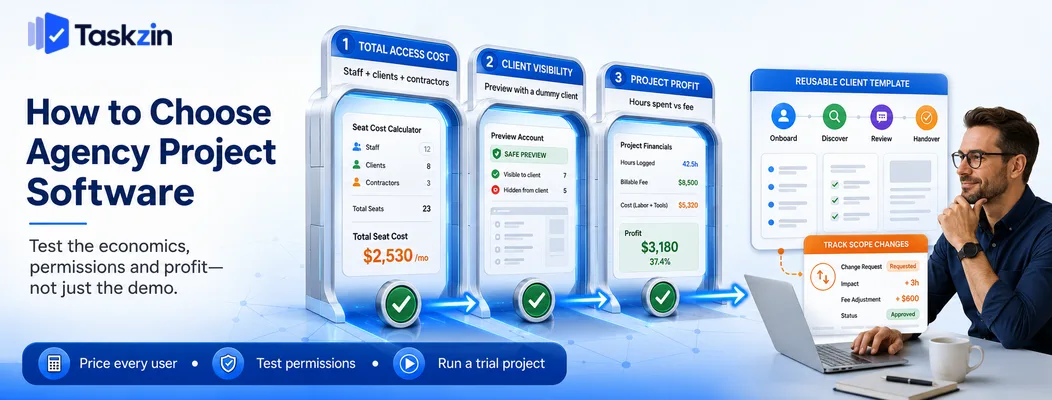
Model the cost with every client contact included, decide explicitly what clients should see, and confirm the tool can answer whether a project made money before you commit to it.
Model the cost with clients included
Count your staff, then count every client contact and contractor needing access. Price each option against that total.
This single calculation reorders the shortlist more than any feature comparison. An agency of eight with fifty client contacts pays for fifty-eight seats on some platforms, free guests on others, and a flat fee on Basecamp. The difference frequently exceeds the entire annual cost of the cheaper option.
Decide what clients should and shouldn't see
Write down explicitly what a client should be able to do: view progress, comment on deliverables, approve work, upload files, see deadlines. Then write what they must never see:
internal estimates, capacity discussion, notes about the account.
Test this during the trial with a real dummy account rather than trusting the permissions documentation. Exposure of internal discussion is the kind of mistake that ends relationships, and it is worth an hour of deliberate testing.
Check whether you can answer the profitability question
Run a trial project with time logged, then try to produce a figure for hours spent against fee. If that takes more than a couple of minutes, it will not happen monthly, and you will not know which accounts are unprofitable until the year end.
Setting Up Client Projects Properly
Use a project template for every new client, keep internal notes structurally separate from client-visible work, and record scope changes against the task they affect rather than in email.
Use a template, not a fresh project each time
Agency work is more repeatable than it feels. Onboarding, discovery, review cycles and handover follow a similar shape across clients.
Build one template containing that structure and start every project from it. This removes setup time, ensures nothing is forgotten, and makes projects comparable — you cannot benchmark delivery across clients if every project is structured differently.
Separate internal notes from client-visible work
Do not rely on remembering to mark individual items private. Use a structural separation — a separate internal project or space — so the default is safe and exposure requires a deliberate action rather than an omission.
Track scope changes where the work lives
The most common margin leak in agency work is scope that expands without anyone charging for it. It rarely happens as a single large request; it accumulates as small additions in calls and emails.
Record every scope change as a task in the project, noting who requested it and when. That record turns an awkward conversation into a factual one, and it is far easier to have that conversation with a list than with a recollection.
Common Agency Project Management Mistakes
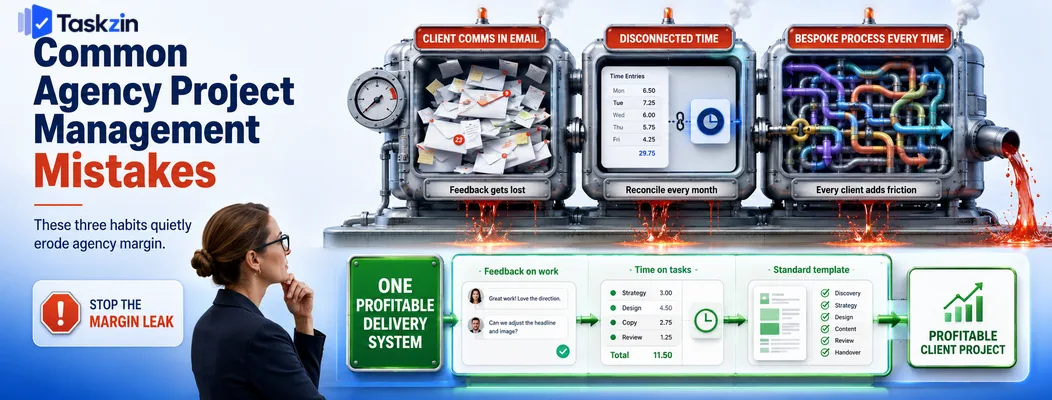
The three most expensive habits are running client communication in email, tracking time in a disconnected system, and building a bespoke process for every client.
Running client comms in email
Feedback in email is unfindable, unattached to the work it concerns, and invisible to anyone not copied in. Approvals given verbally on calls are worse.
Move feedback and approvals into the project tool. When a dispute arises about what was agreed, the record exists in one place rather than across several inboxes.
Tracking time in a disconnected tool
Time in a separate app means monthly reconciliation and unreliable profitability data. If your project tool cannot track time, choose an integration that links entries to specific tasks rather than to project names.
Giving every client a bespoke process
Accommodating each client's preferred workflow feels like service and behaves like a tax. Your team must remember which client uses which process, and every variation is a chance to get it wrong.
Standardise your delivery process and adapt only the client-facing presentation. Most clients care about outcomes and communication quality, not your internal stage names.
Frequently asked
What is the best project management software for agencies?
Teamwork.com if you bill by the hour, Basecamp for unlimited free client access at a flat fee, Taskzin for balancing client and internal work, and Wrike when resourcing across accounts is the bottleneck.
What software do creative agencies use?
Commonly a project tool with client access and time tracking — Teamwork, Basecamp, Asana, Monday or ClickUp — sometimes paired with a dedicated resourcing or financial tool as the agency grows.
Do clients need paid seats in project management tools?
It varies significantly. Basecamp includes unlimited users, Teamwork offers free client users, Asana includes free guests on most plans, and some platforms bill every guest as a full seat. Check before comparing prices.
What is the best free project management software for agencies?
ClickUp and Trello have the most usable free tiers for small studios. Neither includes proper client permission separation, so review visibility settings carefully before inviting clients.
Should agencies track time inside their project tool?
Yes where possible. Time logged against tasks makes project profitability calculable automatically. Separate time tools require monthly reconciliation and produce data that is rarely accurate enough to act on.
Is Basecamp good for agencies?
Very good for client communication and access at predictable cost, with unlimited users. It has no time tracking, dependencies or reporting, so agencies that bill hourly usually need a second tool alongside it.
How do you stop scope creep on client projects?
Record every additional request as a task in the project with a requester and date. Review the list at each check-in. The record makes the commercial conversation factual rather than confrontational.
Sanju Shrestha is a SaaS content writer at Taskzin who explores smarter ways to manage work, organize priorities, and improve team performance. Her content covers productivity strategies, digital workflows, collaboration, and task management, with a focus on helping modern teams work more efficiently and stay aligned.
All posts by Sanju Shrestha

Comments