Best Project Management Software for Construction
A comparison of the best project management software for construction, covering site data capture, contractual document trails and enforced schedules, ten reviewed tools, how to choose by phase, and how to get site teams to adopt it.

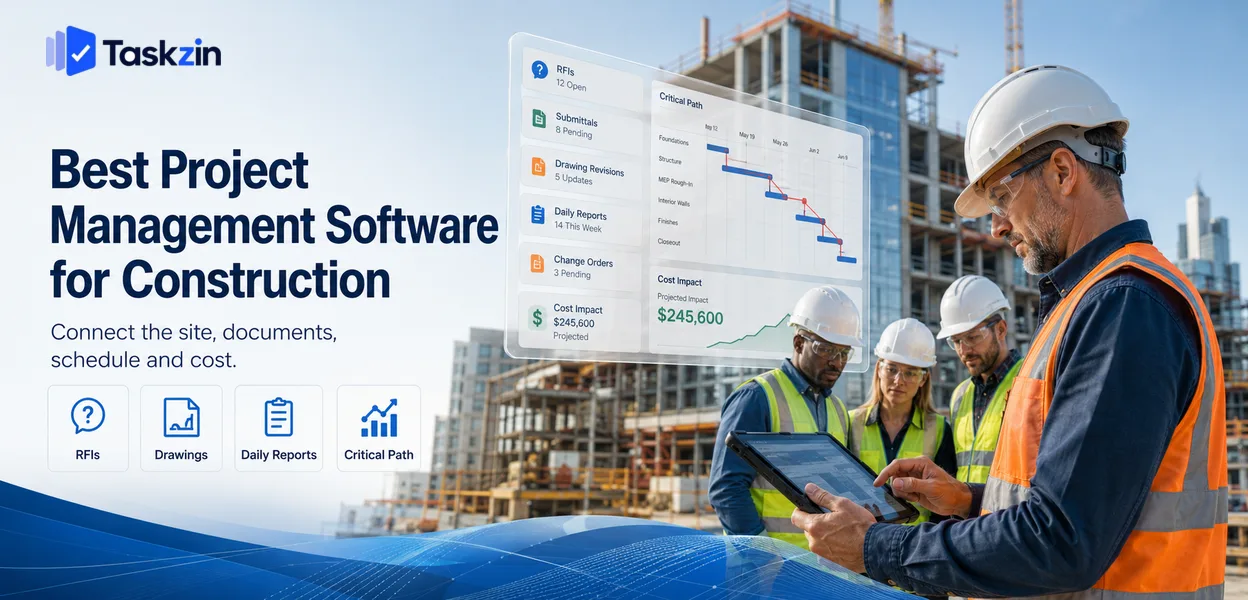
The gap is bigger than most people expect. A software team's project tool tracks who is doing what. A construction project tool also has to hold the document trail that determines who pays when something goes wrong — RFIs, submittals, change orders, daily reports and drawing revisions.
This guide covers what construction genuinely requires, ten tools, how to choose based on your worst phase, and how to get site teams actually using it.
Quick answer: The best project management software for construction is Procore for large commercial projects, Buildertrend for residential builders, Fieldwire for site-level task and punch list management, and Smartsheet or Microsoft Project where scheduling is the priority. General office project tools are usually the wrong choice, because construction's requirements are contractual rather than merely organisational.
What Construction Needs That Office Project Tools Don't Provide
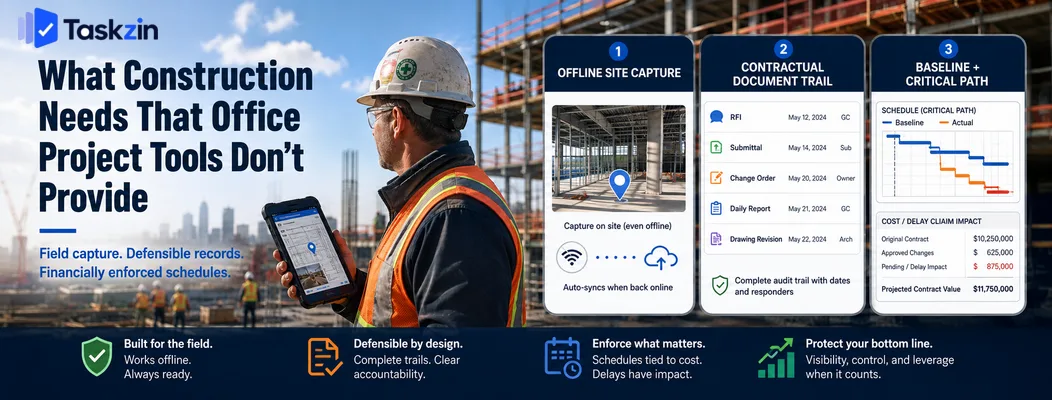
Construction needs software that works on a phone on site with poor signal, that holds a contractually defensible document trail, and that treats the schedule as a financial instrument rather than a plan.
Any one of these missing makes a general project tool unsuitable, regardless of how good its task management is.
The site is where the data is created
The people generating the information — progress, delays, defects, deliveries, weather — are on site, often outdoors, frequently with a hard hat and gloves, sometimes with no signal at all.
If capturing that requires returning to a site office and typing into a laptop, it will be done late, in batches, from memory. Photographs attached to the right location, offline capture that syncs later, and an interface usable one-handed are not conveniences here; they determine whether the record exists at all.
Documents are contractually binding
An RFI is not a question. It is a formal record with a response deadline that may support a claim later. A submittal, a change order and a daily report have similar weight.
The software has to track who was asked, when, what they answered, and when. Drawing revisions matter especially — someone building from a superseded drawing is an expensive error, and the audit trail of who had which revision when is what determines who bears that cost.
General project tools have no concept of any of this.
Schedules are financially enforced
In most other industries a slipped date is embarrassing. In construction it can trigger liquidated damages, extension-of-time claims and disputes over concurrent delay.
That makes critical path scheduling and baseline comparison genuine requirements rather than nice-to-haves. You need to demonstrate what the agreed programme was, what actually happened, and which delays sat on the critical path.
Best Construction Project Management Software at a Glance
Tool Best for Site mobile RFIs / submittals Scheduling Procore Large commercial Strong Full Good Autodesk Construction Cloud Design-to-build Strong Full Good Buildertrend Residential builders Strong Partial Moderate
CoConstruct and custom home builders
Fieldwire Site task management Strongest Partial Basic Smartsheet Flexible scheduling Moderate Custom-built Strong
Microsoft Project — best for critical path scheduling
Taskzin Office-side coordination Good No Good Monday.com Pre-construction pipeline Moderate Custom-built Moderate Bluebeam Drawings and markup Good Partial No
The Best Construction Tools Reviewed
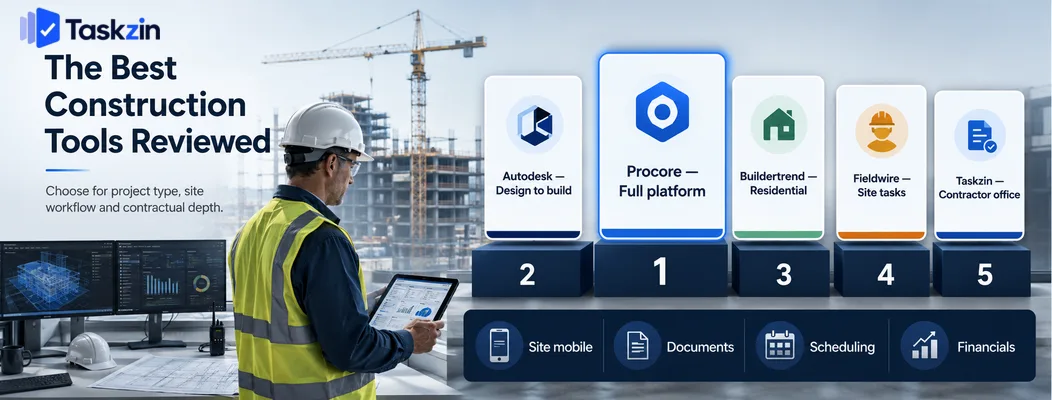
Procore — best full construction platform
Procore covers the whole lifecycle: RFIs, submittals, drawings, daily logs, change orders, financials and subcontractor coordination, with unlimited user licensing.
Best for: commercial contractors on projects large enough to justify the investment.
Trade-off: priced for substantial contractors, and implementation is a project in itself.
Autodesk Construction Cloud — best for design-to-build continuity
Autodesk connects design models to construction execution, which matters when BIM coordination is central to the project.
Best for: projects with significant design coordination and model-based clash detection.
Trade-off: most valuable when you are already in the Autodesk design ecosystem.
Buildertrend — best for residential builders
Buildertrend combines scheduling, client communication, selections, change orders and invoicing for homebuilders and remodellers.
Best for: residential contractors managing several homes at once with client-facing communication.
Trade-off: less suited to large commercial work with complex submittal processes.
CoConstruct and custom home builders Tools in this category focus on the client-selection and budget-tracking workflow specific to custom residential building.
Best for: custom home builders where client decisions drive cost and schedule.
Trade-off: narrow fit outside residential.
Fieldwire — best for site-level task management
Fieldwire is built for the site: plans on a phone, tasks pinned to locations on drawings, punch lists, and genuine offline working.
Best for: foremen and site managers who need task and defect management that works in the field.
Trade-off: lighter on financials and formal contract administration.
Smartsheet — best flexible scheduling option
Smartsheet gives strong Gantt scheduling with dependencies in a familiar grid, and can be configured for construction workflows.
Best for: contractors wanting scheduling power without a full construction platform.
Trade-off: you build the construction-specific processes yourself.
Microsoft Project — best for critical path scheduling Project remains the reference tool for detailed programme scheduling, resource levelling and baseline comparison.
Best for: planners and schedulers producing formal programmes for commercial projects.
Trade-off: a scheduling tool, not a site tool — no RFIs, no mobile capture, no document control.
Taskzin — best for the office side of a small contractor
Taskzin handles the parts of a contracting business that are not site-specific: pre-construction, tenders, client onboarding, internal coordination and follow-up work.
Best for: small contractors wanting one place for office work alongside a site tool.
Trade-off: no RFI, submittal or drawing management — this complements construction software rather than replacing it.
Monday.com — best for visual pipeline and pre-construction
Monday works well for tracking bids, tenders and pre-construction stages where the work is commercial rather than physical.
Best for: business development and pre-construction pipeline.
Trade-off: not a site tool, and construction processes must be built by hand.
Bluebeam and document-first tools
Bluebeam is the standard for drawing markup, takeoffs and PDF-based collaboration on construction documents.
Best for: teams whose central artefact is the drawing set.
Trade-off: a document tool rather than a project management system.
How to Choose Construction Software
Choose based on which phase is costing you most today, test the mobile app on site with poor signal before anything else, and confirm the software produces the paperwork trail your contracts require.
Start from the phase that hurts most
Construction software is expensive and disruptive to adopt, so buy for a specific pain rather than a general upgrade.
If defects and snagging are the problem, Fieldwire solves it cheaply. If it is delay claims, you need scheduling and baselines. If it is subcontractor coordination and document control, you need a full platform. Buying a platform to solve a snagging problem is how contractors end up with expensive software used for one feature.
Test it on a phone, on site, with poor signal
Do not evaluate construction software on a laptop in an office. Take it to an actual site, on an actual phone, with gloves on, in daylight, somewhere with one bar of signal.
Capture a photo against a task, log a delay, and check what happens when the connection drops. Software that fails this test will be abandoned by site teams within a month regardless of what it does well elsewhere.
Check how it handles the paperwork trail
List the documents your contracts require: RFIs, submittals, variations, daily reports, inspection records. Confirm the software produces each one in a format that survives scrutiny, with dates and responders recorded.
If a claim arises two years later, the export from this system is your evidence. Verify what that export looks like before you commit.
Rolling Out Software to Site Teams
Pilot on one project rather than the whole company, choose a champion who works on site rather than in the office, and replace paper forms one at a time.
Pilot on one project, not the whole company
Run a single project fully on the new system, ideally one at an early stage with a receptive site manager. You will learn more in six weeks of real use than in any evaluation.
Company-wide rollout before that learning means every problem hits every project simultaneously, and construction teams under programme pressure will revert to paper immediately.
Choose a champion on site, not in the office
Adoption succeeds or fails with the site team. A champion who works on site, is respected by the trades, and can show someone how to log a defect in twenty seconds is worth more than any training programme delivered from head office.
Office-driven rollouts fail predictably: site teams treat the software as reporting overhead imposed on them rather than a tool that helps them.
Replace paper one form at a time
Start with the single most painful paper process — usually daily reports or snagging. Get that working properly before adding the next.
Attempting to digitise everything at once produces partial adoption of everything, which is worse than paper because now the record is split between two systems.
Common Construction Software Mistakes
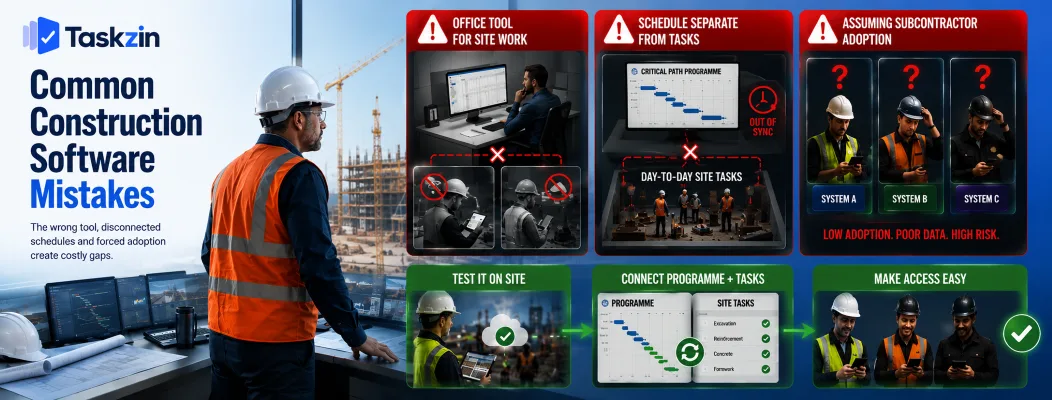
The three costly errors are buying an office tool for site work, keeping the programme separate from day-to-day tasks, and assuming subcontractors will adopt your system.
Buying an office tool for site work
Asana, Trello and similar tools are excellent at what they do and unsuitable for site management. No offline mode, no drawing management, no RFI workflow, no contractual record.
They can work well for the office side of a contracting business, and pairing an office tool with a site tool is a legitimate approach — but only when each is used for what it fits.
Running the schedule separately from the tasks
The programme lives in scheduling software and the day-to-day work lives somewhere else, so the two diverge within weeks. The programme becomes a document produced for the client rather than a tool anyone uses.
Either connect them or accept a regular reconciliation, but do not pretend a programme nobody updates reflects the site.
Assuming subcontractors will adopt it
Subcontractors work for several main contractors, each with different software. Expecting them to learn yours, on your terms, without incentive, is usually optimistic.
Check what access costs them, how much training is needed, and whether they can participate by email if necessary. Software that only works when everyone adopts it fully tends not to work.
Frequently asked
What is the best project management software for construction?
Procore for large commercial projects, Buildertrend for residential builders, Fieldwire for site-level task and defect management, and Microsoft Project or Smartsheet where formal scheduling is the priority.
Do small contractors need construction software?
Below about ten people on straightforward projects, a scheduling tool plus a site app like Fieldwire is usually sufficient. Full platforms become worthwhile when document control and subcontractor coordination start consuming real time.
What is the best free construction project management software?
Genuinely free construction-specific software is rare. Fieldwire offers a limited free tier for small projects, and general tools like Trello or Taskzin have free plans that cover office coordination but not site or contractual requirements.
Is Procore worth the cost?
For commercial contractors running substantial projects, generally yes — unlimited users and integrated document control replace several systems. For small residential builders it is usually more than the work requires.
Can you use general project management software for construction?
For the office side — tenders, pre-construction, internal coordination — yes. For site work it lacks offline capture, drawing management and the RFI and submittal trail that contracts depend on.
What software do construction schedulers use?
Microsoft Project and Primavera P6 dominate formal programme scheduling. Smartsheet is common where a lighter tool with strong Gantt capability is enough.
How do you get site teams to actually use software?
Pilot on one project, pick a champion who works on site rather than in the office, replace one paper form at a time, and make sure the mobile app works with poor signal and gloves on.
Binita Ray is a content writer at Taskzin, creating insightful and practical content on task management, team collaboration, productivity, workflow optimization, and SaaS solutions. She focuses on helping businesses, teams, and professionals simplify their work processes, improve efficiency, and make better use of modern productivity tools.
All posts by Binita Ray

Comments