Best Time Tracking Tools That Integrate With Project Management
A comparison of the best time tracking tools that integrate with project management, covering why task-level tracking matters, ten reviewed options, how to choose between built-in and integrated, and how to make tracking stick without surveillance.

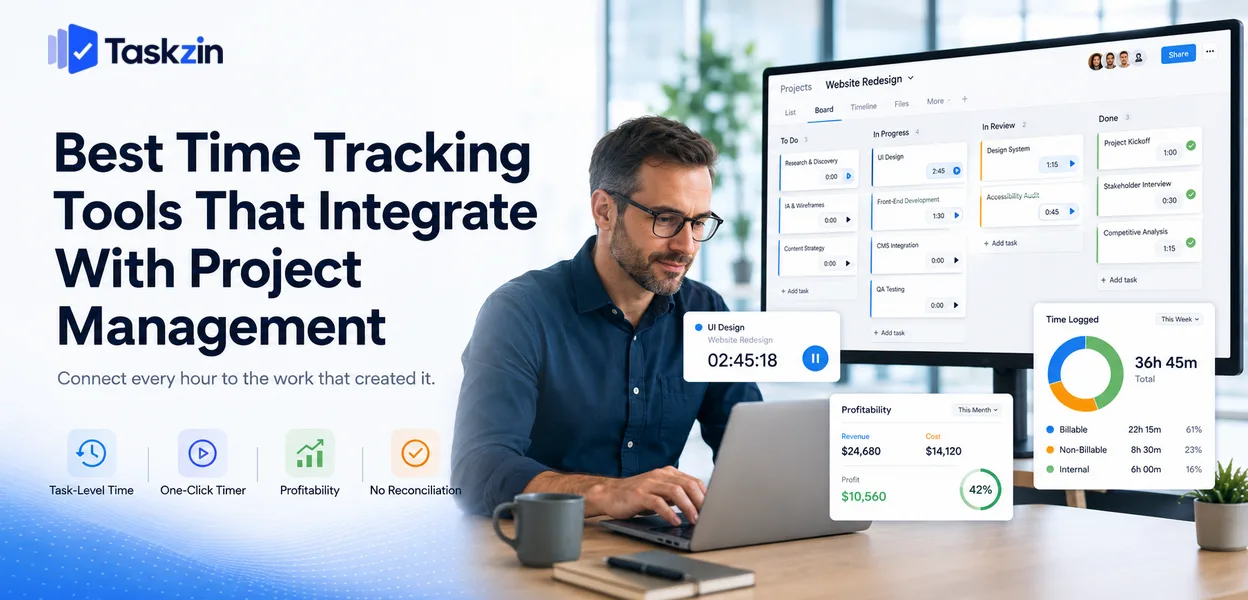
The important decision is not which tracker has the nicest interface. It is whether time attaches to individual tasks inside your project tool, because that determines whether the data can answer commercial questions or merely fills timesheets.
This guide covers what the integration must do, ten tools, how to choose, and how to make tracking stick without it feeling like surveillance.
Quick answer: The best time tracking tools that integrate with project management are Toggl Track for wide compatibility, Everhour for the deepest integration into project tools, Harvest when invoicing matters, Clockify as the strongest free option, and Tempo for Jira teams. Tools like Taskzin and ClickUp include tracking natively, which removes the integration question entirely.
Why the Integration Matters More Than the Tracker
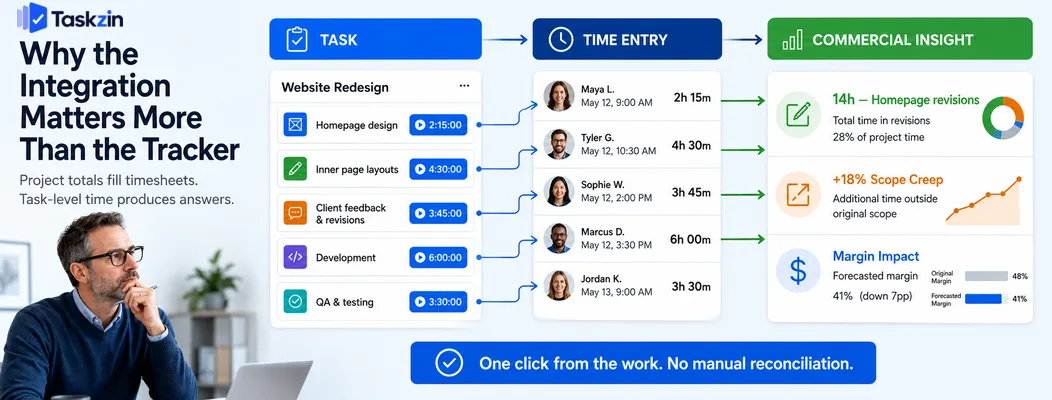
A time tracker's value depends on whether entries attach to individual tasks in your project tool — project-level tracking produces timesheets, task-level tracking produces answers about where work actually goes.
Every tracker in this list can record hours. The difference between them is what those hours are attached to, and that difference determines whether anyone ever uses the data.
Time attached to a task answers a question time attached to a project cannot
"Forty hours on the Acme website" tells you the total and nothing else. "Fourteen hours on revisions to the homepage, six on the original build" tells you the revision cycle cost more than the work.
That second sentence changes how you quote, where you push back on scope, and which parts of your process need attention. Getting it requires a timer that lives inside the task, so recording time is one click from the work rather than a separate act of remembering what you did.
Manual reconciliation is where the data dies
If time lives in one system and tasks in another with no link, someone matches them monthly.
That person works from memory and calendar entries, under deadline pressure, and the result is approximate.
Approximate data is worse than none, because decisions get made from it. An integration that links entries to specific tasks removes the reconciliation entirely, which is the single largest practical benefit of choosing an integrated setup.
Best Integrated Time Tracking Tools at a Glance
Tool Task-level tracking Invoicing Free plan Integrates with Taskzin Native Via export Yes Built in Toggl Track Yes Basic Yes Very wide Harvest Yes Strong Limited Wide Clockify Yes Basic Generous Wide Everhour Yes, embedded Yes Limited Asana, Trello, ClickUp, Jira Tempo Timesheets Yes Via add-ons No Jira ClickUp Native Basic Yes Built in Teamwork Native Strong Limited Built in Timely Automatic Basic No Wide RescueTime Personal only No Limited Limited
The Best Time Tracking Tools Reviewed
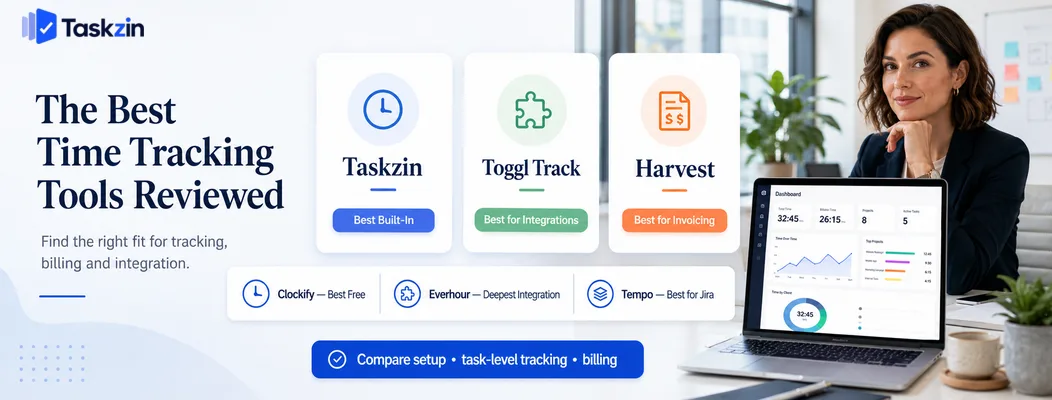
Taskzin — best built-in tracking with no integration needed
Taskzin tracks time directly against tasks as part of the project tool, so there is no integration to configure and no reconciliation to perform.
Best for: teams that want tracking to be one click from the work.
Trade-off: less specialised reporting than a dedicated tracker built solely for time.
Toggl Track — best standalone tracker with wide integrations
Toggl is the most widely integrated tracker available, with a browser extension that adds a timer button inside dozens of project tools.
Best for: teams whose project tool has no native tracking.
Trade-off: the browser-extension approach means entries live in Toggl, so reporting happens in two places.
Harvest — best for invoicing from tracked time
Harvest connects tracked hours directly to invoices with billable rates, expenses and client billing built in.
Best for: agencies and consultancies billing hourly.
Trade-off: more than teams need if you are not invoicing from the data.
Clockify — best free option for teams
Clockify offers unlimited users and unlimited tracking on its free plan, which is unusually generous.
Best for: teams needing tracking across many people at no cost.
Trade-off: reporting and approvals sit on paid tiers.
Everhour — best deep integration with project tools
Everhour embeds timers directly inside Asana, Trello, ClickUp and Jira, so the timer appears on the task itself rather than in a separate window.
Best for: teams wanting tracking that feels native to their existing tool.
Trade-off: works with a defined set of platforms rather than universally.
Tempo Timesheets — best for Jira
Tempo is the established time tracking solution for Jira, with worklogs, approvals and reporting built around Jira's structure.
Best for: engineering organisations already standardised on Jira.
Trade-off: Jira-specific, and priced as an enterprise add-on.
ClickUp native tracking — best all-in-one
ClickUp includes time tracking in its own tasks with no extra subscription.
Best for: teams already using ClickUp who want to avoid another tool.
Trade-off: basic compared with dedicated trackers, particularly for invoicing.
Teamwork Timelog — best for agencies
Teamwork's time tracking connects to billable rates, budgets and invoicing as part of an agency-focused platform.
Best for: agencies wanting delivery and billing in one system.
Trade-off: only worthwhile if you use Teamwork for project management.
Timely — best automatic tracking
Timely records activity automatically in the background, then suggests entries for you to confirm, which removes the burden of remembering to start a timer.
Best for: teams where manual tracking has repeatedly failed.
Trade-off: background monitoring needs careful framing, since it can feel invasive if introduced badly.
RescueTime — best for personal time awareness
RescueTime tracks where your attention goes rather than what to bill, which is useful individually rather than commercially.
Best for: individuals wanting to understand their own working patterns.
Trade-off: not a billing or project tool.
How to Choose a Time Tracking Setup
Decide first whether your project tool's built-in tracking is sufficient, confirm any integration links to individual tasks rather than projects, and test how much friction starting a timer actually involves.
Decide whether you need built-in or integrated
If your project tool tracks time natively and the reporting is adequate, use it. One system is always better than two, and the reconciliation problem disappears entirely.
Add a dedicated tracker only when you need something the native tool cannot do — invoicing, approvals, billable rate management, or detailed utilisation reporting.
Check the integration links to tasks, not just projects
This is the question most people skip, and it determines whether the setup is worth having.
Ask specifically: does an entry attach to an individual task, and can I report hours per task?
Some integrations only map to projects, which produces exactly the coarse data that fails to answer anything useful.
Test how people will actually start a timer
Count the clicks from looking at a task to a running timer. One or two clicks means people will do it. Four clicks and a separate window means they will not, and you will get retrospective guesses at the end of each week.
Test with the person on your team least enthusiastic about tracking. Their behaviour predicts the outcome better than anyone else's.
Making Time Tracking Stick
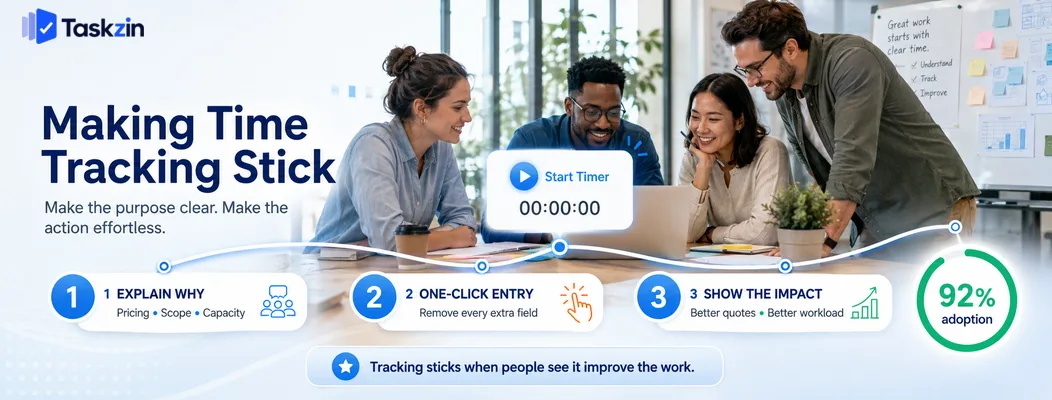
Explain clearly what the data is for, minimise the decisions required per entry, and review the results openly with the people who produce them.
Explain what the data is for
Time tracking fails most often because people believe it is about monitoring them. If that is the perceived purpose, entries become defensive and the data becomes fiction.
State the purpose plainly: to price work correctly, to identify unprofitable clients, to know when the team is genuinely overloaded. Then behave consistently with that, because a single instance of time data used in a performance conversation will end honest tracking permanently.
Reduce the number of decisions per entry
Every choice — project, task, category, billable flag, description — is friction. Set sensible defaults so a timer can be started with one action and refined later if needed.
Teams that require five fields per entry get sparse, inaccurate data. Teams that require one get most of the value with a fraction of the resistance.
Review the data where people can see it
Show the team what the tracking revealed: which projects took longer than quoted, where revision cycles consume time, which weeks were genuinely overloaded.
When people see their entries producing decisions that improve their working life — better quotes, pushing back on scope, hiring — tracking becomes something they participate in rather than comply with.
Common Time Tracking Mistakes
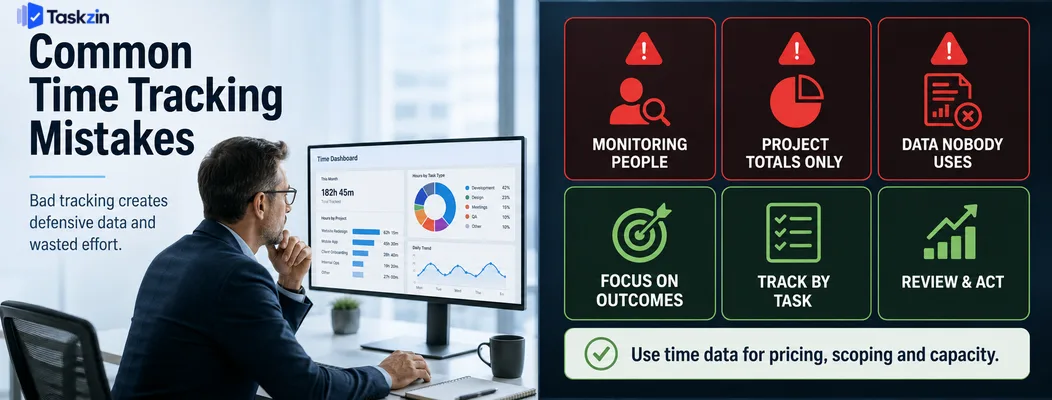
The three failures that destroy time tracking are using the data to monitor individuals, tracking only at project level, and collecting data nobody ever looks at.
Using time data to monitor people
The moment tracked hours appear in a performance discussion, honest tracking ends. People pad entries, round up, and record what looks acceptable.
Use the data for pricing, scoping and capacity decisions. If you need to address individual performance, use outcomes, not timesheets.
Tracking at project level only
Project totals tell you almost nothing actionable. You know a project took 120 hours but not which parts consumed them, so you cannot fix anything or quote the next one better.
Collecting data nobody looks at
Teams frequently track diligently for months and never analyse the results. The tracking then becomes pure overhead, and people stop doing it once they notice.
If you are not going to review the data monthly and act on it, do not collect it. Tracking that leads to no decisions is a tax on your team's attention.
A useful commitment is to name in advance the specific decision the data will inform — how you price the next project of this type, whether to take on a particular client again, whether the team needs another person. A stated purpose keeps the review happening, and a review that happens is what keeps the tracking honest.
Frequently asked
What is the best time tracking tool that integrates with project management?
Toggl Track for the widest compatibility, Everhour for the deepest embedded integration with Asana, Trello, ClickUp and Jira, Harvest when invoicing matters, and Clockify as the strongest free option.
What is the best free time tracking software?
Clockify offers unlimited users and tracking free. Toggl Track has a capable free tier for small teams, and ClickUp and Taskzin include tracking in their free plans.
Should time tracking be built in or a separate tool?
Built in is better where it exists, because it removes reconciliation. Add a dedicated tracker only when you need invoicing, approvals or detailed utilisation reporting that the native feature lacks.
What is the best time tracking tool for Jira?
Tempo Timesheets is the established option, built around Jira's structure with worklogs and approvals. Everhour and Clockify also integrate with Jira at lower cost.
How do you get a team to track time consistently?
Explain what the data is for, never use it in performance conversations, reduce entry to one or two clicks, and show the team what decisions the data produced.
Is automatic time tracking better than manual?
Automatic tracking captures more accurately and removes the need to remember timers, but requires careful framing since background monitoring can feel invasive. Manual tracking is less complete but more transparent.
How do you calculate project profitability from tracked time?
Multiply tracked hours by internal cost rates, then compare against the project fee. This requires task-level tracking — project-level totals are too coarse to show where margin was lost.
Binita Ray is a content writer at Taskzin, creating insightful and practical content on task management, team collaboration, productivity, workflow optimization, and SaaS solutions. She focuses on helping businesses, teams, and professionals simplify their work processes, improve efficiency, and make better use of modern productivity tools.
All posts by Binita Ray
Comments