Best Project Management Software for Small Teams
A practical comparison of the best project management software for small teams, covering ten tools, realistic pricing, a selection framework based on your actual bottleneck, and the mistakes small teams make when choosing.

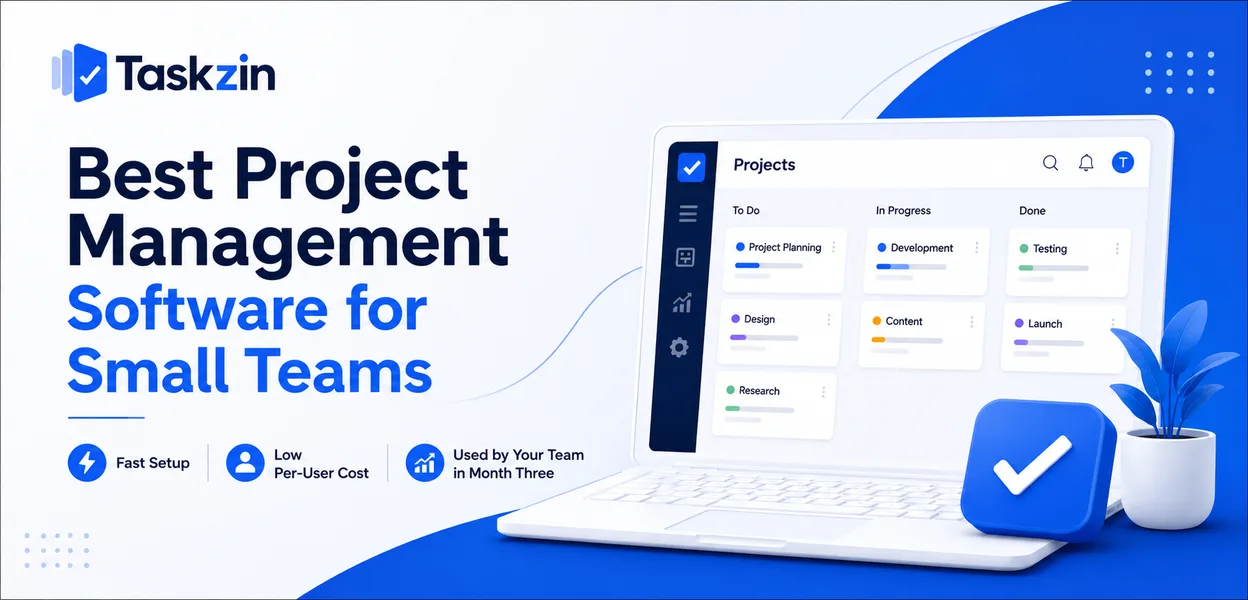
Small teams get sold software designed for organisations twenty times their size. The feature lists look impressive in a demo, then the tool quietly dies three weeks after signup because nobody has forty minutes a week to maintain it.
This guide looks at ten options through the lens that actually matters at this size: how long setup takes, what it costs per person, and whether the team will still be using it in month three.
Quick answer: The best project management software for a small team is the one your whole team will actually open every day — which usually means fast setup, a low per-user price, and a short enough learning curve that nobody needs training. For most teams of three to fifteen people, Taskzin, Trello, Asana and ClickUp cover the realistic range, from minimal to comprehensive.
What Actually Makes Software "Right" for a Small Team
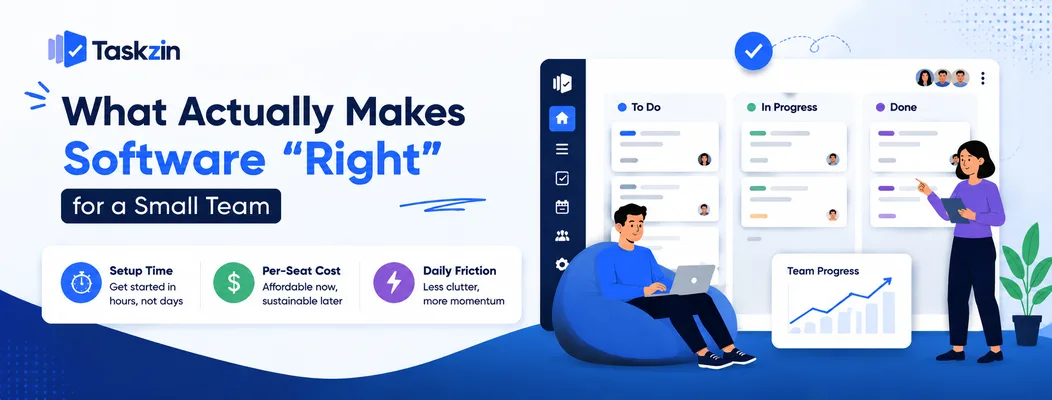
Small teams should evaluate project management software on setup time, per-seat cost and daily friction — not on feature count, since most enterprise features go permanently unused below about twenty people.
The reason is structural. A large organisation has someone whose job includes maintaining the tool. A small team does not. Every configuration screen is time taken from the actual work, and every unused feature is visual noise between someone and the task they came to update.
The setup-time problem
A small team can usually absorb an hour or two of setup. Anything beyond that competes directly with billable or product work, and it tends to lose.
This is why tools that ship with sensible defaults outperform tools that ship with infinite configurability at this size. A board with three columns you can use immediately beats a blank canvas that could theoretically model any workflow, because the blank canvas requires a decision nobody has time to make properly.
The per-seat cost problem
Most project management software charges per user per month. At five people the difference between a cheap plan and a premium one looks trivial; at fifteen it becomes a real line item, and it grows exactly when budget is tightest.
Watch for two specific traps. First, features you assumed were included often sit behind a higher tier — time tracking, guest access, and automation are the usual ones. Second, some tools bill guests and clients as full seats, which matters enormously for agencies. Check both before committing, because the advertised entry price is frequently not the price you will pay.
Best Project Management Software for Small Teams at a Glance
Tool Best for Learning curve Free plan Typical model
Taskzin Teams of 3–15 wanting structure without bloat Low Yes Per user / month Trello The simplest possible start Very low Yes Per user / month Asana Clear task ownership and deadlines Low–medium Yes Per user / month ClickUp Teams that want everything in one place High Yes Per user / month Notion Documentation-fir st teams Medium Yes Per user / month Monday.com Visual workflow building Medium Limited Per seat, tiered minimums Basecamp Predictable flat-fee billing Low Limited Flat fee Linear Small software teams Low–medium Yes Per user / month Jira Engineering-heav y process High Yes (small teams) Per user / month Google Sheets Free starting point Very low Yes Free with Google account
Verify current pricing on each vendor's site before deciding — plans and limits change frequently.
The Best Options Reviewed
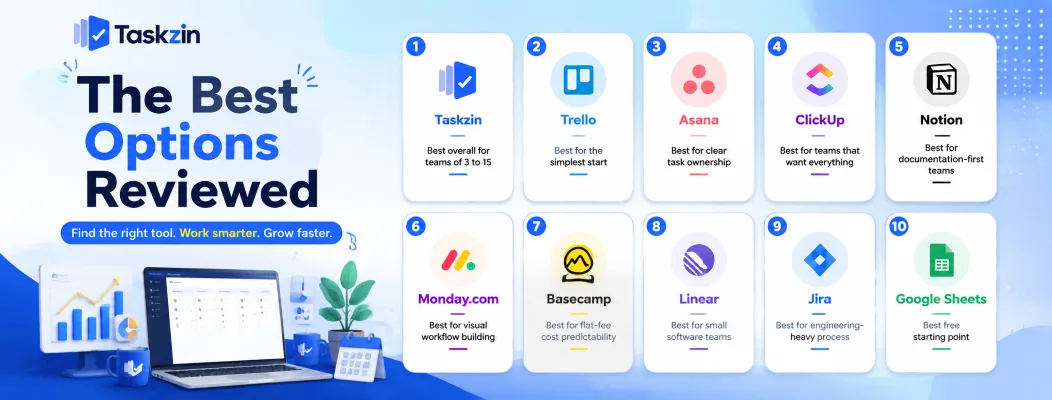
Taskzin — best overall for teams of 3 to 15
Taskzin is built around the assumption that nobody on a small team has a project management job title. Projects, tasks, assignees, due dates and a board view work out of the box, with the more advanced structure available when a team grows into it rather than presented on day one.
Best for: teams that have outgrown a shared spreadsheet but do not want to configure a workflow engine.
Trade-off: if you need deep engineering process — release trains, complex issue hierarchies, custom workflow states per project — a specialist tool will go further.
Trello — best for the simplest possible start
Trello is a Kanban board and very little else, which is precisely its strength. Anyone can understand it in about ninety seconds without documentation.
Best for: teams with straightforward, linear work and low reporting needs.
Trade-off: cross-project visibility and reporting are thin. Teams typically outgrow it once they run several projects at once and need a view across all of them.
Asana — best for clear task ownership
Asana is strong on the fundamentals of accountability: one owner per task, visible due dates, and a personal view of everything assigned to you. Its timeline and workload views are mature.
Best for: teams whose main problem is unclear ownership and missed deadlines.
Trade-off: the interface is opinionated, and some genuinely useful features sit on higher-priced tiers.
ClickUp — best for teams that want everything in one place
ClickUp bundles tasks, documents, whiteboards, time tracking, chat and dashboards into one product, positioning itself as a replacement for several tools at once.
Best for: teams consolidating a scattered stack, with someone willing to own the configuration.
Trade-off: the volume of features is the main complaint. Small teams often report that setup and cleanup take longer than expected.
Notion — best for documentation-first teams
Notion is a flexible workspace where project tracking is one thing you can build rather than the thing it does. If your team already lives in Notion docs, keeping projects alongside them removes a context switch.
Best for: teams whose work is heavily documentation- and knowledge-based.
Trade-off: it is a construction kit. Someone has to build and maintain the system, and it lacks purpose-built project features like dependency handling.
Monday.com — best for visual workflow building
Monday.com uses a colour-coded board metaphor that makes status legible at a glance, with strong automation for routine handoffs.
Best for: teams that respond well to visual status and want automation without scripting.
Trade-off: pricing is structured in seat tiers, which can force a small team into buying more seats than it needs.
Basecamp — best for flat-fee cost predictability
Basecamp charges a flat rate rather than per user, which changes the economics considerably once a team grows or works with many clients and contractors.
Best for: teams that want predictable billing and unlimited collaborators.
Trade-off: it is deliberately opinionated. If you want custom fields, detailed reporting, or a specific workflow, Basecamp will resist you.
Linear — best for small software teams
Linear is fast, keyboard-driven, and built specifically for issue tracking and product development cycles.
Best for: small engineering and product teams that value speed.
Trade-off: it is narrow by design. Marketing, operations and client work fit awkwardly.
Jira — best for engineering-heavy process
Jira is the reference tool for agile software delivery, with sprints, epics, custom workflows and reporting that few competitors match in depth.
Best for: small teams running genuinely formal agile process, or those who need to match an enterprise client's tooling.
Trade-off: the setup and administration burden is real, and non-engineers frequently find it heavy.
Google Sheets — best free starting point
A shared sheet with columns for task, owner, due date and status is free, universally understood, and entirely sufficient for a team of two or three.
Best for: validating that you need a tool at all.
Trade-off: no notifications, no accountability trail, and it degrades badly past roughly fifty active tasks or four people editing at once.
How to Choose Without Wasting Three Weeks
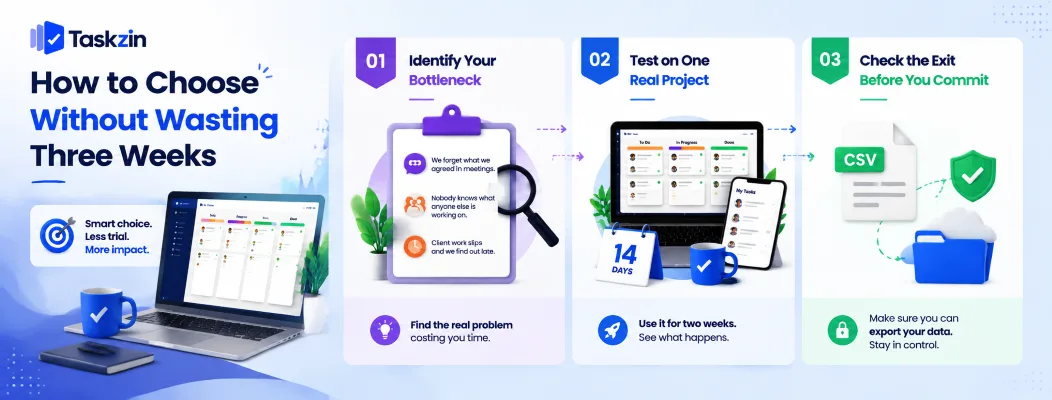
Choose by identifying the single bottleneck costing you the most time, then test the two tools that address it on one real project for two weeks — feature-by-feature comparison across ten tools rarely produces a better decision than this.
Start from your bottleneck, not the feature list
Write down the actual failure you keep experiencing. "We forget what we agreed in meetings." "Nobody knows what anyone else is working on." "Client work slips and we find out late."
Each of those points to a different tool. The first is a documentation problem, the second is a visibility problem, the third is a deadline-tracking problem. Choosing from a feature comparison table without naming the bottleneck first is how teams end up with software that solves a problem they did not have.
Run one real project, not a demo
Demos are designed to look good. Take one live project with real deadlines and real people, run it entirely in the candidate tool for two weeks, and watch what happens.
The signal you are looking for is unprompted use: does anyone other than the person who set it up open the tool without being asked? If the answer after two weeks is no, that tool will not survive, regardless of how well it performed in the demo.
Check the exit before you enter
Before you commit, confirm you can export your data — tasks, comments, attachments — in a usable format such as CSV. This takes five minutes to verify and saves considerable pain if you switch in a year.
A tool that makes export difficult is telling you something about how it expects to retain customers.
What Should a Small Team Expect to Pay?
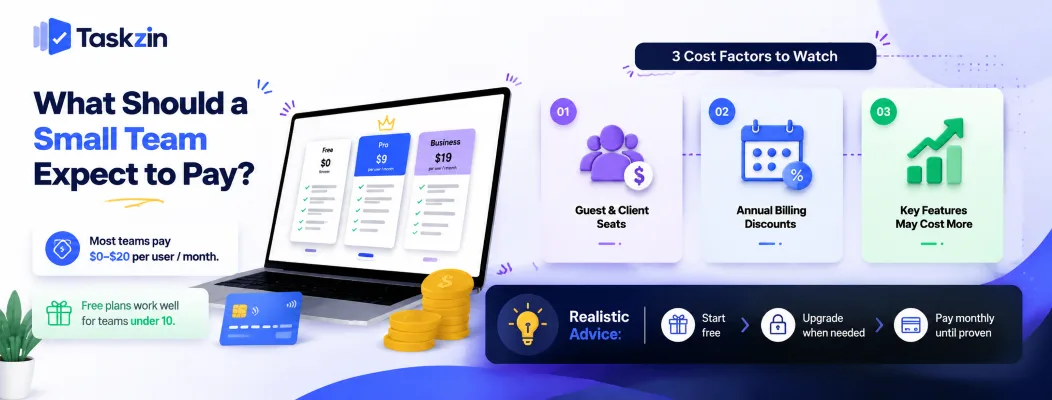
Most small teams land between a free plan and a mid-tier paid plan, with per-user monthly pricing typically running from single digits to the low twenties depending on features. Free plans have become genuinely usable for teams under about ten people.
Three cost factors are easy to miss. Guest and client seats are billed as full users on some platforms and free on others, which matters most for agencies. Annual billing usually carries a meaningful discount over monthly, but locks you in before you know whether adoption will hold. And the feature that made you choose the tool may sit one tier above where you planned to start.
The realistic advice is to begin on the free plan, upgrade only when a specific limit blocks actual work, and pay monthly until adoption is proven.
Mistakes Small Teams Make When Choosing
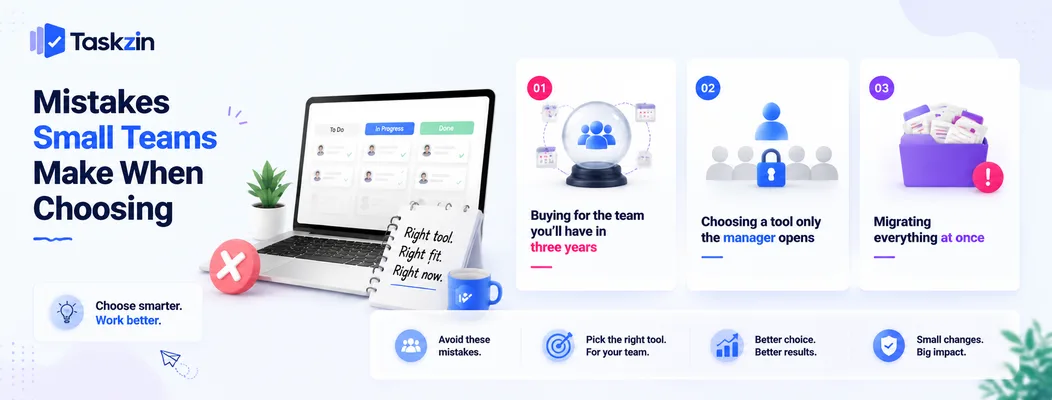
The most common mistakes are buying for a future team size, choosing a tool only the manager will use, and attempting to migrate every project at once.
Buying for the team you'll have in three years
Selecting enterprise-grade software at five people, in anticipation of growth, means paying an adoption cost today for capability you may never need. Most tools scale up more gracefully than teams scale into complexity, and switching later is a smaller problem than never adopting at all.
Choosing a tool only the manager opens
Software chosen purely for its reporting dashboard, without regard for whether the people doing the work find it tolerable, ends up maintained by one person copying updates in on everyone else's behalf. That is a status spreadsheet with a subscription fee.
Involve at least one sceptical team member in the trial. Their resistance is the most useful signal available.
Migrating everything at once
Moving every project on a single weekend guarantees that the first bad week gets blamed on the new tool. Migrate one project, prove the workflow, then bring the rest across over a few weeks.
Frequently asked
What is the best project management software for a small team?
For most teams of three to fifteen, Taskzin, Trello and Asana cover the realistic range — Taskzin for structure without administrative overhead, Trello for the simplest possible board, and Asana for strong task ownership and deadline tracking.
Do small teams actually need project management software?
Teams of two or three usually manage fine with a shared document. The threshold is typically around four people or three concurrent projects, at which point work starts falling through gaps between conversations.
What is the best free project management software for a small team?
Trello, Asana, ClickUp, Notion and Taskzin all offer free plans that are genuinely workable for small teams, with limits usually on user count, automation volume or advanced views rather than on core task management.
How much does project management software cost for a small team?
Per-user monthly pricing commonly ranges from single digits to the low twenties, depending on tier. A five-person team on a mid-tier plan typically spends a modest monthly amount, though guest seats and annual commitments can change the maths substantially.
Is ClickUp or Asana better for small teams?
Asana suits small teams that want clear task ownership with less configuration. ClickUp suits teams consolidating several tools and willing to invest setup time. For a small team without a dedicated administrator, Asana usually reaches productive use faster.
How long does it take a small team to set up a project management tool?
A well-defaulted tool should have a first real project running within an hour. If initial setup is consuming more than a working day, that is a signal the tool is heavier than the team needs.
Can a small team use Google Sheets instead?
Yes, up to a point. A shared sheet works well for two or three people with fewer than about fifty active tasks. It breaks down once you need notifications, comment threads on individual tasks, or a reliable record of who changed what.
What features can a small team safely ignore?
Resource levelling, portfolio management, custom permission schemes, and complex dependency chains are rarely used below twenty people. Prioritise task assignment, due dates, a board or list view, comments, and notifications.
When should a small team switch tools?
When a specific limit blocks real work — not when a competitor announces a feature. Recurring signals worth acting on are people maintaining shadow to-do lists outside the tool, or nobody trusting the status shown in it.
Binita Ray is a content writer at Taskzin, creating insightful and practical content on task management, team collaboration, productivity, workflow optimization, and SaaS solutions. She focuses on helping businesses, teams, and professionals simplify their work processes, improve efficiency, and make better use of modern productivity tools.
All posts by Binita Ray
Comments