Best Sprint Planning Tools for Scrum Teams
A comparison of the best sprint planning tools for Scrum teams, covering what the software must support, ten tools reviewed on velocity and capacity, a practical planning process, estimation approaches, and common mistakes.

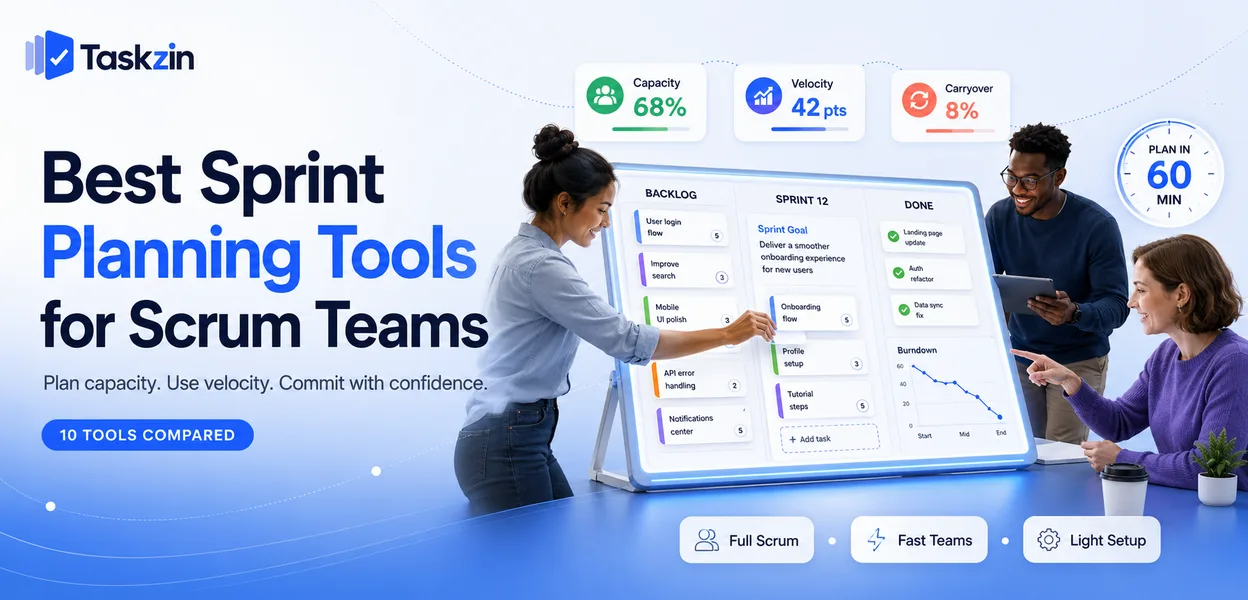
Sprint planning goes wrong in a predictable way. The meeting runs three hours, the team commits to whatever fits the sprint length on paper, and 30 percent carries over. Repeat that four times and nobody trusts the estimates, which is usually blamed on estimation rather than on capacity arithmetic that was never done.
This guide covers what the software genuinely needs to support, ten tools compared, and how to run planning that finishes in an hour.
Quick answer: The best sprint planning tools are Jira for full Scrum implementation, Linear for small teams that value speed, and Taskzin for teams wanting sprint structure without heavy configuration — the differentiator is whether the tool handles capacity and velocity or merely holds a list of tasks. Any tool with a backlog and a board can host a sprint; far fewer help you decide how much to take on.
What Sprint Planning Software Needs to Do
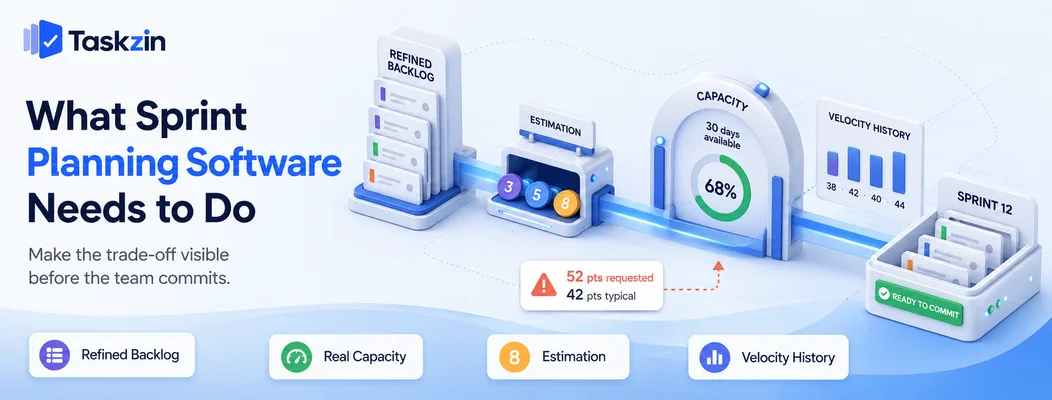
Sprint planning software needs a refined backlog you can pull from, capacity calculation based on actual available days, estimation support, and velocity history — without those, the tool records decisions rather than improving them.
The tool's job is to make the trade-off visible at the moment of commitment. If it cannot show that you have committed to more than the team has historically delivered, it is a task list with sprint labels attached.
Backlog to sprint in one movement
Planning should be a matter of pulling refined items from an ordered backlog into a sprint, seeing the total against capacity update live, and stopping when the number is reached.
If your tool requires exporting a spreadsheet, tallying estimates by hand, or maintaining a separate document, planning takes hours and the arithmetic gets skipped under time pressure — which is exactly when it matters.
Capacity, not just a task count
Capacity is not sprint length multiplied by team size. It is the sum of the days each person is genuinely available, reduced by a focus factor for meetings, support duties and interruptions.
A two-week sprint with five developers looks like fifty person-days. Subtract public holidays, leave, on-call rotation and the roughly 20 to 30 percent that goes to everything other than sprint work, and the real number is often closer to thirty. Tools that surface this prevent the most common planning failure.
Best Sprint Planning Tools at a Glance
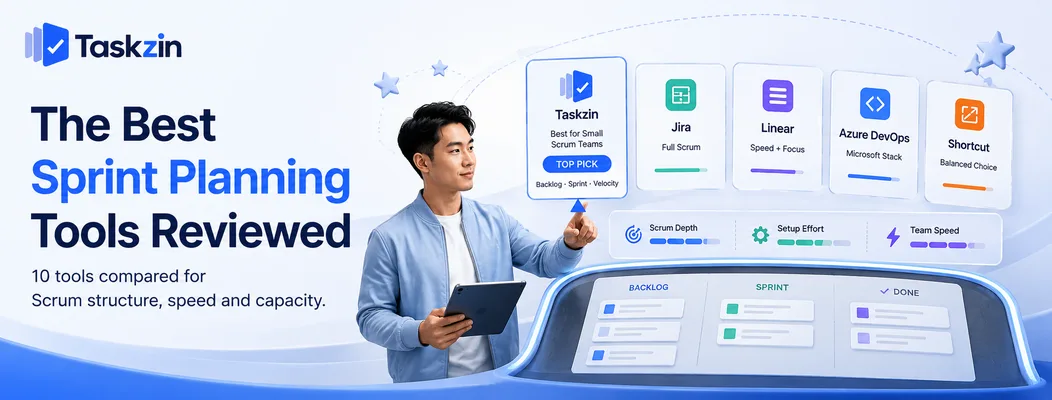
Tool Best for Velocity tracking Capacity planning Free plan Taskzin Small Scrum teams Yes Yes Yes Jira Full Scrum process Strong Yes Yes (small teams) Linear Speed and focus Yes Basic Yes Azure DevOps Microsoft-stack teams Strong Yes Yes (small teams) ClickUp All-in-one platforms Yes Yes Limited Shortcut Middle ground Yes Basic Yes Asana Mixed teams Limited Via workload No (paid) GitHub Projects GitHub-native teams Basic No Yes Miro Retrospectives, refinement No No Limited
The Best Sprint Planning Tools Reviewed
Taskzin — best for small Scrum teams
Taskzin supports the Scrum loop — backlog, sprint, board, velocity — without the configuration overhead that makes heavier tools a project in themselves.
Best for: teams of four to twelve running Scrum without a dedicated tools administrator.
Trade-off: teams running scaled frameworks across many squads will need something with more programme-level structure.
Jira — best full Scrum implementation
Jira remains the most complete Scrum tool: backlog ordering, sprint scope, story points, burndown and burnup charts, velocity history and sprint reports.
Best for: teams committed to Scrum, especially where reporting is expected upward.
Trade-off: configuration debt accumulates quickly, and a poorly set-up Jira is worse than a simple board.
Linear — best for speed and focus
Linear uses cycles rather than ceremonial sprints, with an interface fast enough that planning does not feel like data entry.
Best for: small product teams that want the rhythm of sprints without the ritual.
Trade-off: deliberately opinionated — if you need Scrum exactly by the book, it will resist you.
Azure DevOps — best for Microsoft-stack engineering
Azure Boards provides full backlog, sprint, capacity and velocity support tightly linked to repositories and pipelines.
Best for: engineering organisations already using Azure.
Trade-off: heavy for small teams, and the interface is dense.
ClickUp — best all-in-one with sprint support
ClickUp's sprint features cover points, velocity and automated sprint rollover, alongside docs and other work types in the same workspace.
Best for: organisations where engineering shares a platform with other departments.
Trade-off: sprint functionality requires setup and is less polished than dedicated agile tools.
Shortcut — best middle ground between Jira and Linear
Shortcut offers iterations, epics and roadmaps with noticeably less configuration burden than Jira while remaining more structured than Linear.
Best for: teams that found Jira heavy and Linear too minimal.
Trade-off: a smaller ecosystem and fewer integrations than Jira.
Asana — best for mixed technical and non-technical teams
Asana can run sprint cycles through sections and custom fields, which works when a squad includes design, marketing and engineering together.
Best for: cross-functional teams working in sprints without formal Scrum.
Trade-off: no native story points or velocity — you build the mechanics yourself.
Planning Poker and estimation tools
Dedicated estimation tools provide anonymous simultaneous voting, which prevents the anchoring that occurs when the most senior person estimates first.
Best for: distributed teams where estimation discussion needs structure.
Trade-off: another tool in the loop unless your main platform has it built in.
Miro and retrospective tools
Miro and similar boards handle refinement workshops, story mapping and retrospectives better than any ticket tracker.
Best for: the collaborative parts of the sprint cycle that a backlog tool handles poorly.
Trade-off: outputs must be transferred into the tracker afterwards.
GitHub Projects — best for teams living in GitHub
GitHub Projects links directly to issues and pull requests, keeping planning where the code already is.
Best for: small engineering teams wanting minimal tooling.
Trade-off: limited capacity planning and reporting compared with purpose-built agile tools.
How to Run Sprint Planning That Doesn't Take Four Hours
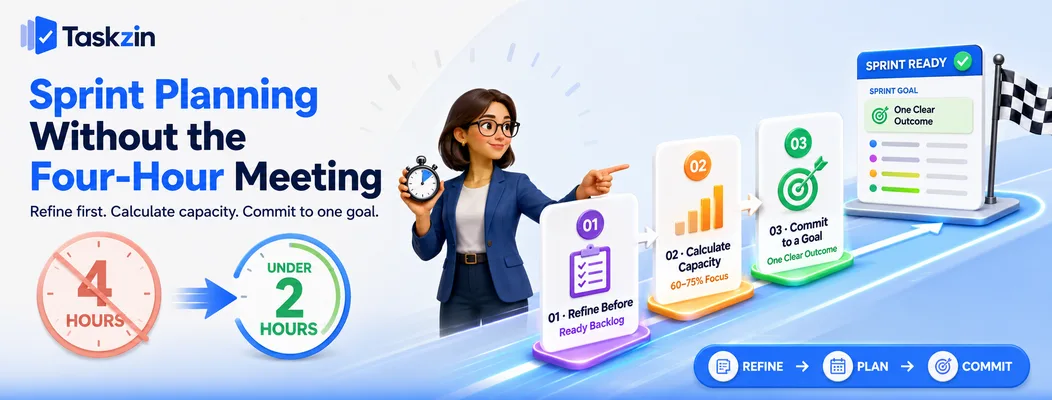
Keep sprint planning under two hours for a two-week sprint by refining the backlog beforehand, calculating real capacity, and committing to a sprint goal rather than a maximal task list.
Step 1: Refine the backlog before the meeting
If planning is where you first read and discuss the stories, it will run long every time. Refinement is a separate session — typically an hour mid-sprint — where the top items get clarified, sized and given acceptance criteria.
Arrive at planning with an ordered backlog of ready items. Planning then becomes selection, which is fast, rather than discovery, which is not.
Step 2: Calculate real capacity, not theoretical capacity
List each person's available days for the sprint, subtracting leave, holidays and known commitments. Apply a focus factor — the share of time that historically goes to sprint work rather than support, meetings and interruptions.
Most teams land somewhere between 60 and 75 percent. Use your own history rather than an assumed number: your last three sprints tell you more than any benchmark.
Step 3: Commit to a sprint goal, not a task list
A sprint goal is one sentence describing what the sprint should achieve. It gives the team something to protect when reality intrudes mid-sprint.
Without a goal, every item has equal weight, so when something slips the team drops whatever is easiest rather than whatever matters least. With a goal, the trade-off decision is obvious and can be made without escalation.
Estimation Approaches and Which Tool Supports Them
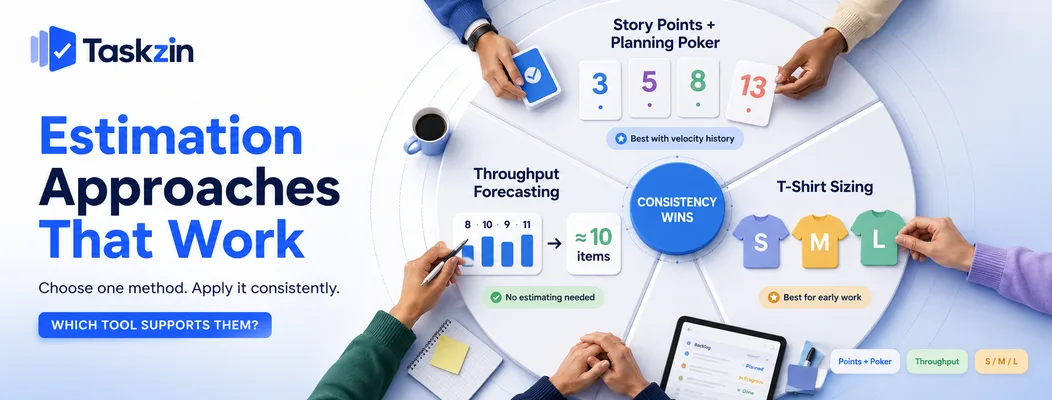
Story points with planning poker suit teams with velocity history, throughput forecasting suits teams that dislike estimating, and t-shirt sizing suits early work — the method matters far less than applying one consistently.
Story points and planning poker
Story points express relative size, combining complexity, effort and uncertainty. Their value is that they resist being read as commitments in hours.
Planning poker keeps estimates honest by having everyone reveal simultaneously. The discussion triggered by a wide spread is usually more valuable than the number itself, because a spread means people understand the story differently.
Throughput-based forecasting
Some teams skip estimation entirely and forecast from throughput — how many items they historically complete per sprint. With enough history this predicts as well as pointing does, at a fraction of the effort.
This works best when stories are broken down to roughly similar size, which good refinement produces anyway.
T-shirt sizing for early-stage work
For roadmap-level items not yet refined, small, medium and large is honest about the precision available. Converting to points happens later, once the item is genuinely understood.
Common Sprint Planning Mistakes
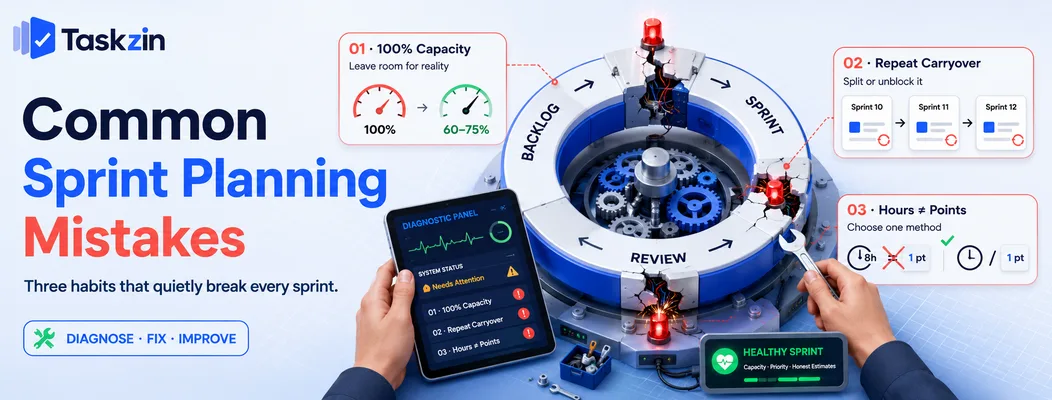
The three most damaging habits are planning to full theoretical capacity, carrying the same items forward sprint after sprint, and estimating in hours while calling them points.
Planning at 100 percent capacity
Committing to everything that fits on paper guarantees carryover, because no allowance exists for the support request, the production issue or the sick day that arrives every sprint.
Carrying over the same items every sprint
An item that has moved forward three times is telling you something: it is blocked, too large, or not actually a priority. Investigate rather than rolling it again.
Estimating in hours and calling them points
If your team estimates in hours and divides by eight to produce points, you have the overhead of relative estimation with none of its benefit. Either estimate in hours openly or estimate relatively — mixing the two produces false precision that nobody trusts.
Frequently asked
What is the best sprint planning tool?
Jira for full Scrum with strong reporting, Linear for small teams prioritising speed, and Taskzin for teams wanting sprint structure without configuration overhead. Azure DevOps suits Microsoft-stack engineering organisations.
What software do Scrum teams use?
Most use a backlog and sprint tool such as Jira, Linear, Azure DevOps or Taskzin, often alongside a collaborative whiteboard for refinement and retrospectives.
How long should sprint planning take?
Scrum guidance suggests up to eight hours for a one-month sprint, scaling down proportionally — so roughly two hours for a two-week sprint. Teams that refine beforehand routinely finish in under an hour.
What is the best free sprint planning tool?
Jira's free tier includes full Scrum boards for a small team. Linear, Taskzin, Shortcut and GitHub Projects all offer usable free plans for small teams.
How do you calculate sprint capacity?
Add up each person's available days for the sprint, subtract leave and known commitments, then multiply by a focus factor reflecting the share of time that actually goes to sprint work — commonly 60 to 75 percent.
What are story points and why not use hours?
Story points express relative size rather than duration. They avoid the false precision of hourly estimates and stop estimates being treated as personal commitments, which distorts them.
Is Jira necessary for Scrum?
No. Scrum requires a backlog, a sprint, and a way to see progress. Jira does this thoroughly, but Linear, Taskzin, Shortcut, Azure DevOps and even a physical board all satisfy the requirements.
How much should a team commit to in a sprint?
Roughly what the team has delivered in recent sprints, adjusted for known absences. Historical velocity or throughput is a far better guide than optimism at the planning table.
What should you do with unfinished sprint items?
Return them to the backlog and re-prioritise rather than automatically rolling them into the next sprint. If an item has carried over repeatedly, treat that as a signal to split it or investigate what is blocking it.
Sanju Shrestha is a SaaS content writer at Taskzin who explores smarter ways to manage work, organize priorities, and improve team performance. Her content covers productivity strategies, digital workflows, collaboration, and task management, with a focus on helping modern teams work more efficiently and stay aligned.
All posts by Sanju Shrestha
Comments