Best Task Management Apps
A comparison of the best task management apps for personal and team use, covering the difference between task and project management, ten reviewed options, selection criteria, methods that work in any app, and common mistakes.

Task apps fail for a predictable reason. Someone sets one up during a productive week, adds forty items, then stops looking at it because reviewing the list became its own chore. The app that survives is usually the one that takes the least effort to feed.
Quick answer: The best task management app depends on whether your tasks are personal or shared: Todoist, Things 3 and TickTick lead for individual use, while Taskzin, Trello and Notion work better when tasks need owners, comments and visibility across a team. Almost every option in this category handles the basics well, so the real decision is which one you will still be opening in three months.
Task Management vs Project Management: What's the Difference?
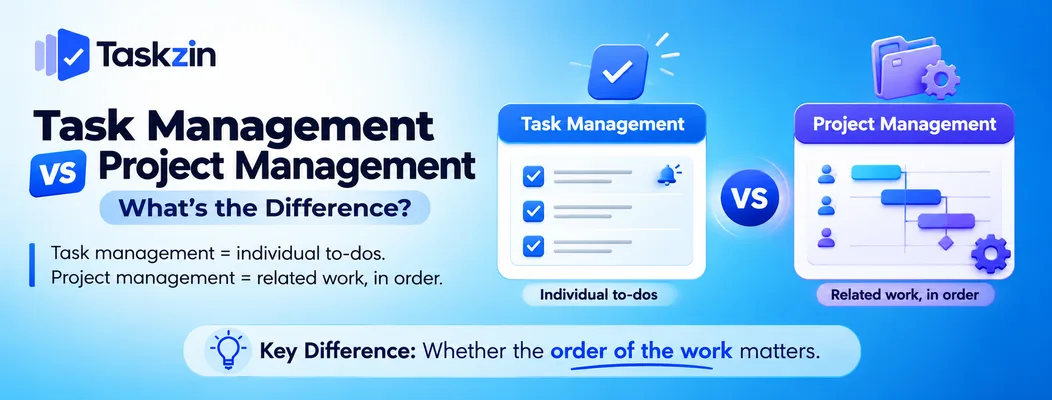
Task management tracks individual to-dos with due dates and reminders, while project management tracks related work with dependencies, timelines, assignees and reporting — the practical dividing line is whether the order of the work matters.
A task list answers "what do I need to do?" A project tool answers "what needs to happen, in what order, by whom, and what happens when something slips?" Confusing the two leads teams to either buy far more software than they need or try to run a genuine project inside a checklist.
Where a task app is enough
If your work is a stream of independent items — reply to that email, book the venue, draft the invoice — a task app is not just sufficient, it is better. It has less overhead and lower friction at the moment of capture.
This also holds for small teams whose collaboration is mostly "here's your list" rather than genuinely interdependent work. A shared list with owners and due dates covers a surprising amount of real business.
Where you've outgrown one
Three signals reliably indicate you need project software instead. Tasks depend on each other and you are tracking that order in your head. Several people need to see the same work and its current status. And someone has started asking for a summary of where things stand.
At that point a task list starts requiring manual coordination to stay accurate, which is the exact work project software exists to remove.
Best Task Management Apps at a Glance
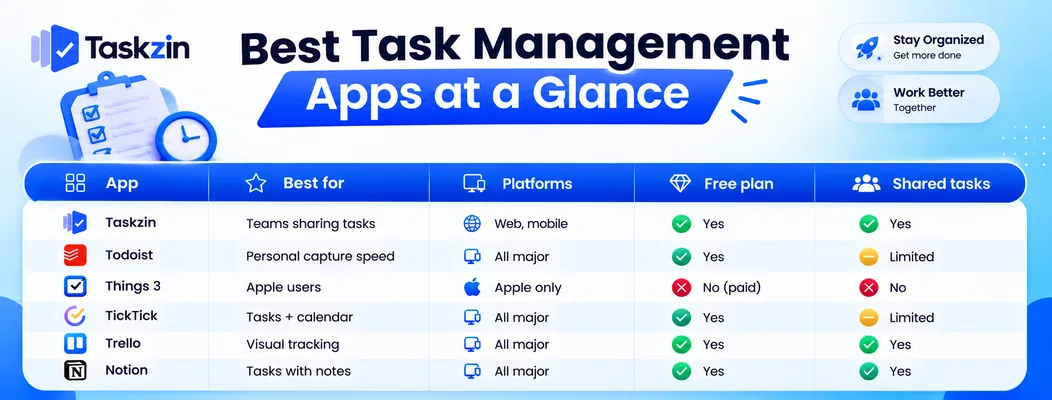
App Best for Platforms Free plan Shared tasks Taskzin Teams sharing tasks Web, mobile Yes Yes Todoist Personal capture speed All major Yes Limited
Things 3 — best for Apple users
Microsoft To Do Microsoft 365 users All major Yes Yes Google Tasks Gmail users Web, mobile Yes No TickTick Tasks plus calendar All major Yes Limited Any.do Simple daily lists All major Yes Limited Trello Visual tracking All major Yes Yes Notion Tasks with notes All major Yes Yes Apple Reminders Built-in, zero cost Apple only Yes Yes
The Best Task Management Apps Reviewed
Taskzin — best for teams that share tasks
Taskzin sits at the point where personal task lists stop working: tasks have a clear owner, a due date, a comment thread and a visible status, without requiring the setup a full project tool demands.
Best for: small teams where several people need to see the same list and know who has what.
Trade-off: for purely personal task capture, a dedicated single-user app will feel faster.
Todoist — best for personal task capture
Todoist's strength is speed of entry. Natural language input means typing "invoice Acme every Friday at 4pm" creates a correctly scheduled recurring task without touching a date picker.
Best for: individuals who want to capture a task in under three seconds.
Trade-off: collaboration is functional but shallow compared with genuine team tools.
Things 3 — best for Apple users Things 3 is a one-time purchase per platform with an unusually well-considered interface. Its Today and Upcoming views are among the calmest in the category.
Best for: individuals working entirely within the Apple ecosystem who value design.
Trade-off: Apple only, paid upfront on each device type, and not built for sharing.
Microsoft To Do — best free option inside Microsoft 365
Microsoft To Do is free, syncs with Outlook tasks and flagged email, and supports shared lists. If your organisation runs Microsoft 365, it is already available.
Best for: teams already inside the Microsoft ecosystem.
Trade-off: limited beyond simple lists — no meaningful project structure.
Google Tasks — best lightweight option for Gmail users
Google Tasks lives in the Gmail and Calendar sidebar, which puts it exactly where many people already spend their day. Turning an email into a task takes one click.
Best for: individuals whose work arrives primarily by email.
Trade-off: deliberately minimal, with no sharing and few organisational features.
TickTick — best for combining tasks and calendar
TickTick merges a task manager with a calendar view and a built-in Pomodoro timer, which suits people who plan by time rather than by list.
Best for: anyone who schedules tasks into their day rather than working from a flat list.
Trade-off: the calendar view and some features require the paid tier.
Any.do — best for a simple daily list
Any.do focuses on a clean daily view with a planning prompt, keeping the interface deliberately narrow.
Best for: people who want one uncomplicated list per day.
Trade-off: limited depth for anything larger than personal organisation.
Trello — best for visual task tracking
Trello represents tasks as cards on a board, which makes status legible at a glance and works equally well for one person or a small team.
Best for: people who think spatially and want to see work move through stages.
Trade-off: a board is more overhead than a list when tasks are genuinely independent.
Notion — best for tasks alongside notes
Notion lets tasks live in the same workspace as the documents, notes and research they relate to, removing a context switch.
Best for: knowledge work where the task and its context belong together.
Trade-off: you build the system yourself, and capture is slower than in a dedicated task app.
Apple Reminders — best free built-in option
Apple Reminders has improved substantially and now handles subtasks, tags, shared lists and location-based triggers at no cost on Apple devices.
Best for: Apple users who want something capable without installing anything.
Trade-off: Apple only, with limited views for larger lists.
How to Choose a Task Management App
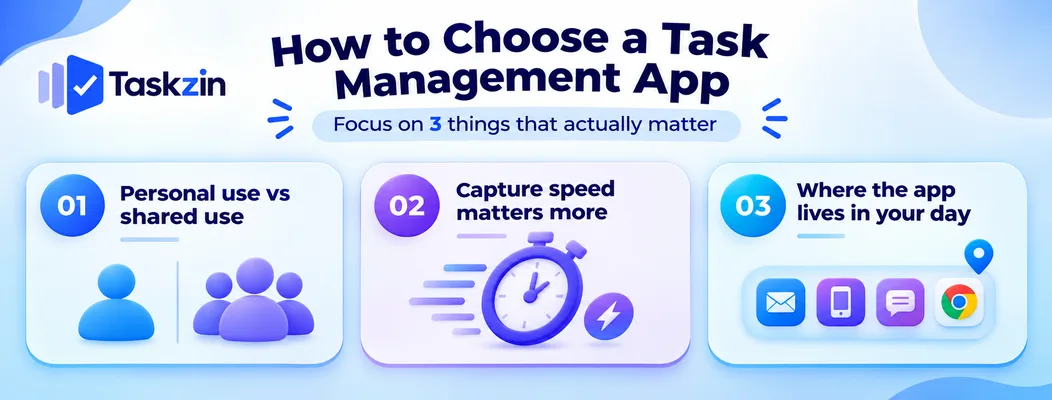
Choose based on whether tasks are personal or shared, how fast the app lets you capture a task, and whether it lives where you already work — feature comparisons matter far less than these three factors.
Personal use vs shared use
This single question eliminates most of the list. Personal apps optimise for speed and calm; team apps optimise for ownership and visibility. An app trying to do both usually does one of them poorly.
If you need both, it is generally better to run a fast personal app for your own tasks and a shared tool for team work than to force one app to serve two purposes.
Capture speed matters more than features
The moment a task occurs to you is the moment it either gets recorded or forgotten. If capture takes more than a few seconds, you will stop doing it under pressure — which is exactly when it matters most.
Test this specifically during a trial: add a task while walking, mid-meeting, and from your phone's lock screen. An app that fails those three tests will not survive a busy week regardless of its feature list.
Where the app lives in your day
An app you have to remember to open is an app you will forget. The most successful choice is usually the one nearest to where work already arrives — the email sidebar, the phone home screen, the chat tool your team uses.
Task Management Methods That Work With Any App
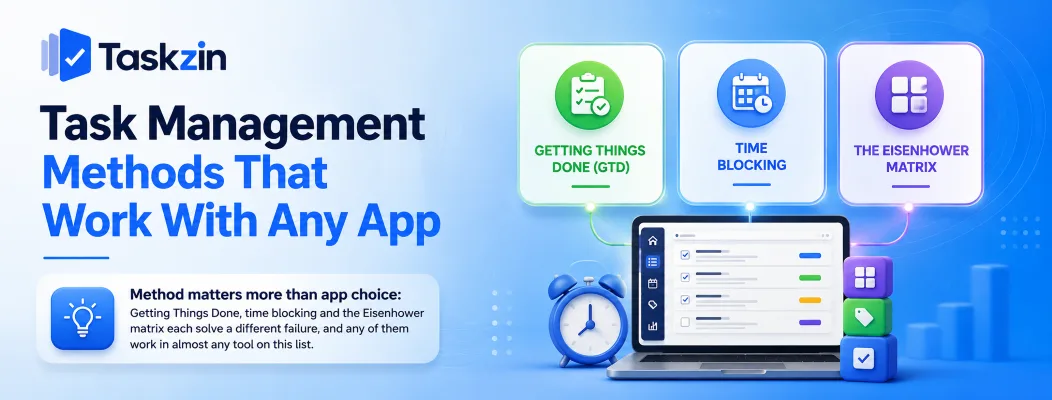
Method matters more than app choice: Getting Things Done, time blocking and the Eisenhower matrix each solve a different failure, and any of them work in almost any tool on this list.
Getting Things Done (GTD)
GTD's core idea is to capture everything into a trusted inbox, then process each item into a concrete next action. The value is in getting commitments out of your head, where they generate background anxiety without producing progress.
The essential practice is the weekly review — a scheduled pass through every list to remove what is done, update what changed, and decide what matters next week. Most task systems fail because this step is skipped.
Time blocking
Time blocking assigns tasks to specific slots in your calendar rather than leaving them on an open list. It confronts you with a real constraint: a list can hold thirty items, but a day cannot.
This works well for people whose lists grow faster than their capacity. TickTick, Notion and any app with calendar sync support it directly.
The Eisenhower matrix
Sorting tasks by urgency and importance separates work that feels pressing from work that actually matters. The useful output is usually the "urgent but not important" quadrant, which is where most delegable or deletable work hides.
Any app with tags or priority levels can implement this without special features.
Common Task Management Mistakes
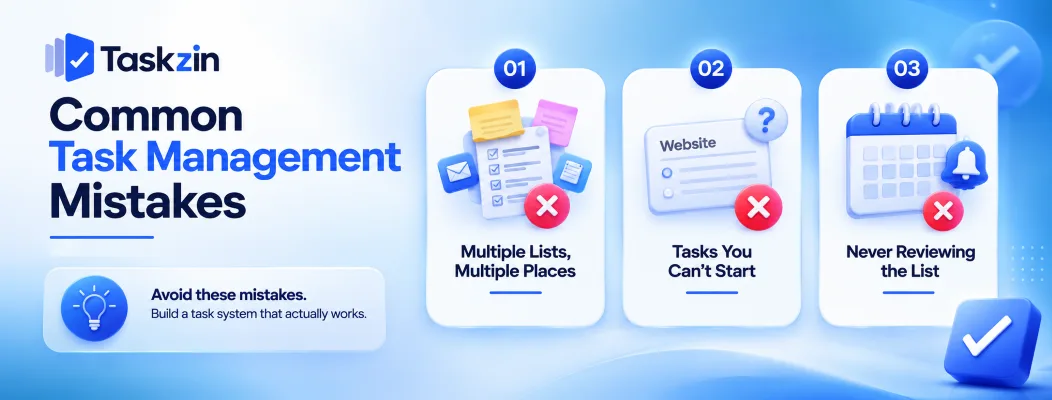
The three most common failures are keeping multiple lists in multiple places, writing tasks too vague to start, and never reviewing the list.
Keeping several lists in several places
Tasks in an app, on sticky notes, in your email flags and in a notebook means no list is trustworthy — and an untrusted list stops being consulted. Pick one place and move everything there, even if the chosen app is not the best one available.
Writing tasks you can't start
"Website" is not a task. It is a topic. Sitting down to a list of topics produces hesitation rather than action, because each one requires a decision before any work can begin.
Write the next physical action instead: "draft homepage headline options." The specificity is what makes the item startable when you are tired.
Never reviewing the list
A list that only grows becomes a source of guilt rather than a tool. Fifteen minutes weekly to close finished items, delete what no longer matters and reschedule the rest is what keeps a system trustworthy.
Frequently asked
What is the best task management app?
For personal use, Todoist, Things 3 and TickTick lead on capture speed and daily usability. For shared team tasks, Taskzin, Trello and Notion handle owners, comments and visibility better.
What's the difference between a task manager and a project manager?
A task manager tracks independent to-dos with due dates and reminders. Project management software tracks related work with dependencies, timelines, assignees and reporting. The practical test is whether the order of work matters.
What is the best free task management app?
Microsoft To Do, Google Tasks and Apple Reminders are fully free. Todoist, TickTick, Trello, Notion and Taskzin offer free tiers that cover ordinary personal and small-team use.
What's the best task management app for teams?
Any app supporting per-task owners, comments and shared visibility — Taskzin, Trello, Notion and Microsoft To Do all qualify. Single-user apps like Things 3 do not.
Is Todoist better than Microsoft To Do?
Todoist is faster to capture into and better organised for large personal lists. Microsoft To Do is free and integrates directly with Outlook. If you already use Microsoft 365, start with To Do; if you manage a heavy personal system, Todoist repays the cost.
Can I use a task management app for work and personal life?
Yes, and most people do. Separate the two with projects or labels so a work view never shows personal items, otherwise the list becomes uncomfortable to open on either side.
How many tasks should be on a daily list?
Three to five meaningful items is the range most people can complete alongside meetings and interruptions. Longer lists tend to reduce completion rather than increase it, because nothing on them feels achievable.
Do task management apps actually improve productivity?
They reliably improve recall — you forget fewer commitments. Whether they improve output depends on the review habit. An app without a weekly review typically becomes an archive rather than a tool.
When should I switch to project management software?
When tasks depend on each other, several people need shared visibility, or someone starts asking for a status summary. At that point a task list requires manual coordination to stay accurate, which is exactly what project software removes.
Sanju Shrestha is a SaaS content writer at Taskzin who explores smarter ways to manage work, organize priorities, and improve team performance. Her content covers productivity strategies, digital workflows, collaboration, and task management, with a focus on helping modern teams work more efficiently and stay aligned.
All posts by Sanju Shrestha
Comments