Taskzin vs Microsoft Planner and Project
An honest comparison of Taskzin with Microsoft Planner and Microsoft Project, covering why they are three different products, where Planner runs out, where Project is more than most teams need, the ecosystem argument, and migration realities.

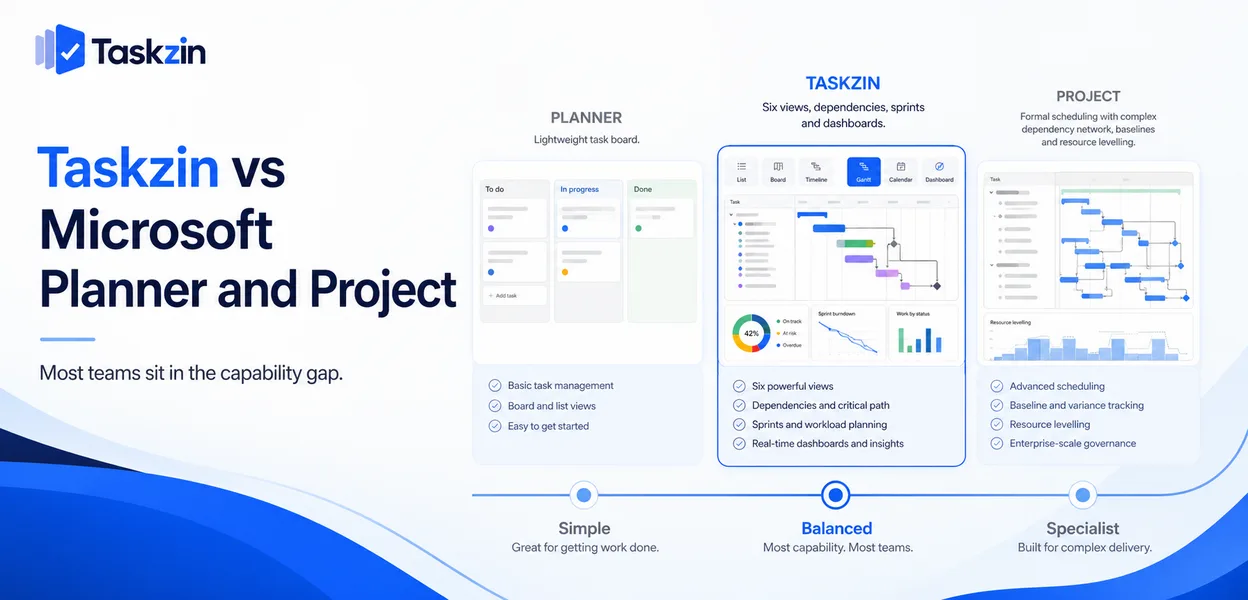
If Planner is enough, use it, because you probably already pay for it. If you genuinely need Project's scheduling depth, Taskzin does not replace it. Most teams sit in the gap.
Quick answer: Microsoft offers two quite different products: Planner, a lightweight task board included with many Microsoft 365 plans, and Project, a formal scheduling tool with resource levelling and baselines. Taskzin sits between them — more capable than Planner, considerably lighter than Project. Comparing them as one product is the most common mistake in this decision.
Three Products, Not Two
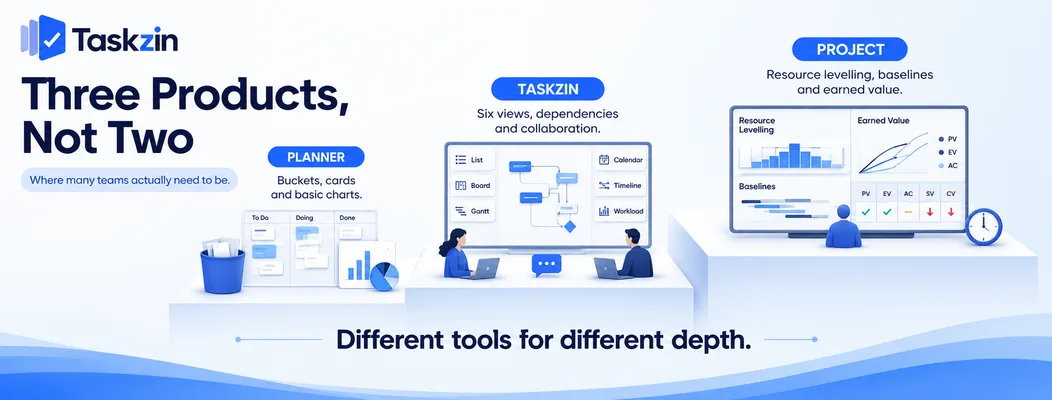
Planner and Project solve different problems, and the right comparison depends on which one you are actually evaluating.
Planner: lightweight task boards
Planner provides buckets, cards, assignments, due dates and basic charts, integrated with Teams and included in many Microsoft 365 subscriptions.
It is genuinely useful for simple team task tracking. It has no dependencies, no critical path, no sprints, limited views and minimal reporting — which is the correct scope for what it is.
Project: formal scheduling
Microsoft Project is the reference tool for detailed programme scheduling: dependency networks, resource levelling, baselines, earned value analysis and critical path management.
It assumes a trained scheduler and a project large enough to justify one. Used properly it goes further than almost anything else.
Where Taskzin sits between them
Taskzin provides six views over one dataset — List, Board, Calendar, Gantt, Table, Timeline — with dependencies and critical path recalculation, board WIP limits and swimlanes, sprints with velocity and burndown, docs linked to tasks, and dashboards on Business.
That is more than Planner and less than Project, which is where a large proportion of teams actually need to be.
All Three Compared
Taskzin vs Project
Positioning Mid-weight project tool Lightweight task boards Formal scheduling Views Six over one dataset Board, basic grid, charts Gantt, grid, boards
Dependencies Yes No Full, all types Critical path Yes, recalculates No Yes Resource levelling Basic workload No Strong Baselines No No Yes Sprints, velocity, burndown Starter and above No No WIP limits Yes No No Automations All plans Limited Limited Dashboards 30+ widgets on Business Basic charts Strong Free plan Yes, up to 10 members Bundled with M365 No Guests Free, unlimited Via M365 sharing Licensed
The learning curve question
Under an hour to a
What Project does well
Minutes Days to weeks Data export JSON or CSV, any plan Limited Available
Microsoft's licensing and product naming change frequently — verify current terms.
Taskzin vs Planner
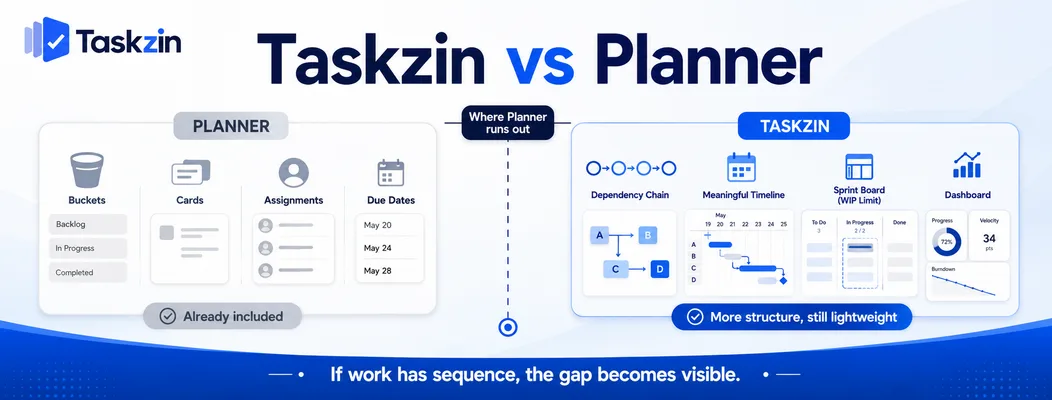
Planner is adequate for simple shared task tracking and runs out quickly once work has sequence, and the fact that it is already paid for is a genuine argument.
What Planner does well
Simple, familiar, integrated with Teams, and effectively free if you already hold a Microsoft 365 licence. For a team tracking a handful of tasks per person with no dependencies, it does the job.
Adoption is also easy in Microsoft-standardised organisations, because it appears where people already work.
Where Planner runs out
No dependencies, so nothing can express that one thing blocks another. No timeline view worth the name. No sprints, WIP limits or velocity. Reporting limited to basic charts.
Teams typically hit this when a project needs a schedule or when someone asks for a report Planner cannot produce. At that point the workaround is a spreadsheet alongside, which is the signal to move.
The Microsoft 365 argument
"We already have it" is a real argument and should not be dismissed. Zero marginal cost is a strong position.
The counter-argument is the workaround cost. If two people spend an hour a week maintaining a spreadsheet Planner cannot replace, that exceeds a modest subscription quickly. Taskzin's
Free plan covers up to ten members, so the comparison can be made without spending anything.
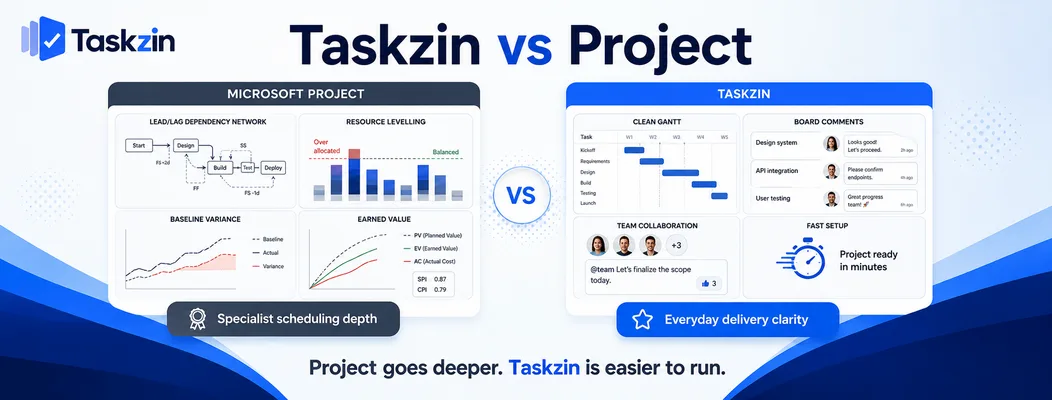
Taskzin vs Project Project is the stronger scheduling tool by a clear margin, and it is more than most teams need.
What Project does well Full dependency types with lag and lead, resource levelling that reschedules to resolve overallocation, baselines for variance tracking, and earned value analysis.
For a large capital programme, a construction schedule or a formally governed project, this depth is genuinely required and Taskzin does not match it.
Where Project is more than you need
For a forty-person software company, a marketing team or an agency, Project's depth carries a cost in learning curve, administration and collaboration friction.
It is also weaker at everyday collaboration — comments, boards, flow management — because that is not what it was built for. Teams frequently end up with Project for the plan and something else for the work, which is two systems.
The learning curve question Project rewards expertise. Someone who knows it well produces schedules nothing else matches; someone who does not produces a Gantt chart with dependencies they do not understand.
If nobody on your team is a trained scheduler, much of Project's advantage is unavailable to you, and a tool that gets you a working timeline in an hour delivers more actual value.
The Ecosystem Consideration
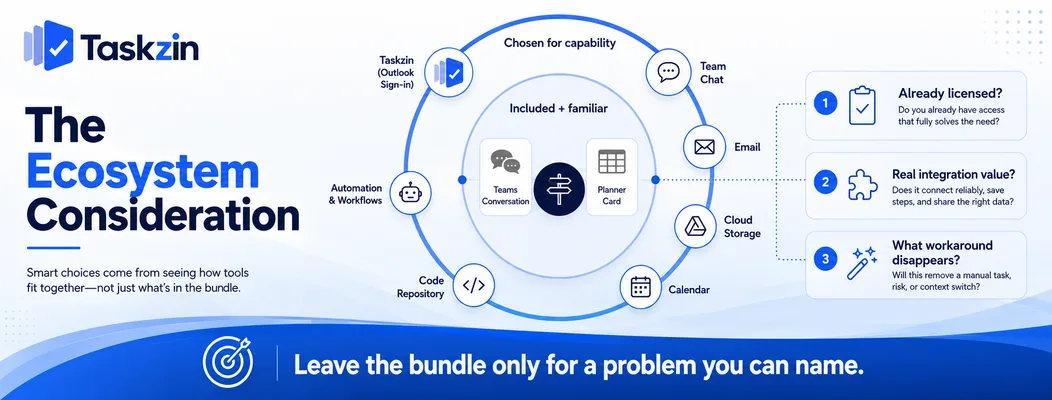
Being included in a subscription you already hold is a real advantage; what matters is whether the integration buys you something you would otherwise pay for.
Included versus chosen
Bundled tools win on cost and on adoption, because they are already there and already licensed.
They lose when the bundled option is not the right shape for the work, and the organisation absorbs the mismatch quietly for years because switching feels like a cost that the bundle avoided.
What integration actually buys you
Planner's Teams integration is genuine — tasks visible where conversation happens is useful.
Taskzin integrates with Outlook and Microsoft sign-in, alongside Slack, Gmail, Google Drive and Calendar, GitHub, Zapier and others, so a Microsoft-centred organisation is not locked out. The relevant question is whether the deeper Teams embedding is worth more than the capability gap.
When leaving the ecosystem is worth it
When you can name the specific thing the bundled tool cannot do that you are currently working around.
"Planner has no dependencies and our projects have sequence" is a reason. "It feels basic" is not, and will not survive a budget conversation.
Migrating Between Them
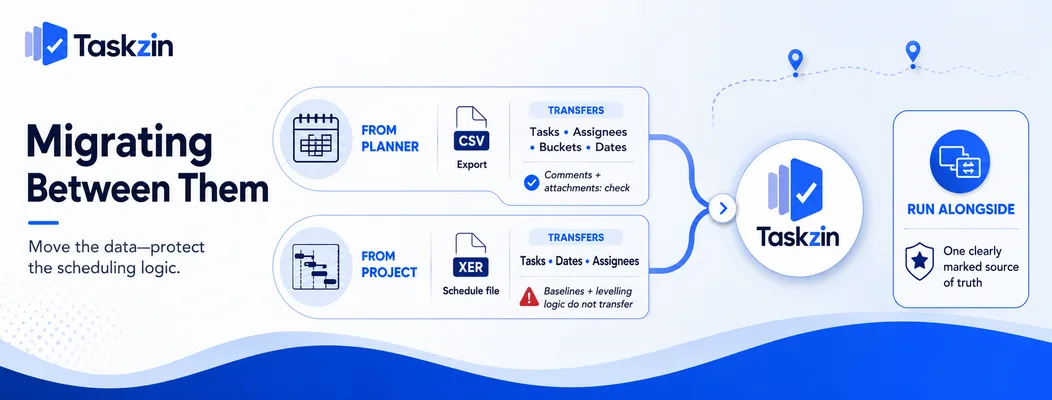
Planner and Project both export, neither is covered by the one-click importer, and running alongside is sometimes the right answer.
From Planner
Export your plans and import via CSV. Tasks, assignees, buckets and dates map reasonably; comments and attachments need checking.
Planner data is usually simple enough that migration is straightforward — the constraint is volume rather than fidelity.
From Project
Project files carry scheduling logic — dependency types, lags, baselines, resource assignments — that a CSV cannot fully represent.
Tasks, dates and assignees transfer. Baselines and levelling logic do not. If those are load-bearing for you, that is an argument for keeping Project rather than for a difficult migration.
Running alongside rather than replacing
A legitimate arrangement: Project for the formal programme schedule where one is contractually required, and a collaborative tool for the day-to-day work.
The risk is two systems diverging. It works only if one is clearly the source of truth and the other is derived from it.
Frequently asked
What is the difference between Microsoft Planner and Project?
Planner is a lightweight task board with buckets and assignments, included with many Microsoft 365 plans. Project is a formal scheduling tool with dependencies, resource levelling and baselines, licensed separately.
Is Taskzin better than Microsoft Planner?
More capable, certainly — dependencies, critical path, six views, sprints, WIP limits and automations that Planner does not have. Whether that is worth leaving a tool you already pay for depends on what you are working around.
Do you already have Planner if you use Microsoft 365?
It is included with many Microsoft 365 plans, which is a genuine cost advantage. Check your specific licence, as Microsoft's bundling changes.
Which is cheaper?
Planner is effectively free with an existing Microsoft 365 licence. Taskzin is free up to 10 members and then flat per member with no seat tiers. Project is licensed separately and is the most expensive of the three.
Can you import Planner or Project data into Taskzin?
Via CSV rather than the one-click importer, which covers ClickUp, Jira, Asana and Trello. Tasks, dates and assignees transfer; Project baselines and levelling logic do not.
Does Taskzin integrate with Microsoft?
Yes — Outlook and Microsoft sign-in are supported, alongside Google Workspace, Slack, GitHub, Zapier and others. The deeper Teams embedding is Planner's advantage.
Which suits a team already using Teams?
Planner if your needs are simple, because of the embedding. Taskzin if you need dependencies, timelines or reporting that Planner cannot provide and you are currently maintaining a spreadsheet alongside.
Binita Ray is a content writer at Taskzin, creating insightful and practical content on task management, team collaboration, productivity, workflow optimization, and SaaS solutions. She focuses on helping businesses, teams, and professionals simplify their work processes, improve efficiency, and make better use of modern productivity tools.
All posts by Binita Ray

Comments