How Do You Track Team Workload Without Micromanaging?
A practical guide to tracking team workload without micromanaging, covering where the line sits between visibility and surveillance, what to measure instead of activity, setting up shared visibility, and how to respond when someone is overloaded.

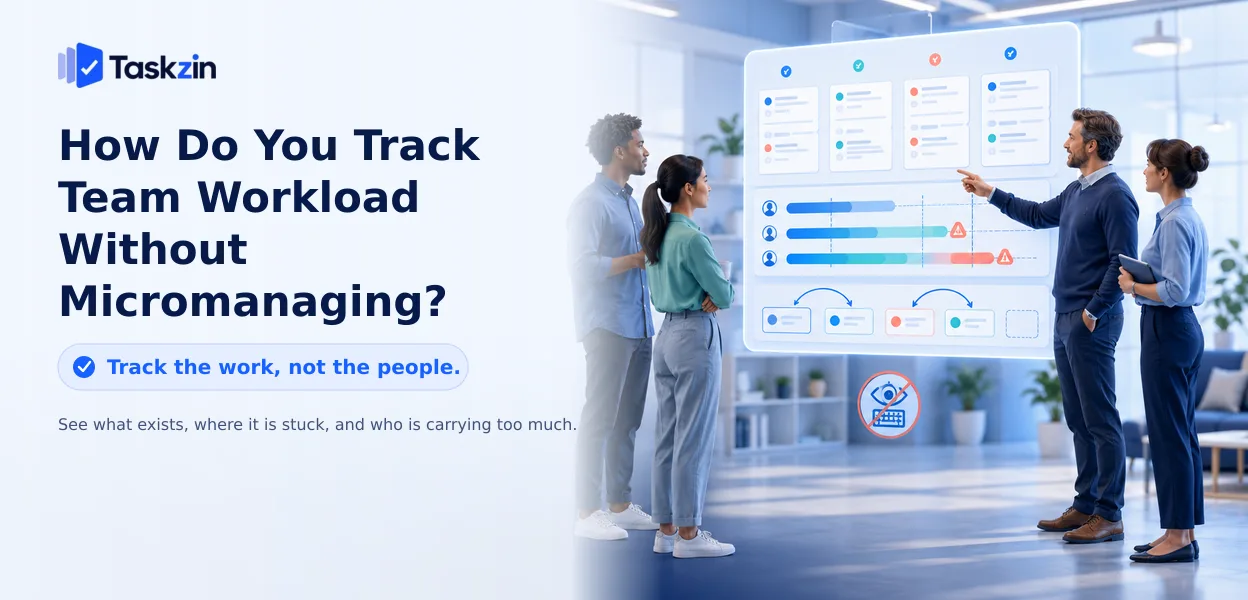
How do you track team workload without micromanaging?
Managers ask this question because both failures are real. Track nothing and you discover overload when someone burns out or quits. Track everything and you produce performative busyness, defensive reporting, and a team that manages the appearance of work rather than the work.
This guide covers where the line sits, what to measure instead of activity, how to set up visibility, and how to have the conversation when someone is overloaded.
Quick answer: Track the work, not the people. Workload visibility becomes micromanagement when you start monitoring individual activity — hours online, keystrokes, minute-by-minute status — rather than looking at what work exists, where it is stuck, and whether anyone is carrying too much of it. The distinction is not how much you know; it is what you look at and what you do with it.
What Separates Workload Tracking From Micromanagement
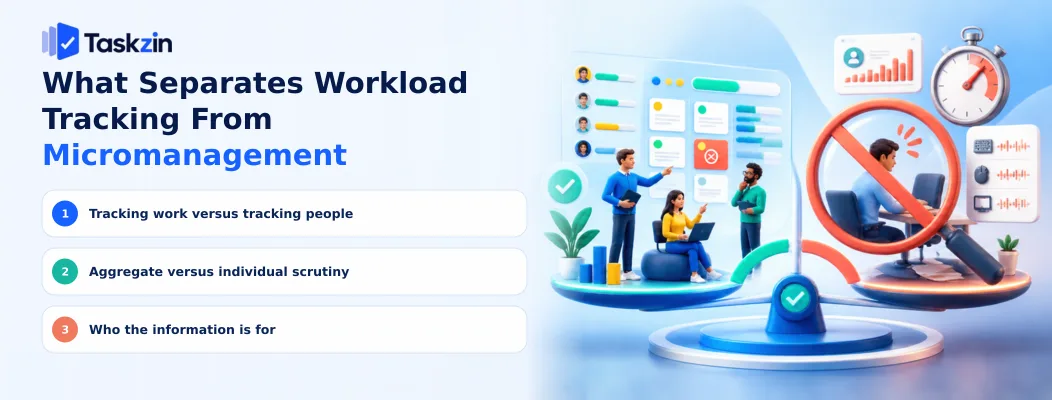
Workload tracking looks at the work itself — how much exists, where it is, what is blocked. Micromanagement looks at the person — what they are doing right now, for how long, and whether it looks like enough.
Three distinctions make the difference concrete.
Tracking work versus tracking people
A board showing twelve open tasks with owners is tracking work. A dashboard showing that Sam was active for 5 hours 12 minutes yesterday is tracking Sam.
The first tells you the team has taken on more than it can finish. The second tells you nothing useful and communicates distrust. Notice that the first is also more actionable — you can reprioritise twelve tasks, but you cannot do anything sensible with an activity percentage.
Aggregate versus individual scrutiny
Looking at the team's total work in progress, or at the distribution of open items across people, is legitimate management. Looking at one person's minute-by-minute progress, daily, is not.
The test is whether you would be comfortable showing the person exactly what you look at and how often. Transparency in both directions is what separates visibility from surveillance.
Who the information is for
If workload data exists primarily so the team can manage its own commitments, it supports autonomy. If it exists primarily so you can report upward or evaluate individuals, people will manage the data rather than the work.
Say plainly what the tracking is for. Teams read the purpose from your behaviour anyway, so stating it costs nothing and clarifies a great deal.
Signals That You've Crossed the Line
Healthy visibility Micromanagement Looking at the board when planning Checking the board several times a day Asking what is blocked Asking why a task moved slowly
Work in progress per person
People update their own status Manager updates status on their behalf Overload triggers reprioritisation Overload triggers a performance conversation Outcomes discussed Hours discussed Data visible to everyone Data visible only to management
What to Measure Instead of Activity
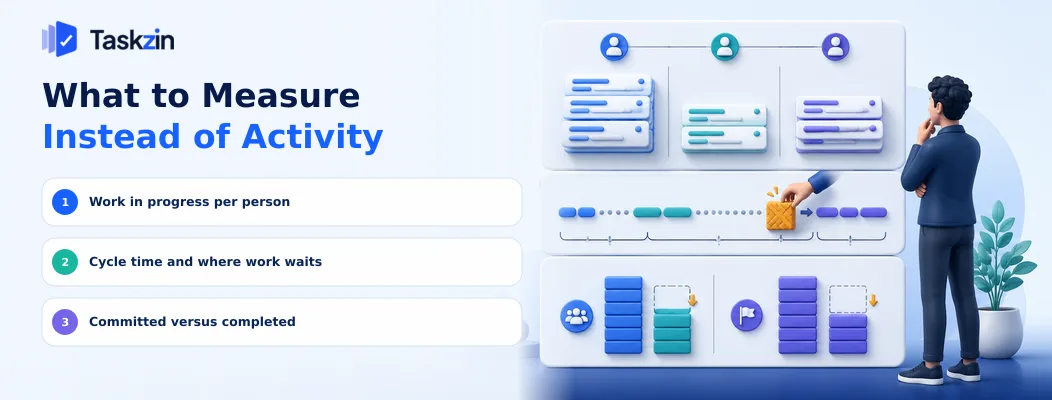
Measure work in progress per person, how long work waits versus how long it takes, and what the team committed to against what it completed — all describe the system rather than judging individuals.
Work in progress per person Count how many items each person has open simultaneously. This is the single most useful workload signal available, and it requires no surveillance whatsoever.
Someone with nine open items is not working nine times harder; they are context switching, and their cycle time on everything is longer as a result. The conversation this data supports is "let's close some of these before starting more", which is a systems conversation rather than a performance one.
Cycle time and where work waits
Measure how long items take from start to done, and how much of that time is active work versus waiting.
Most teams find the waiting dominates — waiting for review, for a decision, for a dependency.
That reframes the entire discussion. When someone appears slow, the data usually shows they were blocked, and the fix is removing the blocker rather than encouraging the person.
Committed versus completed
Compare what the team planned to do in a period against what it finished.
Persistent shortfall means the commitment is too large, not that the team is underperforming.
This is the measure that lets you push back credibly on demand, and it protects the team in a way that individual metrics never do.
Setting Up Workload Visibility
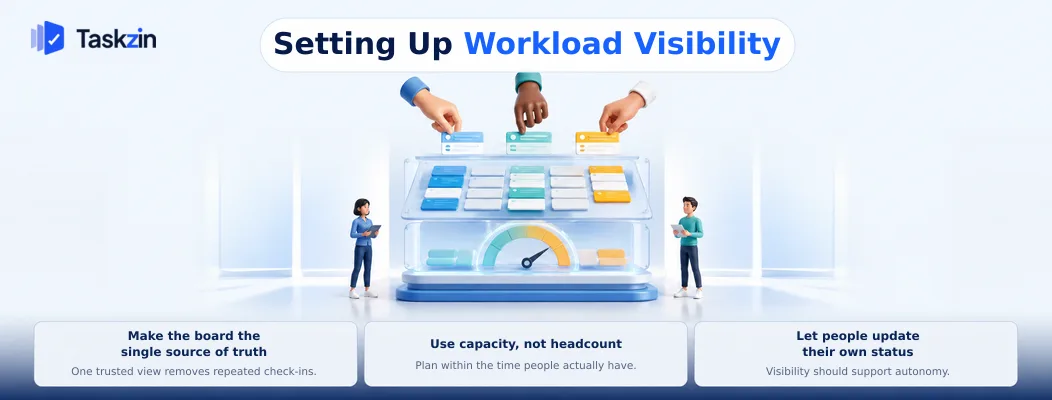
Make one shared board the source of truth, plan against realistic capacity rather than headcount, and let people update their own status rather than reporting it to you.
Make the board the single source of truth
If the real state of work lives in conversations and only a summary reaches the tool, you will always be one step behind and will compensate by asking more often — which is where micromanagement starts.
One shared place, current enough to be trusted, removes the need to ask. In a tool like Taskzin, a board view with per-person filters shows who is carrying what without anyone producing a report, and the same data drives planning rather than existing solely for oversight.
Use capacity, not headcount
Five people is not five people's worth of project time. Meetings, support, review, interruptions and leave consume a substantial share — commonly leaving 60 to 75 percent.
Planning against nominal headcount guarantees overload, and overload caused by arithmetic gets misread as an individual problem. Calculate real capacity and plan within it.
Let people update their own status
Status updated by the person doing the work is more accurate and costs nothing. Status collected by a manager is a reporting obligation, and it teaches the team that the tool serves oversight rather than them.
If updating takes more than a few seconds, that friction is the problem to fix — not the person's diligence.
Having the Workload Conversation
When the data suggests overload, ask rather than assume, respond with decisions about what to drop, and make declining work genuinely acceptable.
Ask, don't infer
Workload data indicates where to look; it does not tell you what is happening. Someone with high work in progress may be blocked, may have been handed extra work by someone else, or may be dealing with something outside work.
Open with the observation and a question: "You've got seven things open — what's actually moving and what's stuck?" That invites information. "Why haven't these progressed?" invites defence.
Respond to overload with decisions, not encouragement
If someone is genuinely overloaded, telling them to prioritise better moves the problem back to them without changing anything.
The useful response is a decision you make: what gets dropped, what moves to someone else, what deadline slips. Overload is usually a commitment problem, and commitments are a management responsibility.
Make declining work a legitimate option
If saying "I don't have capacity for this" carries a cost, nobody will say it, and you will find out through missed deadlines instead.
The test is what happened the last time someone declined work. If they were praised for flagging it early, your system works. If it was treated as a lack of commitment, no amount of tracking will give you accurate information.
Common Workload Tracking Mistakes
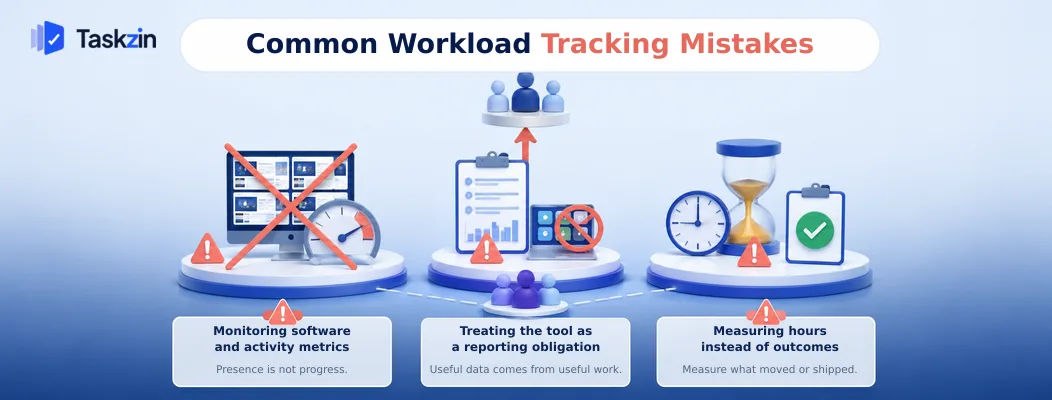
The three habits that damage teams most are activity monitoring, treating the tool as a reporting obligation, and using hours as a proxy for contribution.
Monitoring software and activity metrics
Screenshots, idle-time tracking and activity scores measure presence rather than progress.
They reliably damage trust, and they encourage behaviour that looks like work — moving the mouse, staying online — instead of work.
They also produce no decision you could not make better from the work itself.
Treating the tool as a reporting obligation
When the project tool exists so management can produce a status report, people update it defensively and minimally, and the data degrades.
The tool should be useful to the person using it first. Reporting is a by-product of accurate data, not the reason to collect it.
Measuring hours instead of outcomes
Hours are easy to count and weakly related to value. A team measured on hours will produce hours.
Measure what shipped, what moved, what is blocked. These are harder to game and they describe the thing you actually care about.
There is a second cost worth naming. Hour-based measurement penalises exactly the behaviour you want most — the person who finds a way to do something in two hours instead of eight looks less productive than the colleague who took the long route. Over time that teaches people not to look for the shortcut, or not to mention it when they find one.
Frequently asked
How Do You Track Team Workload Without Micromanaging?
Track the work rather than the people: open items per person, cycle time, and committed versus completed. Keep the data visible to everyone, let people update their own status, and respond to overload with prioritisation decisions.
What is the difference between monitoring and management?
Monitoring observes individual activity — hours, presence, minute-by-minute progress. Management looks at the work system and makes decisions about priority, capacity and blockers. The first produces compliance; the second produces outcomes.
Should managers track individual productivity?
Individual activity metrics reliably backfire. Aggregate workload distribution is useful for spotting imbalance, but individual performance is better assessed through outcomes and quality than through counted output.
How do you know if someone is overloaded?
High work in progress, rising cycle time on their items, and consistently carrying work into the next period. Confirm by asking rather than concluding from the numbers alone.
Is time tracking micromanagement?
It depends on use. Time tracked against tasks for project costing and capacity planning is legitimate. Time used to evaluate individuals turns it into surveillance, and the data becomes unreliable almost immediately.
How do you manage workload on a remote team?
The same way, with more emphasis on written status. Remote teams need the shared board to be genuinely current, because you cannot pick up the informal signals that would tell you someone is struggling.
What should you do when someone is overloaded?
Make a decision rather than offering encouragement: drop something, reassign it, or move a deadline. Overload is a commitment problem, and resolving it is a management responsibility rather than a personal one.
Binita Ray is a content writer at Taskzin, creating insightful and practical content on task management, team collaboration, productivity, workflow optimization, and SaaS solutions. She focuses on helping businesses, teams, and professionals simplify their work processes, improve efficiency, and make better use of modern productivity tools.
All posts by Binita Ray


Comments