Best Resource Management and Capacity Planning Tools
A comparison of the best resource management and capacity planning tools, covering the problems they solve, ten reviewed options, how to set up planning based on real available hours, the metrics worth tracking, and common mistakes.

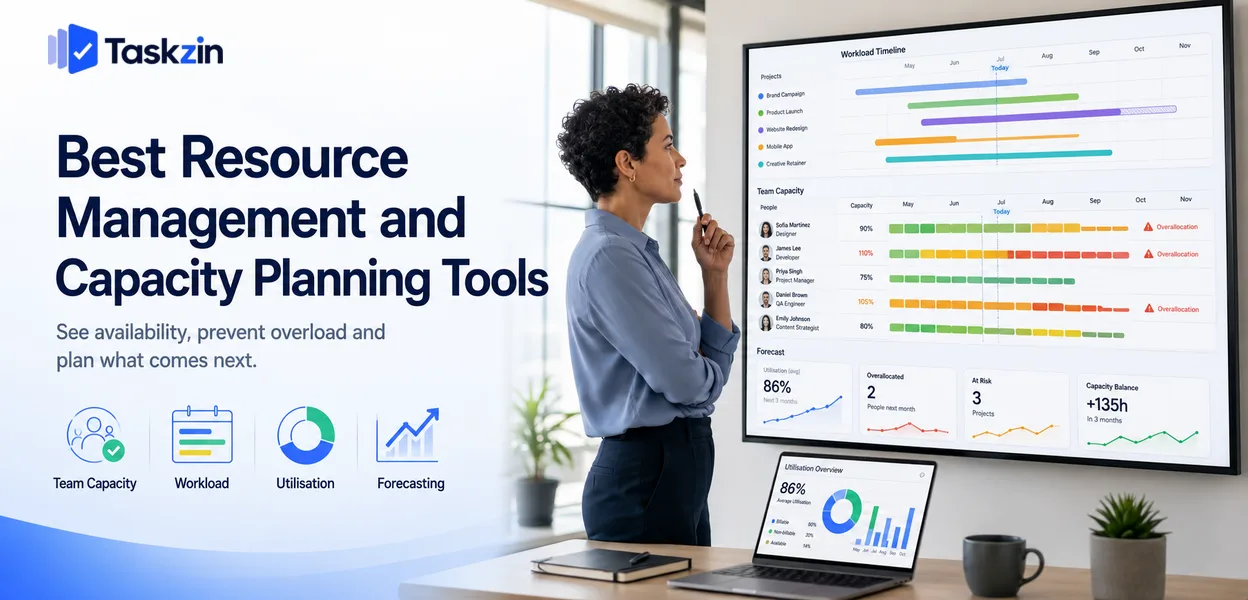
That gap causes a specific and common failure. Every project has a sensible plan. Three projects share the same designer. Nothing in the system flags it, and everyone discovers the problem in the week the work was due to start.
This guide covers what the software solves, ten tools, how to set up capacity planning that survives, and which metrics are worth tracking.
Quick answer: The best resource management and capacity planning tools are Float and Resource Guru for straightforward scheduling, Runn for forecasting and scenario planning, and Wrike, Taskzin or Smartsheet Resource Management when you want capacity attached to the projects themselves. The category exists because project tools show what work is scheduled without showing whether anyone has time to do it.
What Resource Management Software Is Actually Solving
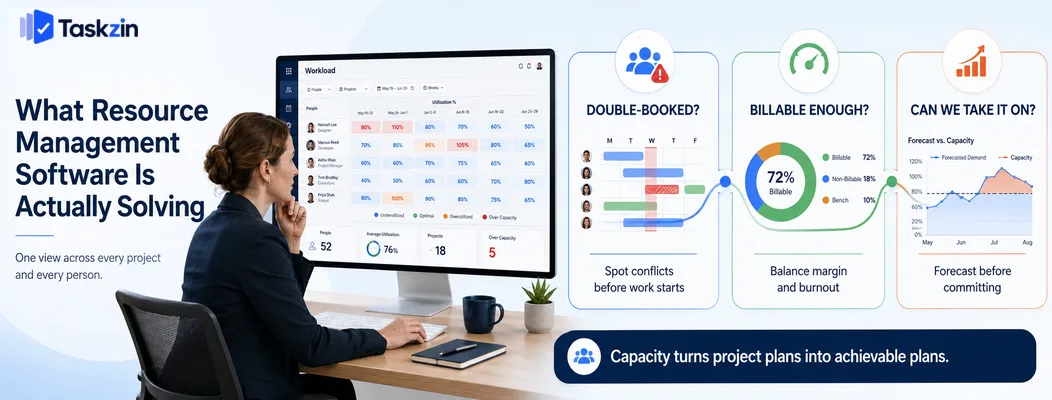
Resource management software answers three questions project tools cannot: is anyone double-booked, how much of our time is going to billable work, and can we take on the next project without missing existing commitments?
If none of those questions is currently causing you pain, you probably do not need this category yet.
The double-booking problem
A project plan shows the designer working on the homepage next week. Another project plan shows the same designer working on a campaign next week. Both plans are internally sensible and jointly impossible.
Resource tools solve this by making the person the unit of view rather than the project. One screen shows every commitment across every project, and overallocation is visible before it becomes a missed deadline rather than after.
The utilisation question
For services businesses, the proportion of time going to billable work determines profitability.
Too low and you are losing money; too high and people are heading for burnout with no capacity for improvement work.
Answering this reliably requires planned and actual time in the same place, which is why resource tools and time tracking usually appear together.
The forecasting question
The most valuable use is prospective. Can we take this project starting in six weeks without breaking existing commitments? Do we need to hire, and by when?
Scenario planning — modelling a project that has not been won yet — turns resourcing from a reactive scramble into a commercial decision. This is what separates forecasting tools from simple schedulers.
Best Resource Management Tools at a Glance
Tool Type Forecasting Time tracking Best for Taskzin Integrated Basic Built in Capacity beside the work Float Dedicated Good Built in Straightforward scheduling Resource Guru Dedicated Basic Limited Simple booking model Runn Dedicated Strong Built in Forecasting and scenarios Wrike Project tool Moderate Paid tier Workload inside projects Smartsheet RM Dedicated Strong Built in Professional services
Forecast and AI-assisted planning tools
Asana Workload Project tool Limited Integration Existing Asana users Monday Workload Project tool Limited Paid tier Visual capacity view
Microsoft Project — best for formal resource levelling
The Best Resource Management Tools Reviewed
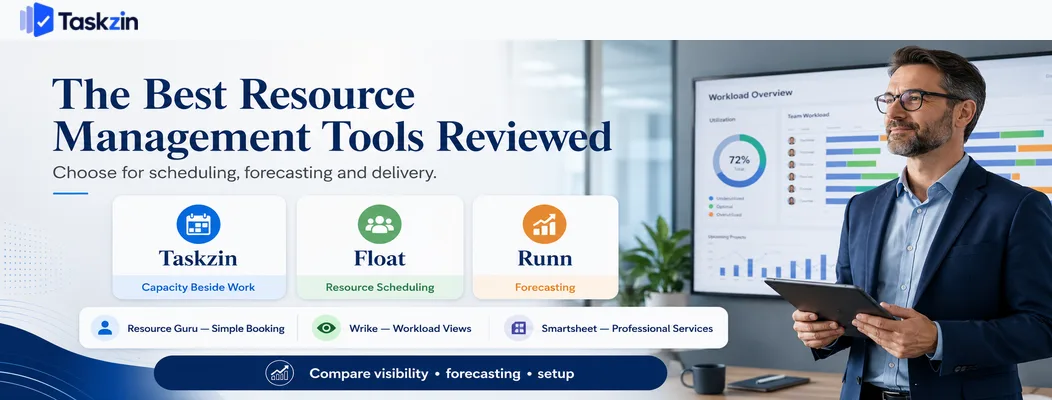
Taskzin — best for teams that want capacity beside the work
Taskzin shows workload across projects in the same place the work is managed, so overallocation surfaces during planning rather than in a separate system.
Best for: teams of ten to eighty who want capacity visibility without a second tool.
Trade-off: less depth in scenario forecasting than a dedicated resourcing platform.
Float — best dedicated resource scheduler
Float is a clean, fast scheduler showing who is working on what, with clear overallocation warnings and good project tool integrations.
Best for: agencies and studios wanting a dedicated view of team availability.
Trade-off: a separate system, so scheduled work and actual project tasks need keeping in step.
Resource Guru — best simple booking-style scheduling
Resource Guru treats people like bookable resources, with a waiting list for contested time and clear leave management.
Best for: teams whose main problem is straightforward scheduling conflicts.
Trade-off: lighter on forecasting and financial reporting.
Runn — best for forecasting and scenario planning
Runn combines resource scheduling with financial forecasting, letting you model unconfirmed projects and see the effect on capacity and revenue.
Best for: services businesses planning several quarters ahead.
Trade-off: more concept to learn than a simple scheduler.
Wrike — best project tool with strong workload views
Wrike includes genuine workload management inside the project tool, so scheduling and task management stay together.
Best for: organisations wanting one system for delivery and capacity.
Trade-off: heavier to learn, and workload features sit on higher tiers.
Smartsheet Resource Management — best for professional services
Formerly 10,000ft, this combines resource scheduling with project financials and utilisation reporting for services organisations.
Best for: consultancies and agencies tracking utilisation and project margin.
Trade-off: priced for organisations with real scale.
Forecast and AI-assisted planning tools A newer category applies automated estimation and scheduling suggestions on top of resource data.
Best for: organisations with enough historical data for the suggestions to be meaningful.
Trade-off: automated recommendations need scrutiny, particularly early on when the data is thin.
Asana Workload — best if you already use Asana
Asana's Workload view shows effort across projects for people in your organisation, using task-level effort values.
Best for: teams already committed to Asana.
Trade-off: requires a higher tier, and depends on effort being set consistently on tasks.
Monday.com Workload — best visual capacity view
Monday's workload widget gives a clear visual picture of who is overcommitted across boards.
Best for: teams wanting an at-a-glance capacity view without a separate tool.
Trade-off: limited forecasting, and dependent on consistent estimation.
Microsoft Project — best for formal resource levelling Project offers genuine resource levelling, automatically rescheduling tasks to resolve overallocation within constraints.
Best for: formal project environments with trained schedulers.
Trade-off: a scheduling tool rather than a live team management system.
How to Set Up Capacity Planning That Works
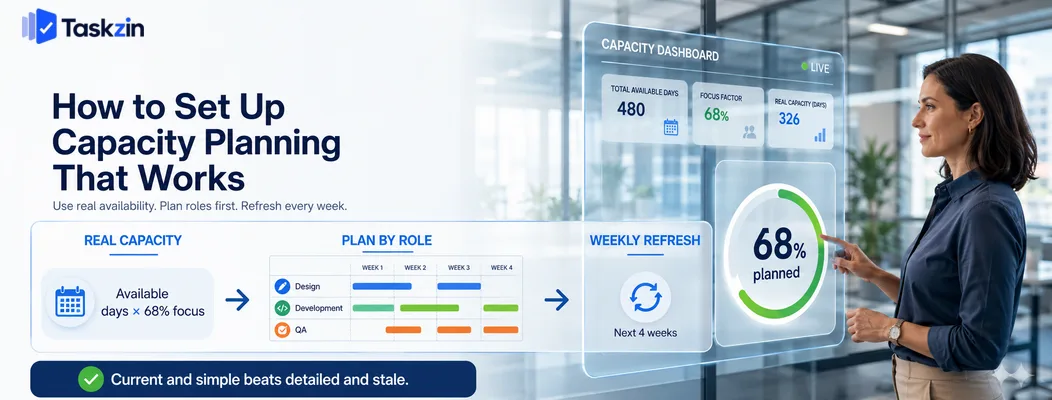
Base planning on genuinely available hours rather than contracted hours, plan by role before assigning named people, and commit to a weekly update or accept that the plan will be fiction.
Start from real available hours, not contracted hours
A full-time person does not deliver forty hours of project work. Meetings, admin, support, recruitment, training and internal work consume a substantial share.
Most organisations land between 60 and 75 percent of nominal hours once everything is subtracted. Use your own historical data rather than an assumed figure, and set the capacity number in the tool to that reality. Planning against contracted hours guarantees overcommitment in every single period.
Plan roles before you plan people
For work beyond a few weeks out, plan by role — two developer weeks, one designer week — rather than by named individual.
Named assignment far in advance creates false precision and constant rework as people move between projects. Role-based planning answers the question that actually matters at that distance: do we have enough of the right skills, and if not, when do we need to hire?
Update weekly or don't bother
A resource plan is a live model. Left unmaintained for a month, it describes an organisation that no longer exists, and people quietly stop consulting it.
A thirty-minute weekly session — confirming what actually happened, adjusting what moved, checking the next four weeks for conflicts — is the minimum viable cadence. If nobody will own that, choose a simpler tool rather than a sophisticated plan that decays.
Metrics Worth Tracking
Track billable and total utilisation, how accurate your forecasts turn out to be, and bench time against pipeline — these tell you whether the planning is working and whether the business is healthy.
Utilisation, billable and total
Billable utilisation is the share of available hours charged to clients. Total utilisation includes internal project work.
The gap between them is informative. A team with high total and low billable utilisation is busy on internal work, which may be an investment or may be a symptom of weak commercial discipline. Look at both rather than either alone.
Forecast accuracy
Compare what you planned for a period against what actually happened. Persistent optimism is a planning problem, not a delivery problem.
Most organisations discover their forecasts are systematically off by a consistent percentage, which is straightforward to correct once measured. Correcting it removes a recurring source of missed commitments.
Bench time and pipeline coverage
Bench time is capacity with no work assigned. Pipeline coverage is how much of your future capacity is covered by confirmed or likely work.
Watching these together lets you act early. Rising bench time three months out is a sales problem you can still solve; discovering it in the week it arrives is not.
Common Resource Planning Mistakes
The three errors that make resource plans useless are planning at full utilisation, treating people as interchangeable units, and building plans nobody maintains.
Planning at 100 percent utilisation
Booking everyone fully leaves nothing for the urgent client request, the production incident or the sick day — all of which arrive every month.
Plan to a realistic figure and hold the remainder deliberately. A plan with no slack does not remove uncertainty; it just guarantees the plan is wrong.
Treating people as interchangeable
Capacity tools show hours, which invites treating two developers as equivalent. They are not, and the mismatch shows up as work taking twice as long or requiring rework.
Track skills alongside availability, and be wary of any plan that resolves an overallocation by swapping one name for another without considering fit.
Building a plan nobody maintains
The most common outcome is an elaborate resource plan built enthusiastically over a fortnight and abandoned within two months.
Match the sophistication of the tool to the maintenance capacity you genuinely have. A simple, current plan beats a detailed, stale one every time.
Frequently asked
What is the best resource management software?
Float and Resource Guru for straightforward scheduling, Runn for forecasting and scenario planning, Smartsheet Resource Management for professional services, and Wrike or Taskzin when you want capacity inside the project tool.
What is the difference between resource management and project management?
Project management organises work by project — tasks, dates, dependencies. Resource management organises the same work by person, showing whether anyone is overcommitted across all projects at once.
What is a realistic utilisation target?
Most services organisations target billable utilisation somewhere in the 70 to 80 percent range. Higher figures generally indicate no slack for internal work, improvement or absorbing disruption.
What is the best free capacity planning tool?
Genuinely free dedicated tools are rare. Asana Workload, Monday Workload and Taskzin include capacity views on paid or entry tiers, and a spreadsheet remains viable for teams under about fifteen people.
Do small teams need resource management software?
Below roughly ten people, a shared spreadsheet or the workload view in your project tool is usually enough. Dedicated software becomes worthwhile when several projects compete for the same specialists.
How do you calculate team capacity?
Take each person's available days for the period, subtract leave and known commitments, then multiply by a focus factor reflecting the share of time historically spent on project work — commonly 60 to 75 percent.
How far ahead should you plan resources?
Plan named assignments two to four weeks out and role-based capacity three to six months out. Named assignment beyond a month creates false precision and constant rework.
Sujan Sharma is a content writer at Taskzin with a strong focus on productivity systems, task management, workflow optimization, team collaboration, and SaaS technology. He creates research-driven, practical content that helps professionals and growing teams improve operational efficiency, streamline processes, and make informed decisions about modern work management tools.
All posts by Sujan Sharma

Comments