Best Project Management Tools for Startups
A comparison of the best project management tools for startups, covering what actually matters at startup scale, ten reviewed options, how the right choice changes from pre-seed to Series A, and the tooling mistakes that create expensive migrations.

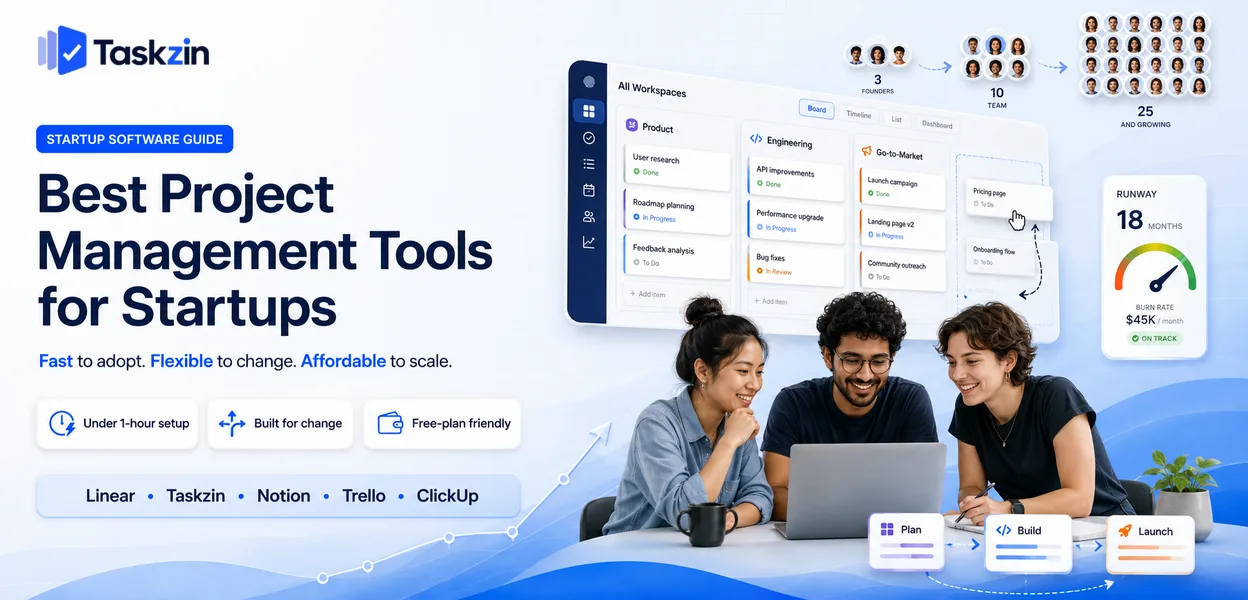
Startups pick project tools badly in two opposite directions. Some adopt enterprise software at eight people because a founder used it at their last company, and spend weeks configuring something built for a different problem. Others refuse any tool until the twentieth person joins, by which point the informal system has quietly failed several times.
This guide covers what genuinely matters at startup scale, ten options, how the answer changes by stage, and the mistakes that create expensive migrations later.
What is the best project management tool for a startup?
teams, Taskzin once you pass the first few hires, Notion at pre-product stage, and Trello or ClickUp when the budget is genuinely zero. The right answer changes as you grow, which is why the more useful question is not which tool is best but which is right for your current stage.
What Startups Actually Need From a Project Tool
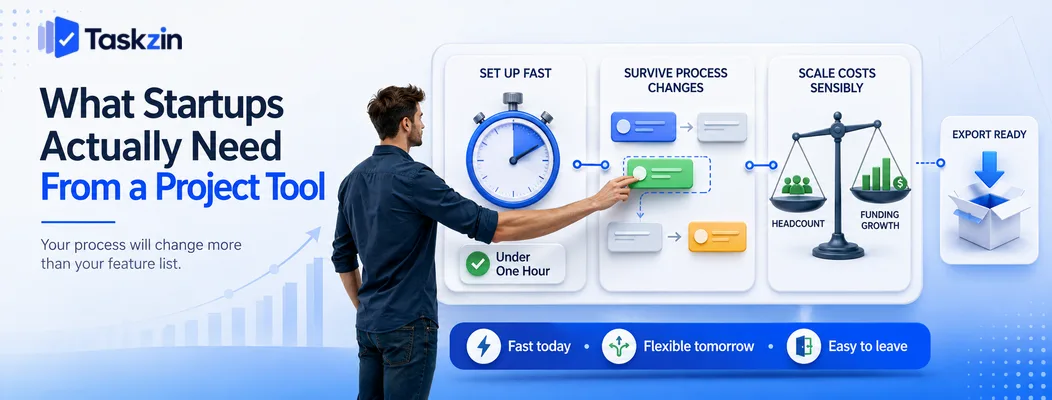
Startups need a tool that is running within an hour, survives frequent process changes, and costs almost nothing early — feature depth matters far less than these three things because your process will change more than your feature requirements will.
The distinguishing constraint is not size. Plenty of small businesses stay small comfortably. A startup's defining trait is that it changes shape rapidly, and tooling that assumes a stable process fights that.
Setup time competes with runway
Every hour a founder or early engineer spends configuring software is an hour not spent on product or customers. That trade is unfavourable almost always.
The practical test is whether you can get a real project running in under an hour, without reading documentation. Tools that require you to design a workspace hierarchy before you can create a task are asking for a decision you are not yet equipped to make well, because you do not yet know how your team will work.
The tool has to survive rewrites of your process
A startup's process changes every few months. You add a designer and the review step changes. You land an enterprise customer and suddenly need a support workflow. You pivot and half your projects become irrelevant.
Software with heavy configuration punishes this, because every process change means reconfiguration work. Software with sensible defaults and light structure absorbs it. This is the strongest argument against adopting a highly configurable platform early — you are optimising for a process you have not discovered yet.
Cost has to scale with funding, not headcount
Per-seat pricing means your tooling costs rise exactly when you are hiring, which is when cash is tightest. That is manageable, but it means checking where the free tier ends and what the first paid tier actually costs at your projected headcount.
Also check data export before you commit. You will likely change tools at least once as you grow, and a tool that makes leaving difficult turns a routine decision into an expensive one.
Best Project Management Tools for Startups at a Glance
Tool Best stage Setup time Free plan Scales to Taskzin Seed onwards Under an hour Yes 100+ Linear Product-led, any stage Under an hour Yes 100+ Notion Pre-seed to seed An afternoon Yes 50 Trello Pre-seed Minutes Yes 25 ClickUp Seed onwards A day or more Yes 200+ Asana Seed onwards An hour or two Yes 200+ Jira Series A onwards Days Yes (small teams) 1000+ Height Seed onwards Under an hour Yes 100 Airtable Ops-heavy, any stage An afternoon Yes 100
Google Sheets — best for the first three people
The Best Startup Project Tools Reviewed
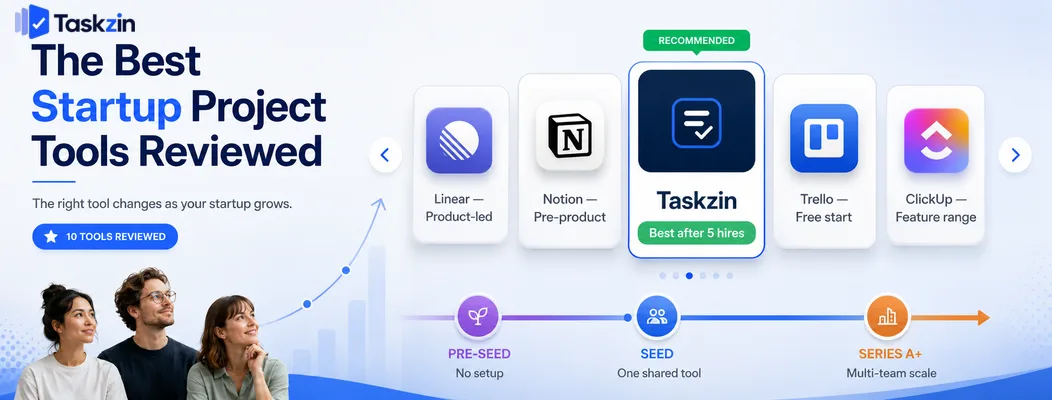
Taskzin — best for startups past the first five hires
Taskzin covers the moment a startup outgrows informal coordination but does not yet want a configurable platform, with projects, ownership, boards and timelines available immediately.
Best for: teams of five to forty where product, engineering and go-to-market share a workspace.
Trade-off: deeply specialised engineering workflows will eventually want a dedicated issue tracker.
Linear — best for product-led startups
Linear is the default choice among startups whose main activity is shipping software. It is fast enough that engineers actually keep it current, which is the hardest problem in issue tracking.
Best for: product and engineering teams from two people upward.
Trade-off: it fits engineering and little else, so other functions will need something separate.
Notion — best for pre-product and very early stage
Before you have a product, most work is thinking, writing and deciding. Notion holds the strategy documents, research and early roadmap in the same place as a simple task list.
Best for: founding teams of two to five still defining what they are building.
Trade-off: no dependencies, weak notifications, and it degrades as a tracker once several people coordinate.
Trello — best free starting point
Trello costs nothing to start, requires no decisions, and everyone understands it immediately.
Best for: the first structured process a startup adopts.
Trade-off: no cross-project view, which becomes limiting quickly once you run several workstreams.
ClickUp — best free tier for feature range
ClickUp's free plan includes far more than most, which appeals when the budget is genuinely nothing.
Best for: cost-constrained teams wanting maximum capability.
Trade-off: the setup burden is real, and configuration decisions are exactly what an early startup should avoid.
Asana — best for cross-functional startups
Asana handles launches and go-to-market work well, with clear ownership across functions.
Best for: startups where marketing and operations carry as much load as engineering.
Trade-off: engineering will usually want something else alongside it.
Jira — best once engineering formalises
At the point where you have several engineering squads, formal releases and customers asking about roadmaps, Jira's depth stops being overkill.
Best for: Series A and later, with a dedicated engineering organisation.
Trade-off: premature adoption costs weeks and produces a configuration nobody wants to own.
Height — best newer lightweight option
Height offers speed and low friction with a slightly broader scope than Linear.
Best for: startups wanting Linear's feel across more types of work.
Trade-off: smaller ecosystem and less certainty about long-term direction.
Airtable — best for ops-heavy startups
Marketplaces, logistics businesses and content operations frequently need structured records more than task lists. Airtable handles that well.
Best for: startups whose core work is data rather than tickets.
Trade-off: weaker as an everyday collaboration and task tool.
Google Sheets — best for the first three people A shared sheet costs nothing and is entirely adequate until roughly the fourth person joins.
Best for: confirming you need a tool before choosing one.
Trade-off: no notifications and no accountability trail; it fails quietly rather than obviously.
Choosing by Startup Stage
Pre-seed teams should use whatever requires no setup, seed-stage teams need one shared tool with real ownership, and Series A teams need something that scales past a single team without a migration.
Pre-seed and the founding team
With two or three founders, the coordination problem is small and the context is shared. A document or a spreadsheet is genuinely sufficient, and adopting a project tool at this point is usually procrastination dressed as diligence.
The one exception is if you are already losing decisions — agreeing something and forgetting it a week later. That is a documentation problem, and Notion solves it better than any task tool would.
Seed to Series A
This is where informal coordination fails, usually somewhere between the fourth and eighth person. Nobody knows what everyone else is doing, work gets duplicated, and things fall between people.
Adopt one tool for the whole company here, not one per function. Taskzin, Linear or Asana all work depending on whether your centre of gravity is cross-functional, engineering, or go-to-market. The important decision is that there is one place, not which place it is.
Series A and beyond
Now you have multiple teams with genuinely different workflows, and forcing them into an identical process starts costing more than it saves.
The usual pattern is a specialised tool for engineering and a general one for everyone else, connected by integrations. Check at this point that your existing tool scales — a migration at eighty people costs vastly more than at twenty, so it is worth verifying before you need it.
Startup Mistakes When Choosing Project Tools
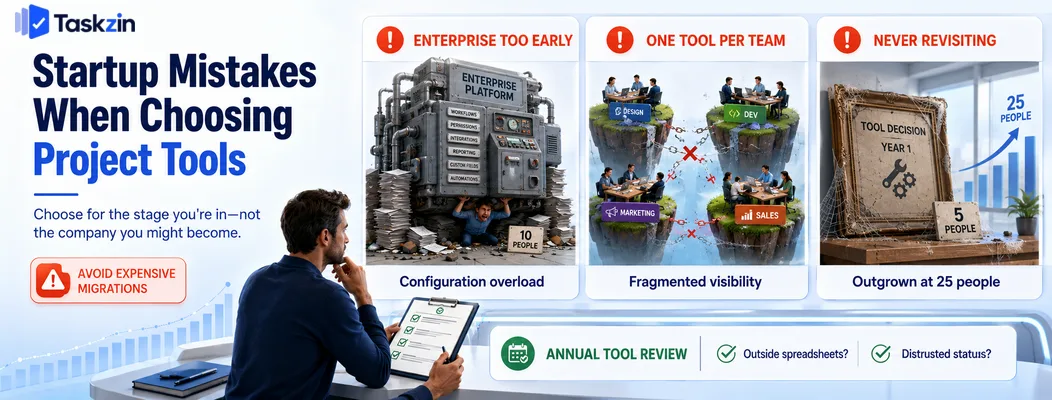
The three costly errors are adopting enterprise software far too early, allowing every team to choose independently, and never revisiting a decision made at a much smaller size.
Buying enterprise software at ten people
A founder who used Jira at a 500-person company frequently installs it at ten, then discovers the configuration burden has no corresponding benefit at that scale.
The tool is not wrong; the timing is. Adopt heavy process when you have the problem heavy process solves, which is usually multiple teams whose work must be coordinated formally.
Letting each team pick its own tool
Engineering picks Linear, marketing picks Asana, operations builds something in Notion. Each choice is locally sensible and the aggregate is that nobody can see the whole picture.
Fragmentation is far easier to prevent than to unwind. Agree early that there is one primary tool, and require a genuine argument before adding another.
Never revisiting the choice
The tool that suited five people may be actively holding back twenty-five. Reviewing it annually is enough — long before people start building private spreadsheets to work around it, which is the reliable signal that you left it too long.
The review does not have to be elaborate. Ask three questions: is anyone maintaining a list outside the tool, does anyone distrust what it says, and is there a question about our work we cannot answer from it? A yes to any of those is worth investigating. A no to all three means leave it alone, however appealing a competitor's launch announcement looked.
Frequently asked
What is the best free project management tool for startups?
Linear for product-led startups, Taskzin once you pass the first few hires and need cross-functional visibility, and Notion at pre-product stage. Trello and ClickUp are the strongest zero-budget options.
What is the best free project management tool for startups?
ClickUp's free plan offers the widest feature range. Trello is the fastest to adopt, and Linear, Taskzin and Notion all have free tiers that comfortably cover a small founding team.
When does a startup need project management software?
Usually between the fourth and eighth person, or once you run more than two or three concurrent workstreams. The signal is work falling between people rather than any particular headcount.
Is Notion good enough for a startup?
For a founding team still defining the product, yes — it handles documents and light task tracking well. Once several people coordinate on interdependent work, its lack of dependencies and weak notifications become real problems.
Should a startup use Jira?
Not before you have a dedicated engineering organisation with multiple squads and formal releases. Earlier than that, the configuration and administration cost outweighs the depth it provides.
How much should a startup spend on project management software?
Most startups can run on free tiers until fifteen to twenty people. After that, budget a modest per-user monthly amount and upgrade only when a specific limit blocks work you are actually doing.
How do you avoid switching tools every year?
Choose something that works at your current stage but has room above it, verify data export before committing, and resist per-team tool choices. Most churn comes from fragmentation rather than from outgrowing a tool.
Sujan Sharma is a content writer at Taskzin with a strong focus on productivity systems, task management, workflow optimization, team collaboration, and SaaS technology. He creates research-driven, practical content that helps professionals and growing teams improve operational efficiency, streamline processes, and make informed decisions about modern work management tools.
All posts by Sujan Sharma

Comments