Best Project Management Tools for Software Development
A comparison of the best project management tools for software development, covering repository integration, update friction and reporting, ten reviewed tools, how the right choice changes with team size, and the engineering metrics worth tracking.

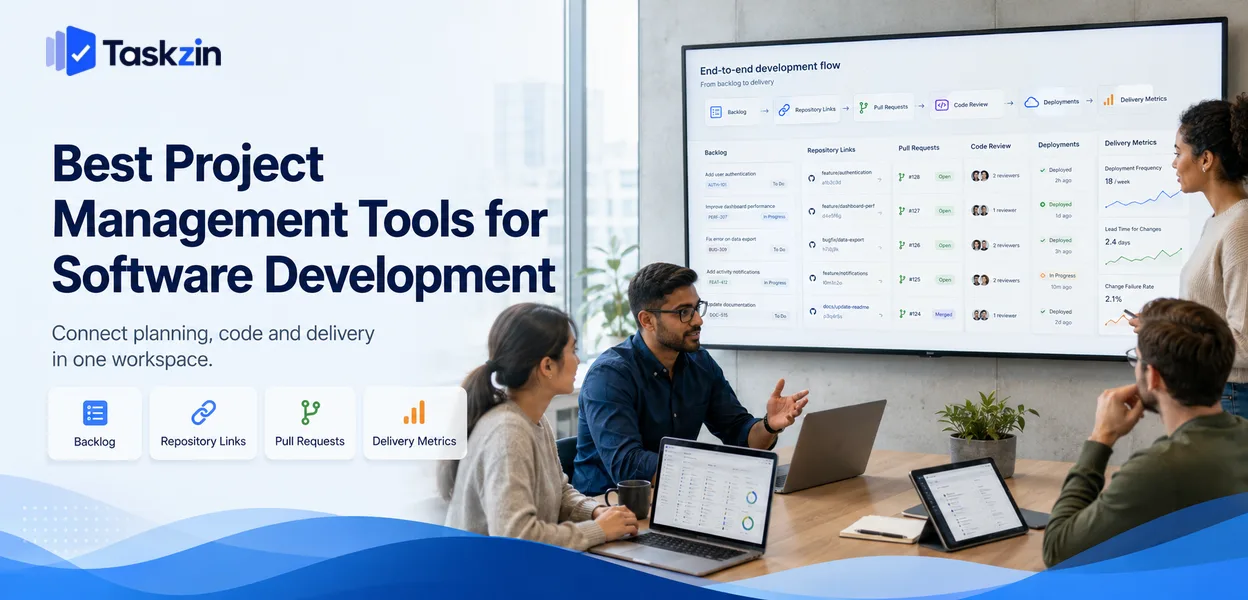
Every issue tracker can hold a backlog. Very few are pleasant enough that engineers update them without being chased, and a tracker containing stale data is worse than no tracker at all, because people make decisions from it.
This guide covers what software teams genuinely need, ten tools, how the right answer changes with team size, and which metrics are worth tracking.
What is the best project management tool for software development?
speed and developer experience, Jira for process depth and reporting, Azure DevOps for Microsoft-stack organisations, and Taskzin when engineering shares a workspace with the rest of the company. The decisive factor is usually not features but whether engineers will keep the tracker current.
What Software Teams Need From a Project Tool
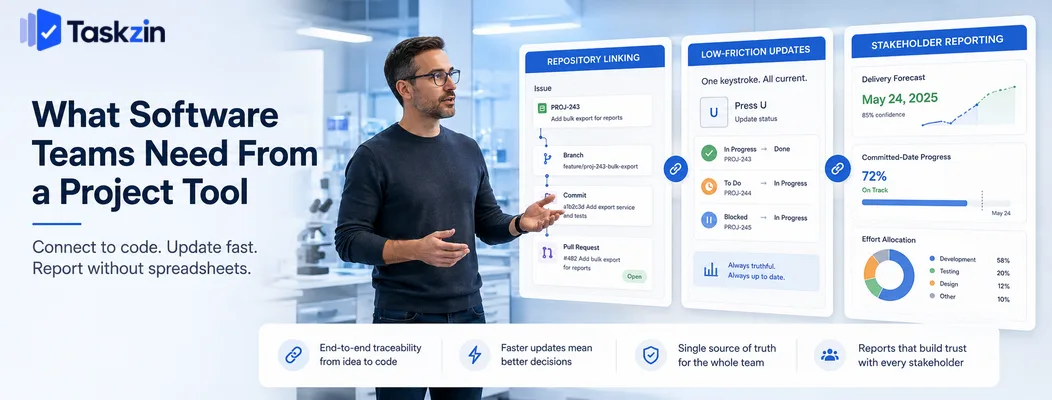
Software teams need a tracker that links to the repository, that is fast enough to update without friction, and that produces reporting stakeholders will accept without engineers assembling it by hand.
Those three things account for most of the difference between a tracker that works and one that becomes an archive.
The tracker has to connect to the code
An issue that automatically moves to In Progress when a branch is created, and to In Review when a pull request opens, stays accurate without anyone maintaining it.
Without that connection, status becomes a manual chore performed inconsistently. The value is not the automation itself but the elimination of a class of stale data: the ticket that says In Progress three weeks after the work shipped. Check specifically that your tool links branches, commits and pull requests to issues, and that identifiers appear in both directions.
Update speed determines data quality
The hardest problem in issue tracking is not capability. It is that people do not update tickets, and every downstream report inherits that inaccuracy.
Update friction is therefore a first-order concern rather than a matter of taste. A tool where changing status takes one keystroke will contain better data than a tool where it takes four clicks and a page load, regardless of which has more features. This is why teams frequently prefer a less capable tracker — the data in it is true.
Reporting that survives contact with stakeholders
At some point someone outside engineering asks when something will ship, or how capacity is being spent. If answering requires an engineer to spend an afternoon in a spreadsheet, that question will be answered badly or late.
Check what reporting exists natively and whether it matches the questions your organisation actually asks. The commonest are delivery forecasts, progress against a committed date, and where effort is going.
Best Software Development Project Tools at a Glance
Tool Git integration Sprints / cycles Reporting Free plan Taskzin Yes Yes Moderate Yes Jira Strong Strong Strong Yes (small teams) Linear Strong Cycles Good Yes Azure DevOps Native Strong Strong Yes (small teams) Shortcut Strong Iterations Good Yes GitHub Projects Native Basic Basic Yes GitLab Issues Native Milestones Moderate Yes ClickUp Yes Yes Moderate Yes Height Yes Yes Moderate Yes Taiga / OpenProject Yes Yes Moderate Yes
The Best Development Tools Reviewed
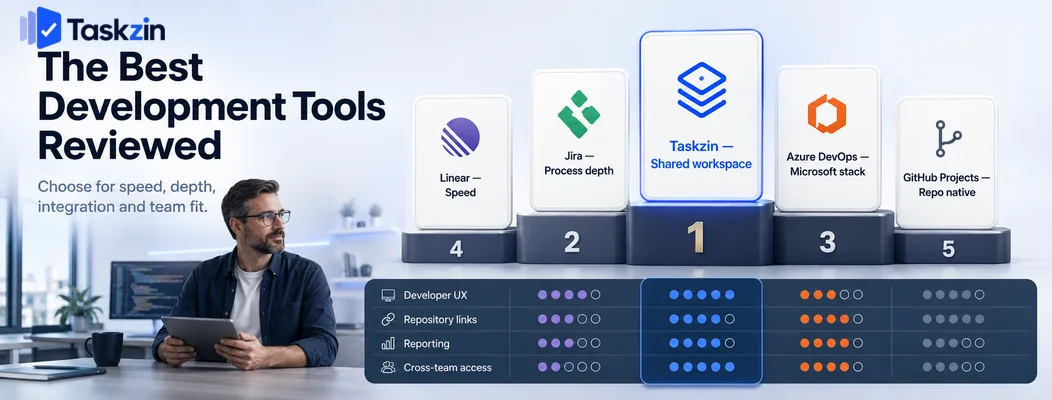
Taskzin — best when engineering shares a workspace
Taskzin supports backlogs, sprints and boards with repository linking, while staying usable for product, design and support colleagues who need visibility.
Best for: companies of ten to a hundred wanting one tool across functions.
Trade-off: less specialised than a dedicated tracker for large engineering organisations.
Jira — best for process depth and reporting
Jira remains the most capable option: custom workflows, granular permissions, release management, and the widest reporting available.
Best for: larger engineering organisations, regulated environments, and teams whose reporting obligations are formal.
Trade-off: configuration debt accumulates, and update friction is higher than lighter tools.
Linear — best for speed and developer experience
Linear is the tool engineers most often choose for themselves. Keyboard-driven, fast, and designed so that keeping issues current takes seconds.
Best for: teams of one to thirty engineers who value momentum.
Trade-off: limited customisation and a poor fit for non-engineering work.
Azure DevOps — best end-to-end Microsoft platform
Azure DevOps covers boards, repositories, pipelines, test plans and artefacts in one product, with full traceability from work item to deployment.
Best for: organisations already committed to Azure.
Trade-off: dense interface, and heavier than small teams need.
Shortcut — best middle ground
Shortcut offers stories, epics, iterations and roadmaps with meaningfully less configuration burden than Jira.
Best for: teams that found Jira heavy and Linear too constrained.
Trade-off: smaller marketplace and fewer enterprise integrations.
GitHub Projects — best for GitHub-native teams
Planning lives beside issues and pull requests, removing the sync problem between tracker and code entirely.
Best for: small teams already working exclusively in GitHub.
Trade-off: basic reporting and no capacity planning.
GitLab Issues — best for GitLab-native teams
GitLab provides issues, boards, milestones and epics inside the same platform as repositories and CI.
Best for: teams standardised on GitLab.
Trade-off: less refined as a planning tool than dedicated trackers.
ClickUp — best for whole-company consolidation
ClickUp lets engineering run sprints alongside every other department in one workspace.
Best for: organisations solving the two-systems problem by consolidating.
Trade-off: engineers accustomed to a fast tracker often find it slow and cluttered.
Height — best newer lightweight option
Height combines Linear-style speed with a broader scope and automated triage.
Best for: teams wanting low friction across more than engineering work.
Trade-off: smaller ecosystem and less established.
Taiga and OpenProject — best open-source options
Both are self-hostable with agile support and no licence cost.
Best for: teams with data-residency requirements or strong self-hosting preferences.
Trade-off: you own hosting, upgrades and security patching.
Choosing by Team Size and Process
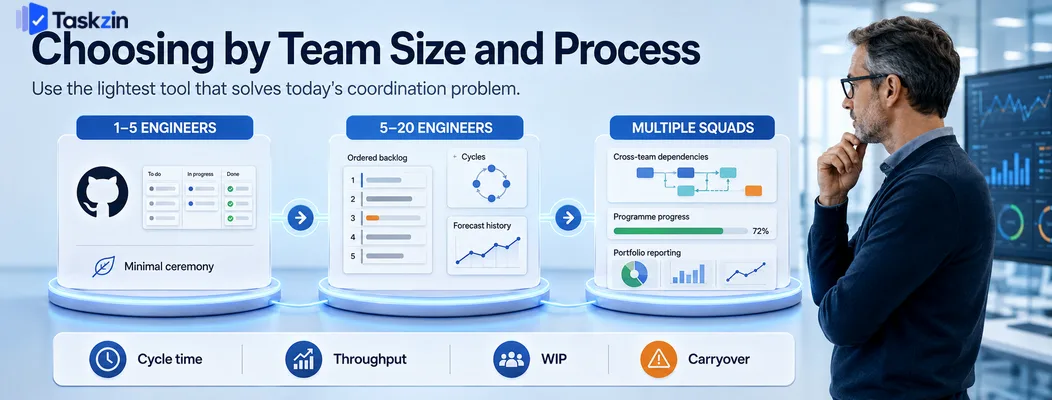
One to five engineers should use the lightest tool that links to the repository, five to twenty need a real backlog and sprint or cycle structure, and multiple squads need cross-team visibility above the individual board.
One to five engineers
At this size the coordination problem is small and everyone knows what everyone is doing.
GitHub Projects, Linear or a simple board is sufficient.
Avoid formal process here. Sprints, estimation and velocity add ceremony to a team that can coordinate in a conversation, and the overhead buys nothing.
Five to twenty engineers
This is where informal coordination fails. You need an ordered backlog, a way to see current work, and enough history to forecast.
Linear, Shortcut, Taskzin and Jira all work. The choice usually comes down to how much your organisation asks for formal reporting and whether non-engineers need access to the same system.
Multiple squads
With several teams, you need visibility above the individual board: cross-team dependencies, programme-level progress, and portfolio reporting.
Jira and Azure DevOps handle this natively. Before adopting scaled tooling, check whether the coordination problem is structural — many organisations reach for programme management software to manage dependencies that would be better removed by changing team boundaries.
Engineering Metrics Worth Tracking
Track cycle time, throughput and work in progress rather than velocity — they require no estimation, cannot be gamed as easily, and describe delivery more honestly.
Cycle time and lead time for changes
Cycle time measures how long work takes from start to done. Lead time for changes measures from commit to production, and is one of the standard delivery metrics.
Both are useful because they are objective. Nobody estimates them, so nobody can inflate them, and improvements are real rather than a change in estimation habits.
Throughput over velocity
Throughput counts items completed per week. With reasonably sized stories it forecasts as well as story points do, without the estimation overhead or the temptation to treat the number as a target.
Once you have eight to ten weeks of throughput history, you can forecast delivery ranges from data rather than from planning optimism.
Work in progress and carryover
Count how many items are open simultaneously and how many carry over between sprints.
Rising WIP with flat throughput means the team is starting more than it finishes, which lengthens cycle time for everything.
Carryover is the most honest signal available about whether planning is realistic. Persistent carryover means the commitment is too large, not that the team is slow.
Common Mistakes Engineering Teams Make
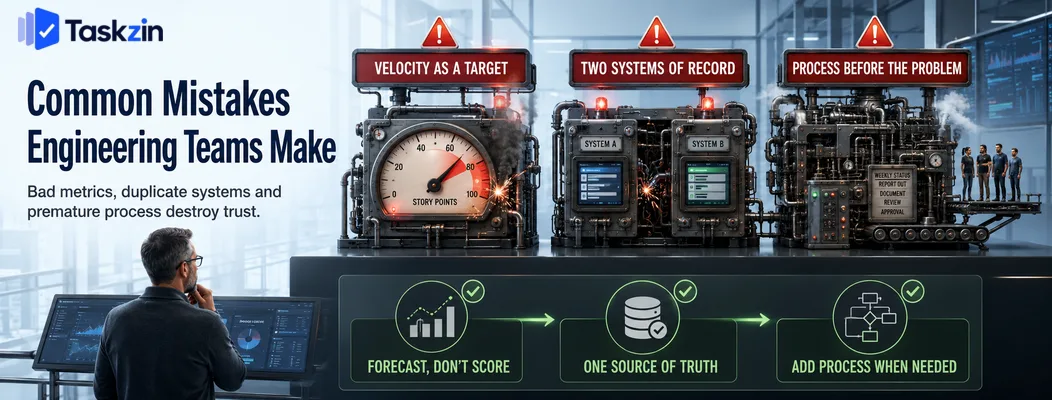
The three most damaging habits are treating velocity as a performance measure, tracking the same work in two systems, and building formal process before the problem it solves has appeared.
Treating velocity as a performance measure
The moment velocity becomes a target, estimates inflate and the number stops describing anything. It is a forecasting aid for a single team over time, never a comparison between teams.
Tracking work in two places
Engineering tracks in Linear, the company tracks in Asana, and someone updates both. The two diverge within a fortnight and nobody knows which is correct.
Pick one system of record. If two tools are genuinely necessary, connect them with an integration and be explicit about which one holds the truth.
Building process before the problem appears
Teams frequently adopt full Scrum — refinement, planning, review, retrospective, estimation — at four engineers, then spend more time in ceremonies than the coordination problem justified.
Add process when a specific failure demands it. Missed dependencies justify planning; unclear priorities justify a refined backlog. Adopting the full framework preemptively costs time and teaches the team that process is overhead.
This matters beyond the wasted hours. A team that experiences its first process as unnecessary ceremony becomes resistant to the process it genuinely needs later, and that resistance is considerably harder to unwind than the original decision was to make. Introducing one practice at a time, each in response to an observed problem, produces far better adoption than adopting a framework wholesale.
Frequently asked
What is the best free project management tool for developers?
Linear for speed and developer experience, Jira for depth and formal reporting, Azure DevOps for Microsoft-stack organisations, and Taskzin when engineering shares a workspace with other departments.
Is Jira still the standard for software teams?
It remains the most widely used and the most capable, particularly at larger scale and in regulated environments. Smaller teams increasingly choose Linear or Shortcut for lower friction.
What is the best free project management tool for developers?
GitHub Projects and GitLab Issues are free with your repository. Linear, Shortcut, Taskzin and Jira all offer free tiers for small teams, and Taiga and OpenProject are free to self-host.
Should a small dev team use Jira or Linear?
For a team under about ten engineers without formal reporting obligations, Linear usually produces better-maintained data because updating is faster. Choose Jira when you need custom workflows or formal reporting.
Do software teams need a separate tool from the rest of the company?
Not necessarily. Separate tools give engineering a better experience but create a visibility gap. A shared tool like Taskzin or ClickUp avoids the gap at some cost in engineering-specific depth.
What metrics should engineering teams track?
Cycle time, throughput, work in progress and carryover. These require no estimation and are harder to game than velocity, which should never be used to compare teams.
How do you connect a project tool to your repository?
Most tools offer GitHub or GitLab integrations that link branches, commits and pull requests to issues by referencing the issue identifier, and move status automatically as the branch and pull request progress.
Sanju Shrestha is a SaaS content writer at Taskzin who explores smarter ways to manage work, organize priorities, and improve team performance. Her content covers productivity strategies, digital workflows, collaboration, and task management, with a focus on helping modern teams work more efficiently and stay aligned.
All posts by Sanju Shrestha


Comments