Best OKR Software for Goal Tracking
A comparison of the best OKR software for goal tracking, covering what the software must do, ten reviewed tools, how to run OKRs so there is something worth tracking, warning signs of a failing process, and common mistakes.

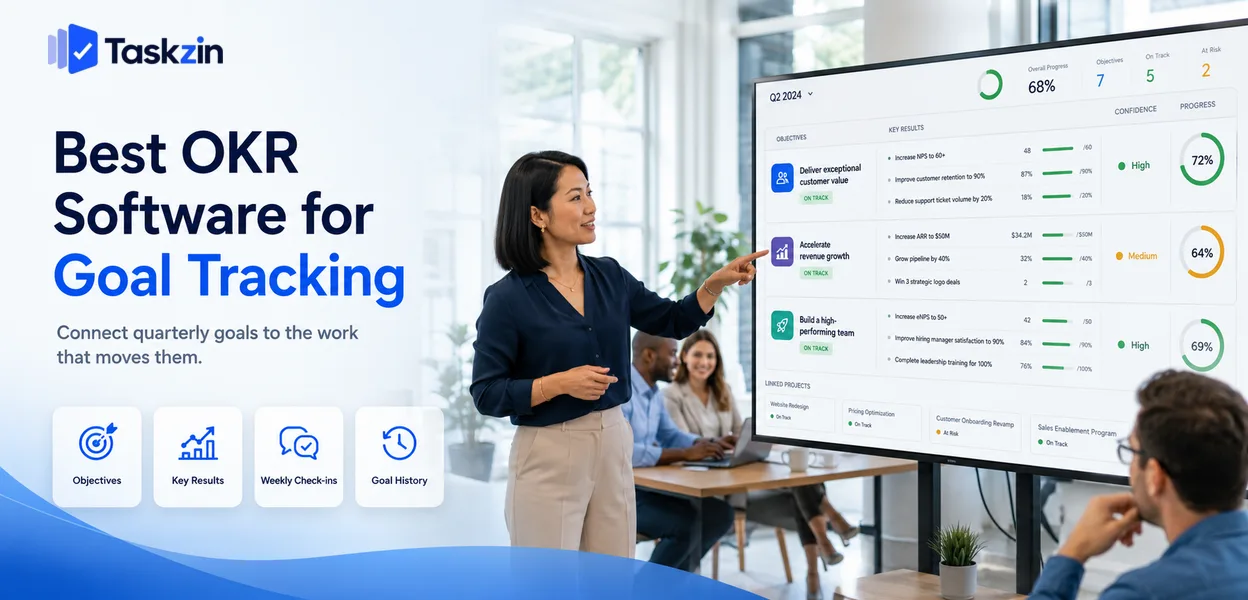
That last point matters more than the tool comparison. OKR software fails most often because it was bought to fix a practice problem. If your objectives are vague and nobody looks at them between quarters, a platform will produce well-formatted vague objectives that nobody looks at.
This guide covers what the software must do, ten options, how to run OKRs so there is something worth tracking, and the signs your process is failing.
Quick answer: The best OKR software is Weekdone or Perdoo for dedicated goal tracking, Lattice or 15Five when OKRs sit alongside people management, and Taskzin, Asana Goals or ClickUp Goals when you want objectives connected to the work delivering them. For most teams starting out, a spreadsheet is genuinely sufficient until the practice is working.
What OKR Software Actually Has to Do
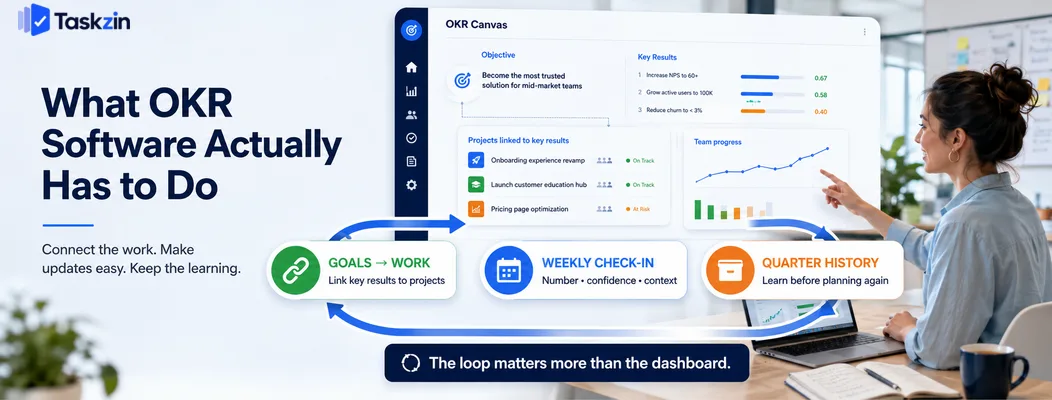
OKR software needs to connect goals to the underlying work, make weekly check-ins fast enough that they actually happen, and retain history so each quarter informs the next.
Everything else — dashboards, alignment trees, org-wide visualisations — is presentation.
These three are what change behaviour.
Connect goals to the work underneath them
An objective disconnected from the projects delivering it becomes a statement of intent updated manually once a month.
The strongest OKR setups link key results to the actual work, so progress updates partly by itself. When a key result is "reduce onboarding time from fourteen days to seven" and the projects driving it are visible underneath, the relationship between daily work and quarterly goals stops being theoretical.
Make check-ins cheap enough to happen
The weekly check-in is where OKRs either live or die. If updating a key result takes fifteen minutes of navigation and form-filling, it will happen in week one and week eleven.
Look for updates that take under a minute: a confidence rating, a current number, one line of context. Anything more elaborate will be skipped in the weeks when things are going badly, which is exactly when the update matters most.
Keep history so you can learn from it
Last quarter's OKRs, with their final scores and the commentary explaining them, are the most useful input to this quarter's planning.
Without that history, teams repeat the same mistakes — the same over-ambitious targets, the same key results that turned out to be unmeasurable. Software that archives cleanly and lets you look back is more valuable than software with a better dashboard.
Best OKR Software at a Glance
Tool Type Links to work Check-in cadence Free plan Taskzin Integrated Yes Weekly Yes Weekdone Dedicated OKR Limited Weekly Limited Perdoo Dedicated OKR Limited Weekly Limited Microsoft Viva Goals Enterprise Yes Flexible No Lattice OKRs + people Limited Weekly No 15Five OKRs + check-ins Limited Weekly No Asana Goals Integrated Yes Flexible No (paid tier) ClickUp Goals Integrated Yes Flexible Limited Notion DIY Manual Manual Yes Google Sheets DIY Manual Manual Yes
The Best OKR Tools Reviewed
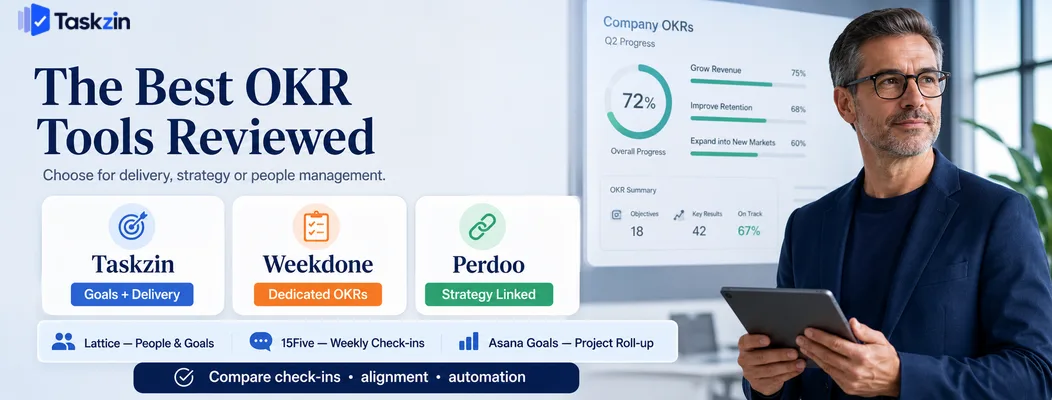
Taskzin — best when goals and delivery live together
Taskzin lets objectives sit above the projects and tasks that deliver them, so progress reflects real work rather than a separately maintained number.
Best for: teams that want goals visible in the same place as delivery.
Trade-off: less specialised OKR coaching and scoring guidance than a dedicated platform.
Weekdone — best dedicated OKR tool for small teams
Weekdone combines OKR tracking with weekly planning and progress reporting, aimed squarely at small and mid-sized teams.
Best for: organisations adopting OKRs formally for the first time.
Trade-off: a separate system from where the work happens.
Perdoo — best for strategy-linked OKRs
Perdoo distinguishes between strategic pillars, OKRs and KPIs, which helps organisations avoid the common error of turning every metric into an OKR.
Best for: companies wanting structural discipline in how goals relate to strategy.
Trade-off: more conceptual overhead than a small team needs.
Ally.io and Microsoft Viva Goals — best for Microsoft organisations
Viva Goals brings OKRs into the Microsoft 365 environment with integration into Teams and other Microsoft services.
Best for: enterprises already standardised on Microsoft.
Trade-off: enterprise-oriented, and less useful outside that ecosystem.
Lattice — best OKRs alongside performance management
Lattice combines goals with reviews, feedback and engagement surveys in one people platform.
Best for: HR-led organisations wanting goals connected to development conversations.
Trade-off: proximity to performance review risks corrupting the goals — see the mistakes section below.
15Five — best for OKRs with regular check-ins
15Five is built around a weekly written check-in rhythm, with OKRs as part of that cadence.
Best for: teams where the weekly reflection habit is the main thing you want to establish.
Trade-off: goal tracking is lighter than in dedicated OKR platforms.
Asana Goals — best if you already use Asana
Asana Goals links objectives directly to the projects and portfolios beneath them, so progress can roll up automatically.
Best for: organisations already running work in Asana.
Trade-off: requires a higher-tier plan.
ClickUp Goals — best all-in-one option
ClickUp Goals lets targets be tied to task completion, numeric values or currency, within the same workspace as the work.
Best for: teams consolidating tools who want goals included.
Trade-off: less structured guidance on OKR practice than dedicated tools.
Notion — best free DIY approach
A Notion database with objectives, key results, owners, current values and check-in notes replicates most of what dedicated tools offer.
Best for: teams wanting flexibility at no cost.
Trade-off: you maintain it, and there are no automatic reminders or roll-ups.
Google Sheets — best starting point
A spreadsheet with objectives, key results, baseline, target, current and confidence covers a first quarter of OKRs completely.
Best for: organisations running OKRs for the first two or three quarters.
Trade-off: manual, and it stops scaling once several teams are involved.
How to Run OKRs So the Software Has Something to Track
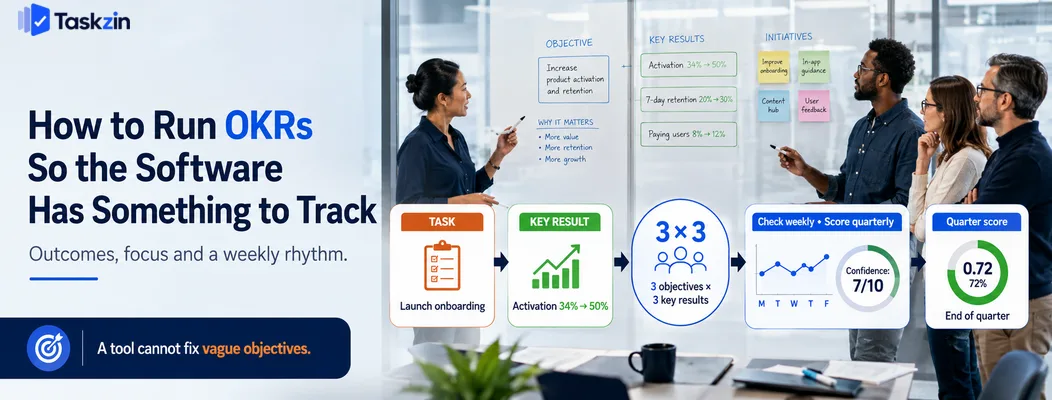
Write key results as measurable outcomes rather than completed tasks, keep the number of objectives very small, and check in weekly while scoring only at quarter end.
Write key results as outcomes, not tasks
"Launch the new onboarding flow" is a task. "Increase week-one activation from 34 percent to 50 percent" is a key result.
The difference matters because a task can be completed while achieving nothing.
Outcome-based key results keep the team's attention on whether the thing worked rather than on whether it shipped, which is the entire point of the framework.
The practical test: could you complete all your key results and still have made no difference to the business? If yes, you have written a task list.
Limit the number of objectives severely
Three objectives with three key results each is a reasonable ceiling for a team. Many organisations set far more, which guarantees that none receive real attention.
Objectives are meant to express priority. Fifteen priorities is zero priorities, and the discipline of choosing is most of the value the framework provides.
Check in weekly, score quarterly
Weekly, update the current value and a confidence rating. Keep it to a few minutes per objective.
Score at quarter end, and treat the score as information rather than a verdict. A team consistently scoring near the top is setting targets too safely; the useful conversation is about what was learned, not what was achieved.
Signs Your OKR Process Is Failing
Three signals reliably indicate broken OKR practice: everything scores full marks, nobody consults them between quarters, and the key results read like a project plan.
Everything scores 100 percent
Consistently perfect scores mean targets are being set at a level the team is confident of hitting.
That is rational behaviour if scores carry consequences, and it makes the framework pointless.
If OKRs are meant to be ambitious, scoring around 70 percent should be normal and acceptable. If the organisation treats that as failure, teams will sandbag, and no software will prevent it.
Nobody looks at them between quarters
If the OKRs are written in week one and reopened in week twelve, they are a planning ritual rather than a management tool.
The fix is a cadence, not a tool: five minutes in an existing weekly meeting, looking at the numbers and the confidence ratings.
They read like a task list
If your key results are things you will do rather than changes you will cause, you are using OKR formatting for a project plan.
This is the single most common failure, and it survives any tooling change because the tool records whatever you write.
Common OKR Software Mistakes
The three most damaging errors are buying software before the practice works, connecting OKRs to individual pay, and cascading goals mechanically through the org chart.
Buying software before the practice works
Run at least one quarter in a spreadsheet. You will learn how your organisation writes goals, whether check-ins happen, and what you actually need from a tool.
Buying first means configuring a platform around a practice you have not yet established, and the configuration then constrains how the practice develops.
Linking OKRs to individual performance pay
The moment OKR scores affect compensation, targets become negotiations. Teams set achievable goals, and the framework loses its purpose.
Keep OKRs about direction and learning, and handle performance separately. This is a decision about organisational design rather than software, but it determines whether the software has honest data to display.
Cascading goals mechanically down the org chart
Splitting a company objective into departmental sub-objectives, then team sub-sub-objectives, produces an elaborate tree with little meaning at the bottom.
Better practice is for teams to write their own objectives with reference to company priorities, then check alignment. The conversation about how a team's goals support the company's is where the value is; a mechanical decomposition skips exactly that.
Frequently asked
What is the best OKR software?
Weekdone and Perdoo for dedicated OKR tracking, Lattice and 15Five where goals sit alongside people management, and Taskzin, Asana Goals or ClickUp Goals when you want objectives connected to delivery.
Do you need dedicated OKR software?
Not initially. A spreadsheet handles the first few quarters well. Dedicated software becomes worthwhile once several teams are involved and manual roll-up starts consuming real time.
What is the best free OKR software?
Notion and Google Sheets are free and flexible enough for most teams starting out. ClickUp and Taskzin include goal tracking on free or entry tiers.
How many OKRs should a team have?
Three objectives with up to three key results each is a sensible maximum per quarter. More than that dilutes attention and undermines the prioritisation the framework exists to force.
What is the difference between OKRs and KPIs?
KPIs are ongoing health metrics you monitor continuously. OKRs are time-bound changes you are trying to cause. Turning every KPI into an OKR is a common and unhelpful error.
Should OKRs be tied to performance reviews?
Generally no. Linking scores to compensation encourages conservative targets and undermines the ambition the framework depends on. Keep goal setting and performance evaluation separate.
How often should OKRs be updated?
Check in weekly with a current value and confidence rating, taking a few minutes. Score formally at the end of each quarter, treating the score as information rather than a verdict.
Sujan Sharma is a content writer at Taskzin with a strong focus on productivity systems, task management, workflow optimization, team collaboration, and SaaS technology. He creates research-driven, practical content that helps professionals and growing teams improve operational efficiency, streamline processes, and make informed decisions about modern work management tools.
All posts by Sujan Sharma
Comments