Best Workflow Automation Tools for Project Teams
A comparison of the best workflow automation tools for project teams, covering native versus cross-tool automation, ten reviewed options, what to automate first, the automations worth building, and the mistakes that make automation counterproductive.


Automation is oversold and under-used at the same time. Teams either automate nothing and spend hours on repetitive coordination, or build elaborate chains that break silently and take longer to maintain than the work they replaced.
This guide covers the two kinds of automation, ten tools, what to automate first, and the specific automations that pay off for most teams.
Quick answer: The best workflow automation tools for project teams are your project tool's native automations for anything happening inside it, Zapier for straightforward connections between tools, Make for complex multi-step scenarios, and n8n when you want to self-host.
Most teams should exhaust native automation before adding a connector, because native rules are free, fast and far easier to debug.
Two Kinds of Automation, and Which You Need
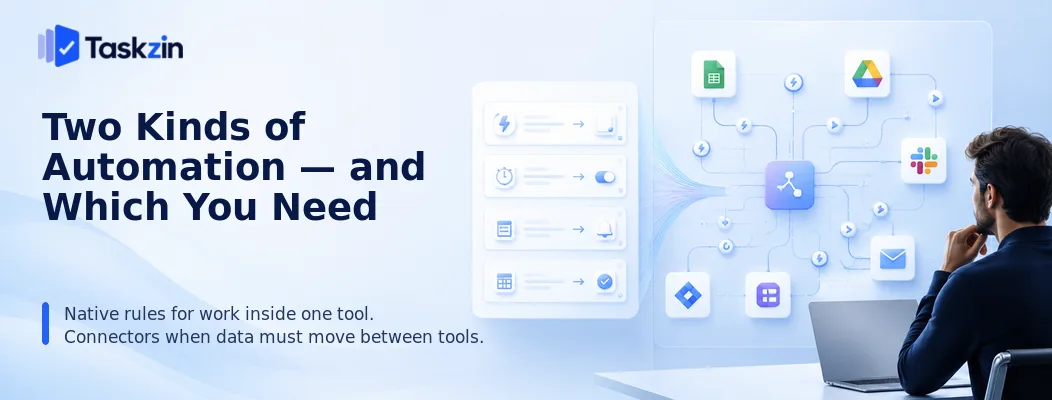
Native automation handles rules inside a single tool and should always be your first choice; integration platforms connect separate tools and are worth adding only when data genuinely needs to cross a boundary.
Getting this the wrong way round is the most common and most expensive mistake in this area.
Automation inside your project tool
Most project tools include rules: when a task moves to this status, assign it to that person; when a due date passes, notify the owner; when a form is submitted, create a task in this project.
These are usually included in your subscription, run reliably, and are visible to anyone who opens the project. They also fail loudly rather than silently, which matters more than people expect. Anything happening entirely within your project tool should be built here.
Automation between your tools
When a form submission in one system must create a task in another, or a closed deal in your CRM should generate an onboarding project, you need something that speaks to both.
This is where Zapier, Make, n8n and Power Automate operate. They are genuinely valuable and carry real costs: a subscription, a maintenance burden, and a failure mode where something stops working and nobody notices for a fortnight.
Best Workflow Automation Tools at a Glance
Tool Type Complexity handled Self-host Free plan Taskzin automations Native Moderate No Yes Zapier Connector Simple to moderate No Limited Make Connector Complex No Limited
n8n Connector Complex Yes Yes (self-hosted) Power Automate Connector Complex No With Microsoft 365 Workato Enterprise Very complex No No Asana Rules Native Moderate No Limited Monday automations Native Moderate No Limited ClickUp automations Native Moderate No Limited Jira Automation Native Complex Yes (server) Limited
The Best Automation Tools Reviewed
Taskzin automations — best for rules inside the work
Taskzin's built-in rules handle assignment, status transitions, notifications and recurring task creation without an external subscription.
Best for: teams automating coordination inside their own projects.
Trade-off: does not connect to systems outside the tool, so cross-tool flows need a connector.
Zapier — best general-purpose connector
Zapier connects the widest range of applications with the gentlest learning curve. If two tools have any integration at all, Zapier usually supports it.
Best for: straightforward two or three step flows between popular tools.
Trade-off: pricing scales with task volume, and complex conditional logic is awkward.
Make — best for complex multi-step scenarios
Make uses a visual canvas supporting branching, iteration, error handling and data transformation, which suits genuinely complicated flows.
Best for: teams whose automations involve conditions and multiple outcomes.
Trade-off: steeper learning curve than Zapier.
n8n — best open-source and self-hosted option
n8n can be self-hosted with no per-task pricing, which matters for high-volume automation or data that cannot leave your infrastructure.
Best for: technical teams with hosting capability.
Trade-off: you own hosting, updates and reliability.
Power Automate — best for Microsoft organisations
Power Automate is included with many Microsoft 365 plans and integrates deeply with Teams, SharePoint, Outlook and Dataverse.
Best for: organisations already paying for Microsoft 365.
Trade-off: most valuable inside the Microsoft ecosystem; less pleasant outside it.
Workato and enterprise integration platforms
Enterprise platforms add governance, audit and security controls around automation at organisational scale.
Best for: large organisations with compliance requirements around data movement.
Trade-off: priced and scoped well beyond most teams.
Asana Rules — best native automation in Asana
Asana's rules handle assignment, field updates, status changes and notifications inside projects, with a form-based intake option.
Best for: Asana users automating internal handoffs.
Trade-off: rules count and complexity depend on your plan tier.
Monday.com automations — best recipe-style builder
Monday's automation recipes read almost like sentences, which makes them unusually accessible to non-technical users.
Best for: operations and marketing teams building their own automations.
Trade-off: monthly automation action limits by tier.
ClickUp automations — best all-in-one native option
ClickUp includes a wide automation library plus some cross-tool integrations natively.
Best for: teams consolidating tools who want automation included.
Trade-off: action limits on lower tiers, and complex chains become hard to follow.
Jira Automation — best for engineering workflows
Jira Automation is unusually capable for native tooling, with branching rules, smart values and repository triggers.
Best for: engineering teams automating issue workflows and release processes.
Trade-off: Jira-specific, and powerful enough to create complexity if unmanaged.
What to Automate First
Automate the handoffs between people rather than individual tasks, put intake behind a form before anything else, and replace status-chasing with automatic notifications.
Start with the handoff, not the task
The time lost in most teams is not in doing work; it is in the gap between one person finishing and the next starting. Someone has to notice, assign, and inform.
Automating that transition — when the writer marks a draft complete, assign to the editor and notify them — removes a delay that recurs on every single item. Automating the work itself is usually neither possible nor the bottleneck.
Automate intake before anything else
Requests arriving by email, chat and hallway conversation are the largest source of coordination overhead in most teams. Each one has to be captured, clarified and triaged manually.
A form that creates a task with required fields solves this in an afternoon. It also fixes the vague-request problem structurally: the requester cannot submit without specifying what they need and when, so the clarification round disappears.
This is consistently the highest-return automation available to a team, and it is available in almost every project tool.
Replace status-chasing with notifications
If a project manager spends part of each week asking people for updates, automate the asking.
Notify the owner when a due date approaches, escalate when it passes, and surface stalled items automatically.
The purpose is not surveillance — it is removing a low-value task that someone currently performs manually and that everyone finds irritating.
Automations Worth Building for Most Teams
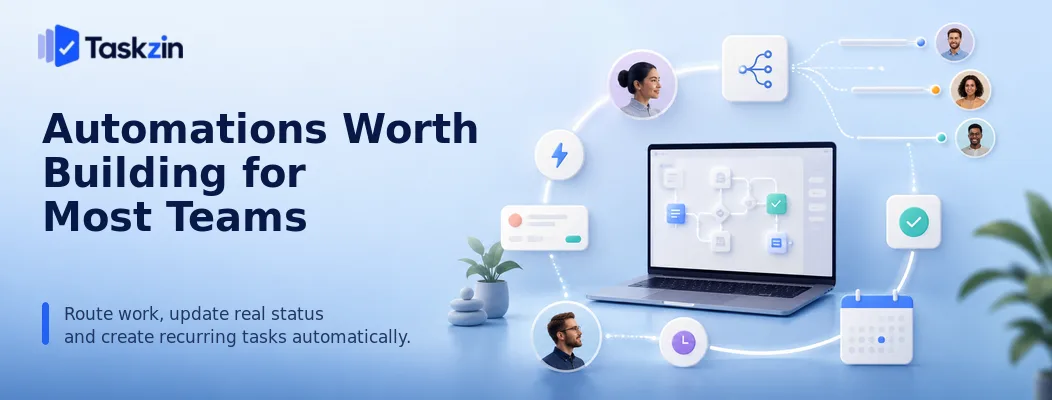
Three categories deliver most of the value: routing work to the right person automatically, changing status based on real events, and creating recurring work without anyone remembering to.
Assignment and routing rules
Route by type, client, or workload — design requests to the design queue, bugs to triage, anything tagged urgent to the lead.
This removes a decision that currently happens manually many times a week, and it makes routing consistent rather than dependent on who happened to see the item first.
Status changes triggered by real events
The best status automation is driven by something that actually happened: a pull request opened, a form submitted, a file uploaded, a deadline passed.
Status derived from real events is accurate without anyone maintaining it, which eliminates the stale-data problem that makes project tools untrustworthy.
Recurring work creation
Weekly reports, monthly reviews, quarterly compliance tasks and annual renewals should generate themselves with the right owner and due date.
This is unglamorous and reliably valuable. Recurring work is precisely what human memory handles worst, particularly at longer intervals. An annual task depending on someone
remembering will be missed roughly every third year, and it will be missed in the year the person who used to remember it changed roles.
Build the recurrence with the full context attached — a checklist, a link to last year's version, the named owner — so the person receiving it does not have to reconstruct what the task involves.
A recurring task that arrives as a bare title generates a research exercise every time it fires, which is most of the reason people disable them.
Common Automation Mistakes
The three failures that make automation counterproductive are automating a broken process, building chains nobody else can debug, and creating notifications people learn to ignore.
Automating a broken process
Automation makes a process faster and more consistent. If the process is wrong, you now get wrong outcomes faster and more consistently, and the automation makes the underlying problem harder to see.
Run the process manually until it works, then automate it. The manual period is also how you discover which steps are genuinely necessary.
Building automations nobody can debug
One person builds a twelve-step scenario with branching logic. They leave. Something breaks, and nobody can work out what it was supposed to do.
Keep automations simple, name them descriptively, and document what each one does and why. Assign an owner. An automation nobody understands is a liability that will eventually cause a silent failure at a bad moment.
Notification automations that train people to ignore them
It is easy to automate notifications and hard to automate judgement about which ones matter.
Teams routinely end up with automated messages for every status change, which people mute within a week.
Notify on exceptions rather than on events: something is overdue, blocked, or waiting longer than usual. Routine progress does not need an announcement.
Frequently asked
What is the best workflow automation tool for project teams?
Your project tool's native automations for anything inside it, Zapier for simple cross-tool connections, Make for complex multi-step flows, and n8n if you want to self-host.
Is Zapier or Make better?
Zapier is easier and supports more applications, suiting simple flows. Make handles branching, iteration and error handling far better, suiting complex scenarios. Start with Zapier and move to Make when you hit its limits.
What is the best free workflow automation tool?
n8n is free when self-hosted with no task limits. Zapier and Make offer limited free tiers, and Power Automate is included with many Microsoft 365 plans.
Should you use built-in automations or a separate tool?
Use built-in automations for anything happening inside one tool — they are included, more reliable and easier to debug. Add a connector only when data must genuinely move between systems.
What should a team automate first?
Intake. Putting requests behind a form with required fields removes the largest source of coordination overhead and eliminates the clarification round that follows vague requests.
Is there an open-source alternative to Zapier?
n8n is the main one, self-hostable with no per-task pricing and support for complex logic. Activepieces is a newer option in the same category.
How do you stop automations breaking silently?
Assign an owner to each automation, enable failure notifications, document what each one does, and review them quarterly. Silent failure is the main risk of cross-tool automation.
Sujan Sharma is a content writer at Taskzin with a strong focus on productivity systems, task management, workflow optimization, team collaboration, and SaaS technology. He creates research-driven, practical content that helps professionals and growing teams improve operational efficiency, streamline processes, and make informed decisions about modern work management tools.
All posts by Sujan Sharma

Comments