Best Project Management Tools for Freelancers
A comparison of the best project management tools for freelancers, covering what solo operators actually need, ten reviewed options, how to set up one system across clients, and the commercial numbers freelancers should track.

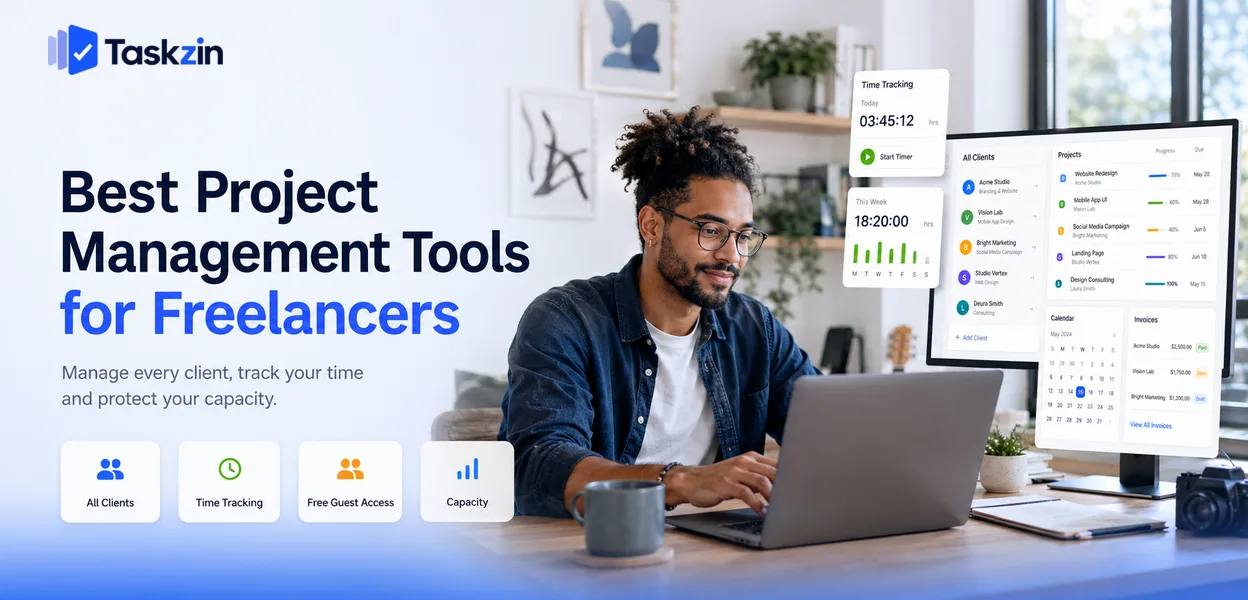
Freelancers are sold team software. Collaboration features, permissions, workload views and reporting dashboards solve problems you do not have. What you actually need is somewhere to see every client at once, a way to know where your hours go, and something that survives a busy month without maintenance.
This guide covers what genuinely matters solo, ten options, how to set up a system that works across clients, and what to track commercially.
Quick answer: The best project management tools for freelancers are Notion for an all-in-one solo system, Trello for the fastest free start, Taskzin for juggling several concurrent clients, and Toggl Track when time is the thing you most need to understand. The right choice for a freelancer is almost never the tool a team would pick, because your constraints are different.
What Freelancers Need That Teams Don't
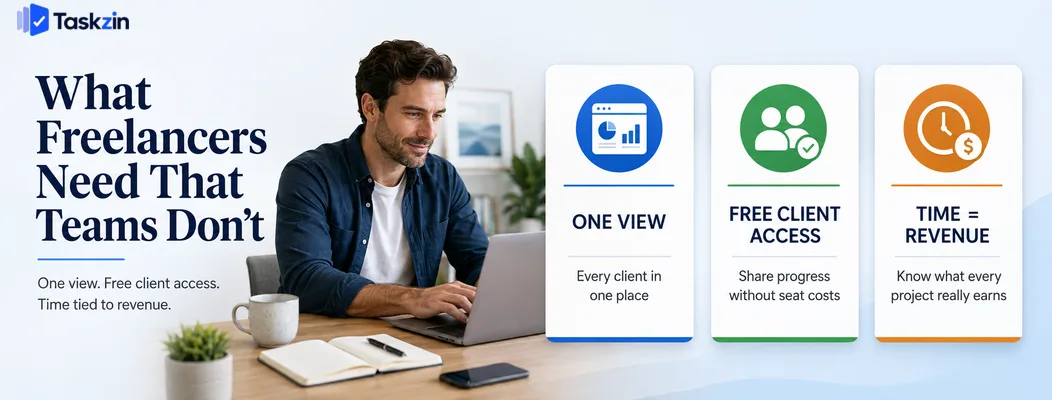
Freelancers need one view across every client, client access that costs nothing, and time tracking tied to work — collaboration and reporting features that dominate team tool comparisons are largely irrelevant.
The failure modes are also different. A team's tool fails when people stop updating it. A freelancer's fails when it becomes another admin task competing with billable work.
You are the whole workflow
There is no handoff, no approval chain, no coordination problem. Everything moves from one stage to the next through you.
This means most of what team software offers is overhead. What matters is capture — getting a commitment recorded before it is forgotten — and a reliable view of what is due across everything. A tool asking you to assign a task to yourself and set a priority is adding ceremony to a decision you already made.
Client access has to be free
Clients need to see progress and approve work. If every client costs a seat, your tooling bill scales with your client list, which is exactly backwards for a solo operator.
Look for free guests, shareable read-only links, or flat pricing. This single factor eliminates several otherwise-good tools from consideration.
Time is directly revenue
For a team, time tracking is a management concern. For a freelancer, it is the difference between knowing your business and guessing at it.
Even on fixed-price work, hours spent determine whether the price was right. Without that data every quote is a guess informed by feeling rather than by what similar work actually took.
Best Freelance Project Management Tools at a Glance
ClickUp — best free plan with time tracking
Taskzin Yes Guest access Built in Multiple concurrent clients Notion Yes Shared pages No All-in-one solo system Trello Yes Board sharing Power-up Fastest free start
Todoist — best pure task capture
ClickUp Yes Guest access Built in Most features free Toggl Track Yes Reports Core feature Understanding your hours Asana Yes Free guests Integration Working inside client teams Airtable Yes Shared views No Content and asset work Bonsai No Client portal Built in Contracts and invoicing
Google Workspace — best free foundation
The Best Freelance Tools Reviewed
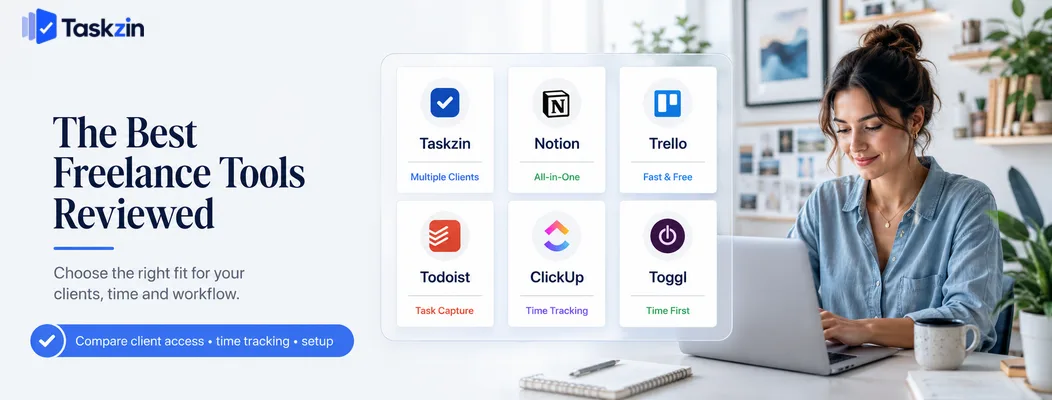
Taskzin — best for freelancers with several concurrent clients
Taskzin gives one view across every client project with built-in time tracking and guest access, which covers the three things a busy freelancer actually needs.
Best for: freelancers running four or more concurrent clients.
Trade-off: more structure than a solo operator with one or two clients needs.
Notion — best all-in-one for solo work
Notion can hold client projects, proposals, notes, invoicing records and your own admin in one workspace, shaped exactly to how you work.
Best for: freelancers who like building their own system and want everything in one place.
Trade-off: you maintain it, notifications are weak, and there is no time tracking.
Trello — best free and fastest to start
A board per client, or one board with a list per client, is genuinely enough for many freelancers, and it costs nothing.
Best for: freelancers wanting something working in ten minutes.
Trade-off: no cross-board view, so seeing everything at once needs a workaround.
Todoist — best pure task capture
If your problem is remembering commitments rather than tracking projects, Todoist's speed of capture is unmatched.
Best for: freelancers whose work is a stream of independent deliverables.
Trade-off: limited client sharing and no project-level structure.
ClickUp — best free plan with time tracking ClickUp's free tier includes time tracking, docs and multiple views, covering most of what a freelancer would otherwise pay for separately.
Best for: freelancers wanting maximum capability at zero cost.
Trade-off: significantly more interface than a solo operator needs.
Toggl Track and Toggl Plan — best time-first option
Toggl Track is the strongest simple time tracker available, with reporting that answers where your hours went by client and project.
Best for: freelancers who need to understand their rate before anything else.
Trade-off: time tracking rather than project management, though Toggl Plan adds light planning.
Asana — best for freelancers embedded in client teams
If your clients run Asana and expect you to work inside it, using it for your own projects too avoids maintaining two systems.
Best for: freelancers with a small number of long-term embedded engagements.
Trade-off: heavier than solo work requires, and no native time tracking.
Airtable — best for content and asset-heavy work
Writers, photographers and content producers frequently need structured records more than task lists.
Best for: freelancers managing large volumes of deliverables and assets.
Trade-off: weaker as a day-to-day task tool.
Bonsai and freelance business platforms
A category of tools built specifically for freelancers combines proposals, contracts, invoicing, time tracking and light project management.
Best for: freelancers wanting contracts and invoicing in the same place as project work.
Trade-off: paid only, and project management is lighter than a dedicated tool.
Google Workspace — best free foundation Docs, Sheets, Drive and Calendar cost nothing and handle a surprising amount of freelance project tracking.
Best for: freelancers with one or two clients and simple needs.
Trade-off: no notifications, no time tracking, and it degrades past a handful of concurrent projects.
How to Set Up a Freelance Project System
Keep every client in one system rather than working inside each client's tool, track time even on fixed-price work, and build a reusable onboarding template.
One place for every client, not one tool per client
The most common freelance failure is working inside each client's system — Asana for one, Slack for another, email for a third — with no single view of your own commitments.
Keep your own system as the source of truth. Mirror what you must into client tools, but your view of what is due this week must exist in one place. Without it you will overcommit, because you cannot see everything at once when you say yes.
Track time even on fixed-price work
On fixed-price projects, hours determine whether the price was right. A project that felt fine may have taken three times what you assumed.
Tracking takes seconds per session and turns future quoting from guesswork into arithmetic. It also identifies the client who consumes twice the hours for the same fee, which is information you cannot obtain any other way.
Build a client onboarding template
Every new client involves the same steps: contract, deposit, kickoff, access, brand assets, review schedule, invoicing details.
Build that once as a template. It removes setup time, ensures nothing is forgotten, and looks noticeably more professional than assembling it from memory each time.
What Freelancers Should Track
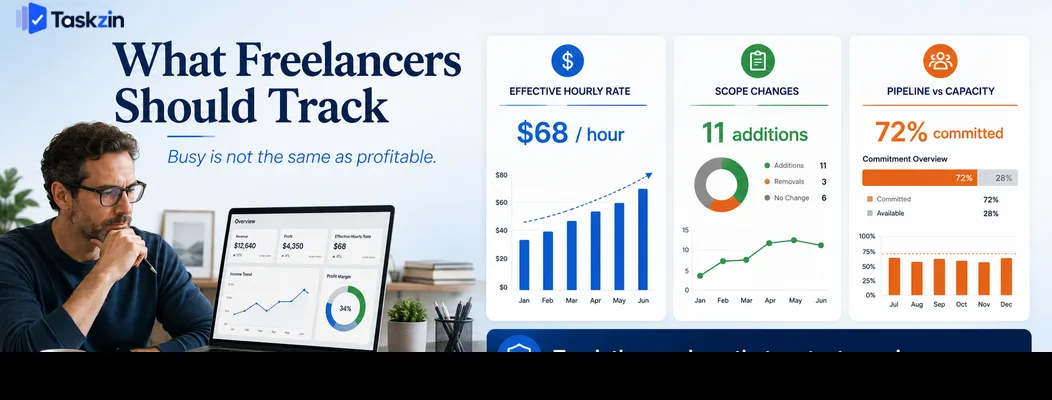
Track effective hourly rate by client, how often scope changes, and pipeline against capacity — these three determine whether your business works, regardless of how busy you feel.
Effective hourly rate by client
Divide what a client paid by the hours you spent. That number, not your quoted rate, is what you actually earn from them.
The results are usually uncomfortable. The client paying your highest rate may sit near the bottom once revisions and meetings are counted, while a lower-rate client with clear briefs may be your most profitable. You cannot make good decisions about who to keep without this figure.
Scope changes and how often they happen
Log every additional request, however small. Individually they seem unreasonable to charge for; collectively they can consume a fifth of a project.
The log also makes the conversation easier. Presenting a list of eleven small additions is a factual discussion; saying "this feels like more than we agreed" is not.
Pipeline against capacity
Know how many hours you have available in the coming month and how many are committed.
Freelancers routinely accept work because it is offered rather than because there is room.
The consequence is either late delivery or unpaid evenings, both of which cost more than declining would have. A simple capacity figure makes that a decision rather than a reflex.
Common Freelance Project Management Mistakes
The three most costly habits are working entirely inside client tools, skipping time tracking on fixed-price work, and accepting projects without checking capacity.
Working inside each client's tool
Your commitments end up spread across four systems with no combined view. You then overcommit, miss things, and spend unpaid time reconciling.
Use client tools where required, but maintain your own single view of everything due.
Not tracking time on fixed-price projects
Without hours, you cannot tell a good fixed price from a bad one. You repeat underpriced work because it felt fine, and you cannot identify which clients cost you more than they pay.
Taking on work without checking capacity
Saying yes to everything is how freelancers end up working weekends for no additional money.
Check the hours before accepting, and be willing to propose a later start date rather than an impossible one.
Clients generally respond better to a realistic later date than to a missed earlier one. Proposing a start two weeks out reads as being in demand; delivering late reads as being unreliable, and the second is far more damaging to a freelance reputation than the first.
Frequently asked
What is the best project management tool for freelancers?
Notion for an all-in-one solo system, Trello for the fastest free start, Taskzin for several concurrent clients, and Toggl Track when understanding your hours is the priority.
What is the best free project management tool for freelancers?
Trello is the quickest to adopt. ClickUp's free plan includes time tracking, and Notion's free tier suits a single user building their own system.
Should freelancers use their client's project tool?
Use it where the client requires it, but keep your own system as the source of truth. Working only inside client tools leaves no combined view of your commitments, which is how freelancers overcommit.
Do freelancers need time tracking on fixed-price projects?
Yes, arguably more than on hourly work. Hours are the only way to tell whether the fixed price was right, and the data makes future quoting arithmetic rather than guesswork.
What is the best tool for managing multiple clients?
Anything giving one view across all client work — Taskzin, ClickUp or Notion. The specific tool matters less than avoiding a separate system per client.
Is Notion good for freelancers?
Very good if you enjoy building your own system and want projects, notes and admin in one place. Less good if you want something working immediately, since you design the structure yourself.
How do you know if a client is worth keeping?
Divide total fees by total hours to get your effective hourly rate for that client, and count scope changes. The results frequently contradict which clients feel most valuable.
Sujan Sharma is a content writer at Taskzin with a strong focus on productivity systems, task management, workflow optimization, team collaboration, and SaaS technology. He creates research-driven, practical content that helps professionals and growing teams improve operational efficiency, streamline processes, and make informed decisions about modern work management tools.
All posts by Sujan Sharma

Comments