Best Project Management Software for Remote Teams
A comparison of the best project management software for remote and distributed teams, covering what changes when a team is remote, ten tools reviewed, how to run projects across time zones, and the mistakes remote organisations repeat.

Remote teams do not fail because they lack a project tool. They fail because information lives in someone's head, in a call nobody recorded, or in a chat thread that scrolled away — and the person in another time zone finds out eight hours later.
This guide covers what genuinely changes when a team is distributed, ten tools compared, how to run work across time zones, and the failure patterns that appear in almost every remote organisation.
What is the best project management software for remote teams?
makes written, asynchronous status the default — Taskzin, Basecamp and Asana lead here, because they keep decisions and progress attached to the work rather than scattered across chat and calls. For distributed engineering, Jira and Linear remain the strongest options.
What Remote Teams Need That Co-located Teams Don't
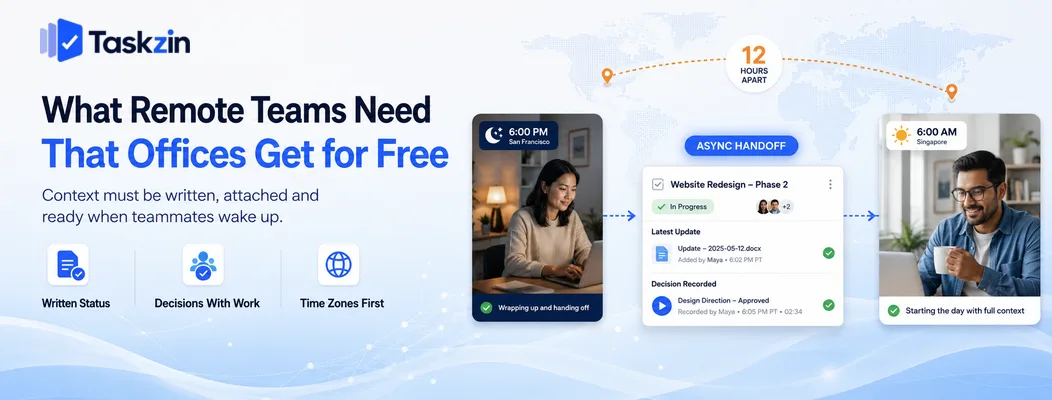
Remote teams need written status that stands on its own, decisions recorded where the work lives, and coordination that does not assume everyone is online at once — an office team gets these informally, and a distributed team must build them deliberately.
In an office, someone glancing at a colleague's screen or hearing a conversation across a desk absorbs enormous context for free. Remove that and the context has to be produced on purpose, or it does not exist.
Written status over spoken status
If your project tool is updated only before the weekly call, everyone between calls is guessing.
That is tolerable when you can turn around and ask; it is expensive when the answer takes twelve hours to arrive.
The practical standard for a remote team is that anyone should be able to open a project and understand its true state without asking a person. That requires task status to be current, comments to explain blockers, and decisions to be written down rather than agreed verbally.
Time zones as a first-class problem
A four-hour spread is inconvenient. A twelve-hour spread changes how work must be structured, because a single question-and-answer exchange can consume an entire day.
This makes the cost of ambiguity much higher than it is in an office. A vague task description that would prompt a two-second question across a desk instead costs a full working day of blocked progress, which is why remote teams benefit disproportionately from writing things down properly.
Best Project Management Software for Remote Teams at a Glance
Tool Best for Async strength Built-in docs Free plan Taskzin Async-first working Strong Yes Yes Basecamp Reducing meetings Strong Yes Limited ClickUp All-in-one workspace Good Yes Yes Asana Cross-time-zone accountability Good Limited Yes Notion Documentation culture Strong Yes Yes Monday.com Visible status Moderate Limited Limited Jira Distributed engineering Good Via Confluence Yes (small teams) Trello Small remote teams Moderate No Yes Linear Remote product teams Good Yes Yes
Height and newer async-first tools
The Best Remote Team Tools Reviewed
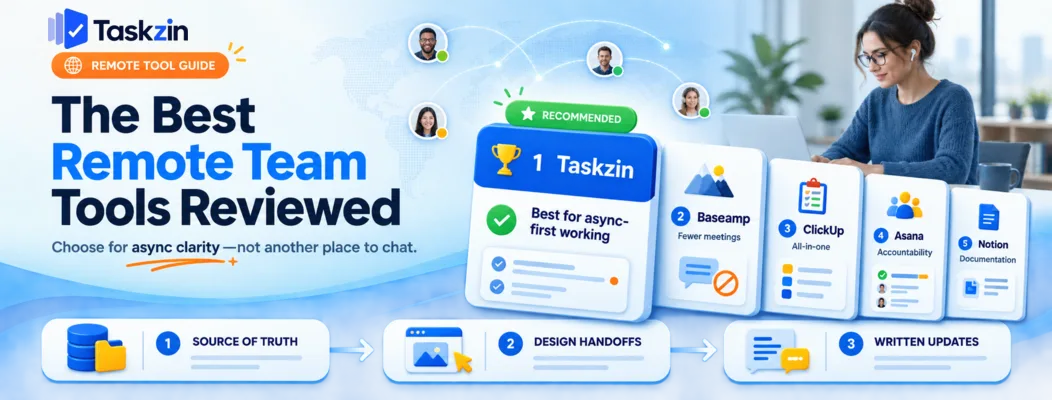
Taskzin — best for async-first working
Taskzin keeps discussion, decisions and status attached to each piece of work, so someone arriving eight hours later reads the thread rather than asking what happened.
Best for: distributed teams that want fewer meetings without losing visibility.
Trade-off: teams that prefer working through live calls will not use the written layer, which is where the value sits.
Basecamp — best for reducing meetings
Basecamp is explicitly designed around asynchronous work, with automatic check-in questions that replace status meetings and message boards that keep decisions durable.
Best for: teams actively trying to cut meeting load.
Trade-off: deliberately opinionated, with limited reporting and customisation.
ClickUp — best all-in-one remote workspace
ClickUp combines tasks, docs, whiteboards, chat and recorded video clips, which reduces the number of tools a distributed team must keep synchronised.
Best for: remote organisations consolidating a scattered stack.
Trade-off: notification volume needs deliberate management or it becomes its own distraction.
Asana — best for cross-time-zone accountability
Asana's strength is unambiguous ownership: one assignee, one due date, one place to look.
That clarity matters more when you cannot casually check in.
Best for: teams where work regularly hands off between regions.
Trade-off: documentation is thin, so you will pair it with something else.
Notion — best for written documentation culture
Notion keeps projects, decisions, specs and meeting notes in one searchable place, which suits organisations that write things down as a matter of habit.
Best for: remote teams building a durable knowledge base alongside project tracking.
Trade-off: you build the project system yourself, and it lacks purpose-built project features.
Monday.com — best for visible status at a glance
Monday.com's colour-coded boards let someone assess project state in seconds without reading, which helps across languages and time zones.
Best for: distributed operations and marketing teams.
Trade-off: discussion depth is weaker than in tools built around threads.
Jira — best for distributed engineering teams
Jira gives distributed engineering a shared, unambiguous record of what is in progress, paired with Confluence for documentation.
Best for: remote software organisations running formal process.
Trade-off: heavy, and unpleasant for non-engineering colleagues who need visibility.
Trello — best simple option for small remote teams
Trello's board is instantly readable by anyone, in any time zone, without onboarding.
Best for: small distributed teams with straightforward workflows.
Trade-off: limited reporting and no strong documentation layer.
Linear — best for remote product teams
Linear's speed and clarity suit distributed product teams that want minimal ceremony and a clean record of what is in flight.
Best for: small remote engineering and product groups.
Trade-off: narrow fit beyond product development.
Height and newer async-first tools A newer generation of tools is designed around asynchronous defaults, with automated status summaries reducing the manual update burden.
Best for: teams willing to adopt less-established software for a better async fit.
Trade-off: smaller ecosystems and less certainty about long-term support.
How to Run Projects Across Time Zones
Run distributed projects by making the tool the single source of truth, designing handoffs around your overlap window, and replacing status meetings with written updates that anyone can read on their own schedule.
Step 1: Make the tool the source of truth
Agree explicitly that if something is not in the project tool, it did not happen. A decision reached on a call is not a decision until someone writes it into the relevant task.
This feels bureaucratic for about two weeks and then becomes invisible. It is the single highest-return practice available to a distributed team, because it removes the dependency on being present at the right moment.
Step 2: Design handoffs around overlap windows
Identify the hours your regions genuinely share and treat that window as scarce. Use it for decisions and unblocking — the things that need a live exchange — and push everything else to writing.
Work that hands off between regions should be structured so the receiving side has everything needed to start, with no outstanding questions. A handoff that arrives with an ambiguity costs a full day, and it costs it every single time.
Step 3: Replace status meetings with written updates
A daily standup across five time zones is a meeting that is inconvenient for most participants and low-value for all of them. A written update in the project tool takes three minutes to write, thirty seconds to read, and stays searchable.
Keep one live session per week for the discussion that genuinely benefits from real-time conversation, and rotate its time so the same region is not always inconvenienced.
Features That Matter More When You're Remote
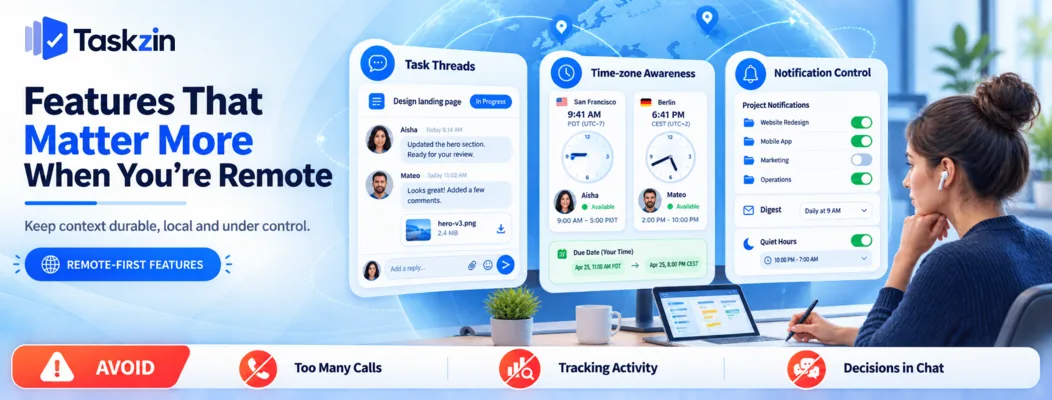
Threaded comments attached to specific work, time zone awareness, and granular notification control matter far more for distributed teams than the feature comparisons that dominate most reviews.
Comment threads attached to work
A discussion in chat scrolls away; a discussion on a task stays with it permanently. Six months later, when someone asks why a decision was made, the answer is exactly where the work is.
This single property is what makes a project tool more valuable than a chat tool for anything that matters.
Time zone awareness and scheduling
Tools that display due dates and assignee availability in local time prevent a whole category of small confusions. "Due Friday" means different things at either end of a twelve-hour spread.
Notification control
Remote teams generate more written communication, which means more notifications. Without granular control, people either drown or switch everything off — and both outcomes break the async model.
Look for per-project notification settings, digest options, and genuine quiet hours that respect local time rather than the organisation's headquarters.
Common Remote Project Management Mistakes
The recurring failures are recreating the office through constant video calls, measuring activity instead of outcomes, and allowing decisions to be made in chat.
Recreating the office in video calls
Filling the day with calls to replace lost hallway conversation removes the main advantage of distributed work: long stretches of uninterrupted focus. It also punishes whoever lives furthest from the majority time zone.
Measuring activity instead of outcomes
Monitoring software, mandatory online status and activity screenshots measure presence rather than progress. They damage trust quickly and produce performative busyness. Clear deliverables with visible status in a shared tool achieve the actual goal.
Letting decisions happen in chat
Chat is excellent for quick coordination and poor for durable decisions. A decision made in a thread at 11pm in one region is effectively invisible to everyone else. Write decisions into the task or document they affect, then link to it from chat.
Frequently asked
What is the best free project management tool for remote teams?
Taskzin, Basecamp and Asana lead for asynchronous, written-first working. For distributed engineering, Jira and Linear are stronger. Notion suits teams building a documentation culture alongside project tracking.
What tools do remote teams use?
Typically a project tool as the source of truth, a chat tool for quick coordination, video for the few genuinely synchronous discussions, and a documentation tool — with the project tool holding decisions and status.
What is the best free project management tool for remote teams?
Trello, Asana, ClickUp, Notion and Taskzin all offer free plans workable for small distributed teams. Jira's free tier suits small remote engineering teams.
How do you manage a team across time zones?
Make the project tool the single source of truth, reserve the overlap window for decisions and unblocking, structure handoffs so the receiving side has no outstanding questions, and use written updates instead of daily meetings.
Should remote teams use async or sync communication?
Async by default, sync by exception. Reserve live time for decisions, difficult conversations and relationship building. Status, updates and routine coordination work better in writing.
How do you track remote team productivity without surveillance?
Track outcomes rather than activity: what shipped, what moved, what is blocked. A shared project tool with current status gives this. Monitoring software measures presence and damages trust without improving delivery.
How many meetings should a remote team have?
Most distributed teams function well with one weekly team session plus regular one-to-ones. Anything more should justify itself against a written alternative that would cost the reader thirty seconds.
Is Slack enough for remote project management?
No. Chat is excellent for quick coordination and poor at durable records — messages scroll away and decisions become unfindable. Pair it with a project tool that holds status and decisions permanently.
How do you onboard someone remotely?
Give them a documented onboarding checklist in the project tool, access to written decision history, and a named person to ask questions of. Written context matters far more remotely, since a new joiner cannot absorb it by sitting nearby.
Sujan Sharma is a content writer at Taskzin with a strong focus on productivity systems, task management, workflow optimization, team collaboration, and SaaS technology. He creates research-driven, practical content that helps professionals and growing teams improve operational efficiency, streamline processes, and make informed decisions about modern work management tools.
All posts by Sujan Sharma

Comments