Best Project Management Software for Nonprofits
A comparison of the best project management software for nonprofits, covering volunteer turnover, funder reporting and budget constraints, ten reviewed tools, nonprofit discount advice, and how to set up so knowledge survives handover.

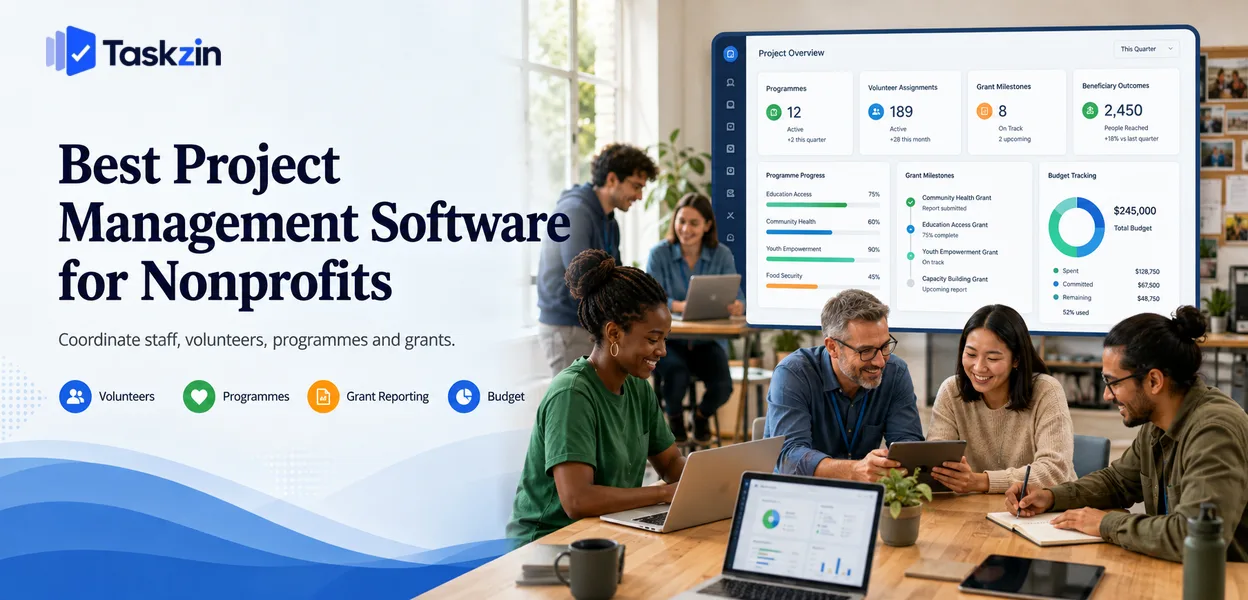
What is the best project management software for nonprofits?
structural differences — high volunteer turnover, funder reporting obligations, and budgets tied to grant cycles — change which features matter.
This guide covers those differences, ten options, how to choose, and how to set up so knowledge survives when people move on.
What is the best free project management software for nonprofits?
free members, Asana for its established nonprofit discount, Trello for volunteer-run projects, and Taskzin for small teams coordinating staff and volunteers together. Nonprofits should always ask about a discount before comparing list prices, since many vendors offer substantial reductions that change the ranking entirely.
What Makes Nonprofit Project Management Different
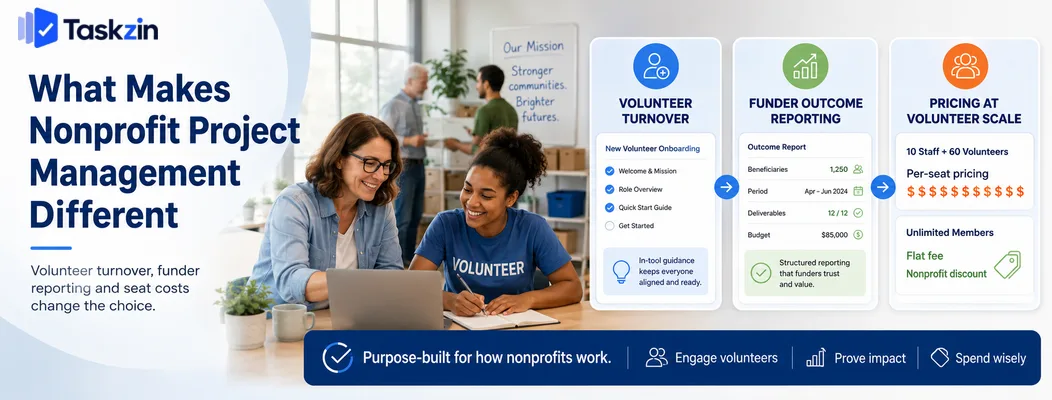
Nonprofits face constant volunteer turnover, reporting obligations to funders rather than internal stakeholders, and budgets that make per-seat pricing unworkable once the volunteer base grows.
Each of these pushes toward different software than a commercial team of the same size would choose.
Volunteers turn over constantly
A commercial team onboards someone who stays for years. A nonprofit may onboard fifteen volunteers who each contribute for a few months, some giving two hours a week.
This makes training cost the dominant factor. Software requiring an hour of instruction is unusable when you onboard someone every fortnight. It also means your process must be documented inside the tool itself, because the person who knew how things worked will not be there next season.
Funders need reporting, not dashboards
Grant reporting asks specific questions: what was delivered, to how many beneficiaries, over what period, against what budget. That is not the same as a project dashboard.
Most project tools produce activity reporting rather than outcome reporting, so the gap is usually filled manually. Knowing this in advance lets you structure projects so the data can be extracted rather than reconstructed from memory at reporting time.
Budget rules out per-seat pricing at scale
Ten staff and sixty volunteers is seventy seats on a per-user platform. At typical pricing that is beyond most small charities.
This makes three options genuinely important: tools with unlimited free members, tools with flat-fee pricing, and vendors with meaningful nonprofit discounts. Check all three before assuming a tool is unaffordable.
Best Nonprofit Project Management Software at a Glance
Tool Nonprofit pricing Free users Training needed Documentation Taskzin Discount available Yes Low Yes Asana Established discount Limited free Low Limited ClickUp Discount available Unlimited members Medium Yes Trello Standard pricing Generous free Very low No Notion Discount available Small team free Medium Yes Monday.com Discount available Very limited Medium Limited Airtable Discount available Generous free Medium No Basecamp Discount available Unlimited (flat fee) Low Yes
Google Workspace for Nonprofits — best free foundation
OpenProject Free to self-host Unlimited High Yes
Confirm current nonprofit programmes directly with each vendor — eligibility and discount levels change.
The Best Nonprofit Tools Reviewed
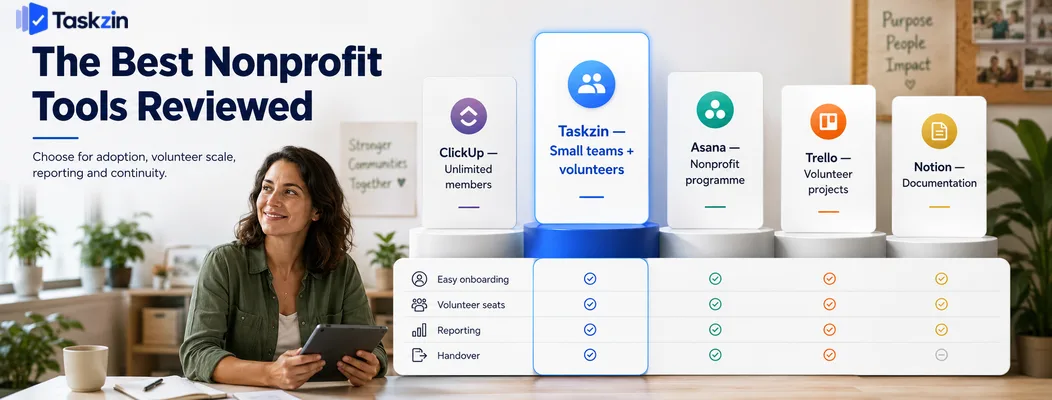
Taskzin — best for small nonprofit teams with volunteers
Taskzin gives a small core team real project structure while remaining simple enough that a volunteer can pick it up in one session.
Best for: charities with a handful of staff coordinating a rotating volunteer base.
Trade-off: no built-in grant or donor management, so reporting requires structuring projects deliberately.
Asana — best nonprofit discount programme
Asana has one of the longest-established nonprofit discount programmes, and its clarity around task ownership suits organisations where accountability is diffuse.
Best for: nonprofits with a defined staff team running structured programmes.
Trade-off: the free tier limits collaborators, so a large volunteer base needs paid seats even at discount.
ClickUp — best free plan for unlimited members
ClickUp's free plan allows unlimited members, which is unusual and directly addresses the volunteer-seat problem.
Best for: organisations with many occasional contributors and no budget.
Trade-off: more interface complexity than a volunteer will absorb quickly, so setup must be kept deliberately simple.
Trello — best for volunteer-run projects
Trello requires no training. A volunteer sees a board and understands it immediately, which matters more than any feature when someone contributes two hours a week.
Best for: community groups and volunteer-led projects with simple workflows.
Trade-off: no cross-project view and minimal reporting.
Notion — best for documentation and handover
Notion's strength for nonprofits is not task management but institutional memory — process documentation, volunteer handbooks and programme history in one searchable place.
Best for: organisations losing knowledge when people leave.
Trade-off: weak as a tracker; best paired with a task tool.
Monday.com — best for grant and programme tracking
Monday's flexible boards can be shaped to track grants, deliverables and deadlines with visible status for trustees.
Best for: organisations reporting regularly to boards and funders.
Trade-off: seat-tier pricing works poorly with fluctuating volunteer numbers.
Airtable — best for beneficiary and programme data
When your real need is structured records — beneficiaries, sessions, outcomes — Airtable models that far better than a task tool.
Best for: service delivery organisations tracking programme data for funders.
Trade-off: not a collaboration tool, and privacy obligations around beneficiary data need careful handling.
Basecamp — best flat-fee option for large volunteer bases
Flat pricing with unlimited users removes the volunteer-seat problem entirely and keeps costs predictable across grant cycles.
Best for: organisations with many volunteers and a stable core team.
Trade-off: no custom fields, dependencies or reporting.
Google Workspace for Nonprofits — best free foundation Eligible nonprofits receive Google Workspace at no cost, which covers documents, shared drives, calendars and basic task management.
Best for: organisations with no software budget at all.
Trade-off: not a project management system, though it is a sound base to build on.
Open-source options for full control
OpenProject and similar tools can be self-hosted with unlimited users and no licence cost.
Best for: organisations with technical capacity, often through a skilled volunteer.
Trade-off: if that volunteer leaves, maintaining the system becomes a serious problem — a real risk in this sector.
How to Choose Nonprofit Project Software
Ask about the nonprofit discount before comparing prices
volunteer turnover rather than staff preference, and confirm you can extract what your funders require.
Ask about the nonprofit discount before comparing prices Many vendors offer substantial nonprofit discounts that are not prominently advertised, and some are generous enough to reorder your shortlist completely.
Email the sales team directly with your registration details. This takes twenty minutes and regularly makes a tool you had dismissed the most affordable option.
Design for volunteer turnover from the start
Assume the person setting the system up will not be here in a year. That single assumption should drive your choice.
It favours tools that are obvious without training, structures that are simple rather than clever, and documentation held inside the tool rather than in someone's head. A sophisticated system that only one person understands is a liability, not an asset.
Check what your funders actually require
Read your reporting obligations before choosing. If a funder requires beneficiary numbers by month and spend against budget lines, structure your projects so that data is captured as work happens.
Retrofitting reporting at the end of a grant period means reconstructing months of activity from memory and email, which is where nonprofits lose the most time.
Setting Up for Volunteers and Handover
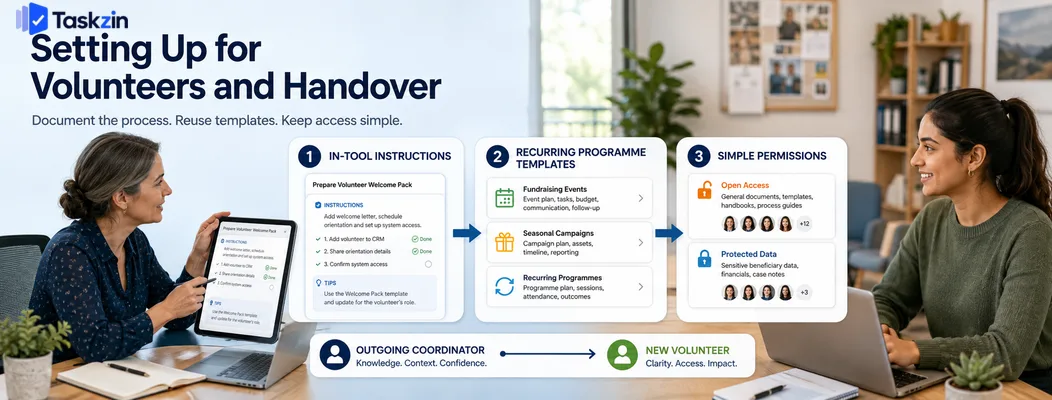
Document the process inside the tool, build templates for recurring programmes, and keep permissions simple enough that nobody is blocked waiting for access.
Document the process inside the tool
Every recurring process should have written instructions where the work happens — not in a folder somewhere, not in the coordinator's head.
The test is whether a new volunteer could complete a task correctly using only what is in the tool. If they need to ask someone, the documentation is incomplete, and that gap becomes a crisis when the person who knows leaves.
Use templates for recurring programmes
Nonprofit work is highly repeatable: annual fundraising events, term-time programmes, seasonal campaigns. Build each one as a template with tasks, owners and relative dates.
This preserves institutional knowledge in a usable form. Next year's coordinator starts from a complete plan rather than rebuilding from last year's emails.
Keep permissions simple
Elaborate permission structures create a bottleneck at whoever administers them, and in a nonprofit that person is often a part-time volunteer.
Default to open access with sensible boundaries around genuinely sensitive material such as beneficiary data. The risk of someone seeing a task they did not need to see is far smaller than the cost of work stalling for a week awaiting access.
Common Nonprofit Project Management Mistakes
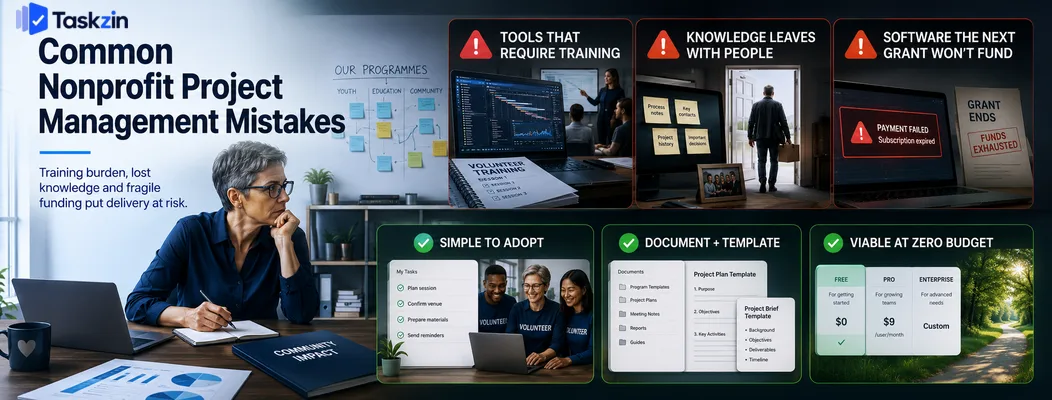
The three failures that cost nonprofits most are choosing tools that require training, losing knowledge when people leave, and buying software the next grant will not fund.
Choosing tools that require training
A tool needing an hour of instruction is effectively unusable with a rotating volunteer base.
Weight ease of adoption far higher than a commercial team would.
Losing institutional knowledge when someone leaves
The volunteer coordinator who ran the annual event for three years leaves, and next year's team starts from nothing. This is the most expensive recurring failure in the sector.
Documentation inside the tool, plus templates for recurring work, addresses it directly and costs almost nothing to maintain.
Buying software the grant will not renew
Funding a subscription from a specific grant creates a problem when that grant ends. The organisation has built its operations around software it can no longer afford.
This is worth checking at the point of purchase rather than at renewal. Ask what the tool costs at full price without the discount, and whether your organisation could absorb that from unrestricted income if it had to. If the answer is no, choose something you could downgrade to a free tier without losing your data or your process.
Fund core tooling from unrestricted income where possible, or choose options that remain viable at zero budget — a free tier you can fall back to is worth more than a discounted premium plan you may not be able to renew.
Frequently asked
What is the best project management software for nonprofits?
ClickUp for unlimited free members, Asana for its established nonprofit discount, Trello for volunteer-run projects, and Taskzin for small teams coordinating staff and volunteers together.
Which project management tools offer nonprofit discounts?
Asana, Monday.com, Notion, Airtable, ClickUp and Basecamp all operate nonprofit programmes, and Google Workspace is free for eligible organisations. Confirm current terms directly, as eligibility and discount levels change.
What is the best free project management software for nonprofits?
ClickUp's free plan allows unlimited members, which suits large volunteer bases. Trello is the easiest to adopt with no training, and Google Workspace for Nonprofits provides a free foundation.
How do nonprofits manage volunteers in project software?
By keeping the structure simple, documenting processes inside the tool, using templates for recurring programmes, and choosing platforms that either include free guests or charge a flat fee regardless of user count.
What should a nonprofit look for in project management software?
Low training requirement, affordable or unlimited users, the ability to document process inside the tool, and data that can be extracted in the form funders require.
Can a small charity manage without project software?
A team of two or three can manage with shared documents. Once volunteers are involved and programmes recur annually, a tool that preserves process and handover knowledge pays for itself quickly.
How do you avoid losing knowledge when volunteers leave?
Write process documentation inside the tool where the work happens, build templates for every recurring programme, and test whether a new person could complete a task using only what is recorded.
Sujan Sharma is a content writer at Taskzin with a strong focus on productivity systems, task management, workflow optimization, team collaboration, and SaaS technology. He creates research-driven, practical content that helps professionals and growing teams improve operational efficiency, streamline processes, and make informed decisions about modern work management tools.
All posts by Sujan Sharma
Comments