Best Kanban Board Software
A comparison of the best Kanban board software, covering what the method actually requires, ten tools reviewed on WIP limits and flow metrics, a practical setup guide, and the mistakes that make boards useless.

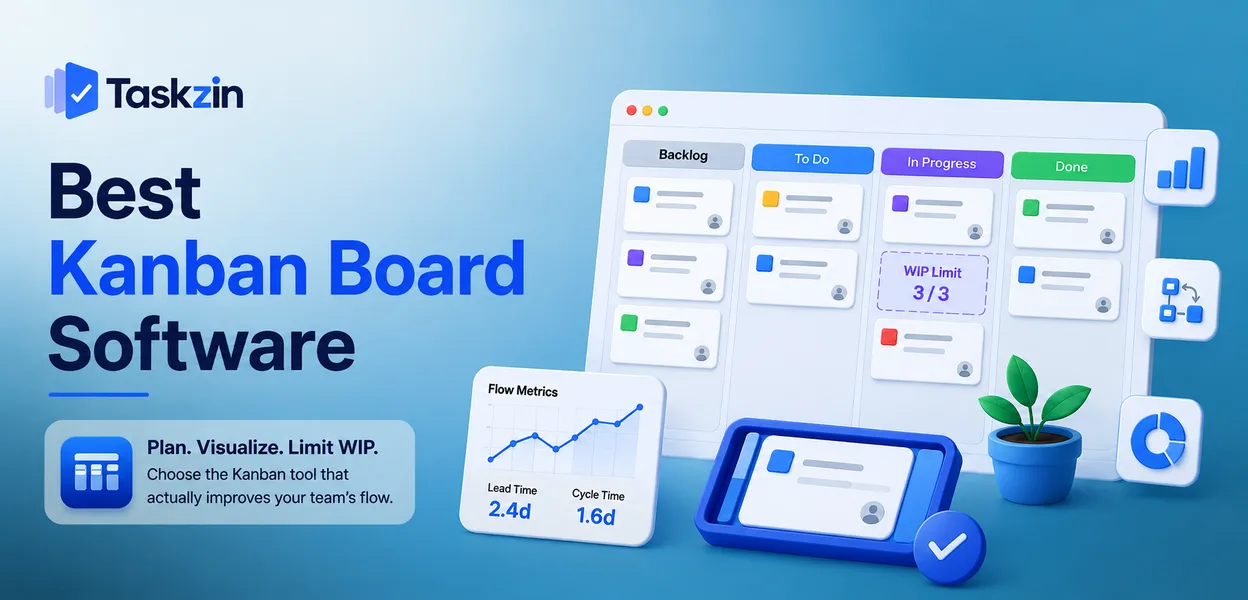
Most "Kanban tools" are a board with columns. That is the visible half of the method. The half that produces the results — limiting work in progress so bottlenecks become visible — is missing from a surprising number of them.
This guide covers what the software actually needs to do, ten options compared, how to set a board up so it does not become a graveyard, and which metrics tell you whether it is working.
Quick answer: The best Kanban board software depends on how seriously you intend to practise the method: Trello and Taskzin cover teams that mainly want a visual board, while Jira and Businessmap suit teams that want WIP limits, cycle-time reporting and flow metrics enforced properly. Almost every project tool now ships a board view, so the real differentiator is whether it supports Kanban's actual mechanics or just its appearance.
What Kanban Board Software Actually Does
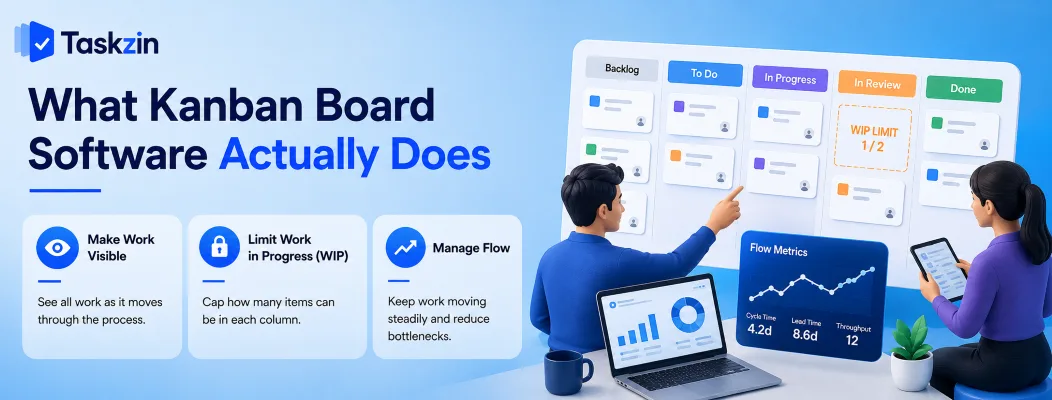
Kanban board software visualises work as cards moving through columns, and — in a genuine implementation — limits how many items can sit in each column at once, which is what surfaces bottlenecks instead of hiding them.
Kanban came out of manufacturing, where the point was never the board. The point was that you cannot start new work until capacity frees up downstream. Software that copies the board but drops the constraint copies the least useful part.
The core of the method
Three practices carry almost all the value: make the work visible, limit work in progress, and manage flow so items move steadily rather than piling up.
The visibility part is easy and every tool does it. The limiting part is where teams get uncomfortable, because it means saying "we cannot start that yet" — which is precisely the discipline that shortens delivery times.
Why WIP limits are the feature that matters
A WIP limit caps how many cards can occupy a column. When the column is full, nobody may pull new work into it until something moves out.
This sounds restrictive and feels restrictive for about a week. What it does is make the bottleneck impossible to ignore: if "In Review" is permanently at its limit, your constraint is review capacity, not developer capacity. Without limits, that same bottleneck simply appears as a longer and longer column that everyone learns to scroll past.
Best Kanban Board Software at a Glance
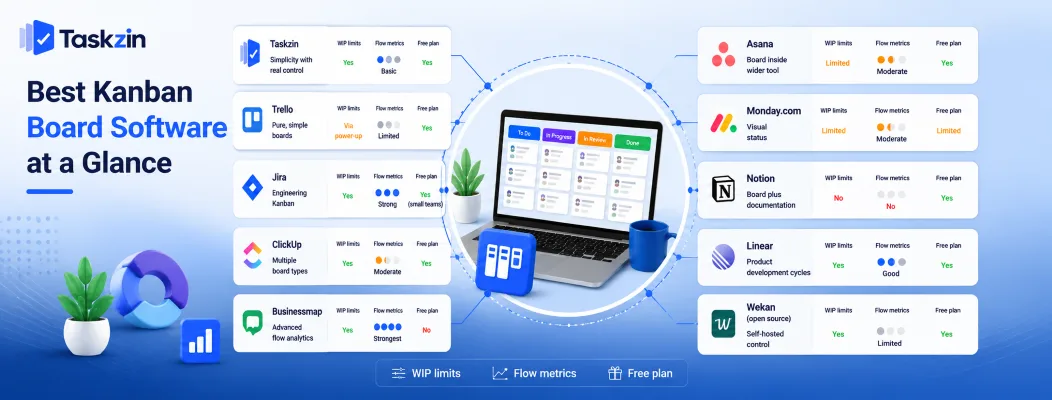
Tool Best for WIP limits Flow metrics Free plan Taskzin Simplicity with real control Yes Basic Yes Trello Pure, simple boards Via power-up Limited Yes Jira Engineering Kanban Yes Strong Yes (small teams) ClickUp Multiple board types Yes Moderate Yes Businessmap Advanced flow analytics Yes Strongest No Asana Board inside wider tool Limited Moderate Yes Monday.com Visual status Limited Moderate Limited Notion Board plus documentation No No Yes Linear Product development cycles Yes Good Yes Wekan (open source) Self-hosted control Yes Limited Yes
The Best Kanban Tools Reviewed
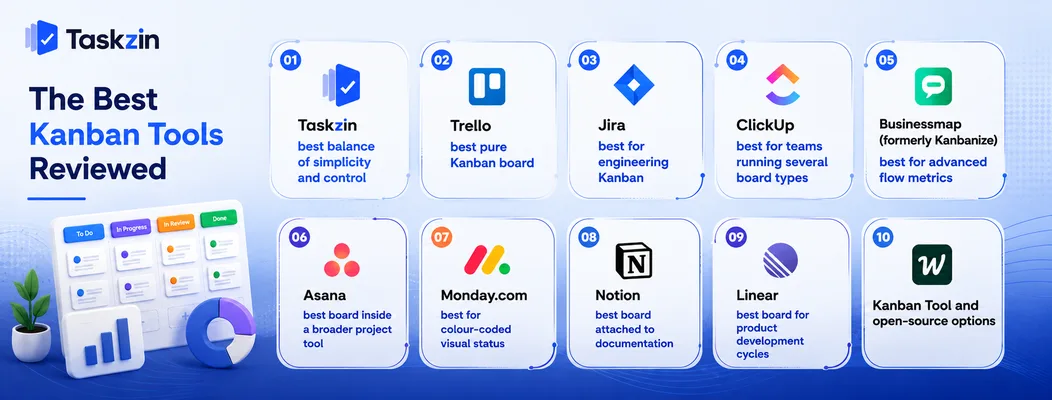
Taskzin — best balance of simplicity and control
Taskzin gives a board that a non-technical team can use immediately, with WIP limits and cycle-time tracking available rather than hidden behind an enterprise tier or an add-on.
Best for: teams that want to practise Kanban properly without adopting a specialist analytics tool.
Trade-off: if you need cumulative flow diagrams and Monte Carlo forecasting, a dedicated flow tool goes deeper.
Trello — best pure Kanban board
Trello is the most immediately understandable board in the category. Anyone can be productive in it within minutes.
Best for: simple workflows and teams new to the method.
Trade-off: WIP limits require a power-up, and reporting across boards is thin.
Jira — best for engineering Kanban
Jira's Kanban boards support column-level WIP limits, swimlanes, sub-filters and control charts, with cycle time and cumulative flow reporting built in.
Best for: software teams running Kanban seriously.
Trade-off: configuration is heavy, and non-engineers frequently find it unpleasant.
ClickUp — best for teams running several board types
ClickUp lets different teams run different board configurations inside one workspace, which suits organisations where engineering, marketing and support each want their own flow.
Best for: cross-functional groups standardising on one platform.
Trade-off: the sheer number of settings makes a clean board harder to maintain.
Kanbanize (Businessmap) — best for advanced flow metrics
Businessmap is built specifically around Kanban rather than around projects, with linked boards, automated flow analytics and forecasting.
Best for: organisations scaling Kanban across multiple teams with real analytical intent.
Trade-off: priced and designed for committed practitioners, not casual use.
Asana — best board inside a broader project tool
Asana's board view sits alongside list, timeline and calendar views of the same work, letting different people look at the same project the way they prefer.
Best for: teams that need a board sometimes but not always.
Trade-off: WIP limiting is not a first-class feature.
Monday.com — best for colour-coded visual status
Monday.com makes board status legible at a glance through colour, which works well for teams that scan rather than read.
Best for: operations and marketing teams that respond to visual cues.
Trade-off: Kanban discipline is not enforced; the board is a display, not a constraint.
Notion — best board attached to documentation
A Notion database can render as a board, keeping cards next to the specs and notes they relate to.
Best for: knowledge work where context lives in documents.
Trade-off: no WIP limits and no flow metrics — this is a view, not a Kanban system.
Linear — best board for product development cycles
Linear's board is fast, keyboard-driven and tightly integrated with cycles and issue triage.
Best for: small product and engineering teams that value speed.
Trade-off: narrow fit outside software development.
Kanban Tool and open-source options
Kanban Tool offers a focused hosted board with time tracking, while Wekan provides a self-hosted open-source board for teams with data-residency requirements.
Best for: teams wanting either a single-purpose tool or full control of hosting.
Trade-off: smaller ecosystems and fewer integrations than the mainstream options.
How to Set Up a Kanban Board That Works
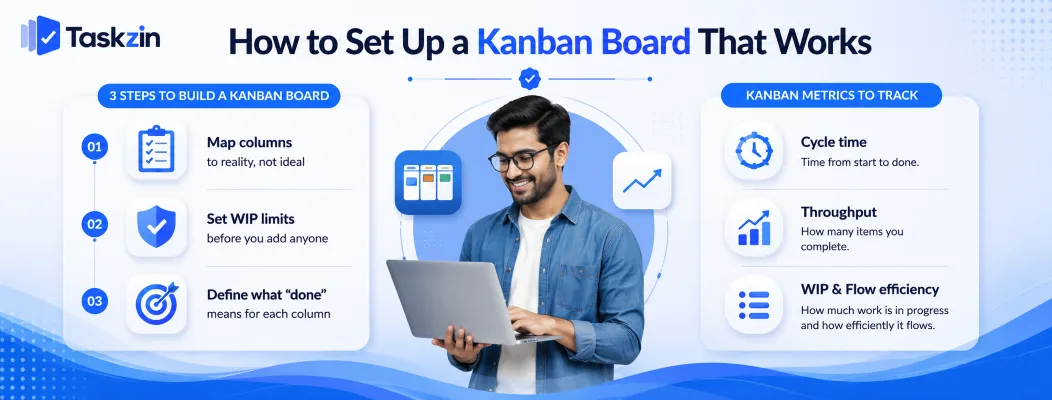
Set up a Kanban board by mapping columns to the steps your work genuinely passes through, applying WIP limits from the start, and defining exactly what must be true for a card to leave each column.
Step 1: Map the columns to reality, not to an ideal
Watch how a piece of work actually travels for a week and write down each state it sits in, including the ones nobody wants to admit to — "waiting on client", "blocked on approval", "sitting in someone's inbox".
Those waiting states are where time is lost, so hiding them behind a tidy three-column board defeats the purpose. A board that reflects reality is uncomfortable at first and useful immediately.
Step 2: Set WIP limits before you add anyone
Retrofitting limits to a board that already has forty cards in progress feels like a punishment.
Setting them on day one feels like a rule.
A common starting point is roughly one to two items in progress per person in a column, then adjust based on what you observe. The number matters less than having one at all — the limit's job is to force a conversation when it is breached.
Step 3: Define what "done" means for each column
A card moving from "In Progress" to "Review" should have a clear, agreed meaning. Without it, cards move when someone feels like moving them and the board stops reflecting truth.
Write one line per column stating what must be true for a card to leave. This is the single cheapest intervention that keeps a board trustworthy over time.
Kanban Metrics Worth Tracking
Track cycle time, throughput and work in progress — these three together tell you how fast work moves, how much you deliver, and whether you are starting more than you finish.
Cycle time
Cycle time measures how long a card takes from the moment work actually starts to the moment it is done. It is the metric customers feel, because it corresponds to how long they wait.
Watch the distribution rather than the average. If most items finish in three days but some take three weeks, the long tail is where your process problems live.
Throughput
Throughput counts how many items complete per week or per sprint. It is more useful than velocity for Kanban teams because it requires no estimation.
Once you have eight to ten weeks of throughput data, you can forecast delivery ranges from history instead of from guesswork.
Work in progress and flow efficiency
WIP counts how many items are open at once. Flow efficiency compares time spent actively worked against total elapsed time — and for most teams the honest answer is uncomfortably low, often well under half.
That gap is almost entirely waiting: for review, for approval, for a dependency. Reducing waiting time is usually far more effective than trying to make people work faster.
Common Kanban Board Mistakes
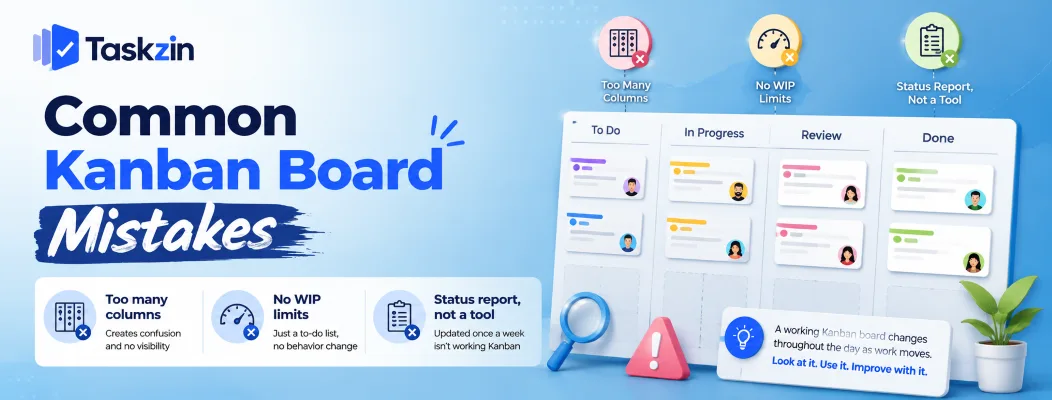
The most common failures are too many columns, no WIP limits, and using the board as a status report rather than a working tool.
Too many columns
Fifteen columns modelling every conceivable state produce horizontal scrolling and a board nobody reads. Most teams work well with five to seven, including any explicit waiting states.
No WIP limits at all
A board without limits is a to-do list arranged sideways. It shows work but changes no behaviour, which is why teams often report that Kanban "did not do anything for us".
Treating the board as a status report
If the board is updated once a week before a meeting, it is documentation rather than a tool. A working Kanban board changes during the day, as work actually moves, and the team looks at it to decide what to pull next.
Frequently asked
What is the best Kanban board software?
Trello and Taskzin suit teams that mainly want a clear visual board. Jira and Businessmap are stronger for teams that want enforced WIP limits and full flow analytics.
What is Kanban board software used for?
It visualises work as cards moving through defined stages, limits how much work is in progress at once, and tracks how quickly items flow through the process so bottlenecks become visible.
Is Trello a Kanban tool?
Trello uses the Kanban board format and works well for the visualisation half of the method, but WIP limits require an add-on, so out of the box it is a board rather than a full Kanban system.
What is the best free Kanban board software?
Trello, Taskzin, ClickUp and Jira all offer free plans with board views. For self-hosted control at no licence cost, Wekan is open source.
How many columns should a Kanban board have?
Five to seven is the practical range for most teams, including explicit waiting states. Beyond that the board requires scrolling and stops being scannable, which defeats its purpose.
What is a WIP limit and what should it be set to?
A WIP limit caps how many cards may sit in a column at once. A common starting point is one to two items per person in that column, adjusted based on where work actually queues.
What's the difference between Kanban and Scrum boards?
A Scrum board resets each sprint and holds a fixed commitment. A Kanban board runs continuously with no sprint boundary, controlling flow through WIP limits rather than through sprint scope.
Can Kanban work for non-software teams?
Yes. Marketing, support, recruitment, legal and operations teams all use it successfully. Any process where work passes through repeatable stages suits the method.
Do I need Kanban software or is a physical board enough?
A physical board works well for a co-located team of under about eight people. Software becomes necessary once anyone works remotely, or once you want cycle-time and throughput history you cannot reconstruct from sticky notes.
Writes about the mechanics of getting work through a team — planning, handovers and the reporting nobody wants to do twice.

Comments