How to Write User Stories (With 15 Examples)
A practical guide to writing user stories, covering what a story is for, fifteen worked examples across different contexts, writing observable acceptance criteria, the INVEST quality test, six splitting patterns, and common mistakes.

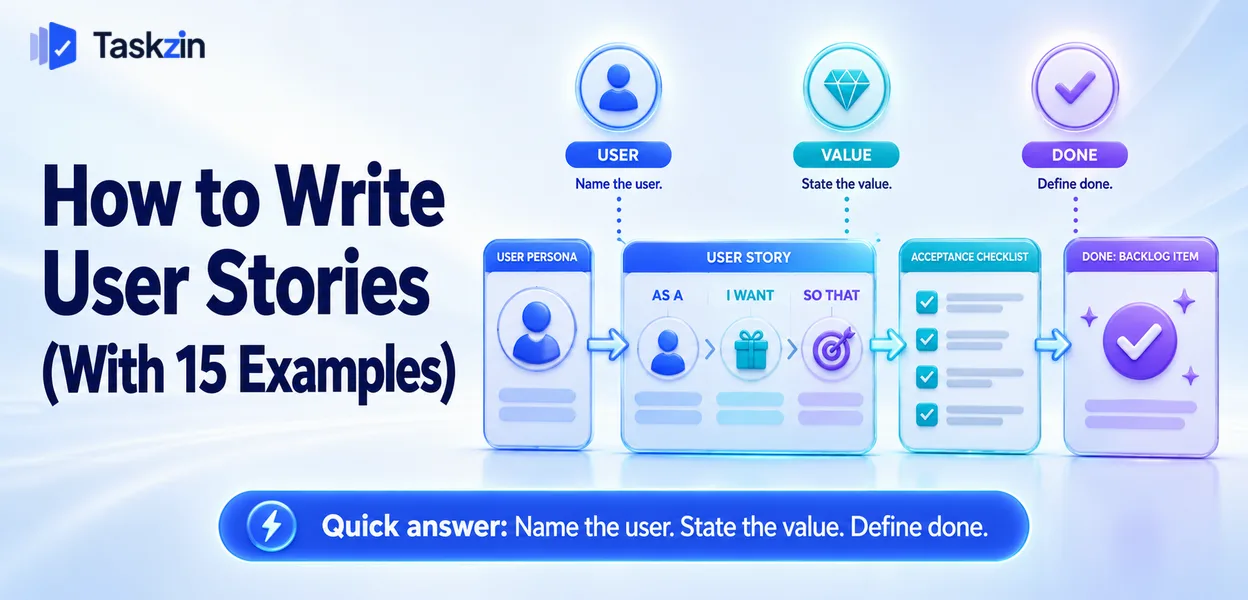
Stories are frequently written as a formatting exercise, which produces technically correct sentences that communicate nothing. The examples below show the difference between a story that passes inspection and one that a developer can act on.
Quick answer: A user story describes a piece of value from the user's perspective, usually in the form "as a [user], I want [capability], so that [benefit]", accompanied by acceptance criteria that define when it is done. The format matters less than the two things it exists to force: naming who benefits, and stating why.
What a User Story Is For
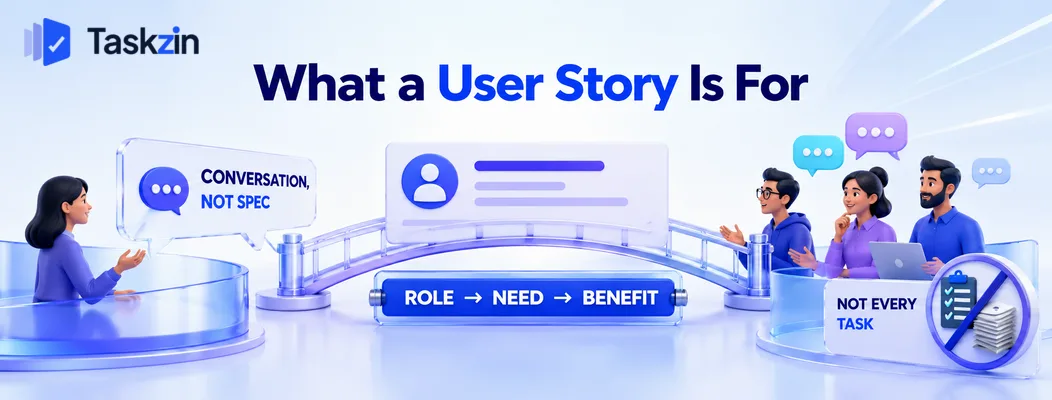
A story is a placeholder for a conversation, not a specification — its job is to hold the intent until the team discusses the detail.
A placeholder for a conversation
The story records enough that the team remembers what was wanted and why. The detail emerges in refinement and in the acceptance criteria.
This is why very long stories are a warning sign. If the story needs three paragraphs, either the conversation has not happened or someone is writing a specification and calling it a story.
The standard format and why it exists
"As a [role], I want [something], so that [benefit]."
The value is in the first and third parts. Naming the role forces you to identify who this actually serves, which frequently reveals that nobody in particular does. Naming the benefit forces you to state why, which lets a developer propose a better solution than the one you imagined.
The middle part — what they want — is the bit teams focus on and the least important of the three.
What a story is not
Not a technical task. Not a bug report. Not a project. Not a way of assigning work to a person.
Forcing every item into story format produces awkward fiction like "as a developer, I want the database indexed". That is a task, and writing it as a task is clearer.
15 User Story Examples
# Context User story 1 SaaS onboarding As a new user, I want to import my existing projects, so that I do not have to recreate them manually 2 Ecommerce As a shopper, I want to save items for later, so that I can
decide without losing my selection 3 Account security As a customer, I want to reset my password myself, so that I do not have to contact support 4 Reporting As a team lead, I want to export a project summary, so that I can share progress with my sponsor 5 Notifications As a team member, I want to mute a project's notifications, so that I only see what concerns me 6 Search As a user with many projects, I want to search across all of them, so that I can find work without remembering where it lives 7 Billing As a finance manager, I want to download past invoices, so that I can reconcile spend without emailing support 8 Mobile As a field engineer, I want to update task status offline, so that poor signal does not stop me recording work 9 Permissions As an admin, I want to grant read-only access, so that clients can see progress without changing anything 10 Collaboration As a reviewer, I want to comment on a specific paragraph, so that my feedback is unambiguous 11 Accessibility As a keyboard-only user, I want to navigate the board without a mouse, so that I can work independently 12 Support As a support agent, I want to see a customer's recent activity, so that I do not ask them to repeat themselves 13 Scheduling As a manager, I want to see who is over capacity next week, so that I can rebalance before deadlines slip 14 Integration As a developer, I want commits to link to tasks automatically, so that status stays accurate without manual updates 15 Data As a departing customer, I want to export all my data, so that I am not locked into the platform
Writing Good Acceptance Criteria
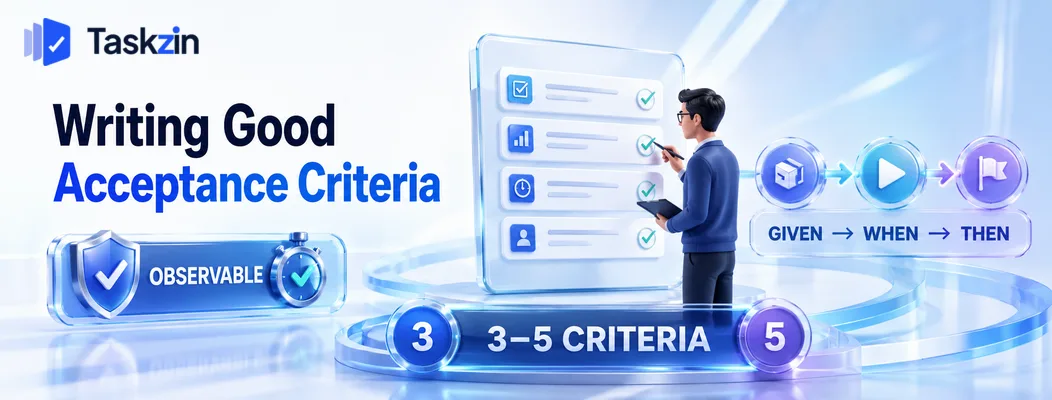
Acceptance criteria state observable conditions that must be true, written so that someone uninvolved could verify each one without interpretation.
Observable, not interpretive
"The page loads quickly" cannot be verified. "The board renders within two seconds with 200 tasks" can.
The test is whether two people could disagree about whether a criterion is met. If they could, rewrite it until they cannot.
Given-when-then, and when not to use it
The given-when-then structure — given a precondition, when an action occurs, then an outcome — works well for behaviour with clear triggers.
It works badly for criteria that are simply states: "the export includes archived items". Forcing everything into the structure produces stilted criteria. Use it where it clarifies and plain statements where it does not.
How many is enough
Three to five for most stories. Enough to remove ambiguity, few enough that people read them.
If a story needs ten or more, it is probably too large and should be split — the criteria count is a useful proxy for size.
The INVEST Test
INVEST is a checklist for story quality: Independent, Negotiable, Valuable, Estimable, Small, Testable.
Independent, Negotiable, Valuable
Independent: it can be delivered without waiting for another story in the same sprint.
Dependencies between stories usually indicate a horizontal split.
Negotiable: it describes intent rather than dictating implementation, leaving room for the team to propose a better approach.
Valuable: someone would notice if it alone were delivered. This is the test that catches technical tasks masquerading as stories.
Estimable, Small, Testable
Estimable: the team understands it well enough to size it. If they cannot, they need more conversation or a spike.
Small: it fits comfortably within one iteration. Items that will span sprints should be split.
Testable: you can tell when it is done, which is what acceptance criteria provide.
Using it as a check, not a rule
INVEST is a diagnostic, not a gate. A story failing one criterion is worth a second look, not automatic rejection.
The most useful in practice are Valuable and Small, because those two catch the majority of problematic stories.
Splitting Stories That Are Too Large
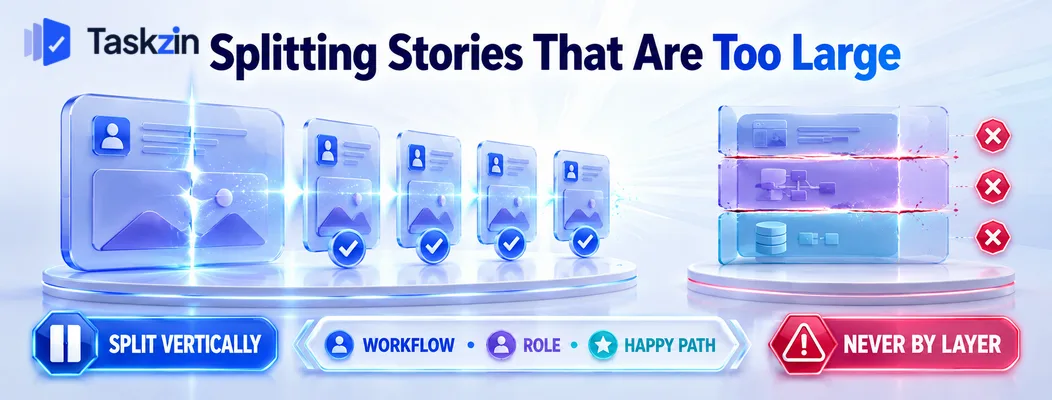
Split vertically so each piece still delivers something, using workflow steps, data variations, user roles or happy path first — never by technical layer.
Split vertically, never by layer
Splitting into "backend" and "frontend" produces two items that individually deliver nothing and must both complete before anything works.
A vertical slice is a thin cut through every layer that delivers something small but complete.
Harder to plan, considerably better to deliver, and it preserves the ability to release incrementally.
Six patterns that work
By workflow step: reset password by email now, by SMS later.
By data variation: handle standard orders now, subscriptions later.
By user role: admin view now, member view later.
By happy path first: successful case now, error handling and edge cases later.
By operation: create and read now, update and delete later.
By platform: web now, mobile later.
One of these six covers almost every oversized story.
When not to split
If splitting produces pieces that deliver nothing on their own, you have found genuinely indivisible work.
That happens, and it is fine — but check first whether a thinner vertical slice exists. Teams usually conclude work is indivisible one attempt too early.
Common User Story Mistakes
The three recurring failures are technical tasks written as stories, the format used without the conversation, and criteria added after the work is built.
Technical tasks dressed as stories
"As a developer, I want a caching layer, so that the system is faster" is a task wearing a costume.
Infrastructure, refactoring and configuration work is legitimate and should be logged as tasks.
Pretending otherwise obscures what the work actually is and makes prioritisation harder.
The format without the conversation
A backlog of correctly formatted stories that nobody discussed produces the same misunderstandings as a backlog of one-line requests.
The format is a reminder to have the conversation. If refinement is not happening, the stories are decoration.
Acceptance criteria written after the build
Criteria written retrospectively describe what was built rather than what was wanted, which removes their entire function.
Write them before work starts. Where the tool supports it, keeping criteria as a checklist on the task itself — rather than in a separate document — makes them visible at the moment they matter and easy to verify at review.
Frequently asked
What is a user story?
A short description of a piece of value from the user's perspective, serving as a placeholder for a conversation rather than a full specification, with acceptance criteria defining when it is complete.
What is the user story format?
"As a [role], I want [capability], so that [benefit]." The role and benefit are the important parts — they identify who is served and why, which the middle clause alone does not.
What are acceptance criteria?
Observable conditions that must be true for the story to be complete, written so someone uninvolved can verify each without interpretation. Three to five is typical.
What does INVEST stand for?
Independent, Negotiable, Valuable, Estimable, Small, Testable — a checklist for story quality. Valuable and Small catch the majority of problems in practice.
How do you split a large user story?
Vertically, so each piece still delivers something: by workflow step, data variation, user role, happy path before edge cases, operation, or platform. Never by technical layer.
Should every task be a user story?
No. Infrastructure, refactoring, investigation and configuration work has no user-facing outcome and is clearer logged as tasks. Forcing story format produces awkward fiction.
Who writes user stories?
Usually the product owner, though anyone can draft one. What matters more is that the team discusses it before work starts — the story is a prompt for that conversation, not a substitute.
Sujan Sharma is a content writer at Taskzin with a strong focus on productivity systems, task management, workflow optimization, team collaboration, and SaaS technology. He creates research-driven, practical content that helps professionals and growing teams improve operational efficiency, streamline processes, and make informed decisions about modern work management tools.
All posts by Sujan Sharma
Comments