Best Free Project Management Software (Genuinely Free Plans)
A comparison of genuinely free project management software, covering free-forever plans versus trials, where each tool places its limits, which plan fits which situation, and the hidden costs behind free tiers.

The catch is that "free" covers two very different things: a plan that never expires, and a trial that quietly converts to a bill in fourteen days. This guide covers only the first kind, and is explicit about where each one stops being free.
Quick answer: The best genuinely free project management software includes Taskzin, Trello, Asana, ClickUp, Notion and Jira — all offering free-forever plans with no credit card required, differing mainly in user caps, automation limits and which advanced views sit behind a paywall.
Free plans have improved enough that most teams under about ten people can run real work on one indefinitely.
What "Free" Actually Means in Project Management Software
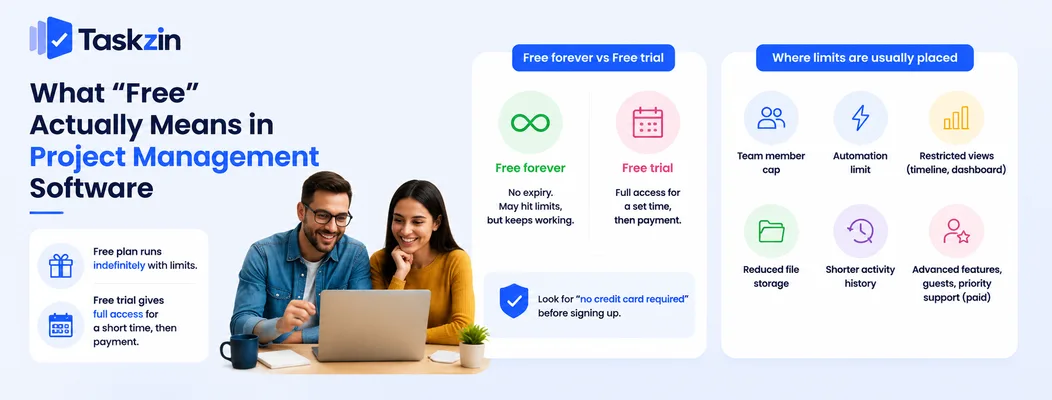
A free plan runs indefinitely with feature or usage limits, while a free trial gives full access for a fixed period and then requires payment — the distinction matters because a trial-based tool cannot be a permanent solution.
Vendors offer free plans because the cost of serving a small team is low and the chance of that team growing into a paying customer is high. This is a reasonable trade for both sides, provided you know where the ceiling is before you build your workflow on top of it.
Free forever vs free trial
A free-forever plan has no expiry date. You may hit a limit — a number of users, a storage cap, a monthly automation quota — but the account continues working.
A free trial gives you the full paid product for a set window, typically seven to thirty days, then either restricts the account heavily or stops it. Some trials require a credit card up front and bill automatically. Check for the phrase "no credit card required" before signing up, and check whether the account downgrades to a free tier or locks entirely when the trial ends.
Where the limits are usually placed
Vendors rarely limit core task management on free plans, because a crippled free tier does not convert anyone. Instead the limits sit at predictable points.
The most common are a cap on team members, a cap on monthly automation runs, restricted access to timeline and dashboard views, reduced file storage, and shorter activity history.
Advanced permissions, guest access and priority support are almost always paid. Knowing this pattern lets you predict where you will eventually hit a wall.
Best Free Project Management Software at a Glance
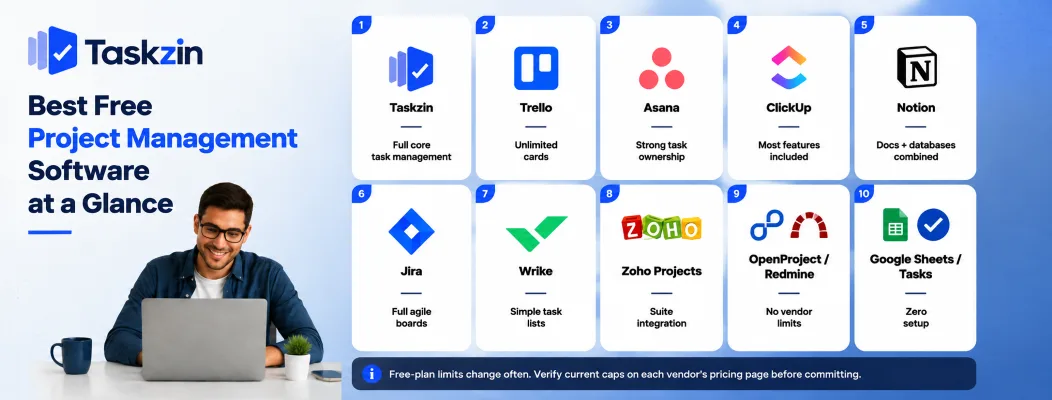
Tool Free user limit Best free feature Main free-plan limit Taskzin Small team Full core task management Advanced reporting Trello Generous Unlimited cards Board count, automation runs Asana Moderate Strong task ownership No timeline view ClickUp Unlimited members Most features included Usage caps on advanced views Notion Small team Docs and databases combined Collaboration and history limits Jira Small team Full agile boards User cap, automation limits Wrike Small team Simple task lists Very limited views Zoho Projects Very small team Suite integration Projects and storage caps OpenProject / Redmine Unlimited No vendor limits at all You host and maintain it Google Sheets / Tasks Unlimited Zero setup No project features
Free-plan limits change often. Verify current caps on each vendor's pricing page before committing.
The Free Plans Reviewed
Taskzin — best free plan for a small working team
Taskzin's free tier covers the parts a small team uses daily: projects, tasks, assignees, due dates, board and list views, comments and notifications, without pushing core functionality behind an upgrade.
Free-plan limit: advanced reporting and higher automation volumes sit on paid tiers.
Best for: a team of three to eight running real client or product work who want the free plan to be a genuine starting point rather than a demo.
Trello — best free Kanban board
Trello's free plan is the most frictionless entry point in this category. Boards, lists and cards are unlimited in practical terms, and a new user is productive within minutes.
Free-plan limit: restrictions on the number of boards per workspace and on automation runs per month.
Best for: simple, linear workflows where a visual board is the whole requirement.
Asana — best free plan for task ownership
Asana's free tier is strong on the accountability basics: one clear owner per task, due dates, a personal "My Tasks" view, and list, board and calendar views.
Free-plan limit: timeline and workload views, custom fields and reporting dashboards are paid.
Best for: teams whose core problem is unclear ownership rather than complex scheduling.
ClickUp — most generous free feature set
ClickUp's free plan includes an unusually wide slice of the paid product, including unlimited members, docs, whiteboards and time tracking.
Free-plan limit: usage caps rather than hard feature locks — a limited number of uses of advanced views, storage limits, and capped automations.
Best for: teams that want maximum capability at zero cost and have someone willing to configure it.
Notion — best free plan for docs plus projects
Notion's free plan lets an individual or small team keep notes, documentation and project databases in one place, which removes a context switch that costs more time than most teams realise.
Free-plan limit: collaboration features, version history and guest counts are constrained.
Best for: documentation-heavy work — research, content, product specs — where projects and knowledge belong together.
Jira — best free plan for software teams
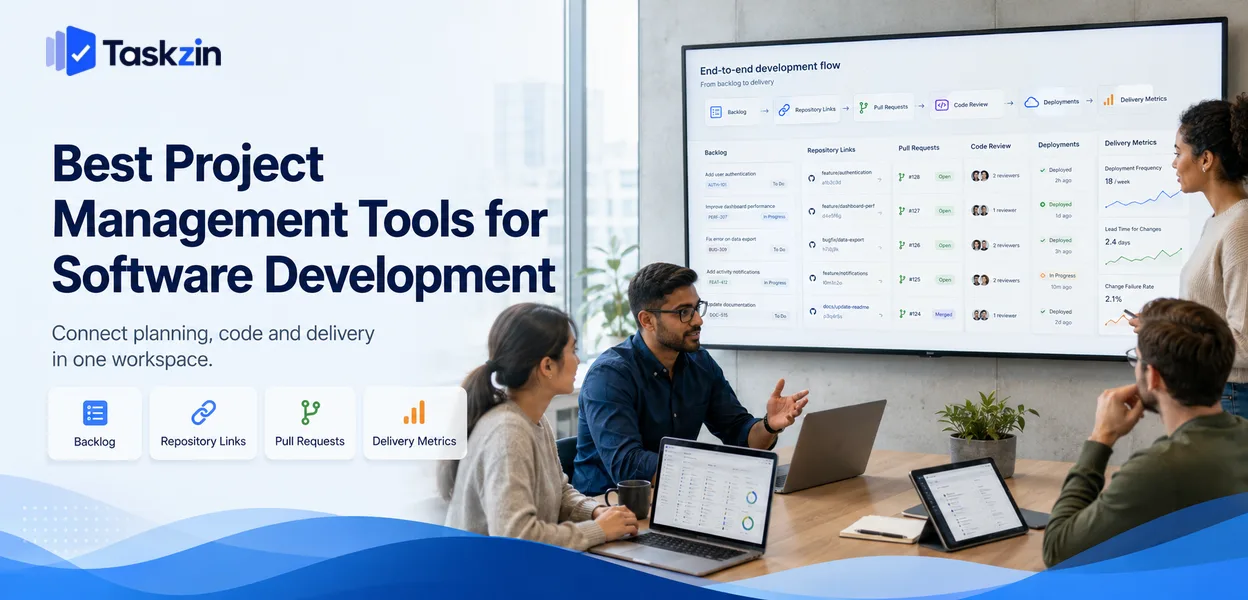
Jira's free tier includes full Scrum and Kanban boards, backlogs, and agile reporting for a small number of users, which is a substantial amount of capability at no cost.
Free-plan limit: a hard user cap, limited automation, and no advanced permissions or audit logging.
Best for: small engineering teams running formal sprints.
Wrike — best free plan for simple task lists
Wrike's free plan covers task creation, assignment and basic board and table views for a small team.
Free-plan limit: most of what distinguishes Wrike — Gantt charts, dashboards, time tracking, approvals — is paid.
Best for: teams already committed to Wrike's ecosystem, or those wanting a plain shared task list.
Zoho Projects — best free plan inside a wider suite
Zoho's free tier supports a very small team on a limited number of projects, with the advantage of connecting to the rest of the Zoho suite if you use it.
Free-plan limit: tight caps on project count, users and storage.
Best for: existing Zoho users, particularly those already running Zoho CRM or Books.
OpenProject and Redmine — best free open-source options
Both are open-source, self-hostable and free of vendor-imposed user limits. If you have a server and someone comfortable maintaining it, you can run unlimited users at no licence cost.
Free-plan limit: none from the vendor, but you absorb hosting, updates, backups and security patching.
Best for: technical teams with infrastructure capability and a strong data-control requirement.
Google Sheets and Tasks — best zero-signup option
A shared sheet with task, owner, due date and status columns costs nothing and requires no evaluation process at all.
Free-plan limit: no notifications, no per-task discussion, no reliable audit of who changed what.
Best for: confirming whether you need dedicated software before you go shopping for it.
Which Free Plan Fits Which Situation
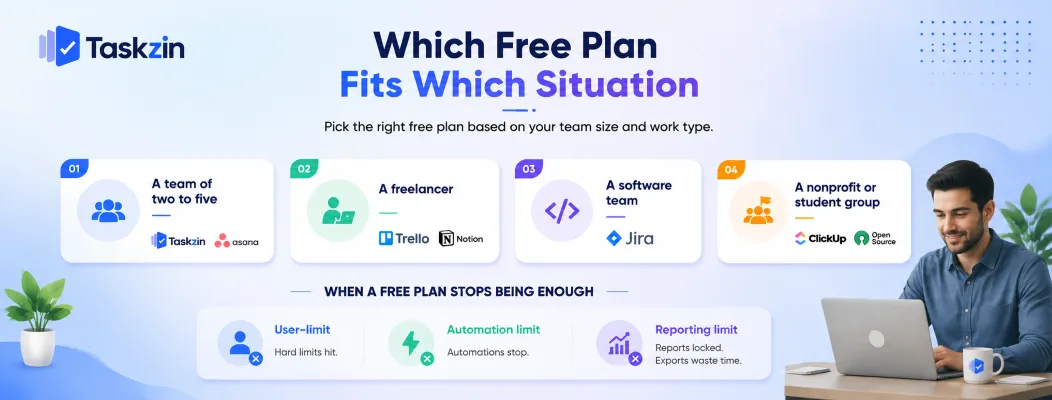
The right free plan depends on team size and work type: small mixed teams do well on Taskzin or Asana, freelancers on Trello or Notion, software teams on Jira, and technical teams needing unlimited users on self-hosted open source.
A team of two to five
Almost every free plan works at this size, so choose for daily friction rather than limits you will not reach. Taskzin and Asana both give clear task ownership without configuration overhead; Trello wins if your workflow is genuinely a single sequence of stages.
A freelancer managing client work
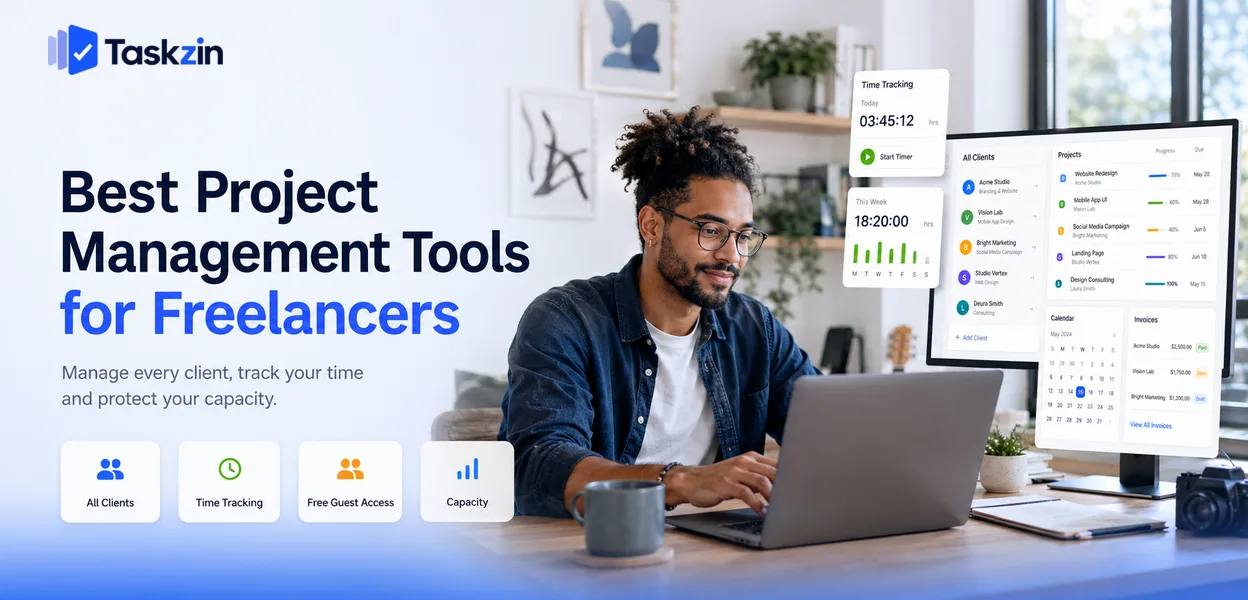
Your constraint is usually client access rather than team size. Check whether the free plan supports guests or shared links, since paying per client seat destroys the economics of freelancing quickly. Trello's shared boards and Notion's shared pages both handle this well.
A software team
Jira's free plan is difficult to beat if you run sprints, because full agile boards and backlog management at zero cost is unusual. If your team is small and prefers speed to process, a lighter tool will feel better day to day.
A nonprofit or student group
Unlimited or high user counts matter more than advanced features here, since membership tends to be large and turnover high. ClickUp's unlimited free members and self-hosted open-source options both suit this pattern. Many vendors also offer nonprofit discounts worth asking about directly.
When a Free Plan Stops Being Enough
Free plans usually break at one of three points: a user-count cap, an automation quota, or missing reporting — and the honest signal to upgrade is a limit blocking real work, not a feature you would merely like.
The user-count wall
This is the most common and the most abrupt. You hire the person who takes you one over the cap and the decision is made for you. If your free plan has a hard user limit, know the number in advance so the upgrade is planned rather than urgent.
The automation wall
Free tiers typically cap monthly automation runs. The failure mode here is subtle: automations stop firing mid-month, tasks stop being assigned, and it takes a while for anyone to notice the cause. If your workflow depends on automation, treat the quota as a real constraint.
The reporting wall
Free plans rarely include dashboards or timeline views. This matters the moment someone outside the team — a client, an investor, a board — starts asking for status. Exporting to a spreadsheet manually works briefly, then becomes its own weekly chore.
Hidden Costs of Free Project Management Software
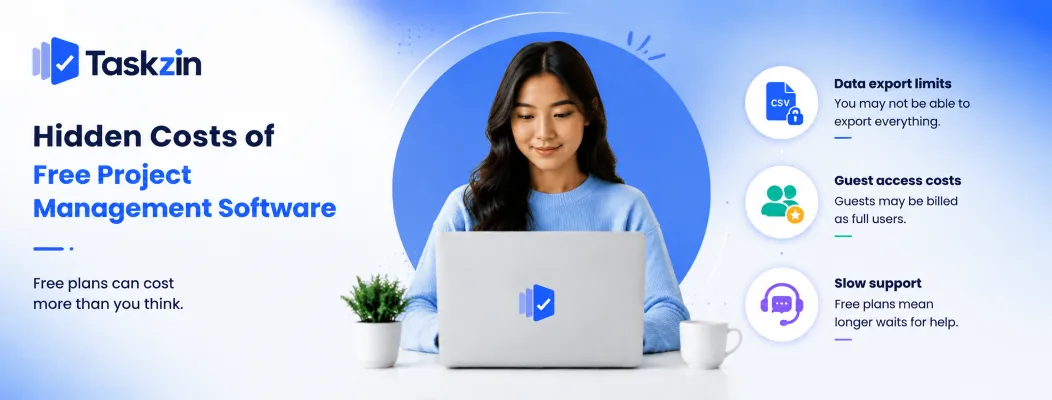
The real costs of free plans are usually export restrictions, guest access billed as full seats, and slow support — none of which appear on a pricing page.
Data export restrictions
Confirm before you commit that you can export tasks, comments and attachments in a usable format such as CSV. Some platforms restrict export on free tiers or offer it in a format that loses comment threads and attachments.
Test this on day one with a small project rather than discovering the limitation during a migration.
Guest and client access
Some tools count clients and contractors as full users; others allow limited free guests. For agencies and freelancers this single difference can outweigh every feature comparison, because it determines whether your cost scales with your client list.
Support response times
Free plans generally receive community-forum support rather than direct help. This is fine until you have a data problem or a login failure blocking the team, at which point the wait becomes a genuine business cost.
Frequently asked
What is the best free project management software?
Taskzin, Trello, Asana, ClickUp and Notion offer the strongest free-forever plans for general use. For software teams specifically, Jira's free tier includes full agile boards and is unusually generous.
Is free project management software good enough for a real team?
Yes, for most teams under about ten people. Free plans typically include full core task management and limit only advanced reporting, automation volume and user count.
Which free plan allows unlimited users?
ClickUp allows unlimited members on its free plan with usage caps elsewhere. Self-hosted open-source tools such as OpenProject and Redmine have no vendor user limits at all, though you take on hosting and maintenance.
What's the difference between a free plan and a free trial?
A free plan runs indefinitely with limits. A free trial gives full access for a fixed window and then requires payment or downgrades the account. Look for "no credit card required" to identify a genuine free plan.
Can I use free project management software commercially?
Generally yes — free tiers of mainstream tools permit commercial use. Open-source licences vary, so check the specific licence if you intend to modify or redistribute the software.
Is open-source project management software really free?
The licence is free; running it is not. Server hosting, updates, backups and security patching all cost time or money, which often exceeds a small team's subscription would have been.
What usually gets limited on a free plan?
User count, monthly automation runs, file storage, activity history length, timeline and dashboard views, guest access, and support priority. Core task management is rarely limited.
Can I export my data if I leave a free plan?
Usually, but formats and completeness vary, and some platforms restrict export on free tiers. Test an export early rather than assuming it will work when you need it.
When should I upgrade from a free plan?
When a specific limit blocks work you are actually doing — you cannot add a new hire, automations have stopped firing, or someone needs reporting you cannot produce. Upgrading for a feature you might use later rarely pays off.
Binita Ray is a content writer at Taskzin, creating insightful and practical content on task management, team collaboration, productivity, workflow optimization, and SaaS solutions. She focuses on helping businesses, teams, and professionals simplify their work processes, improve efficiency, and make better use of modern productivity tools.
All posts by Binita Ray
Comments