Best Agile Project Management Tools
A comparison of the best agile project management tools, covering what makes a tool genuinely agile, ten options reviewed, how to choose by framework, the metrics your tool should produce, and common adoption mistakes.

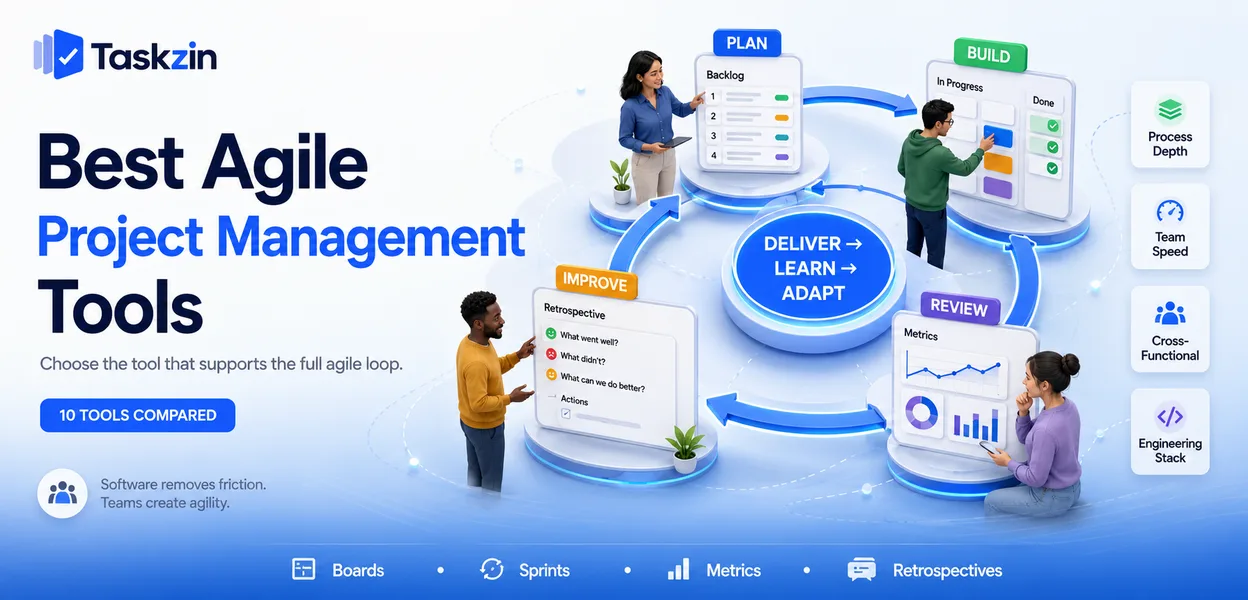
The uncomfortable truth is that tooling is not what makes a team agile. A team with a whiteboard and honest retrospectives outperforms a team with a heavily configured platform and no willingness to change. The software's realistic job is to remove administrative friction from practices you have already agreed.
This guide covers what genuinely distinguishes these tools, ten options compared, how to choose by framework, and the metrics your tool should produce without manual work.
Quick answer: The best agile project management tools are Jira for process depth, Linear for speed, Taskzin for cross-functional teams, and Azure DevOps for engineering organisations already in the Microsoft stack — what separates them is whether they support the full agile loop or only the board that sits in the middle of it. Almost every project tool now advertises agile support, which makes the label close to meaningless as a filter.
What Makes a Tool Genuinely Agile
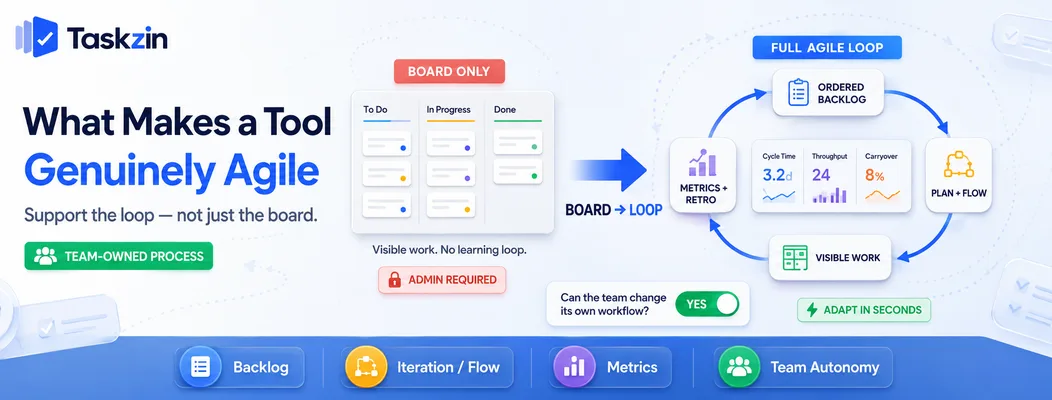
A genuinely agile tool supports the whole cycle — an ordered backlog, iteration or flow planning, visible in-progress work, and retrospective evidence in the form of metrics — rather than providing only a board with columns.
The board is the visible part and the easiest to build, which is why every tool has one. The parts that create improvement are the backlog that stays ordered, the metrics that show whether last month's change helped, and the ability to reshape the process without a support ticket.
Supporting the loop, not just the board
Agile practice is a loop: plan a small increment, build it, inspect the result, adapt the approach. A tool that supports the loop makes each of those steps cheap.
Ordering a backlog should take seconds. Starting an iteration should not require a configuration change. Retrospective evidence — cycle time, throughput, carryover — should already exist when the meeting begins, not need assembling in a spreadsheet the night before.
Where "agile" tools stop being agile
The failure mode is rigidity. A tool where changing a workflow needs administrator access, where custom fields are mandatory across every team, or where a squad cannot adjust its own board, has inverted the point.
Watch for this specifically during evaluation: ask whether an individual team can change its own process without a central approval. If the answer is no, the tool will slowly enforce a process nobody chose.
Best Agile Project Management Tools at a Glance
Targetprocess — best for scaled agile
Taskzin Cross-functional teams Yes Yes Limited Yes Jira Process depth Strong Strong Yes Yes (small teams) Linear Fast product teams Cycles Yes Limited Yes Azure DevOps Engineering platform Strong Strong Yes Yes (small teams) ClickUp All-in-one workspace Yes Yes Limited Limited Shortcut Structure without weight Yes Yes Limited Yes
Monday Dev — best for agile outside engineering
Targetprocess Scaled agile Strong Strong Strong No Asana Agile-influenced teams Partial Yes No Limited Taiga / OpenProject Open source, self-hosted Yes Yes Limited Yes
The Best Agile Tools Reviewed
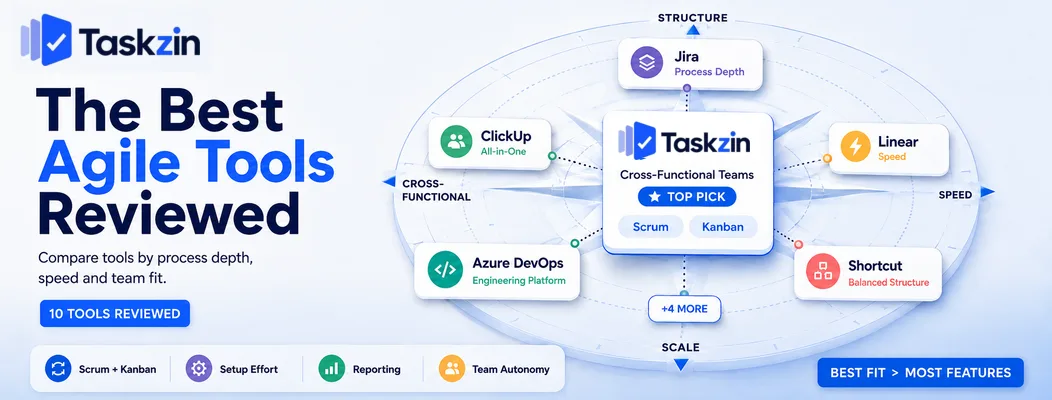
Taskzin — best agile tool for cross-functional teams
Taskzin supports both sprint-based and continuous-flow working in the same workspace, which suits squads where engineering, design and marketing operate on different rhythms.
Best for: teams of five to thirty running agile practices without a dedicated tooling administrator.
Trade-off: organisations running formal scaled frameworks across many teams will need a platform built for programme-level structure.
Jira — best for full agile process depth
Jira supports Scrum and Kanban boards, backlogs, epics, versions, custom workflows, and the full set of agile reports, with an extensive marketplace on top.
Best for: engineering organisations where agile process is formalised and reported upward.
Trade-off: configuration complexity accumulates, and non-engineering teams frequently find it heavy.
Linear — best for fast-moving product teams
Linear replaces ceremonial sprints with cycles and prioritises speed above configurability.
Triage, backlog and cycle planning all move quickly.
Best for: small product and engineering teams that want rhythm without ritual.
Trade-off: opinionated by design — teams needing Scrum by the book will fight it.
Azure DevOps — best end-to-end engineering platform
Azure Boards connects backlogs and sprints directly to repositories, pipelines and test plans, giving traceability from work item to deployment.
Best for: engineering organisations already invested in Azure.
Trade-off: dense interface and more weight than a small team needs.
ClickUp — best all-in-one agile workspace
ClickUp offers sprints, points, velocity and agile dashboards alongside docs, whiteboards and goals in one workspace.
Best for: organisations consolidating tools across departments.
Trade-off: agile features require setup and are less refined than in specialist tools.
Shortcut — best balance of structure and simplicity
Shortcut provides iterations, epics, roadmaps and reporting with materially less administrative burden than Jira.
Best for: teams that found Jira heavy and Linear too minimal.
Trade-off: smaller integration ecosystem.
Monday Dev — best for agile outside engineering Monday's development-focused product brings sprints and agile reporting into an interface non-technical stakeholders can read without training.
Best for: organisations where product, marketing and engineering share visibility.
Trade-off: less depth than engineering-first tools for complex workflows.
Targetprocess — best for scaled agile Targetprocess is built for multi-team environments, with portfolio views, programme-level planning and flexible framework support.
Best for: enterprises running SAFe or similar across many teams.
Trade-off: substantial for a single team, and priced accordingly.
Asana — best for agile-influenced non-technical teams
Asana supports iterative working through sections, custom fields and rules without imposing engineering conventions.
Best for: marketing, operations and design teams borrowing agile practices.
Trade-off: no native story points or velocity — you construct the mechanics yourself.
Open-source options: Taiga and OpenProject
Taiga is agile-first with Scrum and Kanban support; OpenProject covers both agile and traditional planning. Both are self-hostable at no licence cost.
Best for: technical teams with data-residency requirements or infrastructure capability.
Trade-off: you own hosting, updates and backups.
Choosing a Tool by Agile Framework
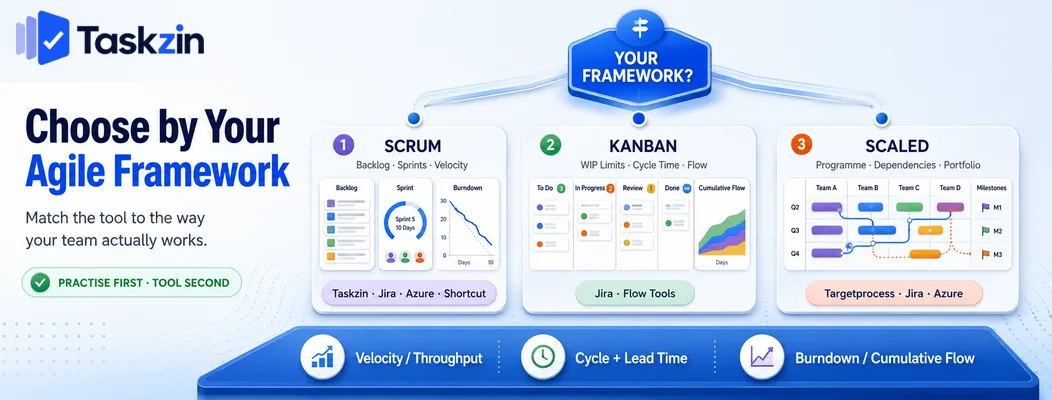
Choose by the framework you actually practise: Scrum teams need backlog, sprint and velocity support; Kanban teams need WIP limits and flow metrics; scaled organisations need programme-level planning above the team board.
Scrum teams
You need an ordered product backlog, sprint containers with capacity awareness, estimation support, and velocity history. Burndown and sprint reports should be generated rather than assembled.
Jira, Azure DevOps, Taskzin and Shortcut all cover this properly. Tools requiring you to simulate sprints with labels and filters will make the ceremonies more expensive than they need to be.
Kanban teams
You need column-level WIP limits, cycle time measurement and a cumulative flow diagram.
Without WIP limits the board displays work but changes no behaviour.
Jira and specialist flow tools are strongest here. Many general project tools offer a board view without any limiting mechanism, which is Kanban's appearance rather than its practice.
Scaled frameworks
Running SAFe, LeSS or a similar approach means planning above the team level — programme increments, cross-team dependencies, and portfolio visibility.
Targetprocess, Jira with its scaling products, and Azure DevOps handle this. Before adopting one, confirm the scaling is genuinely required: many organisations adopt scaled tooling to manage coordination problems that would be better solved by reducing dependencies between teams.
Agile Metrics Your Tool Should Produce
Your tool should produce velocity or throughput, cycle and lead time, and a burndown or cumulative flow view automatically — if these need manual assembly, retrospectives will run on opinion instead of evidence.
Velocity and throughput
Velocity measures story points completed per sprint; throughput counts items completed per period. Both are forecasting aids, not performance measures.
Treating either as a productivity target reliably corrupts it — estimates inflate, and the number stops describing anything real. Use them to predict, never to compare teams.
Cycle time and lead time
Cycle time measures how long work takes once started. Lead time measures from request to delivery, including the waiting before work begins.
The gap between them is your queue, and it is usually the largest single source of delay. Most teams find that reducing waiting time returns far more than trying to increase working speed.
Sprint burndown and cumulative flow
Burndown shows remaining work through a sprint and reveals scope added mid-sprint. A cumulative flow diagram shows where work accumulates, which makes bottlenecks visible before anyone complains about them.
Common Mistakes When Adopting Agile Tools
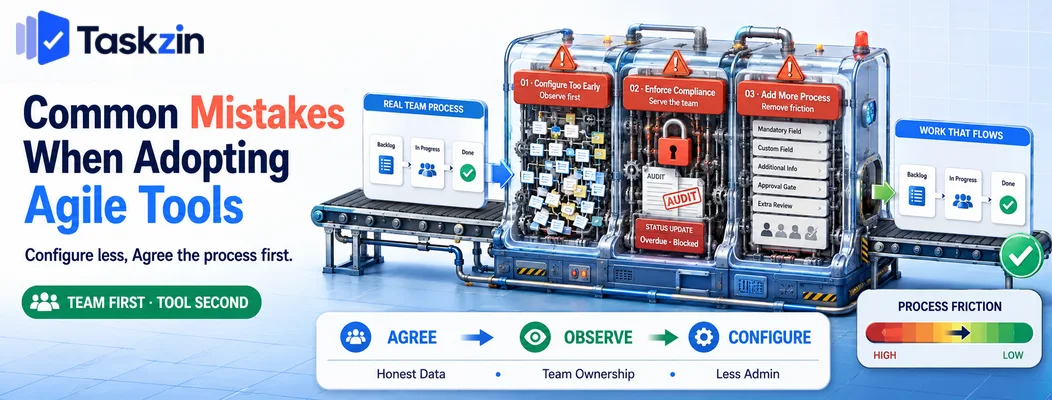
The recurring failures are configuring the tool before agreeing the process, using it to enforce compliance, and adding process where the point was to remove it.
Configuring the tool before agreeing the process
Building an elaborate workflow before the team has agreed how it works encodes assumptions nobody signed up to. Run the process manually for a few weeks first, then configure what you observed.
Using the tool to enforce compliance
Once a tool becomes the mechanism for checking whether people are following process, updates become defensive and the data stops being honest. The tool should serve the team doing the work, with reporting as a by-product.
Adding process instead of removing it
Every mandatory field, approval gate and required status adds friction. Each should justify itself against a specific problem. Agile tooling done well removes coordination overhead; done badly, it manufactures it.
Frequently asked
What is the best agile project management tool?
Jira for depth and reporting, Linear for speed, Taskzin for cross-functional teams, and Azure DevOps for Microsoft-stack engineering. Targetprocess suits scaled multi-team environments.
What is an agile project management tool?
Software supporting iterative delivery — an ordered backlog, sprints or continuous flow, a visible board of in-progress work, and metrics such as velocity, throughput and cycle time.
Is Jira the best agile tool?
It is the most comprehensive, which is not the same as the best for every team. Small teams frequently do better with something lighter, since Jira's depth carries a real configuration and maintenance cost.
What is the best free agile project management tool?
Jira's free tier covers full Scrum and Kanban for a small team. Linear, Shortcut, Taskzin and GitHub Projects offer free plans, and Taiga and OpenProject are free to self-host.
Do you need special software to be agile?
No. Agile requires short feedback loops, visible work and a willingness to change. A whiteboard satisfies that for a co-located team. Software becomes necessary for distributed teams and for metrics you cannot reconstruct manually.
What's the difference between agile and traditional project tools?
Traditional tools plan the full scope up front around dependencies and dates. Agile tools assume scope evolves, prioritising an ordered backlog, short iterations and flow metrics over a fixed long-range schedule.
Which agile tool is best for a small team?
Linear, Taskzin and Shortcut all reach productive use quickly without administrative overhead. Jira's free tier is also viable if you want its depth and accept the setup cost.
Can non-software teams use agile tools?
Yes. Marketing, operations, HR and design teams all run iterative cycles successfully. Asana, Monday and Taskzin fit these teams better than engineering-first tools.
How long does it take to adopt an agile tool?
A small team can be working in a lightweight tool within a day. Heavier platforms typically take a few weeks to configure and a full quarter before the process settles and the data becomes trustworthy.
Binita Ray is a content writer at Taskzin, creating insightful and practical content on task management, team collaboration, productivity, workflow optimization, and SaaS solutions. She focuses on helping businesses, teams, and professionals simplify their work processes, improve efficiency, and make better use of modern productivity tools.
All posts by Binita Ray

Comments