What Is Project Management Software and How Does It Work?
A beginner-friendly explanation of project management software, covering its four core functions, the underlying data model, the main product types, what adoption actually looks like, its genuine limits, and when a team needs one.

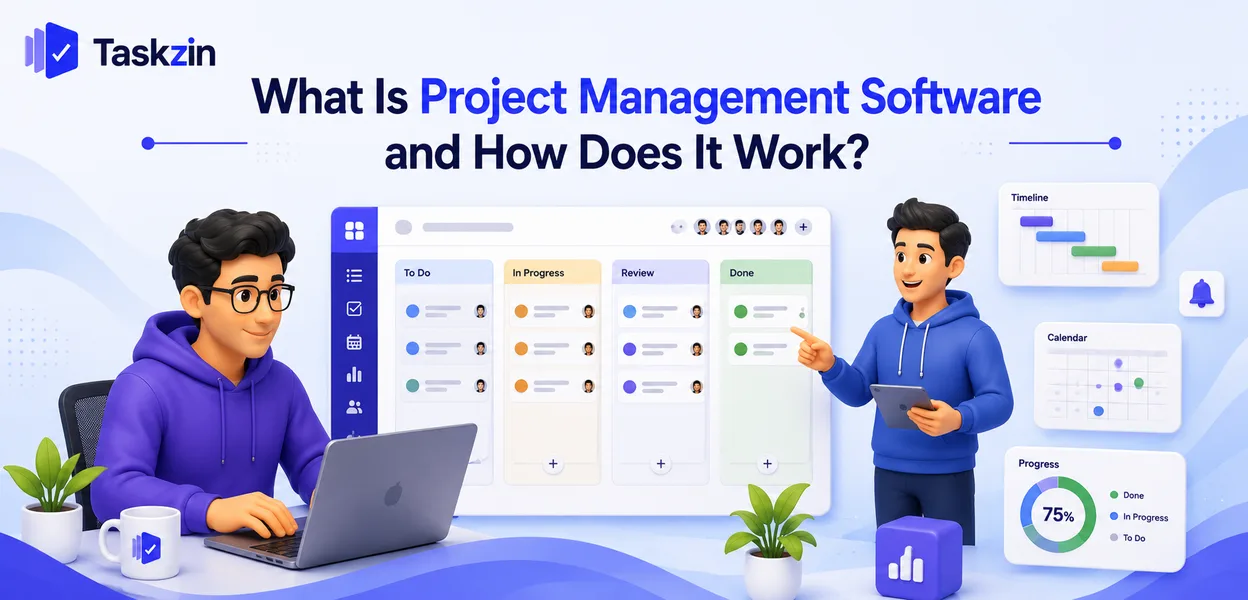
Most teams start with a shared spreadsheet, a group chat and a few reminders. It works for a while. Then work starts falling through the gaps between those three places, and someone suggests a proper tool.
Understanding what that tool actually does — and what it cannot do — makes the difference between adopting one successfully and abandoning one three weeks later.
This guide explains the core functions, the underlying model, what changes when a team adopts one, and the honest limits.
Quick answer: Quick answer: Project management software is a shared system that holds a team's work as tasks, each with an owner, a due date and a status, so everyone can see what is happening without asking. It works by storing that information centrally and presenting it through different views — lists, boards, calendars and timelines — while notifying people when something relevant to them changes.
What Project Management Software Actually Does
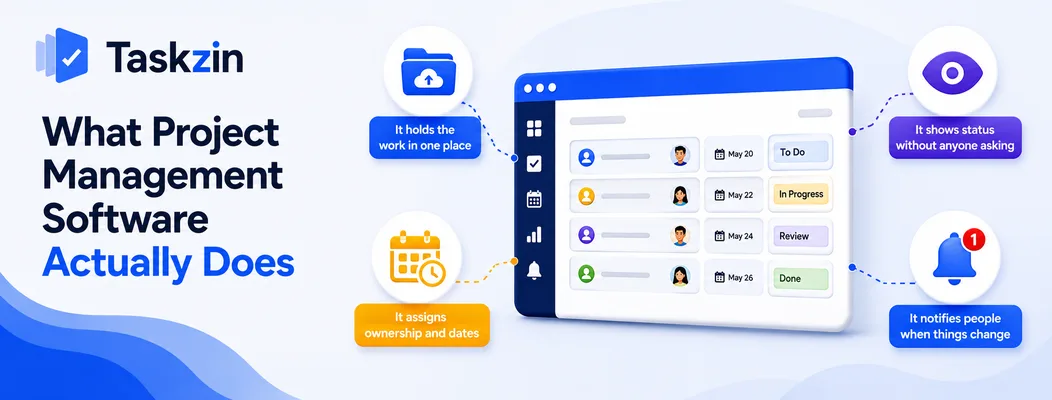
Project management software performs four functions: it stores work in one shared place, assigns each item an owner and a date, shows current status without anyone having to ask, and notifies people when something affecting them changes.
Everything else in these products is elaboration on those four things.
It holds the work in one place
The core problem it solves is fragmentation. Work agreed in a meeting lives in someone's notes, work requested in chat scrolls away, and work in an email is visible only to the recipients.
A single shared place means there is one answer to "what are we working on?" rather than four partial answers that have to be reconciled by a person.
It assigns ownership and dates
Every task has one owner and, usually, a due date. This sounds trivial and is the single most valuable thing the software enforces.
Work without a named owner does not get done — everyone assumes someone else has it.
Work without a date has no urgency until it is late. The software makes both mandatory in a way that a conversation does not.
It shows status without anyone asking
Once tasks have statuses that people maintain, anyone can see where things stand by looking rather than by interrupting someone.
This is what removes status meetings. The meeting exists because the information is not otherwise available; make it available and the meeting becomes optional.
How It Works: The Underlying Model
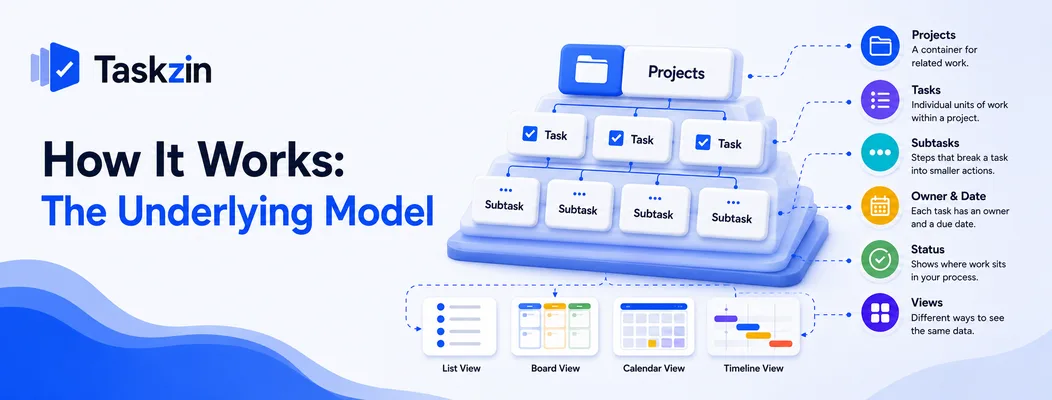
Underneath the interface, almost every project management tool uses the same model:
projects contain tasks, tasks have an owner, a date and a status, and views are different ways of displaying that same underlying data.
Projects, tasks and subtasks
A project is a container for related work — a launch, a client engagement, a quarter of maintenance. Tasks are the individual units within it. Subtasks break a task into steps.
The hierarchy exists so that work can be grouped meaningfully and reported on at the right level. A stakeholder wants project status; a person doing the work wants their tasks.
Owners, dates and statuses
Each task carries an assignee, usually a due date, and a status indicating where it sits in your process.
Statuses are configurable in most tools, which is both useful and a common source of trouble.
Three or four states covers most teams; a dozen produces a board nobody can read.
Views over the same data
A list, a board, a calendar and a timeline are not four different things — they are four presentations of the same tasks.
This matters practically. A developer may prefer a board, a manager a timeline, and a coordinator a calendar, all looking at identical underlying data. Nobody has to maintain a second version for a different audience, which is exactly what spreadsheets force.
The Main Types of Project Management Software
Type Best for Typical features Example use Simple task trackers Small teams, linear work Lists, boards, due dates A five-person studio Full project platforms Cross-functional delivery Timelines, dependencies, reporting A 50-person company Agile issue trackers Software teams Sprints, backlogs, velocity A product engineering team Work management suites Consolidating tools Tasks, docs, whiteboards, time An operations department Resource management tools Services firms Capacity, utilisation, forecasting An agency or consultancy Industry-specific tools Regulated or specialist work Domain workflows and records Construction, legal, healthcare
What Happens When a Team Starts Using It
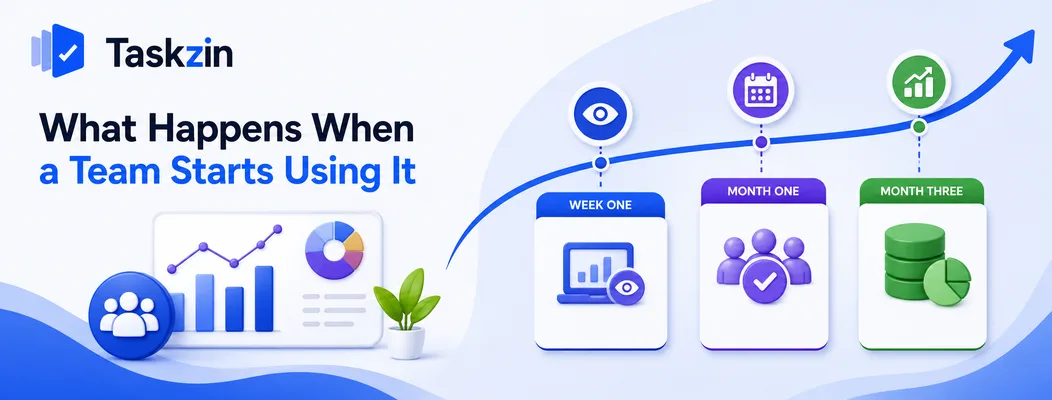
Adoption follows a predictable pattern: visibility improves almost immediately, the habit either forms or fails within the first month, and the historical data only becomes useful after a few months of consistent use.
Week one: the work becomes visible
The immediate effect is seeing the volume. Most teams are surprised by how much is in progress once it is all in one place, and that surprise is itself valuable information.
Nothing has improved yet. You have simply stopped guessing.
Month one: the habits either form or don't
This is where adoption is decided. If people update tasks as they work, the tool becomes the source of truth. If they update it before a meeting, it becomes a reporting chore.
The determining factor is usually friction. If updating takes two seconds it happens; if it takes a minute and three clicks it does not, particularly during a busy week.
Month three: the data becomes useful
After a few months you have history: how long things actually take, how much the team completes in a typical month, where work consistently stalls.
That history is what turns the tool from a to-do list into something that improves planning. It cannot be created retrospectively, which is an argument for starting sooner rather than waiting until you feel organised enough.
What It Cannot Do
Project management software makes work visible; it does not decide priorities, generate discipline, or replace the conversations that resolve genuine disagreement.
It will not fix unclear priorities
If nobody has decided what matters most, the tool will faithfully display an ordered list that nobody agreed to. Prioritisation is a decision, and software cannot make it for you.
It will not make people update it
Adoption is a human problem. A team that does not see value in keeping the tool current will not keep it current, and no notification setting changes that.
The reliable route is making it useful to the person doing the updating rather than only to their manager. If the tool tells you what to work on next, you will open it. If it only reports upward, you will not.
It will not replace a conversation
Written updates work well for status and poorly for disagreement, ambiguity and anything requiring negotiation. The software should reduce the number of meetings, not the amount of talking.
When a Team Needs It
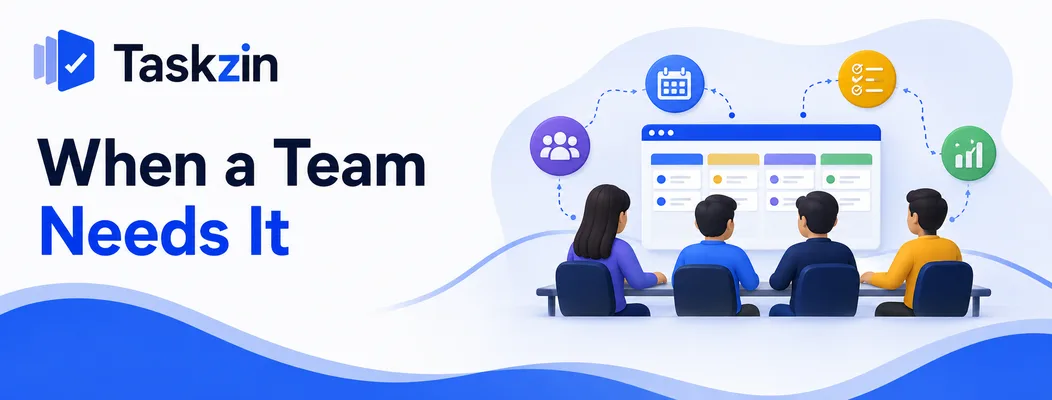
The usual threshold is around four people or three concurrent projects, when work starts falling into the gaps between conversations — below that, a shared document often works better.
The signals that a spreadsheet has stopped working
Several are reliable: people maintain private lists because they do not trust the shared one, the same question gets asked repeatedly, work is discovered late, and nobody can say what anyone else is doing without asking.
Any two of these together usually mean the informal system has reached its limit.
When it is genuinely too early
Two or three people working closely on one thing do not need software. They have full context, and adopting a tool at that point is administration without benefit.
Adopt when a specific problem exists, not because it seems like what an organised team would do.
Frequently asked
What is project management software?
A shared system that holds a team's work as tasks with owners, dates and statuses, making it visible to everyone without asking, and notifying people when something relevant changes.
How does project management software work?
It stores projects, tasks and their attributes centrally, then presents that same data through different views — list, board, calendar, timeline — and sends notifications when items change or fall due.
What is the difference between project management and task management software?
Task management tracks independent to-dos. Project management adds dependencies, timelines, multiple assignees and reporting across related work. The practical test is whether the order of the work matters.
Do small teams need project management software?
Usually from around four people or three concurrent projects. Below that a shared document often works better, since the coordination problem is small and the tool adds overhead.
What features does project management software include?
At minimum: projects and tasks, assignees, due dates, statuses, comments and notifications. Beyond that, timelines, dependencies, custom fields, automation and reporting vary by product and tier.
Is project management software worth it?
For teams past the threshold, yes — mainly through fewer status meetings and less work falling through gaps. For very small or very informal teams, the overhead can exceed the benefit.
Can you use a spreadsheet instead?
Up to a point. A shared sheet handles a few people and a modest number of tasks, but has no notifications, no per-task discussion and no reliable record of who changed what, which is where it breaks.
Sujan Sharma is a content writer at Taskzin with a strong focus on productivity systems, task management, workflow optimization, team collaboration, and SaaS technology. He creates research-driven, practical content that helps professionals and growing teams improve operational efficiency, streamline processes, and make informed decisions about modern work management tools.
All posts by Sujan Sharma
Comments