How Do You Set Up a Project Workflow From Scratch?
A practical guide to setting up a project workflow from scratch, covering how to observe existing work patterns, choose and name stages, assign ownership and entry rules, test manually before configuring, and common setup mistakes.

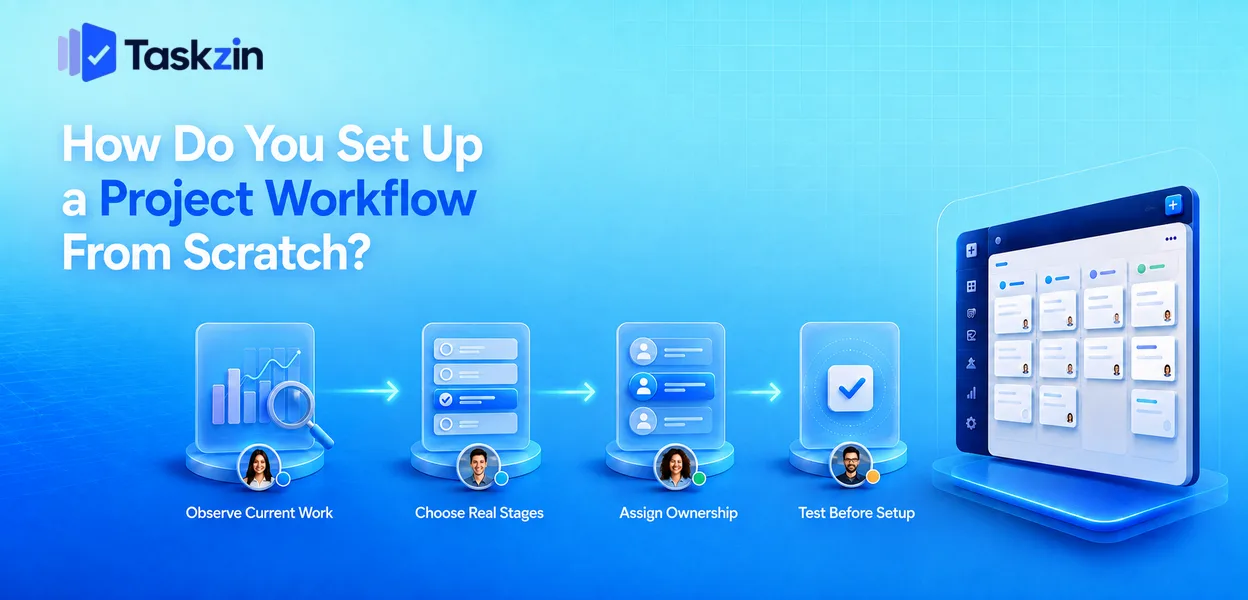
How do you set up a project workflow from scratch?
A workflow is not a diagram. It is the sequence of states real work passes through, who is responsible at each point, and what must be true to move forward. Most teams already have one — it is simply undocumented and inconsistent.
This guide covers observing your current state, choosing stages, assigning ownership, and testing the workflow before you build it into software.
Quick answer: Build a workflow by observing how work actually moves for two weeks, writing down the stages it genuinely passes through including the waiting ones, assigning one owner per stage, and only then configuring a tool. The most common mistake is designing an ideal process on a whiteboard and imposing it on a team that will quietly work around it.
Start From How Work Already Moves
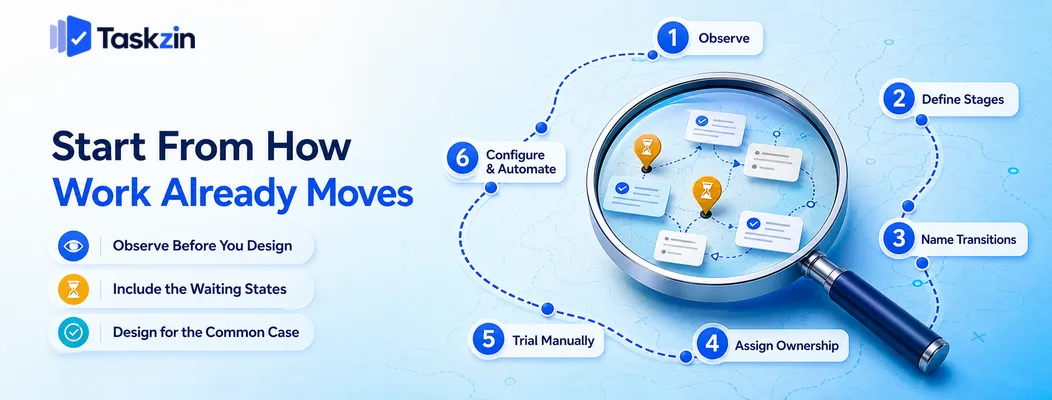
Before designing anything, watch how work actually travels through your team for a couple of weeks, and write down every state it sits in — including the ones nobody wants to admit to.
Designing from scratch produces a process that describes an organisation you do not have.
Observe before you design
Take five or six recent pieces of work and trace them. Where did each one start? Who touched it? Where did it wait? What happened between someone finishing and the next person starting?
This exercise usually reveals two things: the process is less consistent than anyone believed, and there are stages nobody had named. Both are useful. A workflow built on this evidence describes reality, and reality is what people will actually follow.
Include the waiting states
Teams instinctively design workflows out of active states — In Progress, In Review, Done. Real work also sits in states like "waiting on client", "blocked on approval" and "sitting in someone's inbox".
Those waiting states are where most elapsed time is lost. Hiding them behind a tidy three-column board makes the board look clean and makes your biggest problem invisible.
Name them explicitly; the discomfort is the point.
Design for the common case
Most work follows one path. A minority takes an unusual route.
Design the workflow for the common case and handle exceptions by exception rather than adding stages for every possibility. A workflow that accommodates every scenario is one nobody can hold in their head, and complexity added for a rare case is paid for on every ordinary item.
The Six Steps to a Working Workflow
Step What you do Output Time needed
1. Observe Trace 5–6 real items end to end List of actual states 1–2 weeks 2. Define stages Choose 5–7 stages incl. waiting Stage list 1 hour 3. Name transitions State what each move means Entry criteria per stage 1 hour 4. Assign ownership
One owner per item at every stage
per stage Ownership map 30 min 5. Trial manually Run it on a real project Observed friction 2 weeks 6. Configure and automate Build in the tool, add rules Live workflow 1–2 hours
Choosing Your Stages
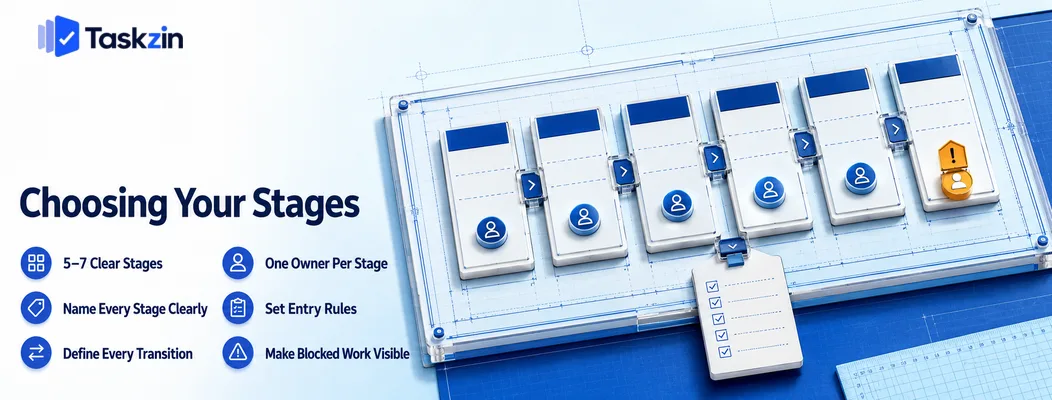
Most teams need five to seven stages including waiting states, named so that status is unambiguous, with a stated meaning for each transition.
How many columns you actually need
Three is usually too few to show where work is stuck. Twelve produces horizontal scrolling and a board nobody reads.
Five to seven is the practical range. If you feel you need more, check whether some are really sub-states of one stage, or whether you are modelling exceptions that should be handled differently.
Naming stages so status is unambiguous
"In Progress" covers too much ground when work passes through several hands. "In Development", "In Code Review", "In QA" each mean one thing.
Avoid names that could describe two situations. "Review" is ambiguous when both an internal peer review and a client approval exist — call them what they are. The test is whether two team members would place the same item in the same column without discussing it.
Deciding what each transition means
For each stage, write one line describing what must be true for an item to leave it.
This is the cheapest intervention available and the most commonly skipped. Without it, items move when someone feels like moving them, and the board stops reflecting truth within a fortnight. With it, status means something and the data becomes usable.
Assigning Ownership and Entry Rules
Every item needs exactly one owner at every stage, clear conditions for entering each stage, and an agreed way of handling anything blocked.
One owner per item at every stage Ownership should transfer as work moves. When an item enters review, the reviewer owns it — not the person who wrote it.
Items owned by a team rather than a person stall, because everyone assumes someone else is handling it. This is the most common cause of work sitting untouched in a review column.
What must be true to enter a stage
Entry criteria prevent work moving forward prematurely. An item entering development should have acceptance criteria; an item entering review should meet the definition of done.
Without them, incomplete work moves forward and comes back later, which is more expensive than holding it. Keep the criteria short — two or three checkable conditions per stage is enough.
What happens when something is blocked
Decide in advance: does a blocked item get flagged in place, or moved to a blocked column?
Who is responsible for unblocking it? How long before it escalates?
Blocked work with no owner and no time limit is where cycle time quietly disappears. Whichever convention you choose, the important part is that blocked items are visible and someone owns resolving them.
Testing and Adjusting the Workflow
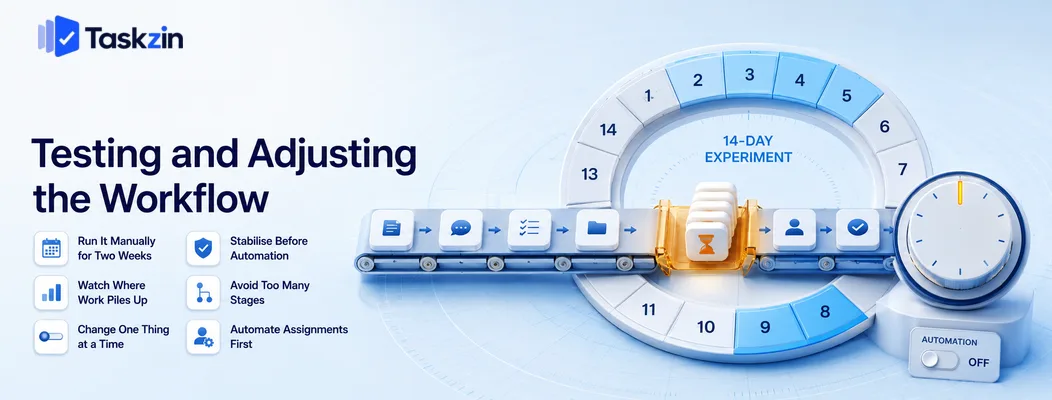
Run the workflow manually on a real project for two weeks before configuring anything, watch where work accumulates, then change one thing at a time.
Run it manually for two weeks
Use a whiteboard, a spreadsheet or a basic board with no automation. The goal is to learn where the design is wrong before you encode it.
Configuration is easy to build and surprisingly hard to unpick once people have adapted to it.
Two weeks of manual running costs almost nothing and prevents a workflow that everyone works around.
Watch where work piles up
After a fortnight, look at which stage holds the most items and which holds items longest. That is your bottleneck, and it is rarely where people expected.
Setting a work-in-progress limit on that stage is usually more valuable than any other change.
Once the trial has shown you where work accumulates, configuring the real thing is straightforward — in Taskzin, for example, the board supports per-column WIP limits and swimlanes, so the constraint you identified can be enforced rather than merely noted.
Change one thing at a time
When you adjust the workflow, change a single element and observe for a couple of weeks.
Changing three things simultaneously means you cannot tell which helped. Workflows improve through a sequence of small corrections, not through periodic redesigns.
Common Workflow Setup Mistakes
The three failures that produce unused workflows are designing an idealised process, adding too many stages and required fields, and automating before the process is stable.
Designing the ideal process instead of the real one
A workflow built from how work should happen, rather than how it does, gets bypassed within a month. People revert to what works and update the board afterwards, which turns it into reporting rather than a working tool.
Start from observation. You can improve the process afterwards, once it is at least accurate.
Too many stages and required fields
Every stage is a transition someone must perform. Every required field is a decision at the moment of creating work.
Each addition should justify itself against a specific problem. Friction accumulates invisibly, and a workflow that takes two minutes to update per item is a workflow that gets updated in batches, late.
Automating before the process is stable
Automation makes a process faster and more consistent. Applied to an unstable process, it makes the wrong thing happen reliably and hides the problem behind a rule nobody remembers writing.
Stabilise first, automate second. Once the workflow has run unchanged for a month, automating the routine transitions is safe and genuinely valuable.
When you do automate, start with assignment and notification rather than status changes.
Those are the rules with the clearest benefit and the lowest risk — if an assignment rule is wrong, someone notices immediately, whereas an incorrect status rule can quietly corrupt your data for weeks before anyone questions what the board is showing.
Frequently asked
How Do You Set Up a Project Workflow From Scratch?
Observe how work actually moves for two weeks, define five to seven stages including waiting states, write entry criteria and ownership for each, trial it manually on a real project, then configure and automate.
How many stages should a workflow have?
Five to seven for most teams, including explicit waiting states. Fewer hides where work is stuck; more produces a board that cannot be scanned and transitions people skip.
What is the difference between a workflow and a process?
A process describes how work is done. A workflow is the specific sequence of states work moves through, with ownership and entry conditions at each point — the operational expression of the process.
Should you automate a new workflow immediately?
No. Run it manually for at least two weeks and let it stabilise for a month. Automating an unstable process encodes assumptions you have not yet tested and makes them harder to change.
How do you know if a workflow is working?
Items move without prompting, the board reflects reality without a weekly clean-up, and you can see where work is stuck. If someone maintains a private list outside it, the workflow is not working.
How often should you change your workflow?
Review quarterly, and change in response to an observed problem rather than on a schedule. Change one element at a time so you can tell what helped.
Who should design the workflow?
The people doing the work, facilitated by whoever leads them. A workflow designed by a manager alone reflects how they believe work happens, which is reliably different from how it does.
Sanju Shrestha is a SaaS content writer at Taskzin who explores smarter ways to manage work, organize priorities, and improve team performance. Her content covers productivity strategies, digital workflows, collaboration, and task management, with a focus on helping modern teams work more efficiently and stay aligned.
All posts by Sanju Shrestha


Comments