Airtable vs Smartsheet
An honest comparison of Airtable and Smartsheet, covering the difference between a relational model and a sheet-based one, where each is genuinely stronger, which use cases point to which, and the limitations they share.

Neither is a project management tool in the sense of coordinating people around work, which the final section covers honestly.
Quick answer: Airtable is a relational database with a friendly interface. Smartsheet is a spreadsheet with project scheduling built on top. If your problem is how data relates, Airtable fits; if your problem is when things happen, Smartsheet fits. They look similar in a screenshot and diverge sharply once you build something real.
Relational Versus Sheet-Based
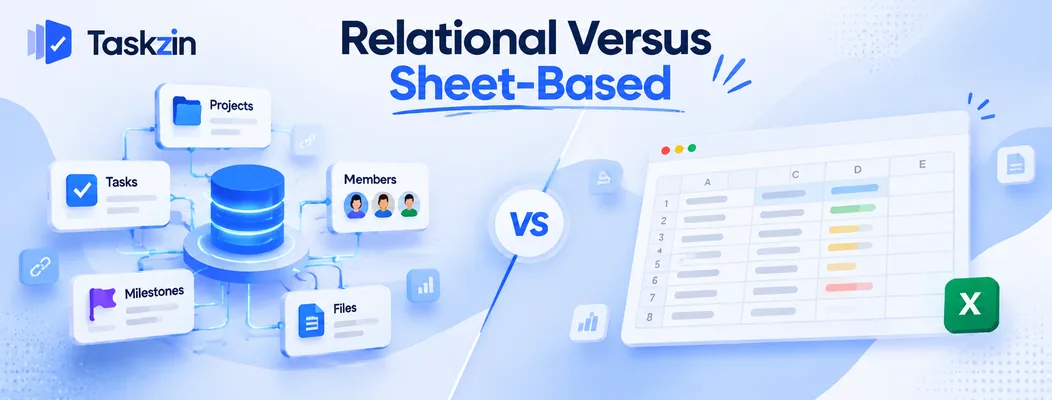
Airtable models relationships between entities; Smartsheet models rows in a grid with schedule logic.
What Airtable's model gives you
Tables linked to each other. A client record links to projects, which link to deliverables, which link to assets. Rollups summarise across those links.
You can represent structures that do not fit a flat grid, which is the whole reason to choose it.
Airtable is closer to a database than to a spreadsheet, despite looking like one.
What Smartsheet's model gives you
Sheets with rows and columns, plus formulas, cross-sheet references, and project features layered on — dependencies, Gantt, critical path, resource views.
It is the natural upgrade from a complicated Excel workbook, which is exactly where most Smartsheet adoptions begin.
The distinction that matters
Airtable has relationships without schedule logic. Smartsheet has schedule logic without deep relationships.
A linked record in Airtable records a connection and changes nothing. A dependency in Smartsheet moves dates. That single difference determines which fits your problem.
Airtable vs Smartsheet at a Glance
Airtable Smartsheet Underlying model Relational tables Sheets and rows Linked records / relations Core strength Cross-sheet references Formulas Good, within and across links Extensive, cross-sheet Dependencies No scheduling logic Yes Critical path No Yes Gantt Timeline view, limited logic Yes Resource management No Moderate Interface builder Yes, strong Dashboards Automations Yes, run-count tiered Yes, tiered Data volume Record limits by plan Handles large sheets well
Governance and admin Moderate Strong, enterprise-oriented Learning curve Low to moderate Low for spreadsheet users Typical buyer Ops, marketing, product Programme, construction, enterprise ops
Verify current pricing, record limits and licensing for both before relying on cost comparisons.
Where Airtable Is Stronger
Airtable wins on relational modelling, on building tailored interfaces, and on feeling like a modern product.
Linked records and relational structure
If your work involves entities that relate — campaigns to assets to channels, shoots to crew to equipment to locations — Airtable models that natively and Smartsheet approximates it.
This is the clearest reason to choose Airtable. Trying to represent genuine relationships in a flat sheet produces duplication and manual reconciliation.
Interfaces for different audiences
Airtable's interface builder creates tailored views over the same data — a simple form for a contributor, a dashboard for a manager, a filtered list for a client.
Smartsheet has dashboards, which are reporting surfaces rather than a builder. Where you need different people to see genuinely different things, Airtable goes further.
Modern feel and app building
Airtable is pleasant to use and increasingly positioned as a way to build small internal applications rather than just track data.
For teams whose need is "we want a custom internal tool without engineering", that positioning matches the requirement more closely than Smartsheet does.
Where Smartsheet Is Stronger
Smartsheet wins on project scheduling, on formula depth, and on large enterprise rollouts.
Project scheduling and dependencies
Real dependencies, critical path and Gantt charts that understand sequence. Airtable does not have these.
If you need to know what a two-week slip actually moves, Smartsheet answers and Airtable does not. For anything resembling a construction schedule or a phased programme, this settles it.
Formulas across sheets
Cross-sheet references and conditional logic at a depth Airtable does not match for calculated reporting.
Where your tracking involves derived values — budget variance, weighted scoring, roll-ups across many sheets — Smartsheet handles it more comfortably.
Enterprise governance and rollout
Administrative controls, governance features and the certifications enterprise procurement asks for, plus a track record of large organisation-wide deployments.
For a five-thousand-person rollout, that maturity matters and Airtable is less commonly the answer.
Which One Your Use Case Points To
Three common situations, each pointing clearly one way.
Building an internal tool
A content operations system, an asset library, an applicant tracker, a partner directory — anything where the structure is the hard part.
Airtable, clearly. This is what its relational model and interface builder are for.
Running a programme or schedule
Phased delivery with dependencies, fixed dates, and a need to see what a delay does.
Smartsheet, clearly. Airtable will not do this, and the timeline view is not a substitute for dependency logic.
Tracking a large structured dataset
Thousands of records with calculated fields and reporting across them.
Smartsheet generally, particularly at volume — Airtable's record limits by plan become a real constraint sooner than most teams expect. Check them against your actual row count before committing.
What Both Struggle With
Neither is a project management tool, and both share the same structural risks.
Neither is a project management tool
Both hold data about work well. Neither coordinates people around work particularly well — notifications, ownership that means something, comment threads on the work itself, board flow, sprint mechanics.
Teams frequently adopt one of these for project tracking and add a project tool eighteen months later, keeping the first for its data. That is a reasonable outcome and worth anticipating rather than discovering.
Collaboration around the work
Discussion in both tends to live elsewhere — email, chat — because a row holds data well and conversation poorly.
The recurring cost is lost context. Six months later nobody knows why a decision was made, because the reasoning was in a thread nobody kept.
The single-maintainer risk
Both reward someone who understands the structure, and both suffer badly when that person leaves.
An Airtable base with complex relations or a Smartsheet workbook with cross-sheet formulas is genuinely hard for a successor to take over. Purpose-built tools have no equivalent risk because nobody built them — if coordination rather than data structure is your actual problem, something like Taskzin removes that dependency entirely.
Frequently asked
What is the difference between Airtable and Smartsheet?
Airtable is a relational database with linked records between tables. Smartsheet is a spreadsheet with project scheduling — dependencies, Gantt and critical path — built on top.
Which is better for project management?
Smartsheet, because it has real dependencies and critical path. Airtable's linked records carry no scheduling logic, so nothing recalculates when a date moves.
Which is cheaper?
They price differently — Airtable by plan with record limits, Smartsheet by licence type. Model your actual record volume and user mix against current terms for both.
Does Airtable have Gantt charts and dependencies?
It has a timeline view but no dependency scheduling. Nothing blocks, nothing recalculates. For real dependency management, Smartsheet is the one of the two that does it.
Which is easier to learn?
Smartsheet for anyone coming from Excel, since the interaction model is familiar. Airtable for anyone thinking in terms of related entities rather than rows.
Can either replace a project management tool?
Partly. Both track work well and coordinate people around it less well — notifications, ownership and discussion on the work are all weaker than in a purpose-built tool.
Which handles more data?
Smartsheet generally handles large sheets more comfortably. Airtable imposes record limits by plan that become a constraint sooner than teams expect — check them against your row count.
Sanju Shrestha is a SaaS content writer at Taskzin who explores smarter ways to manage work, organize priorities, and improve team performance. Her content covers productivity strategies, digital workflows, collaboration, and task management, with a focus on helping modern teams work more efficiently and stay aligned.
All posts by Sanju Shrestha

Comments