Hive vs Monday.com
An honest comparison of Hive and Monday.com, covering Hive's consolidation bet and Monday.com's adoption bet, where each is genuinely stronger, how to test whether consolidation would actually happen, and how to choose.


Both are capable platforms for cross-functional work. The cost question is complicated on both sides — Hive by add-on pricing, Monday.com by seat structure.
Quick answer: Hive bundles chat, email, proofing and time tracking into a project tool, betting that teams want fewer subscriptions. Monday.com bets that visual clarity and adoption matter more, and integrates with the tools you already use rather than replacing them. The comparison turns on whether you would genuinely abandon your existing chat tool, because most teams do not.
Consolidation Versus Visual Clarity

Two different theories about what makes a project tool worth paying for.
What Hive bundles
Project management plus native chat, email integration, proofing and approvals, time tracking and resourcing.
The proposition is that context switching between four tools costs more than any individual tool's shortcomings, so one product covering the ground wins even if each component is not best-in-class.
What Monday.com optimises
Readability and adoption. Colour-coded boards, guided onboarding, a large template library, and a design aimed at people who do not like project software.
Its integrations connect to Slack, Gmail and the rest rather than replacing them. The bet is that teams keep their existing tools regardless, so the project tool should work well alongside them.
The bet each is making
Hive bets consolidation is real. Monday.com bets adoption is the binding constraint.
Which bet is right for you is testable, and the section on consolidation below is how to test it before you buy.
Hive vs Monday.com at a Glance
Hive Monday.com
Built-in chat and email
No, integrates with Slack and Teams Email integration Built in IntegrationsProofing and approvals
Time tracking Available Higher tiers Resourcing Available Available Views Gantt, kanban, table, calendar, portfolio Board, table, timeline, calendar, kanban, gantt Visual readability Good Stron Templates and guided setupAutomation Available Tiered by action count Ecosystem and integrations
Pricing structure Per user plus add-ons Per user, historically tiered in seat blocks Guest access Varies by plan Varies by plan Learning curve Moderate Low
Both have pricing structures that complicate comparison — verify Hive's current add-ons and Monday.com's seat rules directly.
Where Hive Is Stronger
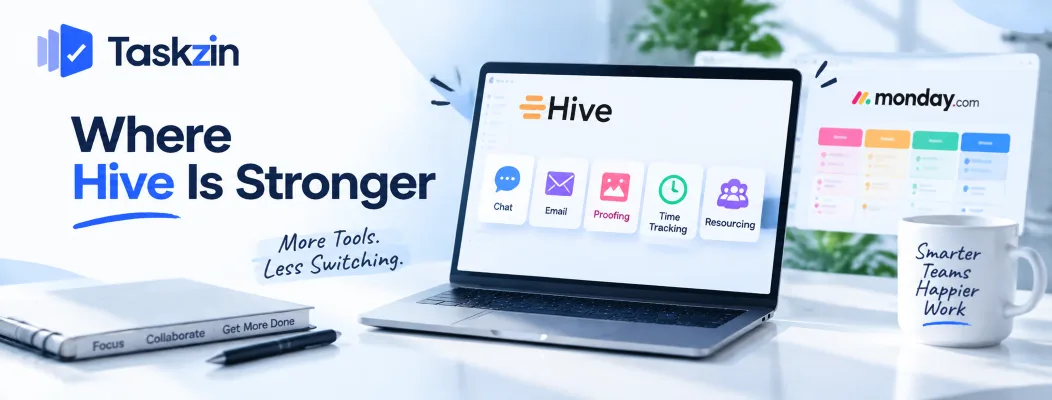
Hive wins on bundled communication, on creative proofing, and on including capabilities Monday.com gates or lacks.
Built-in chat and email
Conversation attached to work rather than in a parallel channel, with email threads pulled into the same surface.
Where a team genuinely adopts it, this removes real fragmentation. Discussion about a task next to the task is better than discussion about a task in a chat channel somebody has to search.
Proofing and approvals
Markup and comments directly on creative assets with approval workflows.
Monday.com's approval handling is lighter. For creative and marketing teams where visual review is the bottleneck, this is a genuine capability difference rather than a nice-to-have.
More included without add-ons
Several things Monday.com reserves for higher tiers arrive at lower cost in Hive — though Hive's own add-on model complicates this, which the cost section covers.
For a team needing time tracking, proofing and resourcing together, Hive frequently prices better than the Monday.com tier containing equivalents.
Where Monday.com Is Stronger
Monday.com wins on visual design, on guided setup, and on the size of its integration ecosystem.
Visual design and readability
Monday.com's boards communicate state at a glance — colour-coded columns, clear grouping, readable across a room.
This is not decoration. A board people can read without clicking into anything gets looked at more, and a tool people look at gets updated.
Templates and guided setup
A large template library with onboarding flows that walk a team through configuration rather than presenting an empty workspace.
For a team without an operations person, that guidance is worth real money. Hive has templates; the surrounding onboarding is less developed.
Ecosystem and integrations
A substantially larger integration ecosystem and a bigger community of consultants, templates and third-party expertise.
If you need to connect to something specific, Monday.com more likely already does, and if you need implementation help it is easier to find.
Testing the Consolidation Claim

Hive's main argument is testable before you buy, and most teams fail the test.
Would you actually turn Slack off?
Ask the question directly and answer honestly. Slack and Teams are unusually sticky — they hold history, integrations, and external channels with clients and partners.
If the honest answer is no, price Hive on its project capabilities alone. The communication bundle is not a saving you will realise, and you may end up with a third channel rather than one fewer.
Count the subscriptions you would cancel
Write down what you currently pay for: chat, project tool, proofing, time tracking, docs.
Then mark which you would genuinely cancel. Not could theoretically replace — would actually cancel, this quarter, with the team's agreement. That list is the real consolidation saving.
What add-on pricing does to the comparison
Hive's structure means the total depends on which modules you enable, and teams frequently discover the capability that attracted them carries an additional cost.
Price your specific requirement list on both, at the tier and add-on combination you would actually buy. Neither vendor's headline rate resembles what a real agency pays.
Choosing Between Them
Three situations with clear answers.
If you genuinely want fewer tools
You have counted the subscriptions, the team agrees, and you would actually turn chat off.
Hive's proposition is real in that case, and the proofing is a genuine bonus for creative teams.
If adoption is your risk
Previous tools did not stick, most of your team is non-technical, nobody will own configuration.
Monday.com is the safer choice. Its readability and guided onboarding address the failure mode that actually kills tool rollouts.
If seat structure is the issue
Some teams find both frustrating for the same reason — the bill depends on which boundary or add-on combination you land on rather than on how many people you have.
Flat per-member pricing with no seat tiers and no modules is the alternative shape; Taskzin prices that way with free unlimited guests. Whichever route, model the cost at your headcount in twelve months, not today.
Frequently asked
Is Hive better than Monday.com?
Hive is better if you genuinely want to consolidate chat and proofing into your project tool. Monday.com is better for visual clarity, adoption and ecosystem breadth.
Does Hive replace Slack?
It can, and most teams find they keep Slack anyway because of history, integrations and external channels. Test that honestly before treating consolidation as a saving.
Which is cheaper?
It depends on Hive's add-ons and Monday.com's seat structure rather than headline rates. Price your specific requirement list on both at the configuration you would actually buy.
Does Monday.com have proofing?
Its approval handling is lighter than Hive's. There is no equivalent to marking up a video frame or comparing asset versions, which matters for creative teams.
Which is easier to use?
Monday.com, for most non-technical teams. Its boards are more readable and its onboarding is more guided.
Which suits agencies better?
Hive if creative proofing is central to your workflow. Monday.com if adoption across a mixed team matters more. Check guest terms on both against your client contact count.
Which has better automation?
Monday.com's are simpler to set up but limited by monthly action counts. Hive's are comparable in capability. Neither is a decisive advantage.
Sanju Shrestha is a SaaS content writer at Taskzin who explores smarter ways to manage work, organize priorities, and improve team performance. Her content covers productivity strategies, digital workflows, collaboration, and task management, with a focus on helping modern teams work more efficiently and stay aligned.
All posts by Sanju Shrestha


Comments