Monday.com vs ClickUp: Which Is Better Value?
An honest value comparison of Monday.com and ClickUp, covering why seat structure decides the cost question, where Monday.com's visual clarity and adoption win, where ClickUp's inclusions and depth win, and how to run the real numbers.


Both are broad, capable platforms. The comparison below separates the value question from the adoption question, because they point in different directions.
Quick answer: ClickUp generally includes more at a given price, and Monday.com's seat-tier structure means the headline rate is often not what you pay. For most teams the cost question turns on seat minimums rather than on features. Monday.com's advantage is elsewhere — it is the more visually approachable tool and gets adopted more readily by teams that dislike software.
Value Depends on How You Count
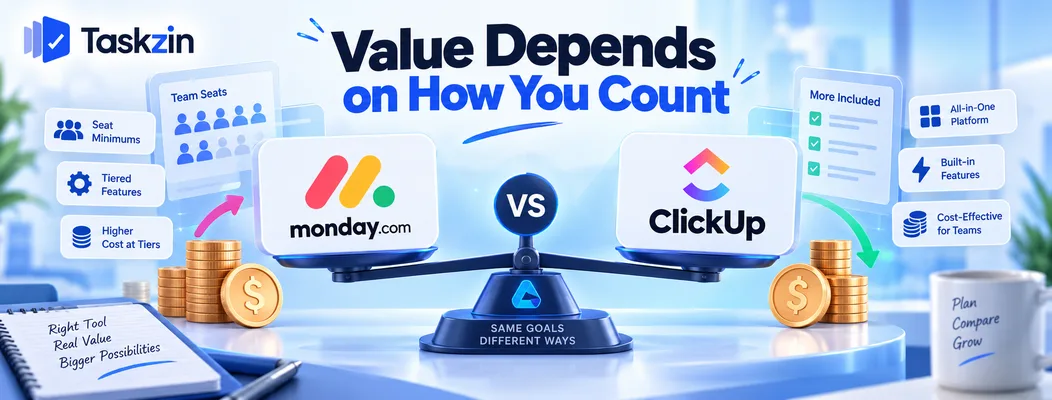
The honest cost comparison depends on seat structure, on what each tier contains, and on which tools you would still pay for afterwards.
Seat minimums change everything
Monday.com has historically priced in seat blocks rather than per individual seat, which means a team of eleven may pay for fifteen.
This is the single biggest factor in the comparison and the one most often missed. A team just above a tier boundary pays substantially more per active user than the advertised rate suggests. Check the current structure directly — it changes, and it is where the real money is.
What each includes at entry level
Entry tiers differ in what they gate: automation run counts, dashboard availability, timeline and Gantt views, time tracking, and guest access.
Two tools advertised at similar per-user prices can differ by a factor of two once you price the tier that actually contains what you need.
The honest answer on cost
For most teams, ClickUp comes out cheaper for a comparable feature set, largely because of seat counting and because more is included at lower tiers.
That is a general pattern rather than a guarantee. Run it with your own headcount, because the tier boundaries are what decide it.
Monday.com vs ClickUp at a Glance
Is Monday.com or ClickUp cheaper?
Positioning Visual work OS Broad all-in-one platform Seat structure Historically tiered in blocks Per seat Learning curve Low Moderate Views Board, table, timeline, calendar, kanban, gantt Very many, incl. mind map, whiteboard Automations Tiered by monthly action count Tiered, generally more generous Dashboards Available, widget-based Extensive Time tracking Higher tiers Built in
Docs Available Built in Whiteboards Available Built in Guest access Varies by plan Varies by plan Templates Extensive, strong onboarding Extensive
Where Monday.com Is Stronger
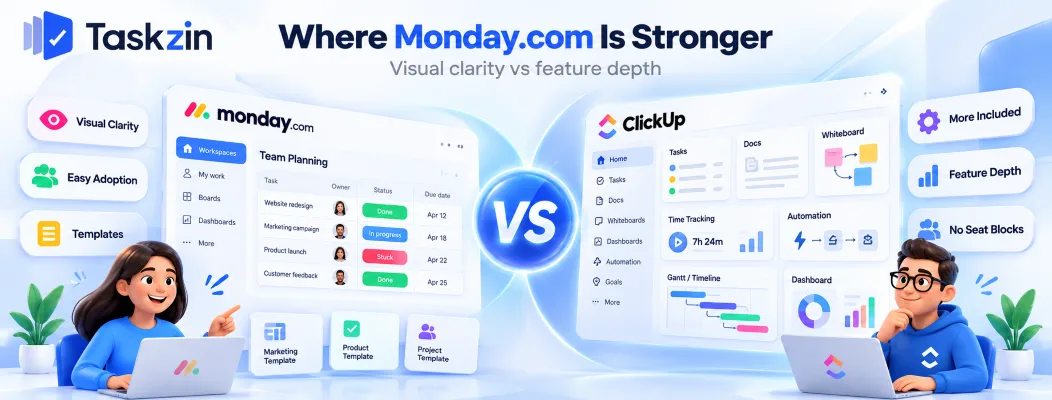
Monday.com wins on visual clarity, on how readily non-technical teams adopt it, and on guided setup through templates.
Visual clarity and board design
Monday.com's boards are genuinely well designed — colour-coded status columns, clear grouping, and a layout that communicates state at a glance.
For teams that think visually, this is not decoration. A board someone can read across the room without clicking into anything changes how often people look at it.
Non-technical adoption Monday.com is aimed at people who do not like project software, and it shows. Onboarding is guided, terminology is plain, and the first board is running in minutes.
Teams in operations, HR, marketing and client services generally take to it faster than to ClickUp. If your previous tool failed because nobody used it, this matters more than any feature gap.
Non-technical adoption
Admin effort Moderate Higher Mobile Strong Improving
Both vendors change pricing and tier contents regularly — verify before relying on any of this commercially.
Templates and guided setup
A large template library covering common processes, with setup flows that walk you through configuration rather than presenting an empty workspace.
ClickUp also has templates; Monday.com's onboarding around them is stronger, and for a team without an operations person that guidance is worth real money.
Where ClickUp Is Stronger
ClickUp wins on what is included per pound, on depth in project-specific features, and on not charging in seat blocks.
More included per pound
Time tracking, docs, whiteboards and extensive dashboards arrive at lower tiers than Monday.com's equivalents.
If your requirement list includes several of these, the tier you need on ClickUp is usually cheaper than the tier you need on Monday.com.
Depth in project features
Dependencies, custom statuses per list, multiple hierarchy levels, and substantially more configurable automations.
Monday.com handles project work well; ClickUp goes further for teams that need it. The gap shows most in dependency management and in how far automations can be shaped.
No seat tier jumps
Adding one person costs one seat. For a growing team, that predictability has value beyond the raw number, because budgeting does not involve working out which boundary you are about to cross.
Running the Real Cost Comparison
Three steps produce an honest number: count seats as each vendor does, price the tier that has what you need, and add what you would still pay for.
Count seats the way each vendor does
Write down your actual headcount, then work out what each vendor charges for it — including any block rounding and any minimum.
Do the same for guests and external collaborators. If you work with clients, guest terms can exceed the difference in seat cost entirely.
Price the tier that has what you need
Name the specific capability that determines your tier. Time tracking, dashboards, dependencies, guest access, SSO.
Then compare at those tiers, not at entry level. Comparing headline rates for plans that do not contain what you need produces a number that has nothing to do with what you will pay.
Include what you would still pay for separately
If one tool means you keep paying for a separate time tracker or docs tool, add that to its column.
This is where consolidation arguments get tested. They are real when consolidation actually happens and imaginary when the old subscriptions stay.
Choosing Between Them
Adoption risk points to Monday.com, capability and cost point to ClickUp, and seat counting points away from tier-based pricing entirely.
If your team is visual and non-technical
Monday.com is the safer bet. The features you give up are largely ones a team without an admin would never have configured.
If you need depth and breadth
Dependencies, deep automations, docs and time tracking in one place, with someone to own the setup.
ClickUp offers more and costs less for that combination. Accept that it needs shaping — an unconfigured ClickUp workspace degrades faster than an unconfigured Monday.com one.
If seat counting is the problem
Some teams find both frustrating for the same reason: the price depends on which boundary you land near rather than on how many people you have.
Flat per-member pricing with no seat tiers is the alternative shape — Taskzin prices that way, with free unlimited guests, which removes the block-rounding question from the calculation entirely. Whichever you choose, model the cost at your headcount in twelve months rather than today.
Frequently asked
Is Monday.com or ClickUp cheaper?
ClickUp is usually cheaper for a comparable feature set, mainly because of seat structure and because more is included at lower tiers. Verify with your own headcount, since tier boundaries decide it.
Does Monday.com have seat minimums?
It has historically priced in seat blocks rather than per individual seat, which means teams just above a boundary pay for unused seats. Check the current structure directly, as this changes.
Which is easier to use?
Monday.com, for most non-technical teams. Its boards are more visually readable and its guided onboarding is stronger.
Which has better automation?
ClickUp offers more configurable automations and generally more generous limits. Monday.com's are simpler to set up but more constrained in what they can express.
Which suits agencies better?
It depends on client access. Compare guest terms on both against your real client contact count — that figure frequently exceeds the difference in seat cost.
Does ClickUp include time tracking?
Yes, built in, which is one of the clearer practical differences. Monday.com gates time tracking to higher tiers.
Which is better for a five-person team?
Monday.com if adoption is your concern and nobody will configure a tool. ClickUp if you want time tracking and dashboards included and someone is willing to set it up.
Sanju Shrestha is a SaaS content writer at Taskzin who explores smarter ways to manage work, organize priorities, and improve team performance. Her content covers productivity strategies, digital workflows, collaboration, and task management, with a focus on helping modern teams work more efficiently and stay aligned.
All posts by Sanju Shrestha
Comments