Taskzin vs Notion: Workspace vs Purpose-Built Project Tool
A comparison of Taskzin and Notion, covering the difference between a construction kit and a built system, the three structural gaps in Notion as a project tracker, what Notion does better, how Taskzin handles documentation, and when running both is right.


Notion is excellent software being asked, in most teams, to do a job it was not designed for. As a wiki and a writing environment it is genuinely strong. As a system for tracking who is doing what by when, it is missing specific things.
This comparison is unusual because the honest answer for many teams is not one or the other.
This guide covers the structural difference, what Notion cannot do as a tracker, what it does better, and when running both makes sense.
Quick answer: Quick answer: Notion is a flexible workspace where project tracking is something you build. Taskzin is a purpose-built project tool with six views, dependencies and critical path, sprints with velocity and burndown, dashboards and docs linked to tasks. Notion is better for writing and knowledge; Taskzin is better for coordinating interdependent work with reliable notifications.
The Core Difference
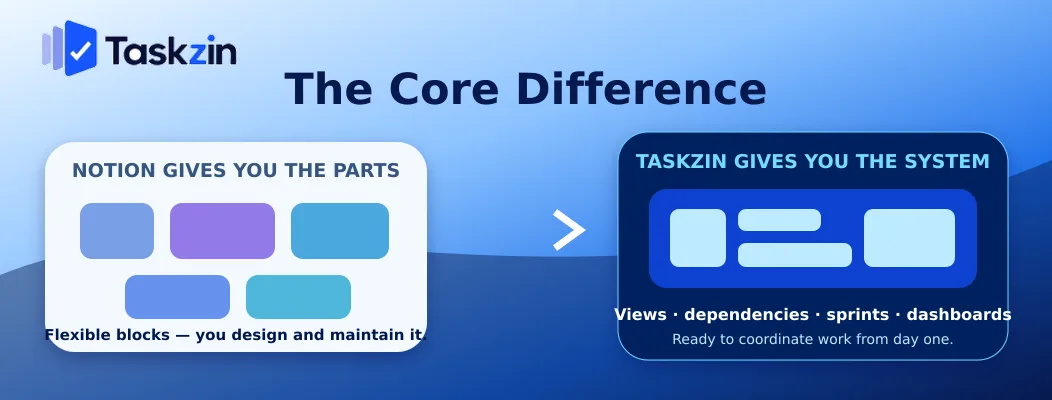
Notion gives you databases and blocks to build a tracker; Taskzin gives you a tracker that already exists. The deciding question is who will maintain the thing you build.
Notion gives you the parts
Databases, relations, rollups, filtered views and templates. You design the schema, decide the properties, build the views and maintain the structure.
For teams that enjoy this, the result fits how they work precisely, and that is a genuine advantage.
Taskzin gives you the system
Six views over the same tasks — list, board, calendar, Gantt, table, timeline — with WIP limits, dependencies, critical path, sprints, docs and dashboards already built.
There is less to shape and correspondingly less to maintain. The decisions were made by the vendor, which is a cost if your process is unusual and a benefit if it is not.
Who maintains it is the real question
Notion trackers are usually built by one enthusiastic person. When that person gets busy or leaves, the structure drifts — properties multiply, views stop matching how work happens, and nobody trusts the board.
Ask honestly whether someone will own it in eighteen months. If the answer is no, a purpose-built tool is the safer choice regardless of which product is more elegant today.
Taskzin vs Notion at a Glance
Can Taskzin replace Notion entirely?
Project tracking Purpose-built You build it Views List, Board, Calendar, Gantt, Table, Timeline Database views you configure Dependencies and critical path Yes (Starter) No Sprints, velocity, burndown Yes (Starter) Manual construction WIP limits Yes No
No workload or capacity view
Documents Built in, linked to tasks Best in class Wiki / knowledge base Limited Strong Notifications Reliable, task-based Weak Dashboards 30+ live widgets (Business) Manual rollups Time tracking Built in (Business) No Guests Free and unlimited Limited by plan Free plan Up to 10 members Small team Setup effort Minutes Hours to days
What Notion Cannot Do as a Project Tool

Three structural gaps limit Notion as a tracker: no true dependencies, no workload view, and notifications weak enough that people rely on chat instead.
No true dependencies
Notion has relations between database entries, which is not the same as a dependency. You cannot express that task B cannot start until task A finishes and have dates recalculate when A slips.
For work where sequence genuinely constrains delivery, this is decisive. Taskzin's Gantt and timeline views recalculate the critical path when a date moves, which is exactly the question a project tool exists to answer.
No workload or capacity view Notion cannot show you whether one person is assigned three things due the same week across four projects.
Teams work around this with manual rollups, which are accurate on the day someone builds them and drift immediately.
Notifications people do not rely on
Notion's notifications are widely reported as unreliable enough that teams tell each other in chat when something needs attention.
This is quietly fatal for a tracker. If the tool does not reliably tell you something was assigned to you or a date moved, its data will always be secondary to a conversation happening elsewhere.
What Notion Does Better
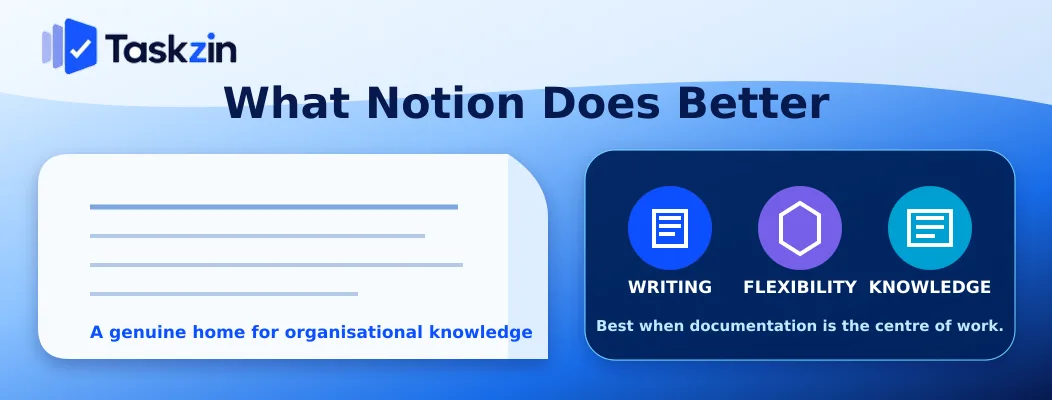
Notion leads decisively on writing, on the flexibility to model anything, and on being a genuine home for organisational knowledge.
Writing and documentation
Notion is one of the best writing environments available for teams. Specs, research, policies, meeting notes and handbooks all live comfortably in it, richly formatted and easily linked.
Taskzin's docs are good and linked to tasks; they are not trying to replace a knowledge base.
Flexibility to model anything
A content pipeline, a CRM, an inventory, a research repository — Notion models all of them because you define the schema.
Taskzin models projects and tasks. If your need is genuinely something else, that flexibility matters.
A single home for knowledge
Search across everything the organisation has written, with pages linked to each other and organised however you choose. That is a real asset, and it is what teams miss most when they leave Notion.
How Taskzin Handles Docs
Taskzin includes docs linked directly to the tasks they describe, which covers project documentation without attempting to be a full knowledge base.
Docs linked to tasks
A spec sits with the work it specifies. Open the task, the doc is there; open the doc, the linked tasks are listed. That connection is the point, and it is something Notion does not do — a Notion page and a Notion task are related only if someone remembers to link them.
What it does not attempt
Taskzin's docs are not a wiki. Company handbooks, policy libraries and large knowledge bases are not what they are for.
Whether you still need Notion
If your documentation need is project specs and decisions, Taskzin's docs cover it and you can drop Notion. If you maintain a substantial knowledge base or your work output is writing, keep Notion.
Which Should You Choose?
Choose Notion for writing-first work, Taskzin for coordinating interdependent work, and consider running both when you genuinely need each.
Choose Notion if
Your team's output is primarily documents and research, tasks are annotations on writing rather than the main object, you have someone who enjoys maintaining the system, and your work has few real dependencies.
Choose Taskzin if
Several people coordinate on interdependent work, you need dependencies and critical path, you run sprints, you rely on notifications, or your Notion tracker has drifted into something nobody trusts.
Why running both is a legitimate answer
For many teams the honest answer is Notion for knowledge and Taskzin for delivery, linked from each other.
That costs one additional subscription and removes almost all of the friction, at a fraction of the effort of migrating a wiki that works perfectly well. Migrating a knowledge base to solve a tracking problem is usually the wrong trade.
If you do run both, decide explicitly which holds the truth for each type of information — delivery status in Taskzin, reference knowledge in Notion — and write the rule down. The failure mode of running two tools is not cost; it is ambiguity about where things live, which is the exact problem you were solving.
Frequently asked
What is the difference between Taskzin and Notion?
Notion is a flexible workspace where you build project tracking yourself. Taskzin is a purpose-built project tool with six views, dependencies, sprints, dashboards and docs linked to tasks already built.
Is Notion good for project management?
For small teams with independent tasks, adequately. It lacks true dependencies, a workload view and reliable notifications, which become limiting once several people coordinate on interdependent work.
Does Taskzin have documents like Notion?
Taskzin has docs linked directly to the tasks they describe, which covers project specs and decisions well. They are not a full knowledge base — Notion remains stronger for wikis and long-form writing.
Can Taskzin replace Notion entirely?
If your documentation need is project specs and decisions, yes. If you maintain a substantial company knowledge base or your team's output is writing, keep Notion alongside.
Which is better for a small team?
Taskzin if the team coordinates on shared work with deadlines and dependencies. Notion if the team's work is primarily research or content and tasks are secondary to the writing.
Does Notion have dependencies and Gantt charts?
Notion has relations between database entries and a timeline view, but not true dependencies with automatic date recalculation or critical path. Taskzin's Gantt recalculates when dates slip.
Should you use both Taskzin and Notion?
Many teams do, and it is a legitimate answer — Notion for knowledge, Taskzin for delivery, linked from each other. It costs one extra subscription and avoids migrating a wiki that already works.
Binita Ray is a content writer at Taskzin, creating insightful and practical content on task management, team collaboration, productivity, workflow optimization, and SaaS solutions. She focuses on helping businesses, teams, and professionals simplify their work processes, improve efficiency, and make better use of modern productivity tools.
All posts by Binita Ray


Comments