Taskzin vs Teamwork.com for Agencies
An honest comparison of Taskzin and Teamwork.com for agencies, covering billing-first versus delivery-first positioning, where each is genuinely stronger, how to calculate the real cost including clients, and how to choose based on your actual problem.

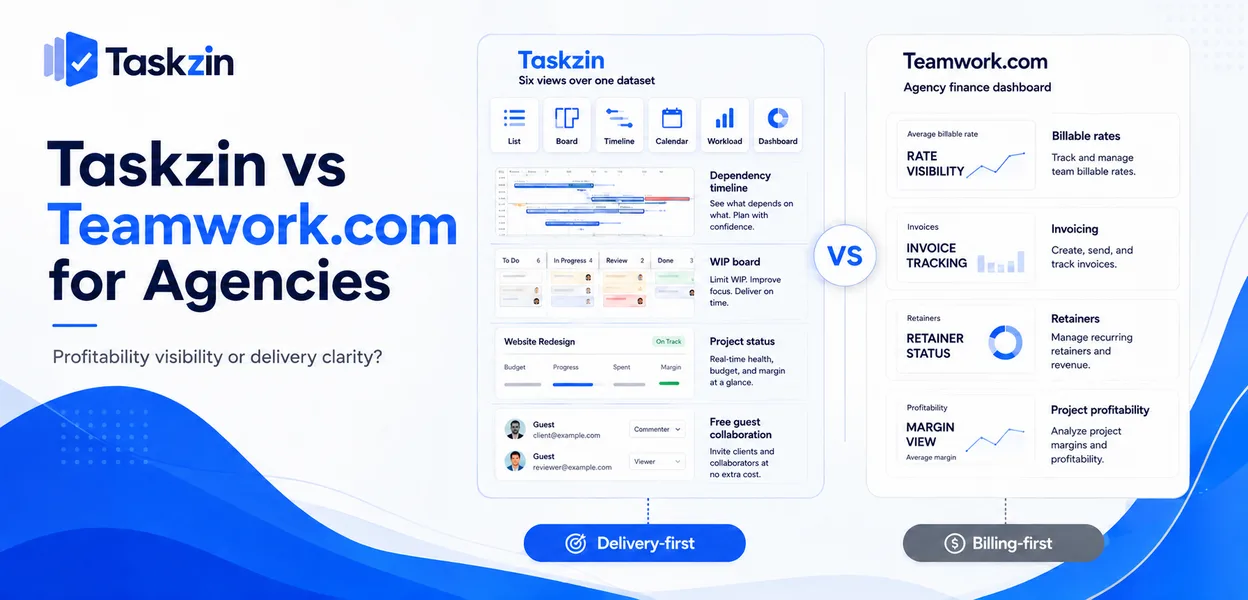
Both are real agency problems. Most agencies have one that hurts more.
Quick answer: Teamwork.com is built around the commercial side of agency work — billable rates, invoicing, retainers and project profitability. Taskzin is built around delivery — six views over one dataset, flow management, dependencies — with time tracking and billable rates on its Business plan. For an agency the choice is whether your pressing problem is knowing which accounts make money or knowing what state the work is in.
Both Aim at Agencies, Differently
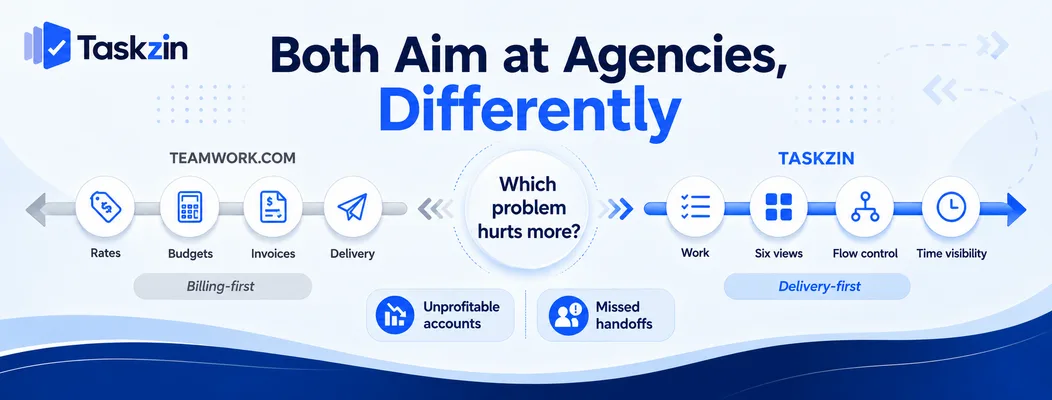
Teamwork.com starts from billing and works back toward delivery; Taskzin starts from delivery and adds the commercial layer.
Teamwork's billing-first model
Rates, budgets, invoicing and client users are core to Teamwork.com rather than higher-tier additions. Its structure assumes work is billable and needs reconciling to revenue.
For an agency whose main commercial risk is unprofitable accounts, that orientation is genuinely useful.
Taskzin's delivery-first model
Taskzin's centre is the work: List, Board, Calendar, Gantt, Table and Timeline over one dataset, WIP limits and swimlanes on the board, dependencies with critical path recalculation, docs linked to tasks.
Time tracking with billable rates arrives on the Business plan alongside dashboards, goals and OKRs — present, but not the organising principle.
Which problem is yours
If you cannot tell which clients are profitable and invoicing is a monthly reconciliation exercise, that is a billing problem.
If projects slip, handoffs get missed and nobody can see the state of the work without asking, that is a delivery problem. The tools differ in which they solve better.
Taskzin vs Teamwork.com at a Glance
Taskzin Teamwork.com Orientation Delivery-first Billing-first
Views and flow management
List, Board, Calendar, Gantt, Table, Timeline Tasks, board, Gantt, table WIP limits and swimlanes Yes Limited Dependencies and critical path Yes, recalculates Yes
Sprints, velocity, burndown Starter and above Limited Time tracking Business plan Core feature Billable rates Business plan Core feature Invoicing No Yes Retainer tracking Manual Built in
Client users and permissions
Free unlimited guests
comment Free client users on most plans Free plan Yes, up to 10 members Limited Pricing Flat per member, no seat tiers Per user, tiered Automations All plans Higher tiers Dashboards 30+ widgets on Business Available Data export JSON or CSV, any plan Available
Verify current Teamwork.com pricing and client-user terms before relying on cost comparisons.
Where Teamwork.com Is Stronger
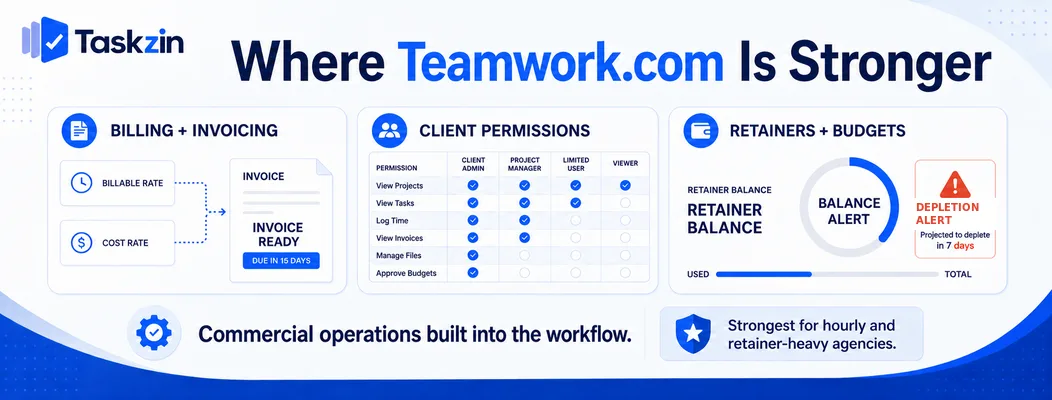
Teamwork.com wins on invoicing and rate management, on client permission granularity, and on retainer and budget tracking.
Billing, rates and invoicing
Teamwork.com handles billable and cost rates per person, budgets per project, and invoicing from tracked time within the same system.
Taskzin tracks time with billable rates on Business but does not invoice. For an agency that bills hourly, that means Taskzin sits alongside your invoicing system rather than replacing it — a real difference in daily workflow.
Client users and permissions Teamwork.com's client user model is designed for agency use, with granular control over what clients see across projects.
Taskzin's guests are free and unlimited with view and comment access, which is simpler and covers most cases. Where you need finely differentiated client permissions across many accounts, Teamwork's model is more developed.
Retainer and budget tracking
Tracking hours consumed against a retainer, with alerts as the budget depletes, is built into Teamwork.com.
In Taskzin this is achievable through time tracking and dashboards but requires setting up rather than being a first-class concept. For retainer-heavy agencies, that difference recurs monthly.
Where Taskzin Is Stronger
Taskzin wins on views and flow management, on pricing simplicity, and on guest access at any scale.
Views and flow management Six views over one dataset means a designer on a board, an account lead on a timeline and an ops manager on a table all see the same work without duplication.
Board WIP limits and swimlanes give agencies running continuous flow a genuine control mechanism, and sprints with velocity and burndown are available from Starter. This is deeper delivery capability than Teamwork.com offers.
Pricing simplicity
Flat per member with no seat tiers — Free up to 10 members, $7 Starter, $14 Business, 20 percent off annually. Adding one person costs one member.
Per-user tiered pricing means the feature you need frequently sits above the plan you budgeted for. Check which tier of Teamwork.com contains what you actually require before comparing headline rates.
Free unlimited guests Unlimited free guests with view and comment access. For an agency with fifty client contacts, this removes the guest cost question entirely.
Teamwork.com also offers free client users on most plans, so this is closer than it is against some competitors — verify current terms on both sides.
The Agency Cost Calculation
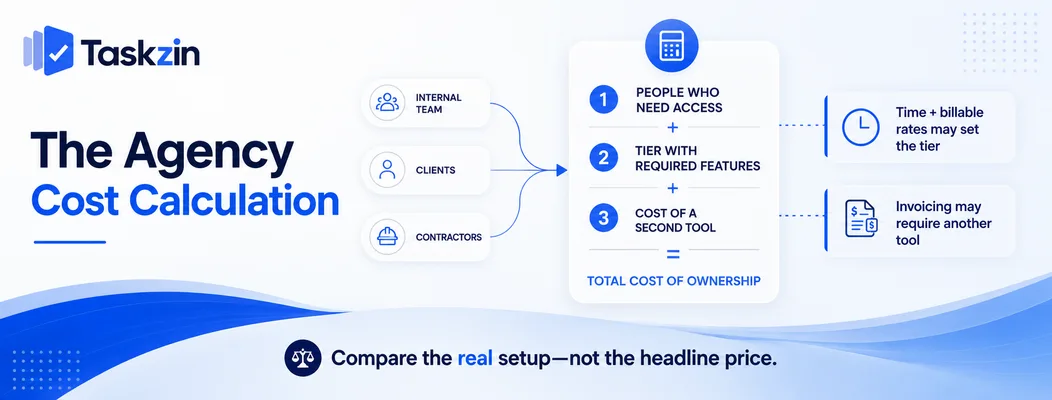
Count every person who needs access, price at the tier that contains what you need, and include the cost of any second tool.
Count clients, not just staff
Model your realistic total: internal team plus every client contact and contractor.
Both tools handle guests reasonably, which makes this less decisive than against some alternatives — but confirm the current terms rather than assuming, because guest policies change and are the single largest cost variable in agency tooling.
Which tier you actually need
Name the specific capability that decides your plan. Time tracking and billable rates put Taskzin at Business. Invoicing puts you on Teamwork regardless of tier.
Compare at those tiers, not at entry level. This is where most agency tool comparisons go wrong.
What a second tool would cost
If Taskzin's delivery capability fits but you need invoicing, add the cost of your invoicing tool to the comparison.
Conversely, if Teamwork.com fits commercially but your delivery teams want board flow control, account for whatever they will use instead — or the cost of them not having it.
Choosing for Your Agency
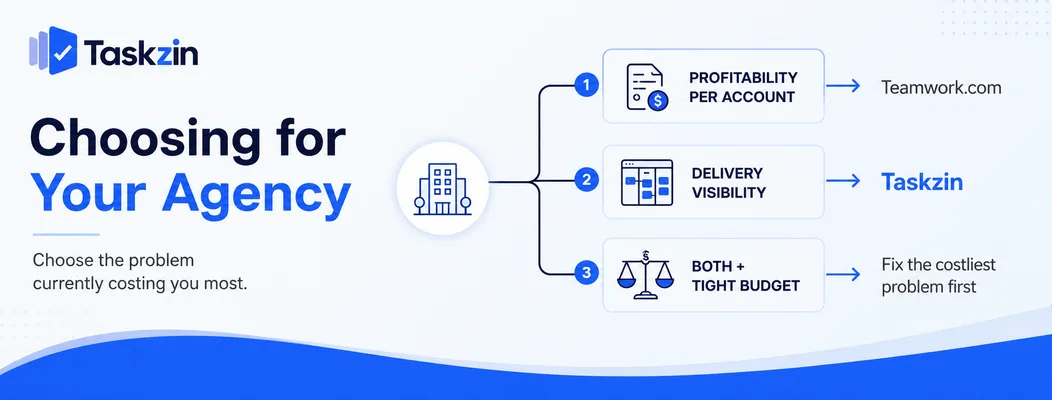
Match the tool to whichever agency problem is currently costing you most.
If profitability per account is the problem
You do not know which clients make money, invoicing takes days, and retainer overruns are discovered late.
Teamwork.com addresses this directly and Taskzin does not fully replace it. This is the clearest case for choosing Teamwork.
If delivery visibility is the problem
Work slips between people, nobody can see project state without asking, and deadlines are discovered late.
Taskzin's views, dependencies and flow management address this more thoroughly, and time tracking on Business gives you enough commercial visibility to know where hours went even without invoicing.
If both, and budget is tight
Fix the one that is losing you more money. For most agencies under about fifteen people, delivery problems cost more than imperfect billing visibility, because missed deadlines lose clients.
Above that size, unprofitable accounts usually cost more, and the commercial tooling earns its place.
Frequently asked
Is Teamwork.com good for agencies?
Yes, particularly for agencies whose main problem is commercial — billable rates, invoicing, retainer tracking and project profitability are core features rather than add-ons.
Which is better for client work?
Teamwork.com if the client relationship is billing-centred and you need invoicing in the same system. Taskzin if the client relationship is delivery-centred and you need visible timelines and flow.
Which is cheaper for an agency?
Taskzin is free up to 10 members, then flat per member with no seat tiers, plus free unlimited guests. Compare at the tier containing what you need — Business for Taskzin if you want time tracking and rates.
Does Taskzin do time tracking and billing?
Time tracking with billable rates is included on the Business plan. Invoicing is not, so hourly agencies pair it with an invoicing tool.
Do clients cost extra in either tool?
Taskzin includes unlimited free guests with view and comment access. Teamwork.com offers free client users on most plans. Verify current terms on both, since these change.
Can you import Teamwork.com data into Taskzin?
Via CSV rather than the one-click importer, which covers ClickUp, Jira, Asana and Trello. Tasks, dates and assignees transfer; time entries and invoicing history need separate handling.
Which handles retainers better?
Teamwork.com, clearly. Retainer and budget tracking with depletion alerts is a first-class concept there and requires manual setup in Taskzin.
Sujan Sharma is a content writer at Taskzin with a strong focus on productivity systems, task management, workflow optimization, team collaboration, and SaaS technology. He creates research-driven, practical content that helps professionals and growing teams improve operational efficiency, streamline processes, and make informed decisions about modern work management tools.
All posts by Sujan Sharma


Comments