Taskzin vs Basecamp: Which Suits Client Work Better?
An honest comparison of Taskzin and Basecamp for client work, covering their opposing philosophies, how the pricing models actually compare, where Basecamp's deliberate constraints are a strength, and where structure and reporting matter more.

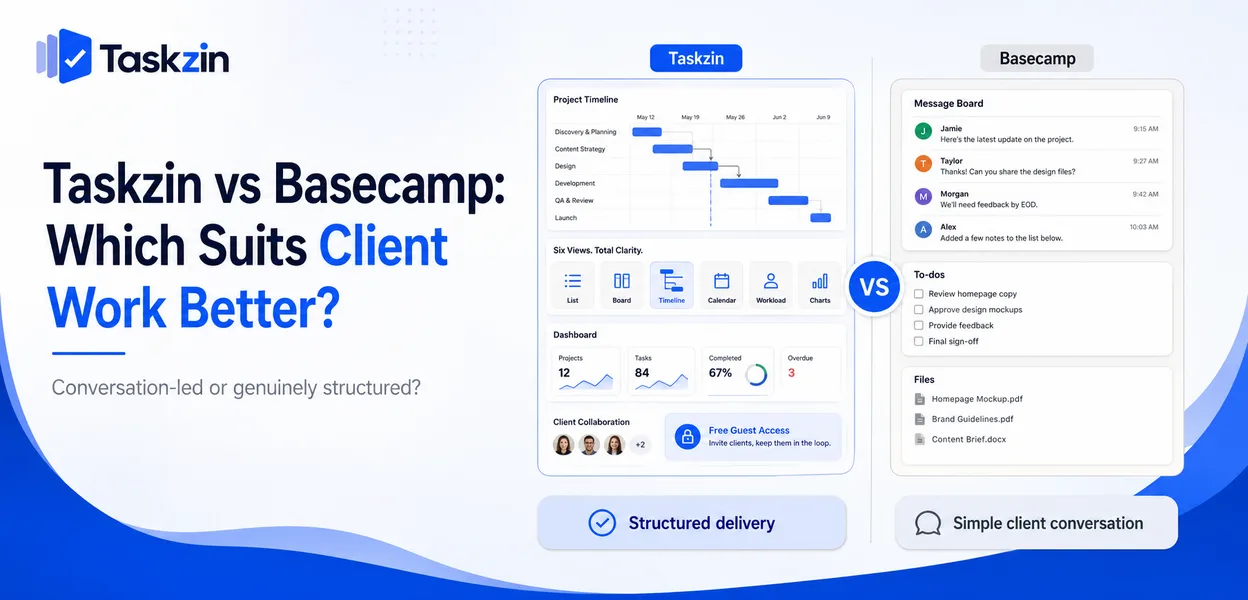
Both are defensible answers. Basecamp's constraints are its product philosophy rather than gaps, and for a lot of client work they are exactly right.
Quick answer: Basecamp is deliberately constrained — flat pricing, unlimited users, message boards and to-do lists, and no dependencies, custom fields or reporting. Taskzin provides project structure with six views, dependencies, critical path and dashboards, priced flat per member with free unlimited guests. For client work the choice comes down to whether your projects are conversation-led or genuinely structured.
Two Different Philosophies
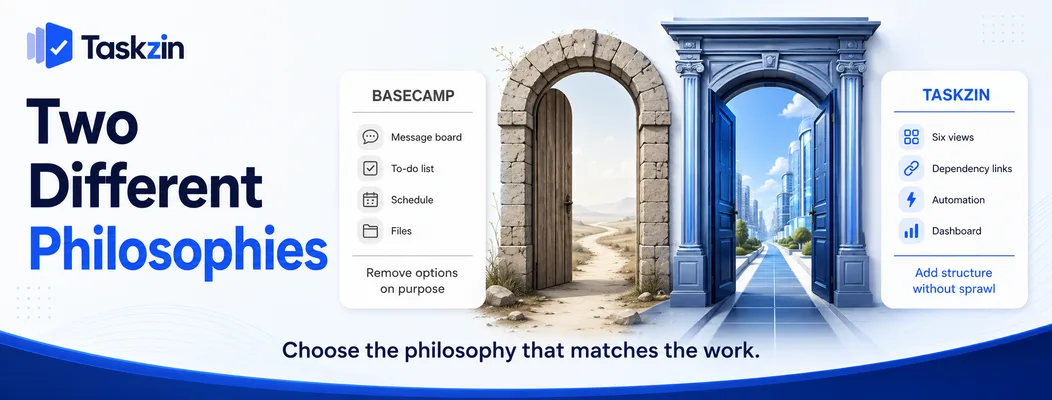
Basecamp removes options on purpose; Taskzin provides structure while trying not to require configuration.
Basecamp's deliberate constraints
No custom fields, no dependencies, no Gantt charts, no time tracking, minimal reporting. These are choices, not omissions.
The argument is that most project software creates more overhead than it removes, and that a team with message boards, to-do lists, a schedule and a place for files can do the work without it. For a substantial number of client engagements, that is true.
Taskzin's structure without sprawl
Taskzin provides six views over one dataset, dependencies with critical path recalculation, board WIP limits and swimlanes, docs linked to tasks, and dashboards with 30+ widgets on Business — while aiming to have a real project running within an hour.
The bet is different: that structure is worth having provided it does not require an administrator.
What this means for client work
If a client project is essentially a sequence of conversations, decisions and deliverables, Basecamp handles it well and the client will find it pleasant.
If it has sequenced work where one thing genuinely blocks another, and you need to show a timeline or report on where hours went, Basecamp will require you to manage that outside the tool.
Taskzin vs Basecamp at a Glance
Taskzin Basecamp Pricing model Flat per member Flat fee, unlimited users Free plan Yes, up to 10 members Limited
Guests Free, unlimited, view and comment Included
Automation and views
List, Board, Calendar, Gantt, Table, Timeline To-dos, schedule, card table Dependencies Yes No Critical path Yes, recalculates No WIP limits Yes No Sprints, velocity, burndown Starter and above No Custom fields Yes No Time tracking and billable rates Business No Dashboards 30+ widgets on Business Minimal Message boards Docs and comments on tasks Core feature, strong Automations All plans Limited Data export JSON or CSV, any plan Available Configuration required Minimal None
Verify current Basecamp pricing before relying on cost comparisons.
The Pricing Question, Properly Calculated
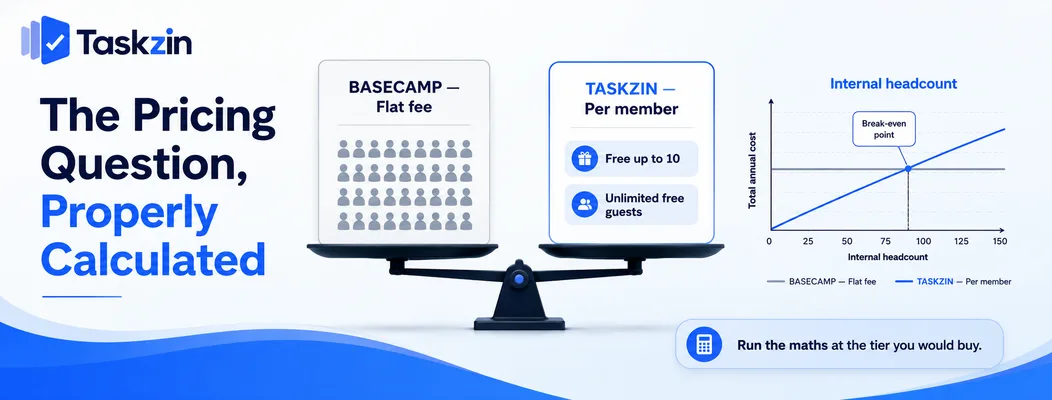
Basecamp's flat fee and Taskzin's per-member pricing cross over at a predictable point, and free guests change where that point falls.
Flat fee versus per member
Basecamp charges one price regardless of user count. Taskzin charges per member — Free up to 10, $7 Starter, $14 Business, with 20 percent off annually — and includes unlimited free guests with view and comment access.
These are genuinely different models, and the comparison depends entirely on your headcount.
Where the crossover falls
Below roughly ten to fifteen internal members, per-member pricing is usually cheaper — and Taskzin's free tier covers up to ten members outright.
Above that, a flat fee becomes competitive and eventually clearly cheaper. Run the arithmetic with your actual staff number at the tier you would buy rather than comparing headline figures.
Why guests change the maths
The historic argument for Basecamp in agencies was unlimited client access at no extra cost.
That argument weakens against a tool that also includes free unlimited guests.
Since Taskzin's guests are free and unlimited for view and comment, the comparison reduces to internal headcount rather than to client contact count — which is a different calculation from the one most agencies are used to running.
Where Basecamp Is Stronger
Basecamp wins on client-facing communication, on cost predictability at larger headcounts, and on requiring no configuration at all.
Client communication and message boards
Basecamp's message boards are genuinely good, and better than comment threads on tasks for discussion that is not about a specific piece of work.
For engagements where the relationship is conversational — strategy work, retained advisory, long-running client partnerships — this is a real strength. Clients also find Basecamp unusually easy to use, which matters when they are not project people.
Predictable cost at any size
A flat fee means adding a person costs nothing and budgeting is trivial. For a growing agency, that predictability has genuine value beyond the raw number.
Nothing to configure
There are no custom fields to design, no workflows to build, no views to set up. A new project starts immediately.
Taskzin aims for fast setup but still offers configuration; Basecamp removes the option entirely, which for some teams is the feature.
Where Taskzin Is Stronger
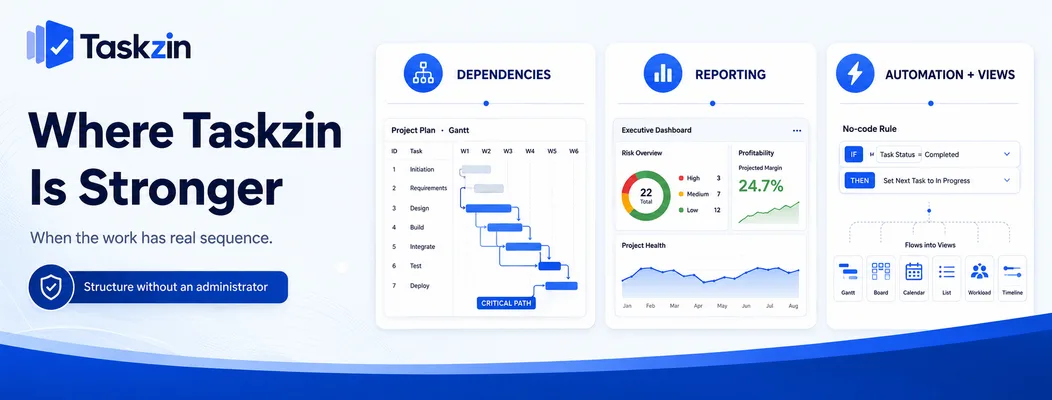
Taskzin wins wherever the work has real sequence, wherever you need to report, and wherever repetitive coordination could be automated.
Dependencies, timelines and critical path
Basecamp has no dependencies. If your project has work that genuinely cannot start until something else finishes, you manage that in your head or in a separate spreadsheet.
Taskzin's Gantt and timeline views handle dependencies with critical path recalculation when dates change, so a slip upstream visibly moves what follows. For delivery work with sequence, this is the clearest gap between the two.
Reporting and dashboards
Basecamp reporting is minimal by design. Answering "how many hours went into this account" or "which projects are at risk" requires assembling it manually.
Taskzin's Business plan includes dashboards with 30+ live widgets, goals and OKRs, and time tracking with billable rates — which is the specific combination agencies need to know whether an account is profitable.
Automation and views Taskzin includes no-code automation rules on all plans, and six views over the same dataset so different people see the same work their preferred way.
Basecamp's automation is limited and its views are fixed. For teams that want to automate intake or handoffs, this is a practical daily difference.
Choosing for Client Work
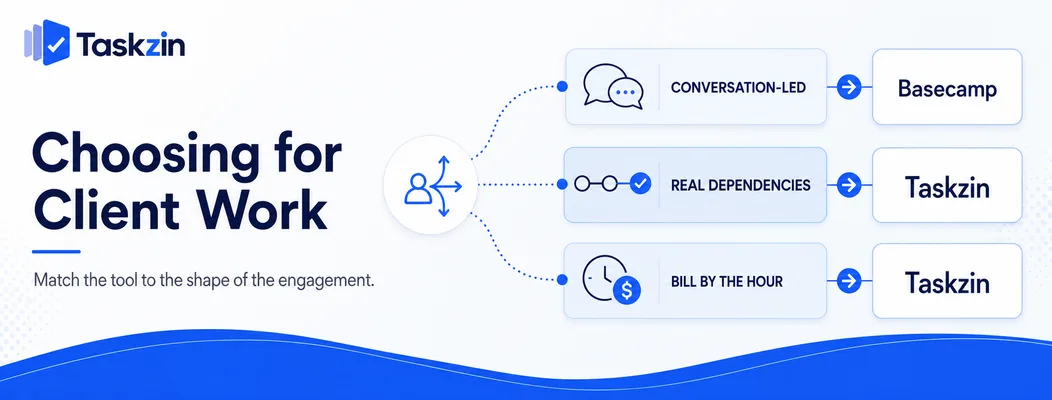
Match the tool to the shape of your engagements: conversation-led work suits Basecamp, sequenced or billable work suits Taskzin.
If your work is conversation-led
Strategy, advisory, ongoing partnership work where deliverables are discrete and the value is in the discussion.
Basecamp fits this well, clients find it approachable, and the absence of structure is not a loss because there was little sequence to model.
If your work has real dependencies
Build projects, phased implementations, anything where the order genuinely constrains delivery.
Taskzin's dependency and critical path handling is the difference between a plan and a list, and Basecamp does not attempt it.
If you bill by the hour
Time tracking with billable rates on Taskzin's Business plan lets you answer whether a project was profitable without a separate system and a monthly reconciliation.
Basecamp has no time tracking, so hourly billing means running a second tool and matching entries to work manually.
Frequently asked
Is Taskzin or Basecamp better for agencies?
Basecamp suits conversation-led client work and larger headcounts on a flat fee. Taskzin suits agencies with sequenced delivery, hourly billing, or a need to report on project profitability.
Which is cheaper?
Below roughly ten to fifteen internal members, Taskzin is usually cheaper and free up to ten. Above that, Basecamp's flat fee becomes competitive. Both include free guest access, so client count no longer decides it.
Does Basecamp have Gantt charts?
No. Basecamp has no dependencies or critical path. Taskzin provides Gantt and timeline views with dependencies that recalculate the critical path when dates change.
Does Taskzin have message boards?
Taskzin uses docs linked to tasks plus comment threads rather than standalone message boards. For discussion not tied to a specific piece of work, Basecamp's message boards are stronger.
Can you import Basecamp data into Taskzin?
Not via the one-click importer, which covers ClickUp, Jira, Asana and Trello. Basecamp data moves by CSV, with message board history needing to be archived separately.
Which is better for client visibility?
Both give clients free access. Basecamp is simpler for non-technical clients; Taskzin shows timelines and progress that Basecamp cannot represent. It depends on whether your client wants conversation or a schedule.
Does Basecamp do time tracking?
No. Hourly billing requires a separate tool and monthly reconciliation. Taskzin includes time tracking with billable rates on its Business plan.
Sanju Shrestha is a SaaS content writer at Taskzin who explores smarter ways to manage work, organize priorities, and improve team performance. Her content covers productivity strategies, digital workflows, collaboration, and task management, with a focus on helping modern teams work more efficiently and stay aligned.
All posts by Sanju Shrestha


Comments