12 Best Jira Alternatives (Free and Paid)
A comparison of twelve Jira alternatives, free and paid, covering why teams leave Jira, how to choose a replacement based on actual usage, how to migrate without losing history, and when staying is the better decision.


Jira is not bad software. It is enormously capable software that costs more to operate than most teams realise, and that cost is paid in configuration, administration and the daily friction of everyone who is not an engineer.
This guide covers why teams leave, twelve realistic replacements, how to choose based on what you actually use, how to migrate without losing history, and when staying is the right call.
Quick answer: The best Jira alternatives are Linear for speed, Shortcut for a like-for-like replacement with less configuration, Taskzin for teams where engineers and non-engineers share a workspace, and Azure DevOps for Microsoft-stack organisations. For teams needing open source, Taiga and OpenProject are the strongest self-hosted options.
Why Teams Look for a Jira Alternative

Teams usually leave Jira for one of two reasons: accumulated configuration complexity that nobody wants to own, or the fact that non-engineering colleagues avoid it — not because it lacks features.
Understanding which of these is your reason matters, because they lead to different replacements. A configuration problem might be solved by a cleaner Jira. An adoption problem will not be.
Configuration debt
A Jira instance running for three years has accumulated custom fields nobody remembers requesting, workflows with states that no longer exist in practice, and permission schemes that block people for reasons lost to history.
Each addition seemed reasonable. Together they produce an instance where creating a ticket requires filling in eleven fields, and where changing anything needs an administrator who is already busy. Teams do not leave because Jira cannot do what they need — they leave because it now does far more than they asked for.
Non-engineers can't use it
Design, marketing, support and leadership frequently need visibility into engineering work.
When Jira is the only place that work exists, and Jira is unpleasant for them, they stop looking and start asking people instead.
That produces the status meetings the tool was meant to eliminate. A replacement that everyone will actually open often delivers more value than a more capable tool that only engineers tolerate.
Jira Alternatives Compared at a Glance
Tool Best for Sprints Custom workflows Free plan
Taskzin Mixed technical / non-technical Yes Moderate Yes Linear Speed Cycles Limited Yes Shortcut Like-for-like swap Yes Yes Yes Azure DevOps Microsoft-stack engineering Yes Yes Yes (small teams) ClickUp All-in-one replacement Yes Yes Yes Asana Cross-functional delivery Partial Rules-based Yes Monday.com Stakeholder visibility Yes Yes Limited Trello Lightweight tracking No Via automation Yes GitHub Projects GitHub-native teams Basic Limited Yes Notion Docs-heavy product teams Manual No Yes Basecamp Flat-fee client work No No Limited Taiga / OpenProject Open source, self-hosted Yes Yes Yes
The 12 Best Jira Alternatives
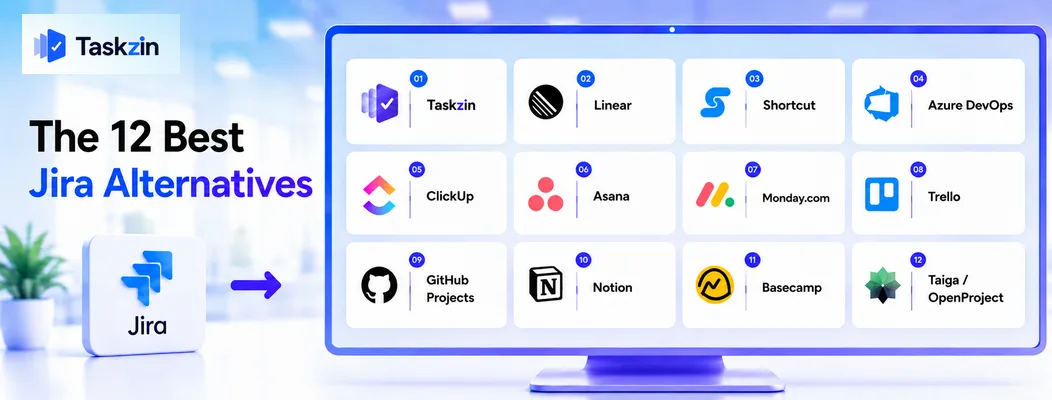
Taskzin — best for mixed technical and non-technical teams
Taskzin supports sprints, backlogs and boards while remaining readable to people who do not work in tickets daily, which addresses the most common reason teams leave Jira.
Best for: organisations where engineering, product, design and marketing need one shared view.
Trade-off: less workflow customisation than Jira offers for complex, regulated processes.
Linear — best for speed
Linear is the most frequently cited Jira replacement among small product teams. Everything is keyboard-driven and fast enough that updating an issue is not a chore.
Best for: engineering teams that want less process and more momentum.
Trade-off: opinionated and deliberately limited — teams requiring bespoke workflows will hit its edges.
Shortcut — best like-for-like replacement
Shortcut covers stories, epics, iterations and roadmaps with much less configuration burden, making it the closest structural match to Jira without the weight.
Best for: teams that want Jira's model without Jira's administration.
Trade-off: a smaller marketplace and fewer enterprise integrations.
Azure DevOps — best for Microsoft-stack engineering
Azure Boards provides backlogs, sprints, capacity and full traceability from work item to pipeline and release.
Best for: organisations already in Azure or Microsoft 365.
Trade-off: as heavy as Jira in its own way — this trades complexity, it does not remove it.
ClickUp — best all-in-one replacement
ClickUp can replace Jira alongside Confluence and several other tools, consolidating tickets, docs and dashboards in one workspace.
Best for: organisations reducing total tool count, not just leaving Jira.
Trade-off: the breadth reintroduces configuration decisions, so the setup burden is real.
Asana — best for cross-functional delivery
Asana handles project delivery where engineering is one contributor among several, with strong ownership and deadline clarity.
Best for: product organisations coordinating launches across departments.
Trade-off: no native story points or velocity, so formal Scrum requires workarounds.
Monday.com — best for stakeholder visibility
Monday's colour-coded boards make engineering progress legible to people who will never learn a ticket system.
Best for: teams whose main pain is executives and clients asking for status.
Trade-off: lighter on engineering-specific features like branch linking and release tracking.
Trello — best lightweight option
For small teams whose Jira usage amounted to a board with four columns, Trello delivers that with none of the overhead.
Best for: teams discovering they used perhaps five percent of Jira.
Trade-off: no sprints, no velocity, minimal reporting.
GitHub Projects — best for GitHub-native teams
GitHub Projects links planning directly to issues and pull requests, removing the sync problem between tracker and code entirely.
Best for: small engineering teams already living in GitHub.
Trade-off: limited capacity planning and reporting.
Notion — best for docs-heavy product teams
Notion can hold a product backlog as a database alongside specs, research and decisions.
Best for: small product teams where writing matters more than ticket mechanics.
Trade-off: you build the system yourself, and it has no agile reporting.
Basecamp — best for flat-fee client work
Basecamp's flat pricing and unlimited collaborators suit agencies whose Jira cost scaled badly with client and contractor access.
Best for: client-facing teams wanting predictable billing.
Trade-off: deliberately opinionated, with no sprint or velocity concepts.
Taiga and OpenProject — best open-source alternatives
Taiga is agile-first with Scrum and Kanban support; OpenProject covers agile and traditional planning. Both self-host at no licence cost.
Best for: teams with data-residency requirements or infrastructure capability.
Trade-off: you own hosting, upgrades, backups and security patching.
How to Choose the Right Jira Replacement
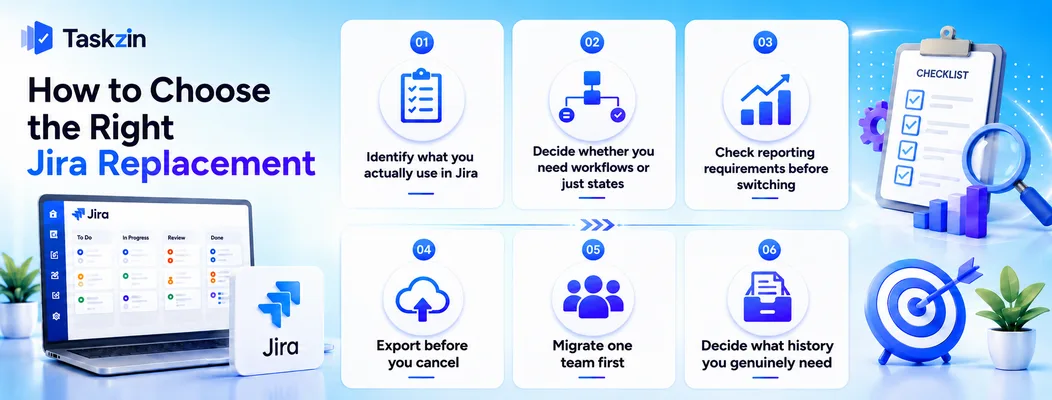
Choose by auditing what your team genuinely uses in Jira over a month, deciding whether you need real custom workflows or just a set of states, and confirming any reporting you are contractually or organisationally obliged to produce.
Identify what you actually use in Jira
Export a month of activity and look at which fields are populated, which workflows are exercised, and which reports anyone opens. Most teams discover a large gap between what is configured and what is used.
That gap is your requirement list. Choosing a replacement against Jira's full feature set rather than your actual usage guarantees you buy more complexity than you need for the second time.
Decide whether you need workflows or just states
There is a large difference between "tickets move through six states" and "transitions require approvals, trigger automations, and enforce field validation".
The first is available in almost every tool on this list. The second narrows your options considerably, to Shortcut, ClickUp, Azure DevOps or OpenProject. Be honest about which you have, because teams routinely mistake habit for requirement here.
Check reporting requirements before switching
If someone outside the team receives a Jira report — a client, a compliance function, a board — confirm the replacement can produce it before you commit, not after.
This is the most common cause of a stalled migration: everything works for the team, then a quarterly obligation surfaces that the new tool cannot satisfy.
How to Migrate Off Jira Without Losing History
Export everything before cancelling, migrate one team as a pilot, and decide deliberately how much history you actually need to carry across rather than attempting to move everything.
Export before you cancel
Export issues, comments, attachments and workflow history while your licence is still active.
Once cancelled, access typically ends quickly and recovery is difficult.
Store the export somewhere durable even if you never load it into the new tool. It costs nothing to keep and answers questions that surface months later.
Migrate one team first
Move a single team, run for two full sprints, and note what breaks. This surfaces the reporting gaps and workflow assumptions that no evaluation catches.
Migrating everyone simultaneously means the first difficult week gets attributed to the new tool, which is how migrations get reversed for reasons unrelated to the tool's merits.
Decide what history you genuinely need
Full-fidelity migration of years of tickets is expensive and rarely repays the effort. Most teams need open work moved properly, plus a searchable archive of everything else.
Move active items into the new tool cleanly, keep the export as the archive, and accept that closed tickets from three years ago will be consulted approximately never.
When You Should Stay on Jira

Stay on Jira if you operate in an audited environment where its permission and history model is part of your compliance posture, or if you are deeply invested in the wider Atlassian ecosystem.
Regulated or audited environments
Jira's audit trail, granular permissions and workflow enforcement are genuinely difficult to replicate. If an auditor examines who changed what and when, that capability is not optional.
Before switching, confirm the replacement satisfies the same requirement. Discovering otherwise during an audit is an expensive way to learn.
Deep Atlassian ecosystem investment
If Confluence holds your documentation, Bitbucket your code, and a set of marketplace apps your workflows, leaving Jira means leaving more than a tracker.
In that situation, cleaning up your Jira configuration is often cheaper and lower-risk than migrating. A simplification project — removing unused fields, retiring dead workflows, reducing required inputs — solves the actual complaint for many teams.
Frequently asked
What is the best Jira alternative?
Linear for speed, Shortcut for a structurally similar replacement with less configuration, Taskzin for mixed technical and non-technical teams, and Azure DevOps for Microsoft-stack engineering organisations.
What is the best free Jira alternative?
Linear, Shortcut, Taskzin, Trello and GitHub Projects all offer free plans for small teams. Taiga and OpenProject are free to self-host with no user limits.
Why do teams move away from Jira?
Most commonly because accumulated configuration has made everyday use slow, or because non-engineering colleagues will not use it, which pushes status back into meetings.
Is Linear better than Jira?
Linear is faster and simpler; Jira is more capable and configurable. For a small product team wanting momentum, Linear is usually better. For complex workflows and formal reporting, Jira remains stronger.
What is the best Jira alternative for non-technical teams?
Taskzin, Asana and Monday.com are all readable without training. Monday is the easiest for stakeholders who only need to see status rather than update work.
Can you migrate Jira data to another tool?
Yes. Jira exports issues, comments and attachments to CSV, and most major tools offer Jira importers. Full fidelity — workflow history, custom field mappings, links — usually needs manual cleanup.
Is there an open-source Jira alternative?
Taiga and OpenProject are the main options, both self-hostable with agile support. Redmine is a longer-established alternative with a more dated interface.
Is Jira free for small teams?
Jira offers a free tier for a limited number of users with core Scrum and Kanban boards. Automation volume, advanced permissions and audit logging are restricted on that plan.
What should you check before leaving Jira?
Any report someone outside the team depends on, whether you need enforced workflows or just states, your compliance requirements, and what else in the Atlassian ecosystem you would be leaving behind.
Sujan Sharma is a content writer at Taskzin with a strong focus on productivity systems, task management, workflow optimization, team collaboration, and SaaS technology. He creates research-driven, practical content that helps professionals and growing teams improve operational efficiency, streamline processes, and make informed decisions about modern work management tools.
All posts by Sujan Sharma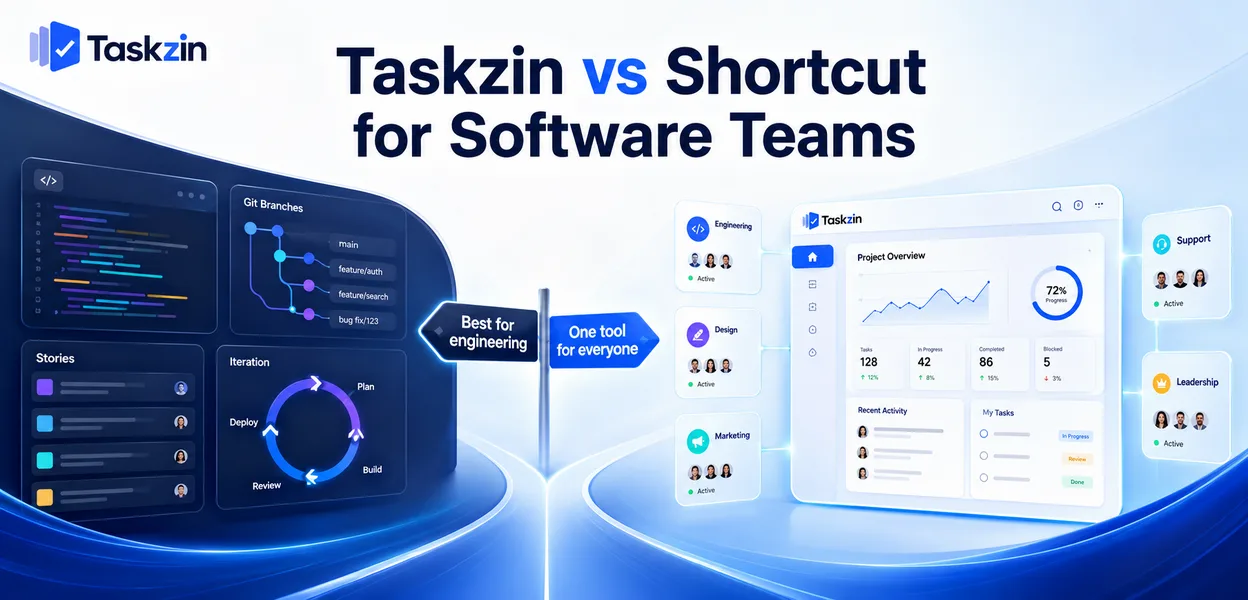

Comments