How Long Does It Take Teams to Adopt a New PM Tool?
A practical examination of project management tool adoption timelines, covering the three thresholds of adoption, what makes it faster or fails it, how to measure adoption in your own team weekly, and how to run it as a study worth publishing.

Published benchmarks on this are thin and mostly vendor-produced, which is why this article explains how to measure it in your own team rather than quoting a figure you cannot verify. The method at the end is one you can genuinely run.
This guide covers what adoption means, what accelerates it, what kills it, and how to measure it.
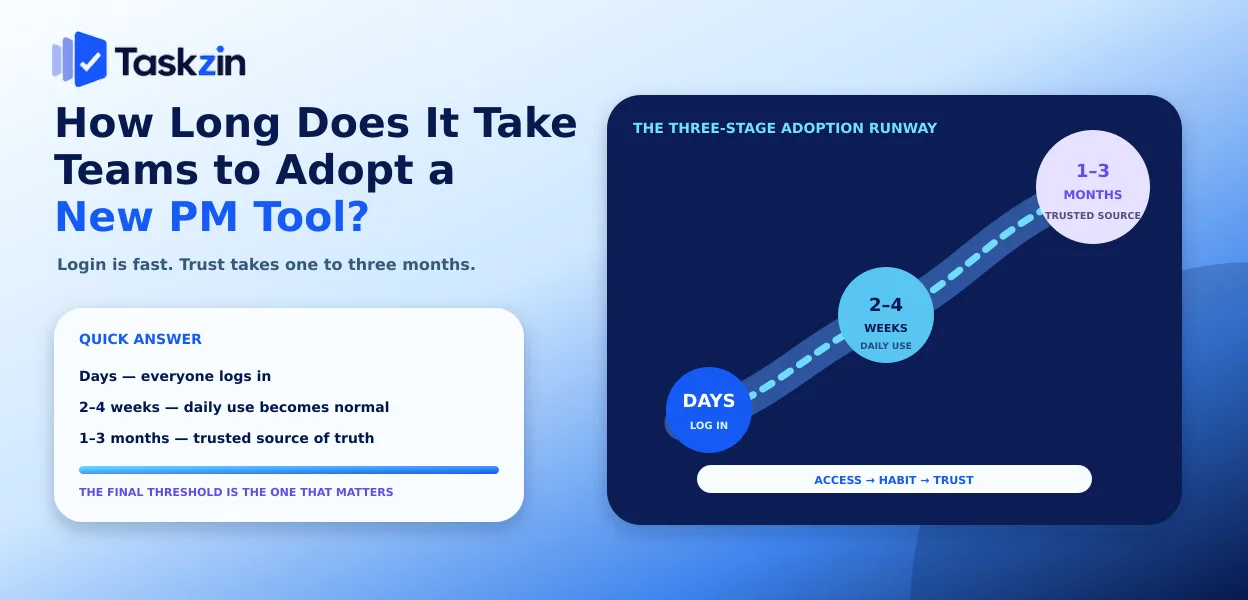
Quick answer: Adoption happens in three stages, not one: everyone logs in within days, the team uses it daily within two to four weeks, and it becomes the trusted source of truth somewhere between one and three months. The last threshold is the one that matters, and it is the one most rollouts never reach.
What "Adopted" Actually Means
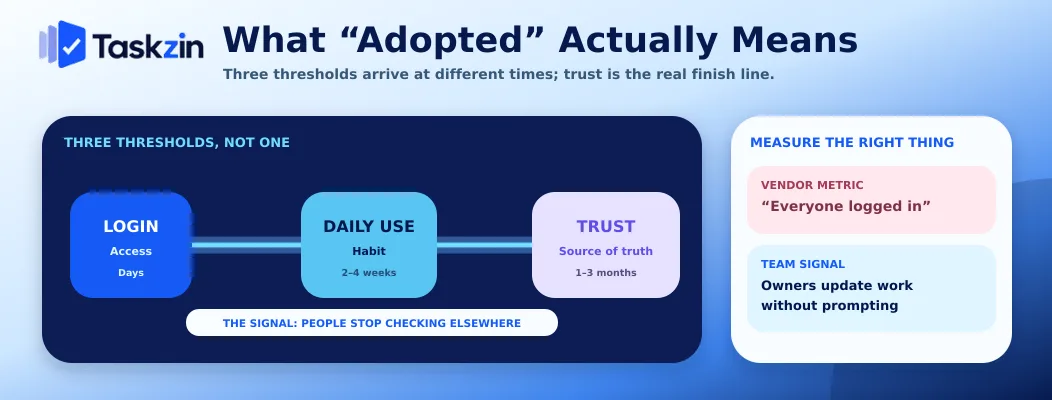
Adoption is not a single event — logging in, using daily and trusting the tool as the source of truth are separate thresholds that arrive at different times.
Three thresholds, not one
Threshold one: everyone has an account and has opened it. This happens within days and means almost nothing.
Threshold two: people update their own work without being asked. This is real adoption of the tool as a working surface.
Threshold three: the team trusts what the tool says. Nobody maintains a private list, and when someone asks about status, people look rather than ask a person.
Why vendors and teams measure different things
Vendors report activation and active users, because those are measurable from telemetry and reflect well on the product.
Teams care about whether the tool is trusted, which telemetry cannot see. A tool with 100 percent weekly active users where everyone also keeps a personal spreadsheet has excellent metrics and has not been adopted.
The signal that matters
The clearest indicator is the absence of shadow systems. When nobody is maintaining a parallel list — a notebook, a spreadsheet, a chat thread that functions as the real backlog — the tool has been adopted.
Ask this directly at week four. People will answer honestly if the question is framed as diagnosing the tool rather than assessing them.
The Adoption Timeline by Stage
Stage Typical timing What is true Common blocker Setup and import Days Data is in, structure exists Over-configuration First real project Week 1 One project running live Waiting for perfect setup Daily use by the team Weeks 2–4 People update without prompting Update friction
Source of truth Weeks 4–12 Shadow systems disappear Old tool still running Habitual Month 3+ Nobody discusses the tool Never reached if earlier stages skipped
Timings vary considerably by team size, tool complexity and how much old data is migrated.
Measure your own rather than assuming these.
What Makes Adoption Faster
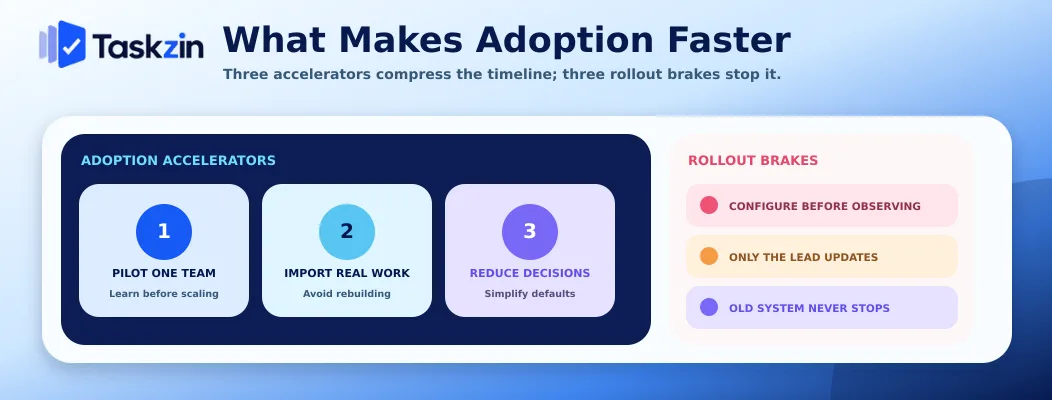
Three things reliably compress the timeline: piloting with one team, importing existing work rather than rebuilding it, and minimising the decisions people must make.
Migrating one team, not the company
A pilot team running live for a month surfaces the problems no evaluation catches, at a scale where fixing them is cheap.
Company-wide rollout means every problem hits every team simultaneously, and the first bad week gets attributed to the tool. Migrations are rarely given a second chance, which makes the pilot the single highest-value decision in the process.
Importing existing work rather than rebuilding
Asking a team to recreate three hundred tasks manually guarantees a slow, resented start, and much of it will not get done.
Most modern tools import from the main competitors — Taskzin's import from ClickUp, Jira, Asana and Trello maps projects, statuses, custom fields, comments and attachments, with a preview before committing and rollback afterwards, and leaves the source tool untouched.
Whatever the tool, check what actually transfers before you plan the migration, because comments and attachments are where imports usually lose fidelity.
Reducing what people must decide
Every required field and configuration option is a decision at the moment of doing work. Start with the minimum: projects, tasks, owners, due dates, one board view.
Add structure only when a specific need appears. Teams that arrive at a fully configured workspace with twelve custom fields experience the tool as bureaucracy on day one.
What Makes Adoption Fail
Adoption fails when the workspace is configured before anyone has watched how the team works, when only one person maintains it, and when the old system keeps running.
Configuring before observing
Building an elaborate structure based on how you think work flows produces a workspace that fights actual practice.
Run the first project with almost no configuration and watch what people struggle with.
Configure in response to observed friction, not in anticipation of it.
Only the lead updating it
The most common failure, usually visible within a fortnight. If one person updates on everyone's behalf, the tool is documentation rather than coordination and the data will drift.
The cause is almost always friction rather than willingness. If updating a status takes four clicks and a page load, people batch it and then stop. Reduce the friction before addressing the behaviour.
Running the old system in parallel indefinitely
A short overlap is sensible — keeping the old tool read-only for a month gives a fallback reference.
Keeping both active is fatal. People update whichever is convenient, the two diverge, and neither is trustworthy. Set a hard date when the old system becomes read-only and hold it.
Measuring Adoption in Your Own Team
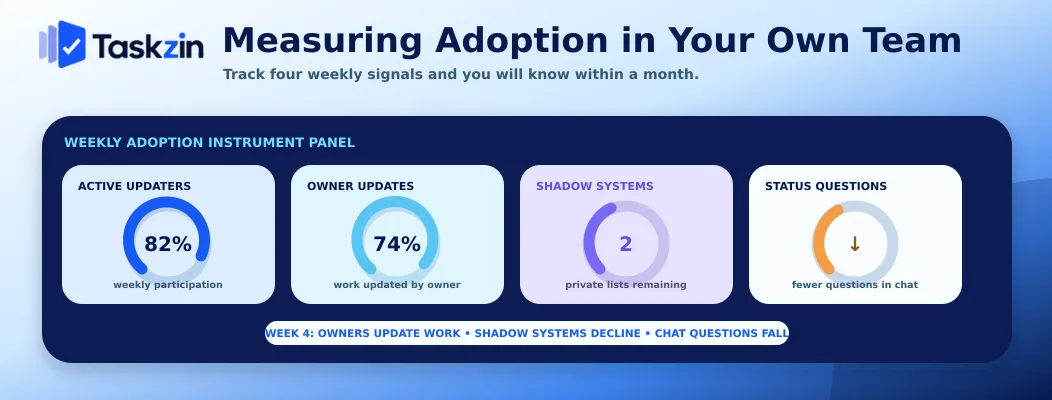
Track four numbers weekly — active updaters, items updated by their owner, shadow systems, and status questions asked in chat — and you will know within a month whether adoption is happening.
The four numbers to track
How many people updated something this week, as a proportion of the team. How many items were updated by their owner rather than by the lead. How many people are still maintaining a personal list. How many status questions were asked in chat that the tool could have answered.
The third and fourth are the meaningful ones, and neither appears in any product's analytics.
A simple weekly method
Once a week for six weeks, spend ten minutes: check who updated something, check whether the lead is updating other people's items, and ask two people whether they are keeping anything outside the tool.
That is the whole method. It is not sophisticated and it produces a genuine adoption curve for your team.
What good looks like at week four
Most of the team updating their own items without prompting. The lead updating only their own work. Nobody admitting to a shadow list. Status questions in chat noticeably reduced.
If those are not true at week four, adoption has stalled, and it will not fix itself with time.
Something specific is wrong — usually friction, unclear ownership, or the old tool still running.
Running This as a Study
Published data on adoption timelines is thin and mostly vendor-produced, so the useful version is a study you run yourself across several teams.
Why published benchmarks are thin
Most figures come from vendors measuring activation, which is the least meaningful threshold, and there is a strong incentive to define adoption generously.
Independent research is scarce because the outcome is difficult to observe from outside an organisation. Treat any confident industry-wide number with caution unless you can see the sample and the definition.
A method you can actually run
Define adoption explicitly — for example, 80 percent of team members updating their own items weekly, with no shadow systems reported.
Track the four numbers above weekly for eight weeks across every team that migrates. Record team size, whether data was imported or rebuilt, and how much configuration existed at launch.
After five or six teams you have a real dataset showing your own adoption curve and which factors moved it. That is more useful than any published average, and it is genuinely publishable.
What to report
The distribution rather than the average: how many teams reached daily use by week two, by week four, by week eight. Sample size, definition and method stated plainly.
A modest study with a clear method is more credible than a large claim with none — and if you publish it, the method section is what makes it citable.
Frequently asked
How long does it take to adopt a new project management tool?
Typically days to log in, two to four weeks to reach daily use, and one to three months before the tool is trusted as the source of truth. The last threshold is the one that matters and the one most rollouts miss.
What does successful adoption look like?
People update their own work without prompting, the lead updates only their own items, nobody maintains a private list outside the tool, and status questions in chat have dropped noticeably.
How long should tool setup take?
Under an hour to have a real project running. If initial setup consumes more than a working day, the configuration is more elaborate than the team needs at the start.
Should you migrate everyone at once?
No. Pilot with one team for a month, fix what surfaces, then roll out in phases. Simultaneous migration means every problem hits every team at once and the tool gets blamed.
Why do project tool rollouts fail?
Most commonly because the workspace was configured before anyone observed how the team works, because only one person maintains it, or because the old system kept running in parallel.
Should you run the old tool in parallel?
Briefly and read-only, as a reference for about a month. Keeping both writable is fatal — people update whichever is convenient and neither becomes trustworthy.
How do you measure adoption?
Weekly, track how many people updated their own items, whether the lead is updating for others, whether anyone maintains a shadow list, and how many status questions appear in chat.
Sujan Sharma is a content writer at Taskzin with a strong focus on productivity systems, task management, workflow optimization, team collaboration, and SaaS technology. He creates research-driven, practical content that helps professionals and growing teams improve operational efficiency, streamline processes, and make informed decisions about modern work management tools.
All posts by Sujan Sharma


Comments