12 Best ClickUp Alternatives for Teams That Want Less Clutter
A comparison of twelve ClickUp alternatives for teams wanting less complexity, covering why teams leave, how to tell whether the tool or the configuration is at fault, migration steps, and when staying makes more sense.

ClickUp's positioning is that it replaces everything. For some organisations that is exactly right. For others it means the tool arrives with dozens of features nobody asked for, and a workspace that requires ongoing curation to stay usable.
This guide covers why teams leave, twelve alternatives, how to tell whether your problem is ClickUp or your configuration of it, and how to migrate without rebuilding the same mess elsewhere.
Quick answer: The best ClickUp alternatives for teams wanting less complexity are Asana
Taskzin — best for teams that want structure without sprawl
simplification, and Basecamp for flat-fee predictability. For teams leaving because ClickUp was too light on engineering depth rather than too heavy, Jira and Linear are the better direction.
Why Teams Leave ClickUp
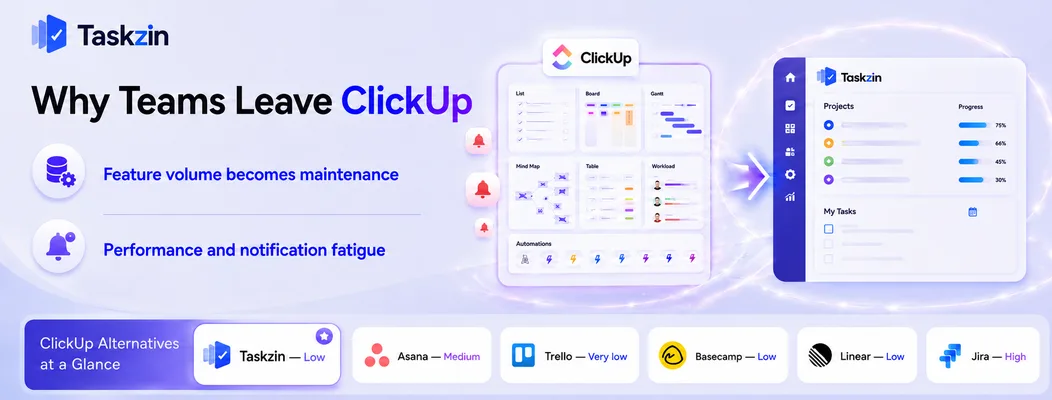
Teams typically leave ClickUp because the breadth of features turns into a maintenance job nobody owns, or because notification volume and interface density make daily use tiring — rarely because a capability is missing.
This is worth stating plainly, because it changes what you should look for. If you leave a broad tool for another broad tool, you will arrive at the same place in eight months.
Feature volume becomes maintenance
Every view, custom field, status and automation is a small decision. Multiply that across spaces, folders, lists and teams, and someone has to hold the whole structure in their head.
In practice one person becomes the unofficial administrator. When that person gets busy or leaves, the workspace drifts — statuses proliferate, views multiply, and nobody trusts the dashboards. The tool did not break; the maintenance simply stopped.
Performance and notification fatigue
A workspace with heavy automation and many members generates substantial notification traffic. Without deliberate tuning, people either disengage from notifications entirely or spend real time triaging them.
Interface density compounds this. When a task view carries a dozen fields and several tabs, updating a status takes longer than it should, and people update less often — which is how the data becomes unreliable.
ClickUp Alternatives Compared at a Glance
Tool Best for Complexity Docs built in Free plan Taskzin Structure without sprawl Low Yes Yes
Asana Mainstream replacement Medium Limited Yes Trello Radical simplification Very low No Yes Basecamp Flat-fee predictability Low Yes Limited Monday.com Visual workflows Medium Limited Limited Notion Docs plus light tracking Medium Yes Yes Linear Product and engineering Low Yes Yes Height Streamlined newer option Low Limited Yes Wrike Resource-heavy services High Limited Limited Jira Engineering depth High Via Confluence Yes (small teams) Smartsheet Spreadsheet-min ded teams Medium No Limited Teamwork.com Agencies billing clients Medium Limited Limited
The 12 Best ClickUp Alternatives
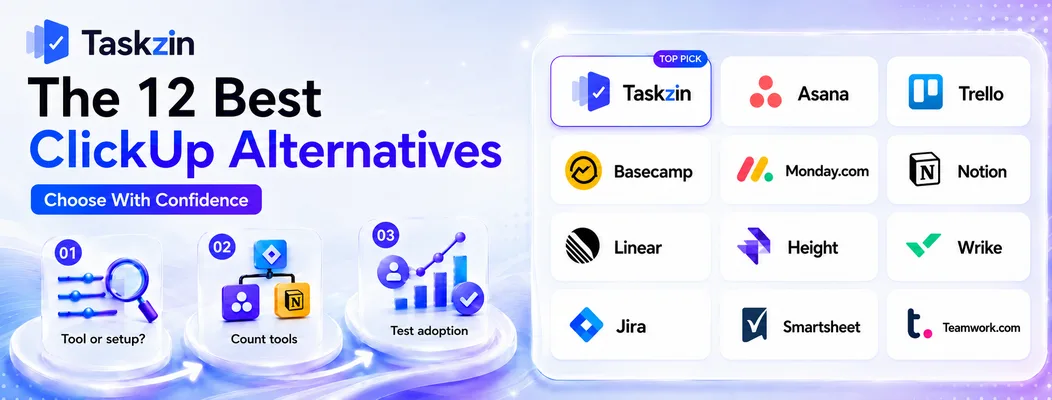
Taskzin — best for teams that want structure without sprawl Taskzin covers projects, tasks, boards, timelines and reporting without presenting every capability at once, which keeps a workspace legible without ongoing curation.
Best for: teams that liked ClickUp's scope but not its maintenance requirement.
Trade-off: it does not attempt to replace your document, whiteboard and chat tools simultaneously.
Asana — best mainstream replacement
Asana is the most common destination for teams leaving ClickUp. It is more opinionated, which means fewer decisions to make and a cleaner default experience.
Best for: teams wanting a mature, well-supported tool with less configuration surface.
Trade-off: some useful features sit on higher tiers, and it is less customisable.
Trello — best radical simplification
If your ClickUp workspace was elaborate but your actual work is a sequence of stages, Trello removes everything else.
Best for: small teams discovering they used a fraction of what they configured.
Trade-off: thin reporting and no cross-project rollup.
Basecamp — best for flat-fee predictability
Basecamp charges a flat rate with unlimited users and takes strong positions on how teams should work, which eliminates most configuration decisions.
Best for: teams wanting predictable cost and deliberately fewer options.
Trade-off: limited customisation and reporting by design.
Monday.com — best visual alternative
Monday offers comparable breadth with a more visually structured interface, which some teams find easier to keep tidy.
Best for: teams that want ClickUp's scope with clearer visual organisation.
Trade-off: similar configuration burden — this is a change of style more than of weight.
Notion — best for docs plus light project tracking
If most of your ClickUp usage was documents with some task tracking attached, Notion inverts the emphasis correctly.
Best for: knowledge-heavy teams whose projects are secondary to their writing.
Trade-off: you build the project system yourself, and there are no purpose-built project features.
Linear — best for product and engineering teams
Teams that left ClickUp because it felt insufficiently focused for engineering usually land here. Linear is fast and deliberately narrow.
Best for: product and engineering teams wanting minimal ceremony.
Trade-off: poor fit for marketing, operations or client work.
Height — best newer streamlined option
Height offers a cleaner take on the all-in-one idea, with automated triage reducing manual upkeep.
Best for: teams open to newer software for a lighter experience.
Trade-off: smaller ecosystem and less established support.
Wrike — best for resource-heavy services teams
Wrike is stronger than ClickUp at workload management and resource allocation across concurrent client projects.
Best for: services organisations juggling people across many projects.
Trade-off: at least as complex as ClickUp, so it does not solve a complexity complaint.
Jira — best for engineering depth
For teams whose engineering process outgrew ClickUp's sprint features, Jira provides genuine depth.
Best for: software organisations needing real agile process and reporting.
Trade-off: heavy for anyone outside engineering.
Smartsheet — best for spreadsheet-minded teams
Smartsheet presents work in a familiar grid, which lowers resistance for teams that never fully accepted ClickUp's model.
Best for: operations and planning teams migrating from Excel.
Trade-off: inherits spreadsheet awkwardness for collaborative discussion.
Teamwork.com — best for agencies billing clients
Teamwork is built around client work, with time tracking, billing and client access as first-class features rather than add-ons.
Best for: agencies whose work is billable by project.
Trade-off: less useful for internal product development.
How to Choose a ClickUp Replacement
Before switching, establish whether your problem is ClickUp itself or how your workspace was configured — then count how many tools a replacement would need to cover, and test adoption rather than features.
Work out whether the problem is the tool or the setup
Ask the team what specifically slows them down. If the answers are "too many required fields", "I can never find the right view", "statuses mean different things in different lists", those are configuration problems, and they will reappear in whatever you move to.
A cleanup project — deleting unused fields, standardising statuses, reducing views to the two people actually use — is a week of work and frequently resolves the complaint entirely.
Try it before a migration, which costs far more.
Count the tools you'd need to replace it
List what ClickUp currently does for you: tasks, documents, whiteboards, time tracking, dashboards, chat. Then check which of those the alternative covers and what you would add alongside it.
Teams often leave for a simpler tool and end up with four subscriptions costing more in total.
That can still be the right decision — focused tools usually work better than bundled ones — but make it knowingly.
Test adoption, not features
Run a real project in the candidate tool for two weeks with the people who complained loudest. The signal is whether they open it without being asked.
Feature comparison predicts almost nothing about whether a team will use a tool. Behaviour during a trial predicts it well.
Migrating Away From ClickUp
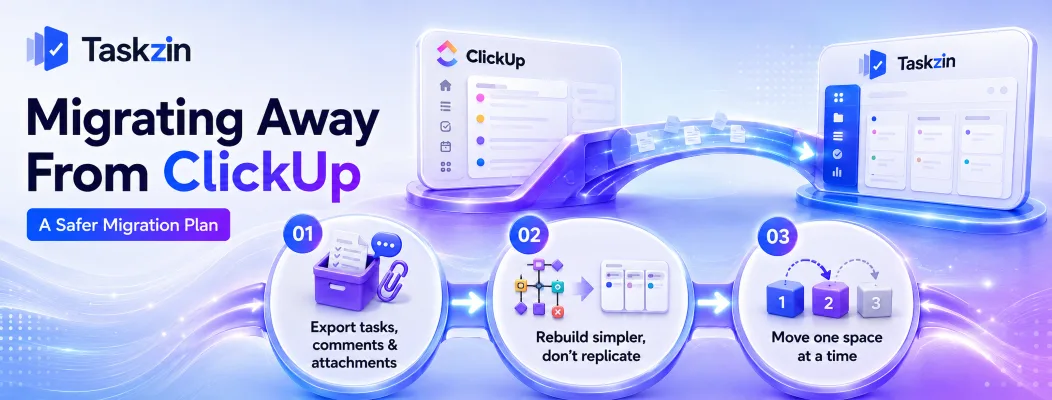
Export tasks, comments and attachments before cancelling, rebuild a simpler structure rather than replicating your existing one, and move one space at a time.
Export tasks, comments and attachments
ClickUp supports CSV export of tasks and fields. Attachments and comment threads need attention — verify what actually comes across before you assume it did.
Do this while the account is active and keep the export even if you never import it.
Rebuild simpler, don't replicate
The strongest argument for migrating is the chance to discard accumulated structure.
Replicating your ClickUp hierarchy faithfully imports the exact problem you are trying to escape.
Start with the minimum: projects, tasks, owners, due dates, one board. Add structure only when a specific need appears. Most teams find they never restore two-thirds of what they had.
Move one space at a time
Migrate a single team or space, run for a month, then move the next. This contains disruption and lets you improve the setup with each move.
When ClickUp Is Still the Right Choice
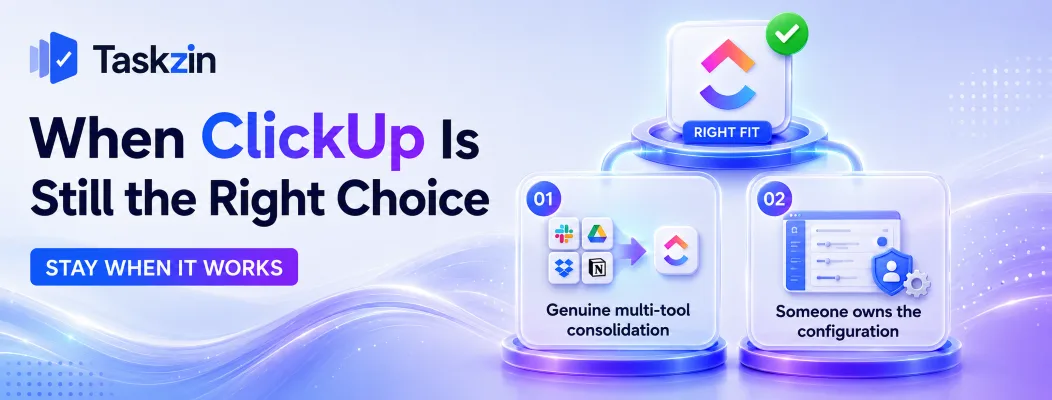
Stay on ClickUp if it is genuinely replacing several paid tools for you, and if someone owns the configuration as part of their job rather than as an unofficial favour.
Genuine multi-tool consolidation
If ClickUp has replaced a separate task tool, document tool, whiteboard and time tracker, the consolidated cost and reduced context switching are real benefits. Leaving means reassembling that stack.
Calculate the total cost of the replacement set, including the time spent moving between them, before deciding.
You have someone to own the configuration
A broad tool works well when someone maintains it deliberately — reviewing statuses quarterly, retiring unused views, keeping automation tidy.
If that ownership exists, most complaints about ClickUp are solvable in place. If it does not, and cannot be created, a simpler tool is the honest answer.
Frequently asked
What is the best ClickUp alternative?
Asana for a mainstream replacement, Taskzin for structure without sprawl, Trello for radical simplification, and Basecamp for flat-fee predictability. Linear and Jira suit teams needing engineering depth instead.
Why do teams stop using ClickUp?
Usually because maintaining the workspace becomes a job nobody owns, or because notification volume and interface density make daily use tiring — rarely because a feature is missing.
What is the best free ClickUp alternative?
Trello, Asana, Taskzin, Notion and Linear all offer free plans suitable for small teams. Trello and Notion are the most generous for very small groups.
Is Asana better than ClickUp?
Asana is more opinionated and cleaner by default; ClickUp is broader and more customisable. Teams wanting fewer decisions usually prefer Asana. Teams consolidating several tools usually prefer ClickUp.
What is a simpler alternative to ClickUp?
Trello and Basecamp are the simplest credible options. Taskzin and Linear sit in between, keeping real project structure without the configuration surface.
Can you export data from ClickUp?
Yes. Tasks and custom fields export to CSV. Verify how attachments and comment threads transfer before cancelling, since these are the parts most often lost.
Is ClickUp too complicated for small teams?
It can be, particularly without someone owning the setup. Small teams frequently use a small fraction of it while carrying the full interface weight, which is when a lighter tool wins.
What's the best ClickUp alternative for agencies?
Teamwork.com for client billing and time tracking, Basecamp for flat-fee pricing with unlimited client access, and Wrike for resource-heavy delivery across concurrent projects.
Should you fix your ClickUp setup instead of switching?
Often yes. If the complaints are about too many fields, confusing views or inconsistent statuses, a cleanup week costs far less than a migration and usually resolves the actual problem.
Sanju Shrestha is a SaaS content writer at Taskzin who explores smarter ways to manage work, organize priorities, and improve team performance. Her content covers productivity strategies, digital workflows, collaboration, and task management, with a focus on helping modern teams work more efficiently and stay aligned.
All posts by Sanju Shrestha

Comments