10 Best Asana Alternatives
A comparison of ten Asana alternatives, covering why teams switch, how to identify the paid feature you are really buying, guest seat pricing, migration steps, and when staying on Asana is the better call.

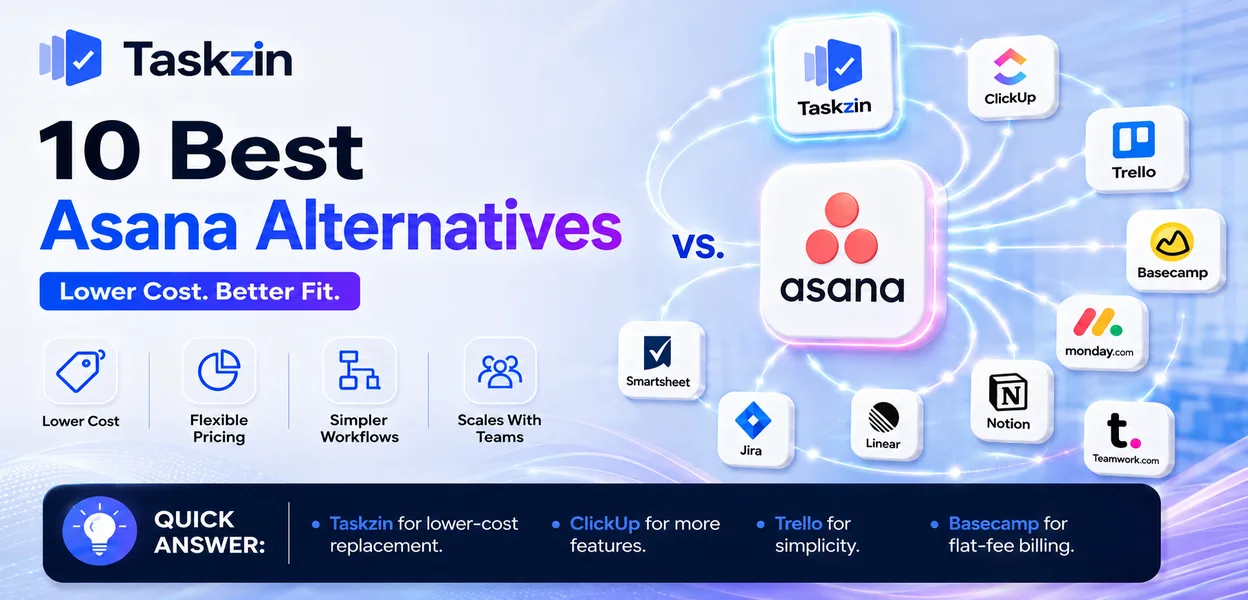
Asana is one of the better-designed project tools available. The complaints are consistent and specific: the feature you need sits one tier above the one you are on, and the per-seat cost grows uncomfortably as the team does.
This guide covers why teams switch, ten alternatives, how to identify what you are actually paying for, and when staying is the better decision.
Quick answer: The best Asana alternatives are Taskzin for a like-for-like replacement at lower cost, ClickUp for more features at similar pricing, Trello for radical simplification, and Basecamp for flat-fee billing with unlimited users. Most teams leave Asana over pricing or feature tiering rather than over the product itself.
Why Teams Look for an Asana Alternative
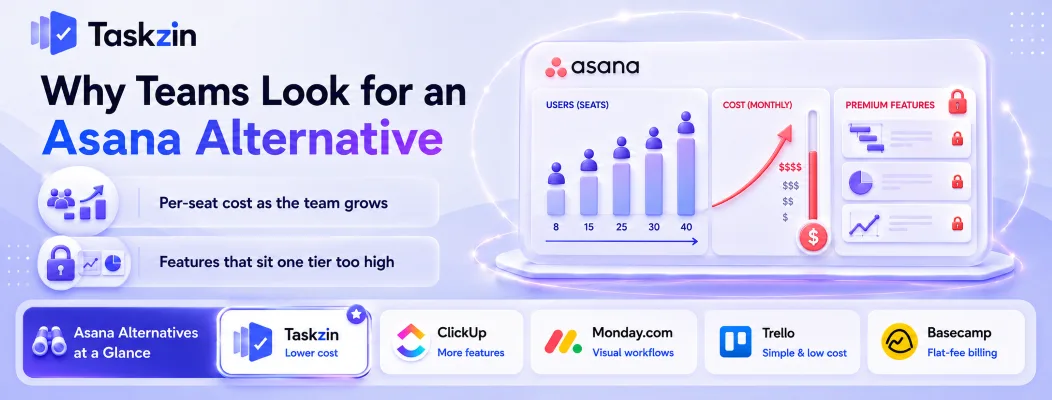
Teams leave Asana mainly for cost reasons — per-seat pricing that scales badly, or a needed feature sitting on a higher tier — rather than because the product performs poorly.
This matters when choosing a replacement. If your issue is price, moving to another per-seat tool at a similar rate solves nothing. If your issue is a specific missing feature, the question is which tools include it at the tier you would actually buy.
Per-seat cost as the team grows
At eight people the monthly cost is a rounding error. At forty it is a line item somebody questions, and it grows exactly when you are hiring and budget is tight.
Guests compound this. If contractors, clients or reviewers need access, check carefully how each tool counts them — the difference between free guests and billable seats can exceed the entire base subscription for an agency.
Features that sit one tier too high
Timeline view, workload management, custom fields and reporting dashboards are commonly the trigger. A team adopts Asana on a lower tier, discovers within a month that the thing they need is above it, and finds the upgrade doubles their cost.
At that point they compare against tools that include the same capability at entry level, and the comparison frequently does not favour staying.
Asana Alternatives Compared at a Glance
Tool Best for Timeline / Gantt Time tracking Free plan Taskzin Like-for-like at lower cost Yes Yes Yes ClickUp More features, similar price Yes Yes Yes Monday.com Visual workflows Yes Paid tier Limited Trello Simplicity and low cost Via power-up Via power-up Yes Basecamp Flat fee, unlimited users No No Limited
Notion Writing-heavy teams Limited No Yes Wrike Resource management Yes Paid tier Limited Jira Engineering teams Via roadmap Via app Yes (small teams) Smartsheet Spreadsheet planning Yes Paid tier Limited Teamwork.com Agency client work Yes Yes Limited
The 10 Best Asana Alternatives

Taskzin — best overall Asana replacement
Taskzin covers the same core ground — clear task ownership, due dates, list and board views, timelines — with the commonly needed features included rather than tiered upward.
Best for: teams that liked Asana but found the upgrade path expensive.
Trade-off: a smaller integration marketplace than Asana's mature ecosystem.
ClickUp — best for more features at a similar price
ClickUp includes timeline, time tracking, docs and dashboards at lower tiers than Asana does, which is why it is the most common destination for teams leaving over feature gating.
Best for: teams wanting more capability per pound.
Trade-off: substantially more configuration and a busier interface.
Monday.com — best visual alternative
Monday delivers similar functionality with a more visual, colour-driven interface that some teams find easier to read at a glance.
Best for: operations and marketing teams that scan rather than read.
Trade-off: seat-tier pricing can force you into buying more seats than you need.
Trello — best simpler and cheaper option
If your Asana usage was mostly lists and boards, Trello does that for less, with a genuinely usable free tier.
Best for: small teams with straightforward workflows.
Trade-off: no timeline, workload or meaningful reporting without add-ons.
Basecamp — best flat-fee alternative
Basecamp's flat pricing with unlimited users fundamentally changes the cost curve for growing teams and for anyone working with many clients.
Best for: teams whose main complaint is per-seat pricing.
Trade-off: opinionated and limited — no custom fields, no detailed reporting.
Notion — best for teams that write more than they track
If your projects are mostly documents with a task list attached, Notion fits the actual shape of the work better.
Best for: content, research and knowledge teams.
Trade-off: you build the project system yourself; no workload or dependency features.
Wrike — best for resource and workload management
Wrike is stronger than Asana at showing whether assigned people actually have capacity across concurrent projects.
Best for: services teams allocating people across many clients.
Trade-off: heavier to learn, with a denser interface.
Jira — best for engineering teams
Teams that adopted Asana organisation-wide and found engineering unhappy usually split, moving engineering to Jira.
Best for: software teams needing sprints, velocity and issue tracking.
Trade-off: poor fit for everyone outside engineering.
Smartsheet — best for spreadsheet-based planning
Smartsheet suits teams that never fully adapted to Asana's task model and think naturally in rows and columns.
Best for: planning, operations and construction-adjacent work.
Trade-off: collaboration and discussion features are weaker.
Teamwork.com — best for client and agency work
Teamwork includes time tracking, billing and client access as core features rather than premium additions.
Best for: agencies billing by project or hour.
Trade-off: less suited to internal product development.
How to Pick the Right Asana Replacement
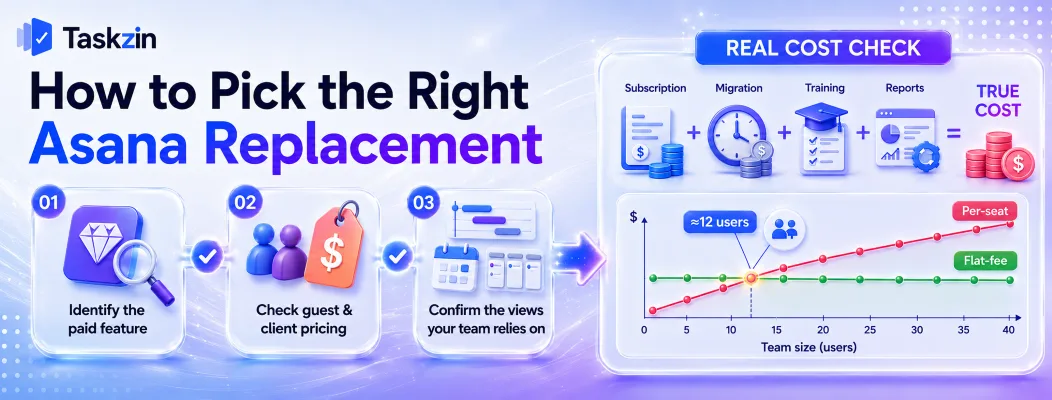
Identify precisely which paid feature drove the decision, check how each alternative prices guests and clients, and confirm the views your team relies on daily exist at the tier you would actually buy.
Identify which paid feature you're actually paying for
Look at your Asana plan and name the one or two features that justify it. Timeline?
Workload? Custom fields? Reporting?
That is your requirement, and it narrows the list quickly. Comparing full feature matrices instead produces a long shortlist and no decision, because every tool looks adequate on paper.
Check guest and client seat pricing
For agencies and any team with external collaborators, this single factor often outweighs everything else. Some tools include free guests, some allow read-only shares, some bill every guest as a full seat.
Model your realistic headcount including externals before comparing prices, since the advertised per-seat figure rarely reflects what you would pay.
Confirm the views your team relies on
If your team lives in Timeline, a tool without a real timeline will be rejected regardless of its other merits. The same applies to workload, calendar and portfolio views.
Ask people which view they open first each morning. That answer is a hard requirement; most of the rest is negotiable.
Migrating From Asana
Export projects and tasks while your account is active, re-establish the ownership model before moving anything, and migrate one team at a time.
Export projects and tasks
Asana supports CSV and JSON export per project. Run it while the account is active and confirm what comes across — subtasks, comments and attachments transfer with varying fidelity across importers.
Rebuild your task ownership model first
Asana's main strength is that every task has exactly one owner. If your replacement allows multiple assignees or none, decide deliberately how you will preserve accountability before importing anything.
Teams that skip this step frequently find that clarity quietly disappears after migration, and blame the tool for a decision they did not make.
Move one team at a time
Run a pilot team for a month, fix what breaks, then continue. This keeps disruption contained and gives you a working example to show the teams that follow.
Comparing the Real Cost of Switching
The true cost of leaving Asana is the new subscription plus the staff hours spent migrating, retraining and rebuilding reports — which for most teams exceeds one year of the savings they were chasing.
The seat cost is not the whole cost
A migration consumes real time: exporting and cleaning data, rebuilding projects and templates, retraining everyone, and fixing the reports that break in week three. For a team of twenty, that routinely runs to several full working days spread across a month.
Price the switch honestly. If the annual saving is modest and the migration costs a week of collective productivity, the sensible move is often to negotiate on annual billing or trim unused seats instead. Switching pays off clearly when the saving is structural — a different pricing model — rather than a few pounds per seat.
Where flat-fee pricing wins
Per-seat pricing and flat-fee pricing cross over at a predictable point. Below roughly a dozen users, per-seat tools are usually cheaper. Above that, flat-fee options like Basecamp pull ahead, and the gap widens with every hire.
The crossover arrives much sooner if you work with external collaborators. An agency with eight staff and forty client contacts pays for forty-eight seats on some platforms and a flat fee on others, which is a difference no feature comparison outweighs.
When Asana Is Still the Best Choice

Stay on Asana if your central problem is unclear ownership and missed deadlines, or if you value reliability and a mature integration ecosystem over flexibility and price.
Clear ownership is your core problem
Asana is unusually good at making it obvious who owns what and when it is due. If that is the failure you are trying to fix, few alternatives do it better, and switching to a cheaper tool with looser ownership will make the problem worse.
You need reliability more than flexibility
Asana is stable, well-supported and integrates with almost everything. Newer or cheaper tools may match the feature list while lagging on uptime, support and integration depth.
If the cost is genuinely the only issue, negotiate on annual billing or consolidate seats before migrating — a migration costs more in staff time than most teams estimate.
Frequently asked
What is the best Asana alternative?
Taskzin for a like-for-like replacement at lower cost, ClickUp for more features at similar pricing, Trello for simplification, and Basecamp for flat-fee billing with unlimited users.
What is the best free Asana alternative?
Trello, ClickUp, Taskzin and Notion all offer free plans. ClickUp's free tier is the most feature-rich; Trello's is the simplest to adopt immediately.
Is ClickUp better than Asana?
ClickUp includes more at lower tiers; Asana is cleaner and requires fewer decisions. Teams leaving Asana over feature gating usually prefer ClickUp. Teams that value simplicity usually do not.
Why is Asana expensive?
Because it charges per user per month and places commonly needed features — timeline, workload, custom fields, reporting — on higher tiers, so growing teams face rising cost and an upgrade at the same time.
What is a cheaper alternative to Asana?
Trello and Taskzin cost less per seat for comparable core functionality. Basecamp's flat fee is usually cheapest above roughly fifteen people, since cost stops scaling with headcount.
Can you export data from Asana?
Yes. Projects export to CSV and JSON. Attachments and comment history transfer inconsistently depending on the destination tool's importer, so verify before cancelling.
What is the best Asana alternative for agencies?
Teamwork.com for time tracking and client billing, Basecamp for unlimited client access at a flat fee, and Wrike for allocating staff across concurrent client projects.
Is Trello a good Asana replacement?
For small teams with simple workflows, yes — and it costs less. For teams relying on timeline, workload or reporting views, Trello will feel like a significant downgrade.
Does Asana have a free plan?
Yes, supporting a limited number of collaborators with list, board and calendar views. Timeline, workload, custom fields and reporting require a paid plan.
Sanju Shrestha is a SaaS content writer at Taskzin who explores smarter ways to manage work, organize priorities, and improve team performance. Her content covers productivity strategies, digital workflows, collaboration, and task management, with a focus on helping modern teams work more efficiently and stay aligned.
All posts by Sanju Shrestha
Comments