Taskzin vs Wrike: A Detailed Breakdown
An honest comparison of Taskzin and Wrike, covering what each is built around, where Wrike is genuinely stronger on resource management and proofing, where Taskzin wins on pricing and guest access, and what migration involves.

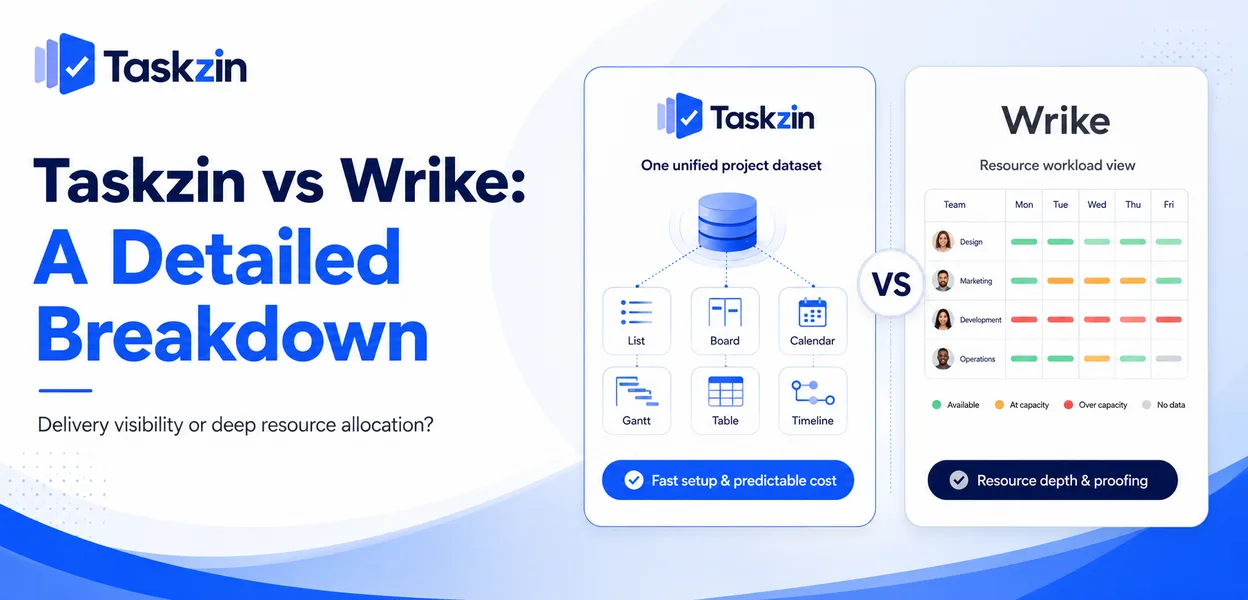
This is a real difference in emphasis rather than a feature-count contest, and it should decide the choice.
Quick answer: Wrike is a resource-led work management platform built for services organisations that need to see whether assigned people actually have capacity. Taskzin is a project tool built around six views over one dataset with flat per-member pricing and no seat tiers. If your central problem is allocating staff across many concurrent client projects, Wrike is genuinely stronger. If it is delivery visibility without an administration burden, Taskzin fits better.
The Short Version
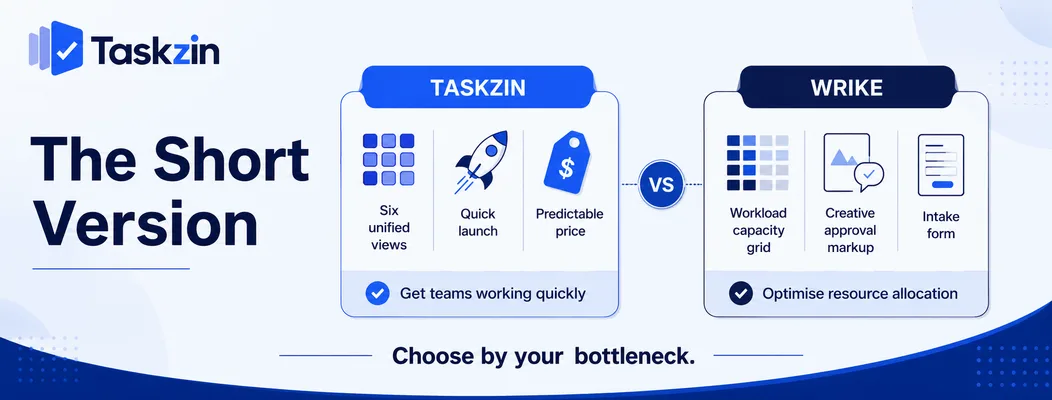
Wrike optimises for resource allocation and creative approvals; Taskzin optimises for getting a team working quickly at predictable cost.
What each is built around
Wrike's centre of gravity is workload — who is assigned to what, across everything, and whether that is feasible. Its proofing and request-form capabilities extend that into creative and intake workflows.
Taskzin's centre of gravity is the work itself: six views (List, Board, Calendar, Gantt, Table, Timeline) over one dataset, so different people see the same work the way they prefer without maintaining separate systems.
Who each suits
Wrike suits agencies and professional services organisations above roughly thirty people, where staff are shared across many projects and utilisation is a commercial concern.
Taskzin suits teams of five to a hundred who want project structure, timelines and reporting without a platform that needs an administrator.
The honest trade-off
Choosing Taskzin means accepting less depth in resource levelling and proofing. Choosing Wrike means accepting a steeper learning curve, a longer setup, and pricing that rises with guests and features.
Neither is a small consideration. Which one matters more depends on whether your bottleneck is people allocation or delivery visibility.
Taskzin vs Wrike at a Glance
Is Taskzin or Wrike better?
Core strength
Views over one dataset
setup Resource management,
Proofing and creative approvals
Free plan Yes, up to 10 members Limited free tier Pricing model Flat per member, no seat tiers Per user, tiered by plan
Free unlimited guests
Free, unlimited, view and comment Charged or limited by plan Views List, Board, Calendar, Gantt, Table, Timeline Multiple, incl. workload WIP limits Yes, per column with swimlanes Limited Sprints, velocity, burndown Starter and above Limited Critical path Yes, recalculates on change Yes
Resource management and workload
Proofing and approvals No Strong Automations All plans, 50/member on Starter Higher tiers Dashboards 30+ widgets on Business Strong on higher tiers SSO, SCIM, audit logs Business and above Enterprise tiers Data export JSON or CSV, any plan Available Setup time Under an hour to a live project Days to weeks
Verify current Wrike pricing and tiering before relying on the cost comparison.
Where Wrike Is Stronger
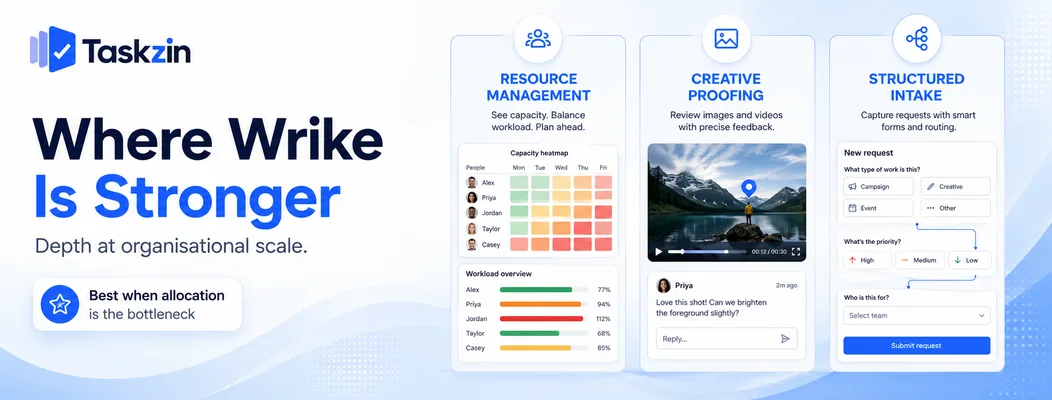
Wrike wins clearly on resource management, creative proofing, and structured intake at organisational scale.
Resource management and workload Wrike's workload views show whether the people assigned across every concurrent project actually have the hours, and support rebalancing directly.
For an agency running twenty client projects through fifteen people, this is the difference between a plan that can be executed and one that merely looks reasonable. Taskzin has workload visibility but does not attempt the same depth of allocation and levelling.
Proofing and creative approvals Wrike allows comments and markup directly on images, video and documents, with structured approval workflows.
For creative teams where visual review is the main bottleneck, this is a genuine capability gap rather than a nice-to-have. Taskzin handles approvals as tasks with owners and dates, which works for sign-off but not for annotating a video frame.
Enterprise request forms and blueprints
Wrike's request forms and reusable blueprints support structured intake and standardised project creation at organisational scale.
Taskzin supports templates and intake, but Wrike's version is more configurable for organisations with many distinct request types and approval paths.
Where Taskzin Is Stronger
Taskzin wins on pricing predictability, guest access, and how quickly a team gets to a live project.
Pricing that does not tier by seat
Taskzin charges flat per member — Free up to 10 members, Starter at $7, Business at $14, with 20 percent off annually. There are no seat tiers or block minimums, so adding one person costs one member.
Wrike prices per user with capability gated across plans, which for many teams means the feature they need sits above the tier they planned to buy.
Free unlimited guests Taskzin includes unlimited free guests with view and comment access. For an agency with eight staff and forty client contacts, that single policy difference frequently outweighs every feature comparison.
Check Wrike's current guest terms against your actual client contact count before comparing headline rates — this is where the real cost difference usually appears.
Time to first project
Taskzin is designed to have a real project running within an hour, with automations available on every plan rather than gated to higher tiers.
Wrike's configurability is genuine capability, and it carries a setup cost. Organisations with someone to own the configuration get value from it; teams without that person frequently find the workspace drifts.
Feature Detail That Actually Differs
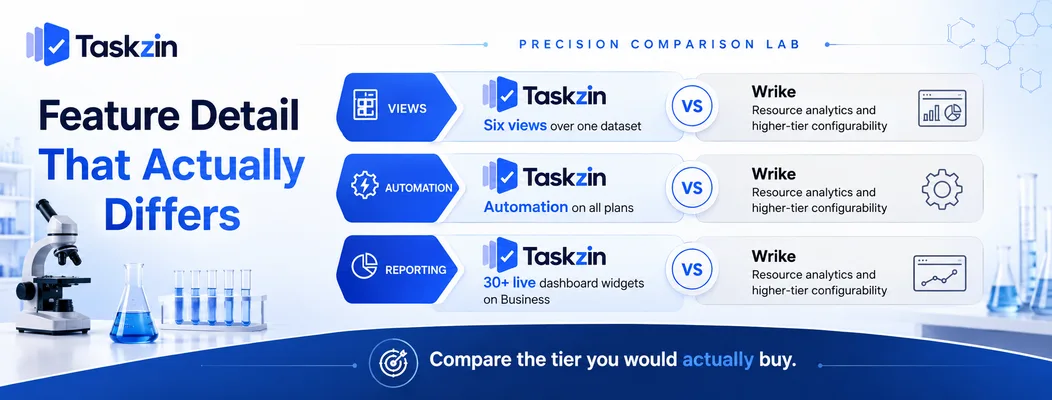
The substantive differences are how views relate to the underlying data, when automation becomes available, and what reporting each plan includes.
Views over one dataset Taskzin's six views are all representations of the same work — switching from Board to Gantt does not require a different setup or duplicated data, and the board supports WIP limits and swimlanes for teams running flow.
This matters for cross-functional teams where engineering wants a board, a client-facing lead wants a timeline, and an ops manager wants a table. One dataset, three views, no reconciliation.
Automation availability
Taskzin includes no-code automation rules on all plans, with 50 per member on Starter. Wrike's automation depth sits on higher tiers.
For a small team, automating intake and handoffs on an entry plan is a meaningful practical difference, because those are the two highest-return automations available.
Reporting and dashboards
Taskzin's dashboards with 30+ live widgets sit on Business, alongside goals, OKRs, time tracking and billable rates.
Wrike's analytics are strong at its higher tiers and are a genuine strength for organisations reporting on utilisation and portfolio health. Compare at the tier you would actually buy rather than at entry level.
Migrating Between Them
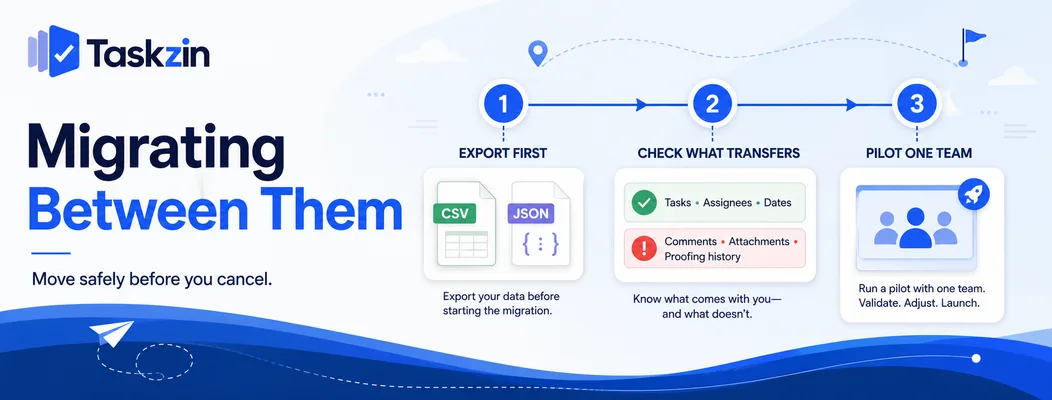
Export before you cancel anything, check what actually transfers, and pilot with one team rather than moving everyone.
Export first, always
Whichever direction you move, export while the account is active. Taskzin allows full JSON or CSV export on any plan including Free, which is the standard worth expecting from any vendor.
Verify what your current tool's export contains — comments and attachments are where exports usually lose fidelity.
What transfers and what does not
Taskzin's one-click importer covers ClickUp, Jira, Asana and Trello. Wrike is not among them, so a move from Wrike is a CSV import: tasks, assignees, dates and custom fields map reasonably; comment threads, proofing history and attachments need separate handling.
Plan for that rather than discovering it mid-migration. Approval and proofing history in particular has no equivalent destination.
Pilot one team
Move a single team, run for a month, then decide. This surfaces the gaps no evaluation catches and contains the disruption if something is missing.
Simultaneous migration means the first difficult week gets attributed to the new tool, and migrations rarely get a second attempt.
Frequently asked
Is Taskzin or Wrike better?
Wrike is better for resource allocation across many concurrent projects and for creative proofing. Taskzin is better for delivery visibility, predictable pricing and fast setup. The choice depends on which is your actual bottleneck.
Which is cheaper?
Taskzin charges flat per member with no seat tiers — Free up to 10, $7 Starter, $14 Business — and includes free unlimited guests. Compare against Wrike's current pricing at the tier containing the features you need, including guest costs.
Does Taskzin have resource management?
Taskzin provides workload visibility across projects. It does not attempt Wrike's depth of resource levelling and allocation, which is Wrike's clearest advantage.
Does Wrike charge for guests?
Guest terms vary by plan and change over time — check Wrike's current policy directly. Taskzin includes unlimited free guests with view and comment access, which is the relevant comparison for client-facing teams.
Can you import Wrike data into Taskzin?
Not through the one-click importer, which covers ClickUp, Jira, Asana and Trello. Wrike data moves via CSV import, with comments, attachments and proofing history needing separate handling.
Which is easier to set up?
Taskzin is designed to have a real project running within an hour. Wrike's configurability requires more setup and generally benefits from someone owning the workspace configuration.
Which suits agencies better?
Agencies whose main problem is staff allocation across many clients usually prefer Wrike. Agencies whose main cost driver is client seat pricing usually prefer Taskzin's free unlimited guests.
Binita Ray is a content writer at Taskzin, creating insightful and practical content on task management, team collaboration, productivity, workflow optimization, and SaaS solutions. She focuses on helping businesses, teams, and professionals simplify their work processes, improve efficiency, and make better use of modern productivity tools.
All posts by Binita Ray
Comments