What Is a Blocker and How Should Teams Handle
An explainer on blockers in agile teams, covering what counts as a blocker, how it differs from impediments and dependencies, who clears each type, how to handle one well, and how to prevent recurring blockers.


Most teams know what a blocker is. Far fewer handle them well — the typical pattern is a blocked item sitting quietly for days because raising it felt like complaining.
Quick answer: A blocker is anything that stops a piece of work from progressing that the person doing it cannot resolve themselves — a missing decision, an unavailable dependency, broken access. The handling rule is simple: make it visible immediately, name who can clear it, and track how long it has been blocked.
What Counts as a Blocker
A blocker stops work entirely and sits outside the doer's control. Three distinctions keep the term useful.
Blocked versus slow
Slow work is still moving. Blocked work is not moving at all, and cannot move until something external changes.
Labelling everything difficult as blocked dilutes the signal. A blocker should mean "I have done everything I can and I am waiting."
Blocker versus impediment
In Scrum, an impediment is anything slowing the team's progress, including process problems and recurring friction. A blocker is the acute form — something stopping a specific item right now.
All blockers are impediments; not all impediments are blockers. A slow code review process is an impediment. A pull request nobody will review is a blocker.
Blocker versus dependency
A dependency is a known relationship: this cannot start until that finishes. It becomes a blocker when the thing depended on is late or stalled.
Well-managed dependencies rarely become blockers, because they are visible and scheduled.
Unmanaged ones become blockers at the worst possible moment.
Types of Blockers and Who Resolves Them
Blocker type Example Usually cleared by Missing decision Nobody has chosen between two designs Product owner or decision-maker External dependency Waiting on another team's API That team's lead Access or environment No permissions, environment down IT, platform or ops Vendor or third party Supplier has not delivered Account owner with the vendor Missing information Requirements unclear Requester or stakeholder Review or approval Nobody available to review Team lead, or reassignment Technical unknown Nobody knows how to proceed A timeboxed spike, or a senior colleague
How to Handle a Blocker

Visibility, a named owner, and a duration. Most blocker problems come from missing one of the three.
Make it visible immediately
Flag it the moment it happens, not at the next standup. Mark the item as blocked where the work lives, with one line on what is needed.
The cost of a blocker grows with every hour nobody knows about it. People delay raising blockers because it feels like admitting failure; teams should make clear that raising one early is the expected behaviour.
Name who can clear it
"Blocked on legal" is background. "Blocked — needs sign-off from Priya on clause 4" is actionable.
A blocker without a named person is a complaint rather than a request. The name also makes escalation straightforward, because you know exactly who to follow up with.
Track how long it has been blocked
Duration is the field most often missing and the one that prompts action. "Blocked since Monday" is urgent in a way that "blocked" is not.
On a board, blocked items should show how long they have been stuck — Taskzin flags blocked items with a duration visible on the card, so a three-day blocker is obvious without anyone asking. Items blocked for more than a day or two warrant escalation.
Preventing Blockers
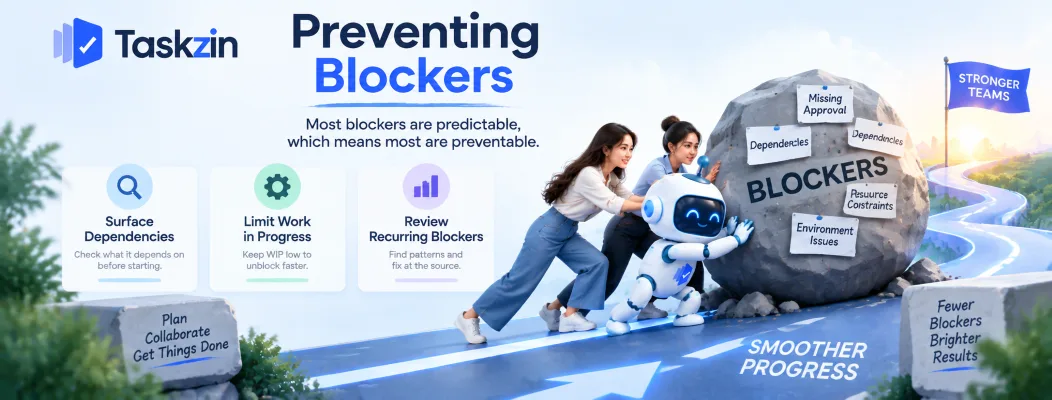
Most blockers are predictable, which means most are preventable.
Surface dependencies before starting
Before pulling an item into progress, ask what it depends on and whether that thing is ready.
Many blockers are dependencies that were never checked. A thirty-second question at the start saves a week stalled in the middle.
Limit work in progress
Teams with too much in progress absorb blockers badly — blocked items get quietly set aside while people start something new.
A WIP limit forces the opposite: when the limit is reached and an item is blocked, the team swarms to unblock it rather than starting more. That is uncomfortable and it is exactly the behaviour you want.
Review recurring blockers
If the same kind of blocker keeps appearing — the same team, the same approval, the same environment — it is a systemic problem, not bad luck.
Look at blockers in your retrospective. A pattern is worth fixing at the source, usually through an agreement with whoever keeps causing it.
Frequently asked
What is a blocker in agile?
Anything that stops a work item from progressing that the person doing it cannot resolve alone — a missing decision, an unavailable dependency, broken access, missing information.
What is the difference between a blocker and an impediment?
An impediment is anything slowing the team, including process friction. A blocker is the acute form — something stopping a specific item right now.
Who removes blockers?
Whoever controls the thing causing it. The scrum master or team lead often coordinates removal, but the actual clearing usually needs a decision-maker, another team or a vendor.
Should you start new work while blocked?
Try to unblock first, ideally with help from the team. Starting new work by default means blocked items accumulate silently, which is how cycle times grow.
How do you track blockers?
Flag the item as blocked where the work lives, note what is needed and from whom, and record when it became blocked so the duration is visible.
When should a blocker be escalated?
When it has lasted more than a day or two, or immediately if it threatens a committed date. The named owner makes escalation straightforward.
How do you prevent recurring blockers?
Review them in retrospectives. A repeating pattern — same team, same approval, same environment — is a systemic problem to fix at the source.
Sanju Shrestha is a SaaS content writer at Taskzin who explores smarter ways to manage work, organize priorities, and improve team performance. Her content covers productivity strategies, digital workflows, collaboration, and task management, with a focus on helping modern teams work more efficiently and stay aligned.
All posts by Sanju Shrestha


Comments