Asana vs ClickUp: An Honest Comparison
An honest comparison of Asana and ClickUp, covering their opposing design philosophies, where Asana's clarity and adoption win, where ClickUp's breadth and value win, and the trade-off between administration cost and capability ceiling.

Both are credible choices for a cross-functional team. The failure modes are different, and that is the useful thing to compare.
Quick answer: ClickUp offers substantially more features for the money. Asana offers fewer features that more people actually use. The honest version of this comparison is that ClickUp wins almost every feature-list contest and Asana wins a meaningful share of adoption contests. Which matters more depends on whether your risk is capability or uptake.
The Core Difference
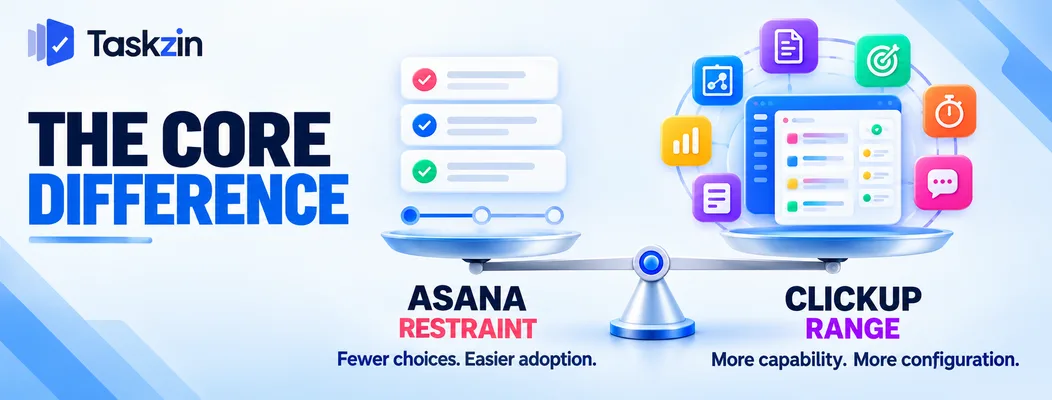
Asana is built on restraint; ClickUp is built on range. Everything else follows from that.
Restraint versus range
Asana ships a narrower feature set and works hard on how it feels. Fewer options, clearer defaults, a deliberate reluctance to add things.
ClickUp ships nearly everything — docs, whiteboards, goals, time tracking, dashboards, forms, chat — and lets you turn parts off. Its bet is that one tool doing many jobs beats several tools doing one each.
What each is betting on
Asana bets that adoption is the binding constraint, and that a tool people find pleasant gets used properly.
ClickUp bets that capability and price are the binding constraints, and that teams will absorb some complexity to get more for less.
Who each suits
Asana suits teams where uptake across non-technical people matters most, and where an approximately-right tool everyone uses beats an exactly-right tool half the team ignores.
ClickUp suits teams with someone willing to configure it, teams consolidating several subscriptions, and teams whose requirements are genuinely specific.
Asana vs ClickUp at a Glance
Asana ClickUp Design philosophy Restrained, opinionated Broad, configurable Learning curve Low Moderate to steep Views List, board, timeline, calendar, gantt Many, including mind map and whiteboard Custom fields Available, moderate depth Extensive Time tracking Limited natively, integrations Built in Docs Limited Built in Whiteboards No Yes Goals / OKRs Yes on higher tiers Yes
Dashboards Yes on higher tiers Extensive Automation Yes, tiered Extensive Chat No Built in Forms Yes Yes Mobile experience Strong Improving Perceived reliability Strong Historically variable Admin effort Low Higher
Verify current pricing and tier contents for both — feature availability shifts between tiers regularly.
Where Asana Is Stronger

Asana wins on interface clarity, on perceived reliability, and on how readily non-technical teams take to it.
Interface clarity and adoption
Asana is easier for someone who does not care about project management to pick up. Fewer options on screen, clearer hierarchy, less to decide.
This matters more than feature comparisons suggest. A tool that half the team avoids produces incomplete data, and incomplete data makes every report wrong. Adoption failure is more common than capability failure.
Reliability and polish
Asana has a longer reputation for the product behaving predictably — fewer surprises, fewer rough edges in less-travelled parts of the product.
ClickUp has improved considerably here and the perception lags the reality somewhat, but the gap is real enough that teams still mention it.
Suits non-technical teams
Marketing, operations, HR and client services teams generally find Asana more approachable.
If your organisation's project tool needs to work for people whose job is not project management, that approachability is a feature rather than a limitation.
Where ClickUp Is Stronger
ClickUp wins on feature breadth relative to price, on customisation depth, and on replacing several subscriptions with one.
Feature breadth at the price
ClickUp includes at lower tiers things Asana gates higher or does not offer at all — time tracking, docs, whiteboards, extensive dashboards.
For a team watching cost, the value comparison usually favours ClickUp clearly. This is its strongest and most defensible advantage.
Customisation depth
Custom fields, statuses, views, automations and hierarchy levels can all be shaped to a specific process.
Teams with genuinely unusual requirements can model them in ClickUp. In Asana they adapt to the tool, which is sometimes better and sometimes not possible.
Consolidating several tools
If you currently pay for a project tool, a time tracker, a docs tool and a whiteboard tool, ClickUp plausibly replaces three of them.
The saving is real when consolidation actually happens. Test that honestly — teams frequently keep their existing docs and whiteboard tools and end up with more subscriptions rather than fewer.
The Trade-Off Nobody Mentions
Breadth costs administration; restraint costs capability. Choose the failure you can live with.
Breadth has an administration cost
A tool with many options requires someone to decide which to use. Without that, different teams configure it differently, hierarchy grows inconsistently, and the workspace becomes hard to navigate within a year.
ClickUp works well where someone owns the setup. It degrades faster than Asana where nobody does, because there is more to degrade.
Restraint has a ceiling
Asana will eventually not do something you want. You will work around it, pay for an integration, or accept it.
This is the cost of restraint and it is genuine. Teams with specific requirements hit the ceiling and find the answer is "that is not how Asana works".
Which failure would hurt you more
A tool nobody uses properly, or a tool that cannot quite do the thing you need?
For most teams under fifty people without a dedicated operations person, the first failure is more likely and more expensive. For teams with specific processes and someone to configure, the second is.
Choosing Between Them
Match the choice to your actual risk: adoption, budget, or something neither covers.
If adoption is your risk
You have tried tools before and they did not stick. Most of your team is not technical. Nobody will own configuration.
Asana is the safer choice, and the features you give up are mostly ones you would not have configured anyway.
If budget is your constraint
You need time tracking, dashboards and docs, and you are comparing what each tier actually contains.
ClickUp generally offers more at a given price. Run the comparison on the specific capabilities you need rather than on headline rates, since the tier boundaries are where the difference lives.
If neither quite fits
Some teams want Asana's clarity with ClickUp's dependency handling and pricing predictability — which is the gap tools like Taskzin aim at, with six views over one dataset and flat per-member pricing rather than a broad platform or a deliberately narrow one.
Whatever you pick, check the export before committing. Both let you take your data out; confirm what the file actually contains.
Frequently asked
Is ClickUp better than Asana?
ClickUp offers more features for the money and deeper customisation. Asana is easier to adopt and more approachable for non-technical teams. Which is "better" depends on whether capability or uptake is your risk.
Which is cheaper?
ClickUp generally offers more capability at a given price point, particularly for time tracking, docs and dashboards. Compare at the specific tier containing what you need rather than at headline rates.
Is ClickUp too complicated?
It can be, for teams without anyone owning configuration. Its breadth is an advantage where someone shapes it and a liability where nobody does.
Does Asana have time tracking?
Native time tracking is limited and most teams use an integration. ClickUp includes it built in, which is one of the clearer practical differences.
Which is better for a small team?
For under ten non-technical people with no admin, Asana usually sticks better. For a small team watching cost and wanting time tracking and docs included, ClickUp offers more.
Which is easier to learn?
Asana, clearly. Fewer options and clearer defaults mean less to decide before getting started.
Can you migrate between them?
Yes, in both directions. Tasks, assignees, dates and custom fields transfer reasonably; automations, dashboards and views rebuild rather than move.
Sanju Shrestha is a SaaS content writer at Taskzin who explores smarter ways to manage work, organize priorities, and improve team performance. Her content covers productivity strategies, digital workflows, collaboration, and task management, with a focus on helping modern teams work more efficiently and stay aligned.
All posts by Sanju Shrestha


Comments