Taskzin vs Monday.com: Which Is Better for Growing Teams?
A comparison of Taskzin and Monday.com for growing teams, covering how seat-tier pricing differs from flat per-member cost, a cost table by headcount, feature differences including agile support, and which fits better at each team size.


Monday.com is genuinely good at making work visible to people who will never learn a project tool. That is a real strength and it is why it sells well to operations and marketing teams.
Its pricing model is also the most common complaint about it, and that complaint sharpens exactly when a team is growing.
This guide compares cost as headcount rises, the feature differences, and which fits better at different team sizes.
Quick answer: Quick answer: Monday.com sells seats in tiered blocks, so a team of eleven may have to buy fifteen. Taskzin charges a flat rate per member — $7 or $14 — with free unlimited guests and a free plan up to ten members. Monday is stronger on visual status and self-service workflow building; Taskzin is stronger on predictable cost while hiring and on running sprints alongside non-technical work.
The Core Difference
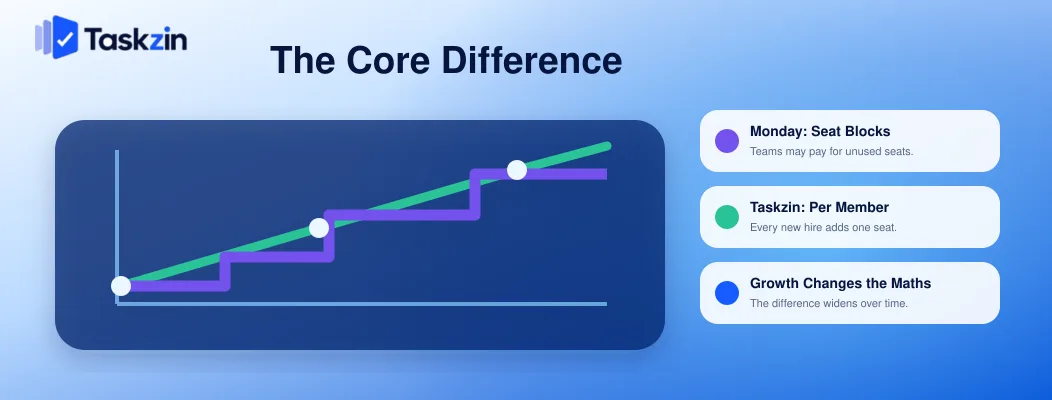
Monday prices in seat blocks while Taskzin prices per individual member, which makes the cost curve behave very differently as a team grows.
Monday sells seats in blocks
Monday's plans are sold in seat tiers rather than one seat at a time. Depending on the tier structure, a team of eleven may need to purchase fifteen seats.
The practical effect is that adding one person can trigger a cost increase with no relationship to the value that person adds. Teams notice this most sharply at the boundaries, and it is the single most cited criticism of Monday's pricing.
Taskzin charges per member, flat
Taskzin is $0 for up to ten members, then $7 per member on Starter or $14 on Business, with 20 percent off annually. Eleven people costs eleven members. Guests are free and unlimited.
Why this matters most while you are growing
A stable team of thirty can budget around either model. A team going from eight to twenty over a year cannot easily predict Monday's cost, because it depends where the boundaries fall relative to your hiring.
Flat per-member pricing makes budgeting linear, which is worth more than it sounds when you are also forecasting salaries and runway.
Cost as Your Team Grows
Team size Taskzin Starter Taskzin Business Monday.com 5 members Free plan available $70/mo Paid tier required 10 members Free plan available $140/mo Paid tier required 11 members $77/mo $154/mo May require buying 15 seats 15 members $105/mo $210/mo 15 seats 16 members $112/mo $224/mo May require buying 20 seats 25 members $175/mo $350/mo 25 seats Plus 40 guests $0 extra $0 extra Guest handling varies by plan
Taskzin figures from published monthly pricing. Verify Monday.com's current seat tiers and guest terms directly, since both change.
Features Compared
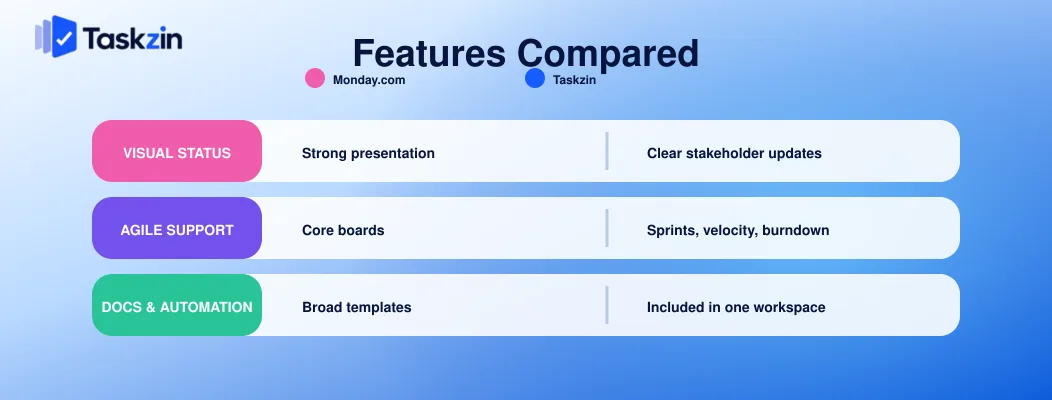
Monday leads on visual presentation and template breadth; Taskzin covers agile mechanics Monday's core product does not, and includes docs and time tracking.
Views and visual status
Monday's colour-coded boards are the most immediately legible in the category. A stakeholder opening one understands project state in seconds without training.
Taskzin offers six views — list, board, calendar, Gantt, table, timeline — over the same dataset.
Less visually striking, more choice per person.
Agile and engineering support
Taskzin includes sprints, velocity and burndown from the Starter tier, with WIP limits and swimlanes on boards, and critical path on the Gantt view.
Monday offers agile capability through Monday Dev, a separate product line. If your engineering team needs sprint mechanics, that is an additional consideration rather than something included in the core product.
Docs, dashboards and automations
Taskzin includes docs linked to tasks, dashboards with 30+ widgets on Business, and time tracking with billable rates on Business.
Monday's automation recipe builder is genuinely excellent — arguably the most approachable in the category for non-technical users. Its documentation capability is thinner, and time tracking sits on higher plans.
Where Monday.com Wins
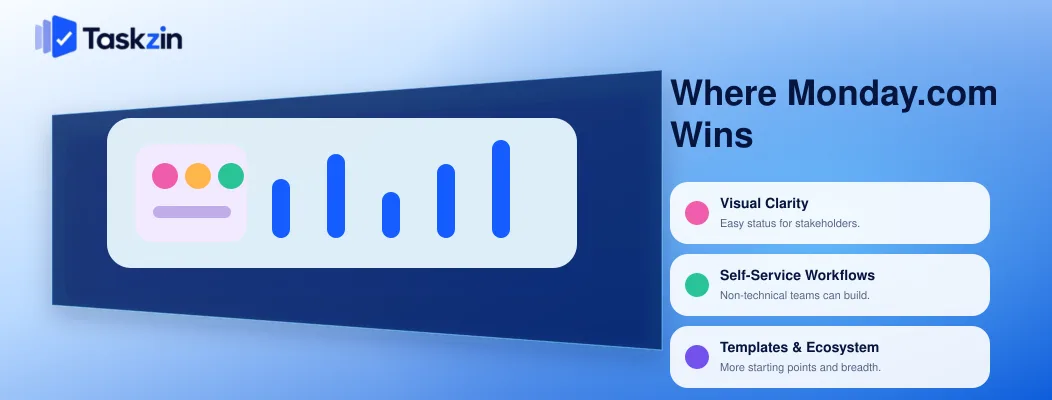
Monday leads on visual clarity for people outside the team, on letting non-technical staff build their own workflows, and on template and ecosystem breadth.
Visual clarity for stakeholders
If your recurring problem is people outside the team asking for status, Monday addresses it better than most alternatives. Colour-coded boards communicate state without anyone reading.
Self-service workflow building
A marketing manager can construct a working process in Monday without help from anyone technical. That self-service capability has real organisational value, because it removes a queue.
Taskzin's automation builder is straightforward, but Monday's recipe model is unusually accessible.
Breadth of templates and ecosystem
Monday has a very large template library and a mature marketplace. For a team wanting a ready-made process for an unusual use case, the probability one exists is higher.
Where Taskzin Wins
Taskzin leads on cost predictability during growth, on free guest access, and on covering engineering and non-technical work in one workspace.
Predictable cost while hiring
Linear per-member cost with no boundaries to trip over. When you are hiring, that removes a category of unpleasant surprise.
Free unlimited guests
Guests and clients with view or comment access cost nothing on any Taskzin plan, including Free.
For an agency, a client-facing team or anyone with more external collaborators than staff, this frequently outweighs every feature difference.
Sprints and engineering work in the same workspace
Engineering runs sprints with velocity and burndown while marketing uses the calendar view, over the same underlying tasks.
Organisations on Monday with an engineering team often end up running Monday Dev alongside, or a separate engineering tool entirely. One workspace avoids that split.
Which Fits a Growing Team Better?
Below ten people, Taskzin's free plan is hard to beat; between ten and thirty, the pricing difference becomes the deciding factor; beyond thirty, it depends on whether you have engineering.
At five to ten people
Taskzin's free plan covers unlimited tasks and projects with list, board and calendar for up to ten members, plus unlimited free guests. Monday requires a paid plan for practical use.
If budget is a live constraint at this size, that is a straightforward decision.
At ten to thirty people
This is where seat tiers bite hardest, because you cross boundaries while hiring. Model both at your projected twelve-month headcount rather than today's.
Feature-wise both are capable. If you have engineers, Taskzin's included sprints matter; if your stakeholders demand constant visual reporting, Monday's boards matter.
Beyond thirty
Both scale. The question becomes whether you have engineering in the same workspace and how many external collaborators you carry. Taskzin's free guests and included agile features favour it in both cases; Monday's template and ecosystem breadth favour it for large non-technical operations.
At this size the switching cost also starts to dominate. Migrating thirty people mid-year costs more in disruption than most annual savings justify, so if you expect to be over thirty within a year, decide now rather than optimising for today's headcount and moving twice.
Frequently asked
What is the difference between Taskzin and Monday.com?
Monday emphasises visual, colour-coded status and self-service workflow building, priced in seat tiers. Taskzin offers six views, sprints, docs and dashboards at flat per-member pricing with free unlimited guests.
Why is Monday.com's seat pricing an issue?
Seats are sold in blocks rather than individually, so a team of eleven may have to buy fifteen. Adding one person can trigger a cost jump unrelated to the value added.
Is Taskzin cheaper than Monday.com?
Usually, particularly for teams under ten (free plan) and for anyone with many guests. Model both at your actual headcount including external collaborators, since seat tiers make Monday's cost depend on where you sit relative to a boundary.
Does Monday.com support sprints?
Through Monday Dev, a separate product line, rather than in the core product. Taskzin includes sprints, velocity and burndown from its Starter tier.
Which has the better free plan?
Taskzin's, for practical use — up to ten members with unlimited tasks and projects, three views and unlimited free guests. Monday's free tier is very limited and most teams need a paid plan.
Which is better for non-technical teams?
Monday, on visual clarity and self-service workflow building. Taskzin is also comfortable for non-technical users and adds engineering capability the same workspace, which matters if your team is mixed.
Can you migrate from Monday.com to Taskzin?
Taskzin offers one-click import with mapping and a preview before anything is written, and integrates with Monday. Export your Monday boards first and confirm what transfers, since updates and mirrored columns often need handling separately.
Binita Ray is a content writer at Taskzin, creating insightful and practical content on task management, team collaboration, productivity, workflow optimization, and SaaS solutions. She focuses on helping businesses, teams, and professionals simplify their work processes, improve efficiency, and make better use of modern productivity tools.
All posts by Binita Ray
Comments