Scrumban Explained
A clear explanation of Scrumban, covering what it keeps from Scrum and Kanban, how planning and load control work in practice, who it suits, how to set it up, and the mistakes that make it a euphemism for dropping discipline.

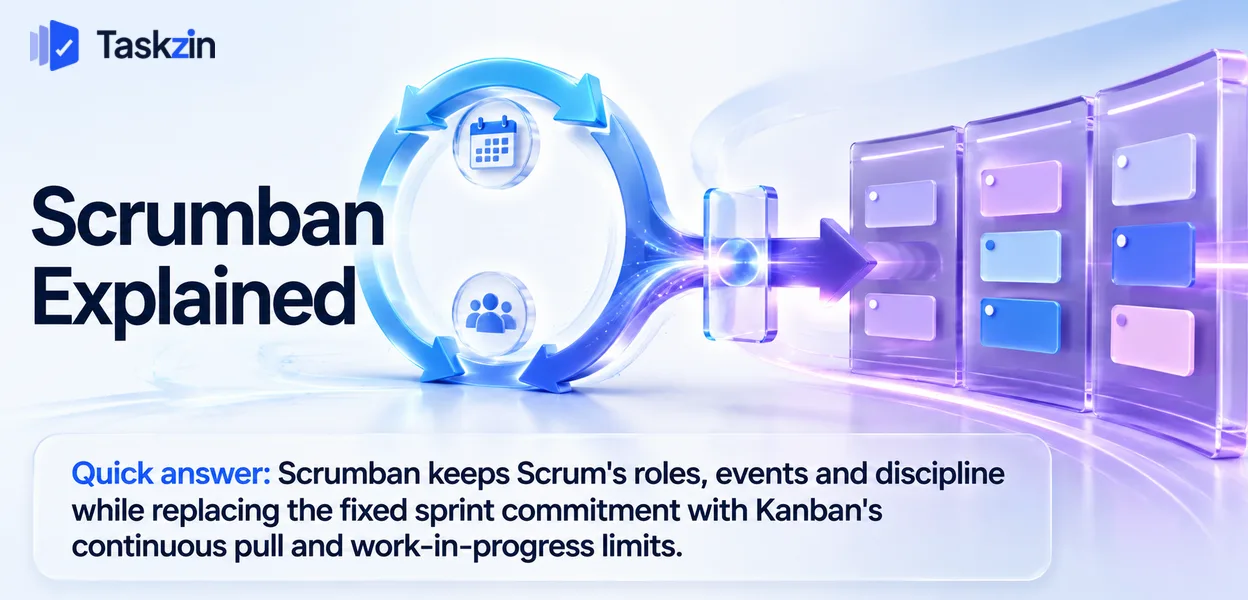
It is less a formal framework than a well-recognised combination, which is both its strength and its main risk — nobody will tell you which rules apply, so you have to decide.
This guide covers what Scrumban is, how it works, who it suits, and how to set it up without losing the discipline that made Scrum useful.
Quick answer: Scrumban keeps Scrum's roles, events and discipline while replacing the fixed sprint commitment with Kanban's continuous pull and work-in-progress limits. Teams typically arrive at it because their sprint commitments kept breaking under interrupt load, but they still wanted the planning rhythm and the retrospective.
What Scrumban Actually Is
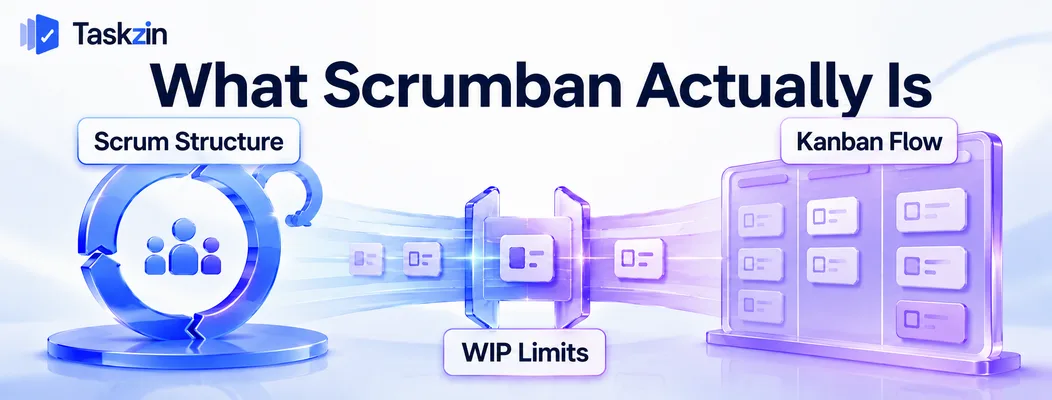
Scrumban is Scrum's structure with Kanban's load control substituted for the sprint commitment.
Scrum's structure, Kanban's flow control
From Scrum: the roles, the events, the ordered backlog, the retrospective, the definition of done.
From Kanban: visualised flow, explicit work-in-progress limits, continuous pull, and forecasting from throughput rather than velocity.
The substitution is specific — the sprint commitment goes, and WIP limits take over the job of controlling how much is in flight.
What it keeps and what it drops
Kept: the retrospective, a regular planning conversation, clear ownership, the definition of done, and usually the product owner role.
Dropped: the fixed-length sprint as a commitment container, sprint-scoped estimation, and velocity as the forecasting mechanism.
Teams frequently keep a cadence for events — a fortnightly planning session and retrospective — while the work itself flows continuously. The rhythm and the commitment are separable, which is the insight Scrumban rests on.
Where it came from
It emerged as a practical transition path for Scrum teams moving toward flow-based working, particularly in maintenance and support contexts where sprint commitments were unrealistic.
It has since become a destination rather than only a waypoint, because a substantial number of teams find it fits their demand pattern better than either parent.
Scrumban Compared to Its Parents
Scrum Scrumban Kanban Sprint commitment Yes No No Fixed cadence for events Yes Usually Optional WIP limits Implicit via sprint scope Explicit Explicit Roles Prescribed Usually kept None prescribed
Retrospective Required Kept Optional Estimation Story points Optional Optional Forecasting Velocity Throughput Throughput Planning Per sprint On demand On demand Change mid-cycle Discouraged Expected Expected
How Scrumban Works in Practice

Planning happens when the queue runs low rather than on a fixed date, WIP limits control load instead of sprint scope, and the retrospective continues on a regular cadence.
Planning on demand, not on a calendar
Instead of planning every two weeks regardless, the team plans when the ready queue drops below a threshold — for example, when fewer than five refined items remain.
This is the replenishment trigger, and it is the mechanism that replaces sprint planning. It means planning happens when it is needed, which for variable demand is more efficient than a fixed schedule.
Some teams keep a light fortnightly planning session anyway, for the rhythm. Both work; the difference is whether the calendar or the queue drives it.
WIP limits instead of sprint scope
In Scrum, the sprint backlog caps how much is in flight. Remove the sprint and you need something else, or work in progress grows without bound.
Explicit WIP limits per column do that job. This is the non-negotiable part of Scrumban — a team that drops the sprint commitment without adding WIP limits has removed its only load control, which is how "Scrumban" becomes a euphemism for no process at all.
Keeping the retrospective
The retrospective is the practice teams most regret losing, and it is fully compatible with continuous flow.
Hold it on a fixed cadence — fortnightly or monthly. Because there is no sprint boundary to anchor it, this needs deliberate scheduling rather than happening automatically.
Who Scrumban Suits
Scrumban suits teams whose sprint commitments keep breaking, teams with mixed planned and unplanned work, and teams in transition between frameworks.
Teams whose sprints keep breaking
The clearest signal. If your team abandons or substantially rewrites the sprint commitment most sprints because of urgent work, the commitment is not doing its job.
Scrumban acknowledges that reality rather than treating each broken sprint as a failure of discipline.
Maintenance and mixed workloads
Teams handling both planned improvement work and unpredictable incidents struggle with pure Scrum, because the incidents destroy the plan, and with pure Kanban, because the planned work never gets prioritised against the noise.
Scrumban handles this well: WIP limits absorb the variability, while the retained planning conversation keeps the improvement work visible.
Teams transitioning between frameworks
Moving from Scrum to Kanban in one step means dropping the roles, events and structure simultaneously, and most teams lose the reflection habit in the process.
Scrumban is the sensible intermediate position, and many teams find they simply stay there.
Setting Up Scrumban
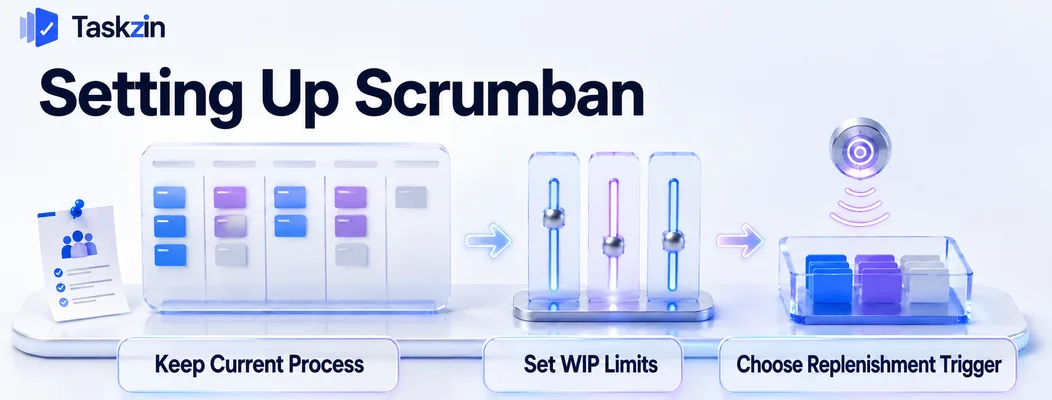
Start from your current process, define your replenishment trigger, and decide explicitly which elements remain fixed.
Start from wherever you are now
If you are running Scrum, keep everything and make two changes: add explicit WIP limits per column, and stop committing to a fixed sprint scope.
If you are running Kanban, add a regular retrospective and a planning conversation on a cadence.
Do not redesign the board. Kanban's principle of starting from your existing process applies here, and gradual change survives where wholesale replacement usually does not.
Choose your trigger for replenishment
Decide what prompts planning: a queue threshold, a fixed cadence, or both.
A threshold — plan when fewer than five ready items remain — responds to actual consumption. A cadence is simpler to schedule around. Many teams use a cadence with a threshold override for when the queue empties early.
Decide what stays fixed
The ambiguity of Scrumban is its main risk, so write down what you are doing: which events you keep and when, what your WIP limits are, whether you estimate, and how you forecast.
A short team working agreement covering these prevents the drift into "we do whatever".
Keeping it visible alongside the board — as a linked doc on the project, which most tools including Taskzin support — means new joiners can see the rules rather than inferring them.
Common Scrumban Mistakes
The three failures are using Scrumban as cover for dropping discipline, leaving it ambiguous which rules apply, and retaining estimation that nobody uses.
Using it as a excuse to drop discipline
"We're doing Scrumban" sometimes means "we stopped doing Scrum and did not start doing anything else".
The test is whether you have explicit WIP limits and a regular retrospective. Without both, you have removed structure rather than substituted it.
Ambiguity about which rules apply
Because Scrumban is a combination rather than a defined framework, teams frequently disagree about what they are actually doing.
Write it down. Five lines is enough, and it eliminates a recurring source of confusion, particularly when someone new joins.
Keeping estimation nobody uses
Teams often retain story points out of habit after dropping the sprint commitment, without using velocity for anything.
If you forecast from throughput, estimation has no consumer. Either stop estimating or be clear about what the estimates are for — carrying a practice with no purpose is pure overhead.
Frequently asked
What is Scrumban?
A combination keeping Scrum's roles, events and discipline while replacing the fixed sprint commitment with Kanban's continuous pull and explicit work-in-progress limits.
How is Scrumban different from Scrum?
There is no sprint commitment. Work is pulled continuously as capacity allows, load is controlled by WIP limits rather than sprint scope, and forecasting uses throughput rather than velocity.
Does Scrumban use sprints?
Not as commitment containers. Many teams keep a fixed cadence for planning and retrospectives, but the work itself flows continuously rather than being batched into a committed sprint.
Does Scrumban use story points?
Optionally, and often not. If you forecast from throughput, estimation has no consumer. Teams that keep points after dropping the sprint frequently find they are no longer using them for anything.
Who should use Scrumban?
Teams whose sprint commitments keep breaking under interrupt load, teams mixing planned improvement work with unpredictable incidents, and teams transitioning from Scrum toward flow-based working.
How do you forecast in Scrumban?
From throughput and cycle time. After eight to ten weeks of history you can forecast a range for a given number of items without estimating any of them.
Is Scrumban a real framework?
It is a widely recognised combination rather than a formally specified framework. That means nobody defines the rules for you, so writing down what your team actually does is more important than it is in Scrum.
Sanju Shrestha is a SaaS content writer at Taskzin who explores smarter ways to manage work, organize priorities, and improve team performance. Her content covers productivity strategies, digital workflows, collaboration, and task management, with a focus on helping modern teams work more efficiently and stay aligned.
All posts by Sanju Shrestha

Comments