8 Best Zoho Projects Alternatives
Eight Zoho Projects alternatives compared, covering why teams leave, what each alternative provides, how to test whether the Zoho suite integration is genuinely worth staying for, and what to check before switching.

Zoho Projects is competent, inexpensive and broad. Its main advantage is native integration with the rest of the Zoho suite — and if you are searching for alternatives, that advantage may not be doing much for you.
Quick answer: The first question is not which alternative but whether the suite integration is the reason you chose it. If you run Zoho CRM, Books and Desk with real data flowing between them, leaving costs more than a subscription. If Zoho Projects is the only Zoho product you use, that advantage is worth nothing and the field is wide open.
Why Teams Leave Zoho Projects
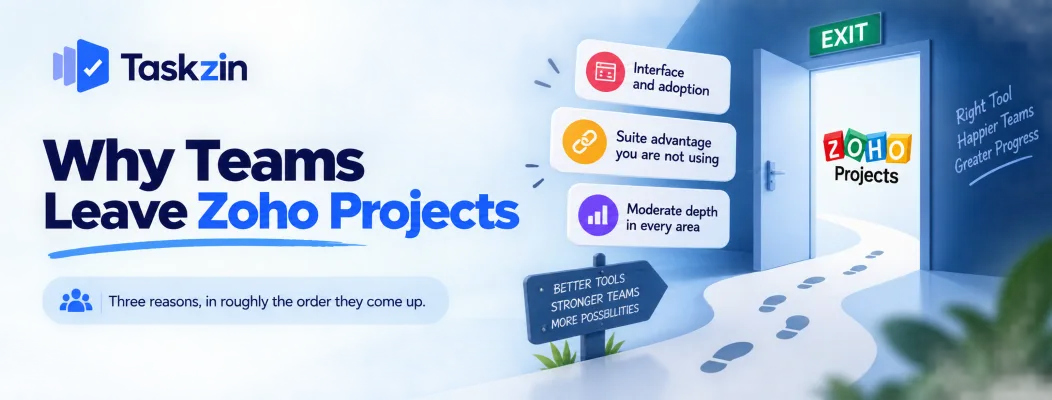
Three reasons, in roughly the order they come up.
Interface and adoption
Zoho Projects is functional rather than polished, and non-technical teams take to it more slowly than to Asana or Monday.com.
A tool half the team avoids produces incomplete data, and incomplete data makes reporting wrong. This is the most common underlying complaint even when people describe it as something else.
The suite advantage you are not using
Teams adopt Zoho Projects expecting rich integration and then use one connection, or none.
At that point they are using a standalone tool that happens to be made by Zoho, and it should be evaluated on its own merits against everything else.
Moderate depth in every area
Zoho Projects does many things adequately. Teams that need genuine depth in one area — flow control, resourcing, agile metrics, client reporting — find it thin.
That is the standard suite trade, and it becomes a problem as a team's practice matures.
The 8 Alternatives Compared
Tool Best for Timesheets Dependencies Free plan Taskzin Views, dependencies, simple pricing Business plan Yes, critical path Up to 10 members Asana Adoption and
Monday.com — visual clarity
Integrations Yes Yes
ClickUp — breadth and value
Monday.com Visual clarity Higher tiers Yes Limited Trello A simple board Via Power-Up Via Power-Up Yes, usable Wrike Resource allocation Available Yes Limited Jira Software teams Via apps Yes Yes
Basecamp Client conversation No No Limited
Verify current pricing and plan limits before deciding.
The Alternatives in Detail
What each gives you over Zoho Projects, and what it costs.
Taskzin — views and dependencies at similar cost
Six views over one dataset with dependencies that recalculate the critical path, board WIP limits and swimlanes, sprints with velocity and burndown from Starter, and dashboards on Business.
Flat per member with no seat tiers, free up to 10, unlimited free guests.
The trade: no built-in issue module, and time tracking sits on Business rather than being included throughout. Suits teams leaving on interface or flow-control depth.
Asana — the adoption fix
If the honest problem is that people did not use Zoho Projects, Asana is the most likely to be used by everyone.
The trade: costs more, and useful views sit on higher tiers.
ClickUp — breadth and value More capability than Zoho Projects at comparable or lower cost, including time tracking and docs built in.
The trade: needs configuration ownership or it sprawls.
Monday.com — visual clarity The most readable boards on this list and the strongest guided onboarding.
The trade: seat structure has historically meant paying in blocks, and depth is moderate.
Trello — if you only needed a board
Some Zoho Projects users only ever used the task list. Trello does that better and free.
The trade: no real dependencies or reporting, so only right if your needs are genuinely simple.
Wrike — if resourcing is the problem
Where the real issue is allocating people across many projects, Wrike solves what Zoho Projects does not.
The trade: heavier, more expensive, and a longer implementation.
Jira — if the team is engineering
Deeper agile tracking than Zoho Projects offers, with a large ecosystem.
The trade: poor for non-engineering teams, and configuration debt without an admin.
Basecamp — if it is mostly client conversation
Flat fee, unlimited users, and message boards that handle discussion better than task comments.
The trade: no dependencies, no timesheets, minimal reporting.
Should You Stay Inside Zoho?
Test the suite argument before abandoning it — it is the only thing Zoho Projects has that others do not.
Count the Zoho products you actually run
List them honestly: CRM, Books, Desk, People, Analytics. Which are in daily use, not which you hold licences for.
One product means no suite advantage. Three or more with real workflows between them means leaving has costs beyond the subscription.
Check what data genuinely flows
Name the specific data moving between Zoho Projects and the rest of your suite, and how often.
Teams frequently assume rich integration and find one connection — usually deal to project — that a third-party integration could handle anyway.
Price the alternative honestly
Include what leaving costs: building the integrations you currently get free, another vendor relationship, another admin surface, another security review.
Then compare. If the number still favours leaving, the suite argument was not real for you.
Before You Switch
Three steps specific to leaving Zoho Projects.
Export and inspect
Export while the account is active and open the files. Confirm tasks, custom fields, comments and attachments are present.
Most alternatives import via CSV rather than a direct connector, so expect field mapping work.
Plan for timesheets and issues separately
Zoho Projects' timesheet history and issue-module data do not map cleanly onto a general project tool.
Decide whether you need the history. If you do, export it to a spreadsheet and keep it — you will not reconstruct it later.
Pilot one project
Move a single project or team for a month before committing everyone.
For this migration specifically, the pilot tells you how much the suite linkage was actually doing — which is hard to judge until it is gone.
Frequently asked
What is the best Zoho Projects alternative?
Depends why you are leaving. Asana for adoption, Taskzin for views and dependencies at similar cost, ClickUp for breadth, Wrike for resourcing, Jira for engineering.
Is there a cheaper alternative to Zoho Projects?
Zoho Projects is already inexpensive. Taskzin is free up to 10 members, and Trello, ClickUp and Asana all have free tiers, but few paid tools undercut Zoho meaningfully.
Which alternative has built-in timesheets?
ClickUp includes time tracking throughout; Taskzin includes it with billable rates on Business; Wrike and Monday.com offer it on higher tiers. Asana relies on integrations.
Should you leave if you use Zoho CRM?
Test it first. Name the data that genuinely flows between them and how often. If it is one connection, a third-party integration could replace it and the suite argument is weak.
Which is easiest to adopt?
Asana or Monday.com, clearly. Both are built for people who do not like project software, which is the most common complaint about Zoho Projects.
Can you export from Zoho Projects?
Yes. Export while the account is active and check what is included — timesheet and issue-module data typically need separate handling.
Which alternative is best for agile teams?
Jira for depth, Taskzin for sprints with velocity and burndown plus enforced WIP limits, ClickUp for agile alongside broad general capability.
Binita Ray is a content writer at Taskzin, creating insightful and practical content on task management, team collaboration, productivity, workflow optimization, and SaaS solutions. She focuses on helping businesses, teams, and professionals simplify their work processes, improve efficiency, and make better use of modern productivity tools.
All posts by Binita Ray


Comments