Jira vs Linear: Which Suits Product Teams Better?
An honest comparison of Jira and Linear for product teams, covering their opposing philosophies, where Jira's configurability and governance win, where Linear's speed and defaults win, and the questions that actually decide the choice.

This is not a question of which is better software. Both are good at what they set out to do, and they set out to do different things.
Quick answer: Jira is a configurable platform that can model almost any process. Linear is an opinionated tool that deliberately refuses to model most of them. For a product team of under about eighty people with no dedicated admin, that refusal is usually an advantage. Above that size, or in organisations with compliance and governance requirements, Jira's configurability stops being overhead and starts being necessary.
The Short Version
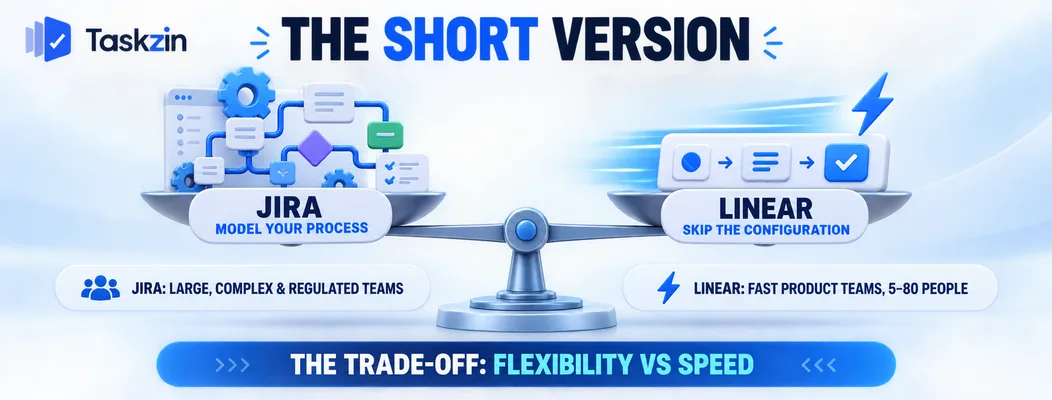
Jira optimises for being able to represent your process; Linear optimises for not needing to.
What each optimises for
Jira's design assumption is that every organisation works differently and the tool should adapt.
Hence workflow schemes, permission schemes, custom issue types, screens and field configurations.
Linear's assumption is the opposite: that most teams' processes are more similar than they think, and that configurability is where tools go wrong. It ships strong defaults and limits what you can change.
Who each suits
Linear suits product and engineering teams of roughly five to eighty people who work continuously, value speed, and do not want to administer a tool.
Jira suits larger organisations, regulated environments, teams with genuinely unusual processes, and anywhere multiple departments need different configurations in one system.
The real trade-off
Choosing Linear means accepting that some things cannot be modelled. Choosing Jira means accepting configuration work and a slower interface.
Teams that leave Jira rarely leave because of a missing feature. They leave because the configuration accumulated over years and nobody owns it any more.
Jira vs Linear at a Glance
Jira to Linear
Philosophy Configurable to any process Opinionated defaults Setup time Days to weeks Under an hour Interface speed Moderate Very fast Workflow customisation Extensive Deliberately limited Custom fields Extensive Limited Sprints / cycles Sprints, fully configurable Cycles, fixed model Triage Via configuration Built-in, first-class
Roadmaps Advanced Roadmaps on higher tiers Built in Non-engineering teams Supported (Jira Work Management) Poor fit by design Permissions Granular schemes Simpler model Audit logs and compliance Strong Lighter Apps and marketplace Very large Limited, curated
Where Jira Is Stronger
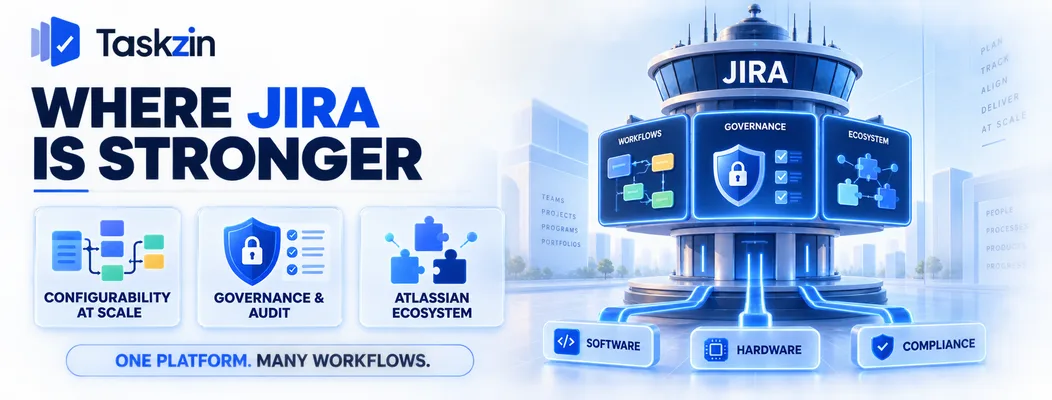
Jira wins on configurability at scale, on governance features, and on its surrounding ecosystem.
Configurability at organisational scale
Different teams needing genuinely different workflows, issue types and fields in one system is Jira's core competence, and nothing else matches it.
A hardware team, a compliance team and a software team can all work in the same Jira with structures that suit each. Linear cannot do this and does not try.
Governance, permissions and audit
Granular permission schemes, detailed audit logging, and the certifications larger enterprises require during procurement.
For regulated industries, these are gating requirements rather than preferences. A tool that cannot satisfy your security review is not a candidate regardless of how good it is.
The Atlassian ecosystem
suite Slack, GitHub, Figma and similar Admin required Usually yes at scale Rarely
Verify current pricing and tier features for both before relying on cost comparisons.
The Atlassian ecosystem Confluence for documentation, Bitbucket for code, and a very large marketplace of apps covering nearly every niche requirement.
If your organisation already runs Atlassian products, the integration depth is real and the switching cost is higher than a comparison of two issue trackers suggests.
Where Linear Is Stronger
Linear wins on speed, on defaults that remove decisions, and on cycles and triage as first-class concepts.
Speed and interface quality
Linear is fast in a way that changes how people use it. Keyboard-driven navigation, instant transitions, no waiting for a page to load before you can act.
This sounds cosmetic and is not. A tool that responds instantly gets updated; one with a two-second delay on every action gets updated less, and stale data is the failure mode that matters.
Opinionated defaults
Linear removes the decision of how to configure things. Statuses, cycle structure and triage behaviour arrive already decided.
For a team without a dedicated admin, this is the main benefit. Nobody debates workflow design, nobody maintains configuration, and the setup that exists on day one is still coherent two years later.
Cycles and triage
Linear's cycles are simpler than Jira sprints and handle the common case well — incomplete work rolls forward automatically rather than requiring a ceremony.
Triage is built in rather than configured: incoming issues land in a queue, get assessed, and are accepted or declined. In Jira this is something you build.
The Question That Actually Decides It
Three questions settle this faster than any feature comparison: do you need configurability, who else needs the tool, and is there anyone to administer it?
Do you need configurability or opposition to it?
If your team's frustration is "our tool is too complicated and nobody maintains it", Linear addresses that directly.
If your frustration is "we cannot model how we actually work", Linear will make it worse and Jira is the right answer.
Who else needs to be in the tool?
Linear is for product and engineering. Marketing, operations, support and finance do not belong in it, and Linear does not pretend otherwise.
If you need one system across functions, you are choosing between Jira with Work Management, or a general project tool. Some teams run Linear for engineering and something broader for everyone else — a legitimate arrangement with a real handoff cost.
Do you have an admin?
Jira rewards having someone who owns the configuration. Without that person, Jira instances accumulate unused fields, dead workflows and permission schemes nobody understands.
Be honest about whether that person exists. Most teams that describe Jira as a mess do not have one.
Migrating Between Them
Both directions are feasible; the losses differ, and configuration never transfers.
Linear to Jira
The common direction. Issues, assignees, states, comments and attachments transfer through Linear's importer.
Workflow schemes, permission schemes and marketplace app data do not. This is usually welcomed rather than mourned — most of what does not transfer is the accumulation people are leaving.
Linear to Jira Less common, usually driven by an acquisition or a compliance requirement.
Issues and history transfer via CSV. You then face the configuration work Linear spared you, which is the cost of the move.
What never transfers
Automation rules, dashboards, saved filters and anything built on a marketplace app.
Rebuild only what you actually use. Most teams find the rebuilt version is a fraction of the original, which is itself a useful finding.
If neither shape fits — you want Linear's setup speed but need non-engineering teams and timelines in the same system — that middle ground is where tools like Taskzin sit, with views over one dataset rather than a configurable platform or an engineering-only one.
Frequently asked
Is Linear better than Jira?
For product and engineering teams under about eighty people with no dedicated admin, most teams find Linear better day to day. For large organisations, regulated environments or cross-functional use, Jira remains stronger.
Which is cheaper, Jira or Linear?
Both price per user with free tiers for small teams. The comparison depends heavily on which Jira tier contains the features you need — verify current pricing directly, as both change.
Can non-engineering teams use Linear?
Not well, and deliberately so. Linear is built for product and engineering. Marketing or operations teams need a different tool, which means running two systems.
Does Linear have Gantt charts?
It has roadmaps and timeline views oriented to continuous delivery rather than scheduled dependency management. If you need a true dependency-driven Gantt chart, neither Linear nor standard Jira is the strongest option.
Why do teams leave Jira?
Usually accumulated configuration rather than missing features — years of custom fields, workflows and schemes that nobody owns, plus interface speed. The complaint is rarely about capability.
Is Jira still worth using in 2026?
Yes, for the cases it fits: large organisations, multiple teams needing different configurations, and environments with governance requirements. It is over-specified for a fifteen-person product team.
Can you migrate from Jira to Linear?
Yes. Issues, assignees, states, comments and attachments transfer through Linear's importer. Workflows, permission schemes and marketplace app data do not.
Binita Ray is a content writer at Taskzin, creating insightful and practical content on task management, team collaboration, productivity, workflow optimization, and SaaS solutions. She focuses on helping businesses, teams, and professionals simplify their work processes, improve efficiency, and make better use of modern productivity tools.
All posts by Binita Ray

Comments