Slack vs Your Project Tool: Where Should Work
A practical guide to the boundary between Slack and your project tool, covering why work drifts into chat, what belongs where, three rules that stop the drift, how to integrate the two properly, and the signs it has gone too far.


This is framed as a comparison and is really a routing question. Almost every team has both, and the trouble comes from work quietly migrating into the one that was never meant to hold it.
Quick answer: Slack is a stream — messages pass and disappear. A project tool holds state — what exists, who owns it, what condition it is in. Work that lives in the stream becomes unfindable within a week, which is why decisions get relitigated and new joiners cannot reconstruct anything.
These Are Not Competing Tools
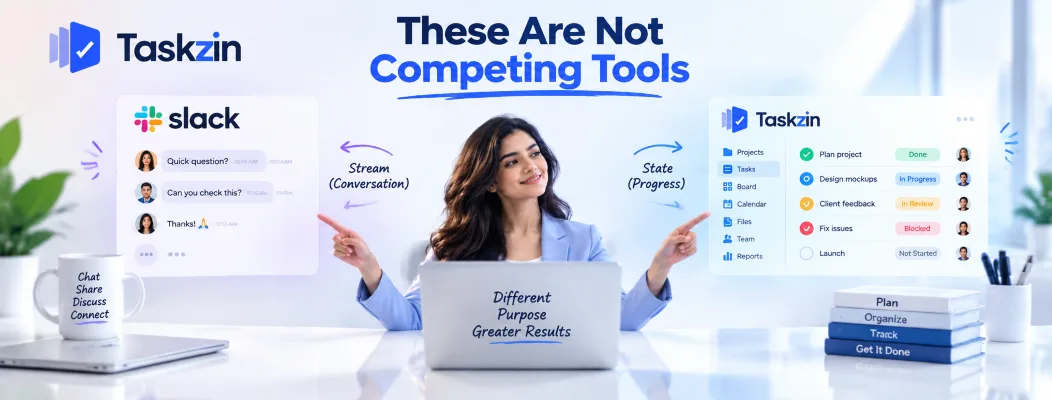
The distinction is stream versus state, and it explains every symptom below.
Chat is a stream; work is a state
A Slack message exists at a moment. It scrolls, it is superseded, and finding it later requires remembering roughly what was said and roughly when.
A task has a state — open, owned, blocked, done — that persists and is true right now without anyone remembering anything.
Why work drifts into Slack
Because Slack is where people already are, and posting a message is faster than creating a task.
That speed is real. The cost lands later, on whoever needs to know what was agreed, and it is invisible to the person who saved thirty seconds.
What that costs you
Decisions made in a thread get made again three months later by someone who was not there.
Requests mentioned in passing are never actioned and nobody is at fault. Status lives in whoever last spoke rather than in anything checkable.
None of this shows up as a problem with Slack. It shows up as a team that seems disorganised.
What Belongs Where
Content Where it belongs Why Quick question with a quick answer Slack No lasting state; resolves in minutes Informal coordination Slack Genuinely conversational Social and team culture Slack This is what chat is for A request for work Project tool Needs an owner and a date A decision Project tool or docs Must be findable later Status of anything Project tool Must be true now, not when last said Blocked work Project tool, flagged Needs an owner and a duration Feedback on a deliverable Project tool, on the item Belongs with what it refers to Anything referenced in six months Not Slack Search will not find it
Urgent escalation Slack or a call Speed matters more than record
The Three Rules That Fix Most of It

Three rules, applied consistently, stop nearly all of the drift.
A decision is not made until it is recorded
Discuss in Slack freely. But the decision is not real until someone writes it where the work lives, with the reasoning.
One line is enough: what was decided, by whom, why, and what was rejected. Without this, the same debate recurs — usually raised by someone who was not in the thread and has no way of knowing it was settled.
A request is not a task until it has an owner
"Can someone look at the billing bug" in a channel is not a task. Nobody owns it, nothing tracks it, and everyone assumes someone else picked it up.
Make the rule explicit: requests in Slack get converted to a task, or they did not happen. This feels bureaucratic for about a fortnight and then feels obvious.
Status belongs where the work is
When someone asks for status in Slack, the answer should be a link, not a paragraph.
Typing status into chat creates a second, conflicting record that is accurate for about an hour.
Where the project tool holds the real state, pointing at it is both faster and correct.
Integrating Them Properly
Connect the two so Slack carries notifications and the project tool carries the work.
Notifications into Slack, not conversations
Send updates one way: task assigned, blocker raised, milestone reached, status changed.
Do not route conversations back. A notification that prompts a Slack thread has put the discussion back in the stream, which is what you were trying to avoid. Reply on the item.
Creating tasks from messages
Most project tools let you create a task directly from a Slack message, carrying a link to the thread.
This is the single most useful integration available, because it removes the friction that causes drift in the first place. If creating a task takes one click from where the request arrived, people do it.
Turning off the channels nobody reads
Notification channels proliferate and then get muted, which means the integration is doing nothing except generating volume.
Audit them quarterly. A channel everyone has muted is worse than no channel — it creates the impression that information was shared.
Signs Work Has Drifted Too Far
Three symptoms tell you the boundary has failed.
Searching Slack to find project status
If answering "where are we on this?" means scrolling a channel, the project tool is not the source of truth any more.
This is the clearest signal and the easiest to notice. The fix is not better search; it is putting status back where it belongs.
Decisions relitigated because nobody can find them
The same discussion happening twice, months apart, usually raised by someone new to it.
Every instance of this is a decision that was made in a stream and never recorded. Count them over a quarter — the number is usually higher than people expect.
New joiners who cannot reconstruct anything
A new person should be able to read the project and understand what is happening, what was decided and why.
If the only way to get that is asking people what they remember, your project history lives in Slack and is effectively gone. This is the most expensive version of the problem, because it recurs with every hire.
Frequently asked
Should you manage projects in Slack?
No. Slack is a stream and project work needs persistent state — what exists, who owns it, what condition it is in. Use Slack for conversation and a project tool for the work itself.
What should stay in Slack?
Quick questions, informal coordination, social conversation and urgent escalation. Anything that needs to be findable in six months should not live there.
How do you stop work drifting into chat?
Three rules: decisions are not made until recorded, requests are not tasks until they have an owner, and status questions are answered with a link rather than a paragraph.
Should project notifications go to Slack?
Yes, one way — assignments, blockers, milestones and status changes. Do not route conversations back into Slack, or you have moved the discussion back into the stream.
How many Slack channels should a project have?
One, usually. Channel sprawl means nobody knows where to post, and multiple channels for one project guarantee that context is split.
Can Slack replace a project tool for a small team?
Not really, even at three people. The failure is not scale — it is that a stream cannot hold state, so status and decisions become unfindable regardless of team size.
Where should decisions be recorded?
With the work they affect — on the task, project or document they govern, with the reasoning and what was rejected. Not in a thread, and not in someone's notes.
Sanju Shrestha is a SaaS content writer at Taskzin who explores smarter ways to manage work, organize priorities, and improve team performance. Her content covers productivity strategies, digital workflows, collaboration, and task management, with a focus on helping modern teams work more efficiently and stay aligned.
All posts by Sanju Shrestha


Comments